
BibiGPT v4.436.0 Update: Local Privacy Mode, 17-Language Extension & Bilibili Subtitle Direct
BibiGPT v4.436.0 Update: Local Privacy Mode, 17-Language Extension & Bilibili Subtitle Direct
Dear BibiGPT users,
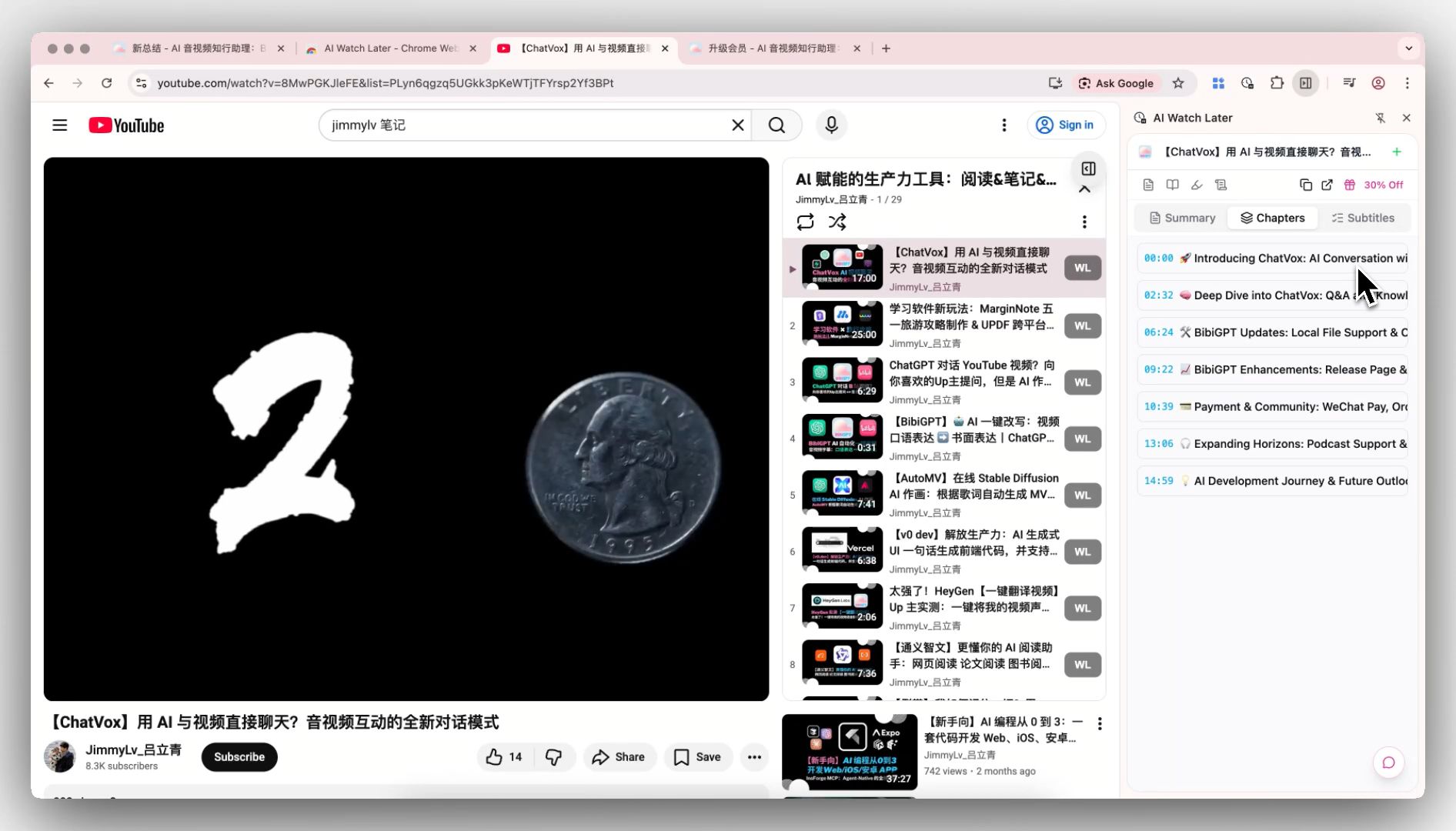
Three highlights this release: the desktop Folder Auto-Import now supports Local Privacy Mode — transcription and summarization run entirely on your machine without any upload; the browser extension covers 17 languages with automatic detection on first install; and Bilibili video summarization is noticeably faster, now using the platform’s own AI subtitles directly.
⚡ Faster to Watch
Bilibili Videos Now Use Platform AI Subtitles Directly
Many Bilibili videos already have AI-generated subtitles built in. Now the browser extension automatically grabs Bilibili’s native AI subtitles and feeds them straight to BibiGPT for summarization — noticeably faster results, same quality.
Folder Auto-Import Now Supports Local Privacy Mode
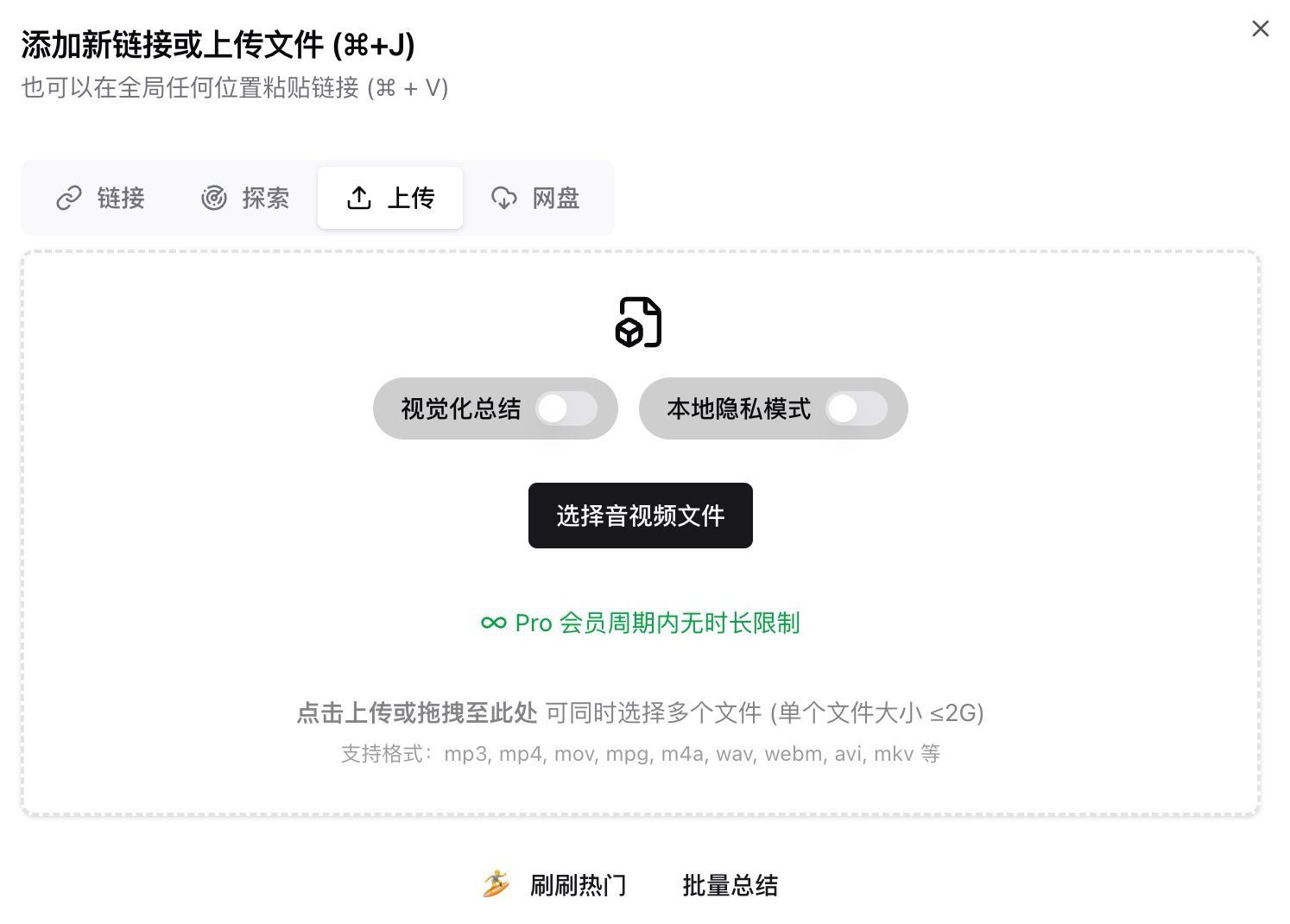
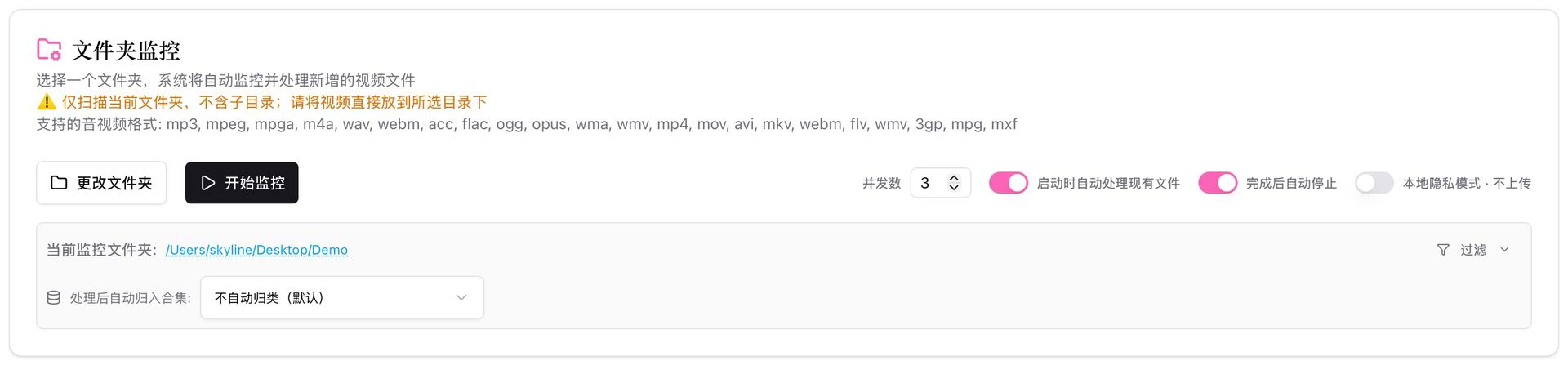
If you work with sensitive or confidential content, you can now do so with complete peace of mind.
The desktop Folder Auto-Import now supports Local Privacy Mode — turn it on, and new files are automatically queued, with speech transcription and AI summarization running entirely on your machine. Nothing gets uploaded to any server.
Local Video Playback in Detail Pages
After processing a local video, you can now play it back directly on the detail page. The video is cached in browser storage (survives page refreshes) and supports subtitle overlay.
🔎 Easier to Find
Xiaohongshu Profile Links Now Recognized as Channels
Pasting a Xiaohongshu user profile link used to be misidentified as a single video. It now correctly enters the channel subscription flow, so you can follow all new content from that creator.
🛠️ Better to Use
Browser Extension Now Supports 17 Languages
The browser extension now supports Chinese, English, Japanese, Korean, Traditional Chinese, German, French, Spanish, Portuguese, and 8 more languages — 17 total. It auto-detects your browser language on first install. Localization is native, not machine-translated.
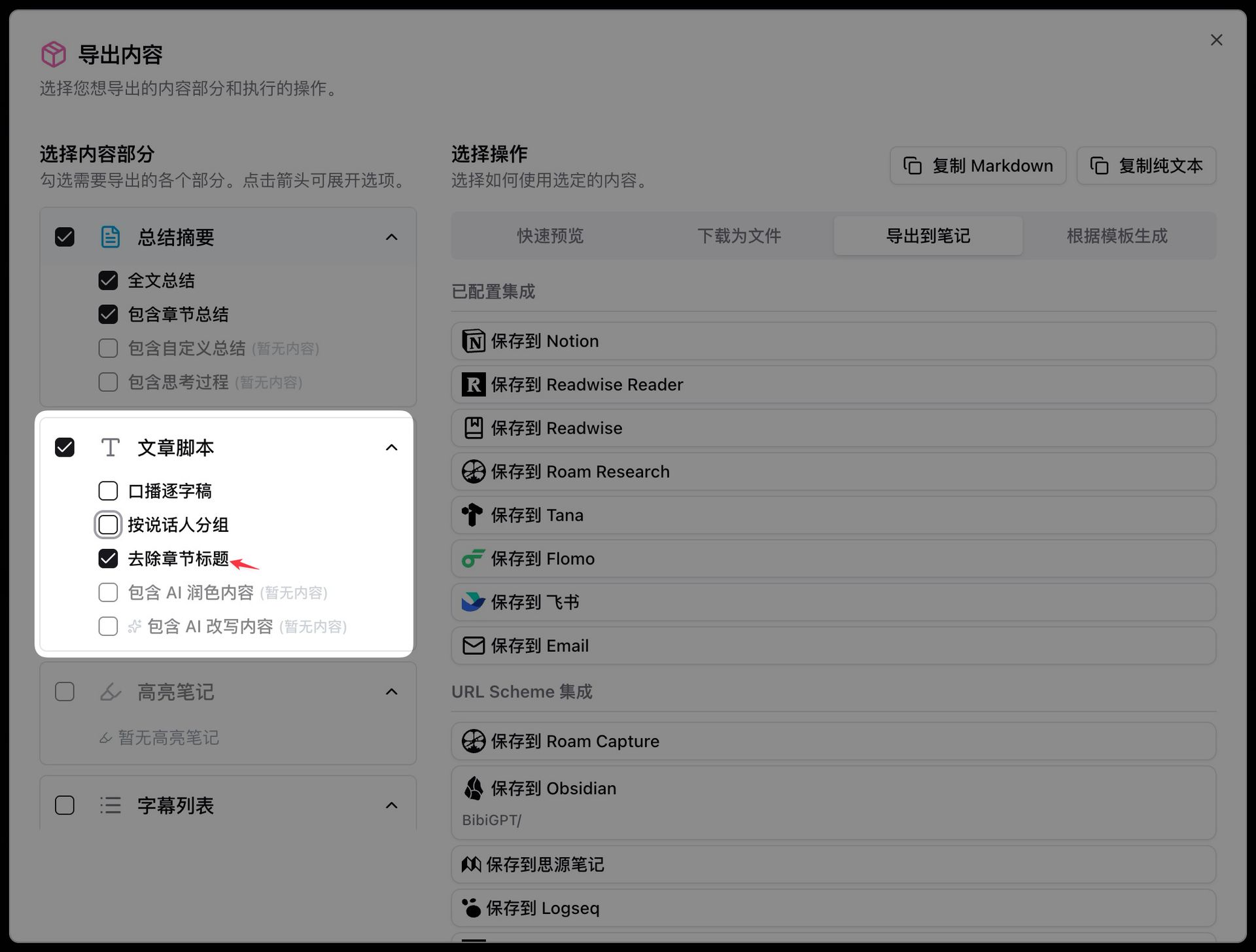
New Toggle: Remove Chapter Titles from Transcript Export
When exporting spoken transcripts, you can now strip all chapter headings with one click — leaving just the body text. Great for pasting into podcast scripts or text editors. The toggle remembers your preference.
Local Processing History
All files processed in Local Privacy Mode now have a dedicated history page (/local-history). Browse titles, timestamps, and summary previews; click to view full results; delete individual records. A footer reminds you: data stays on your device only.

More Recent Improvements
- AI chat with large attachments now billed by actual usage: a confirmation dialog shows estimated cost before proceeding
- Negative feedback on AI summaries includes model info: helps us troubleshoot faster
- Podcast cover fix: Bilibili and Xiaohongshu podcast covers no longer fail to load
- Local media cache management: new card in Settings showing file count, used space, and a one-click clear button
- Upload deduplication: uploading the same local file twice now creates only one record
- Subtitle processing stability improved: fixes a looping subtitle issue reported by multiple users
- Bilibili link deduplication: the same video no longer generates duplicate records
Wrapping Up
The standout update this time is Local Privacy Mode — sensitive content can finally be processed entirely offline. The 17-language browser extension is also a big deal for international users who no longer have to guess at a Chinese interface.
Save brainpower with computing power — watch faster, search better, use smarter.
Got feedback or found a bug? Reach out via the WeChat official account “魔法司” or drop us a line at support.