
BibiGPT AI Video Learning: Feynman Technique + Active Recall, 4 Steps From Passive Watching to Real Mastery
Why do you forget most of what you watch? Cognitive science has the answer. BibiGPT combines the Feynman Technique, active recall, and spaced repetition into a 4-step AI video learning workflow — from summary to Anki flashcards, automatically.
BibiGPT AI Video Learning: Feynman Technique + Active Recall, 4 Steps From Passive Watching to Real Mastery
Have you spent two hours watching a technical tutorial, only to find the next day that you can barely explain the key points to a colleague?
This isn't a memory problem. It's how your brain works — passive information reception is not learning. Ebbinghaus's Forgetting Curve shows that without active review, people typically retain only about 30% of information the day after learning it.
Video is one of the highest-density knowledge formats. But it's also uniquely prone to the "fake learning" trap. Your brain is in receive mode while watching — but real learning requires active processing, comprehension testing, and spaced recall.
The good news: BibiGPT has these three cognitive science principles built directly into its product design.
Why Video Learning Often Fails: The Cognitive Science View
Problem 1: Passive Reception vs. Active Construction
Cognitive science research shows that meaningful learning happens when learners actively select, organize, and integrate new information with existing knowledge (Mayer's Multimedia Learning Theory).
The problem with video is that it's too smooth. Images, audio, and subtitles arrive simultaneously. Your brain is busy following along, with no space to actively construct meaning. You feel like "I understood that" — but this is the Fluency Illusion: because the video was clearly presented, you mistake recognition for comprehension.
Problem 2: No Mechanism to Test Understanding
The Feynman Technique's core test is simple: Can you explain this concept in plain language to someone with no background knowledge?
Being able to explain means you truly understand. But most video learners never run this test — until an exam or real-world application reveals the gaps.
Problem 3: No Spaced Repetition
Active Recall + Spaced Repetition are the most empirically supported memory methods in cognitive science. Anki is the classic implementation.
But manually creating Anki cards from videos? Far too time-consuming. Almost no one sticks with it.
How BibiGPT Embeds Cognitive Science Principles Into Video Learning
BibiGPT isn't just a "video to text" tool. Its features are designed as a complete, cognition-driven learning system. Here's the four-step core workflow:
Step 1: Structured Summary + Mind Map — Build a Knowledge Framework
Cognitive principle: Active Organization
Open any YouTube, Bilibili, Xiaohongshu, or podcast link. BibiGPT's AI generates a structured summary — not a transcript, but a distilled version capturing core arguments, key data, and logical structure.
Even more powerful: the Inline Mind Map feature. Click the toggle inside the summary view to instantly switch from text summary to XMind or Markmap — giving you a bird's-eye view of the entire video's knowledge structure.
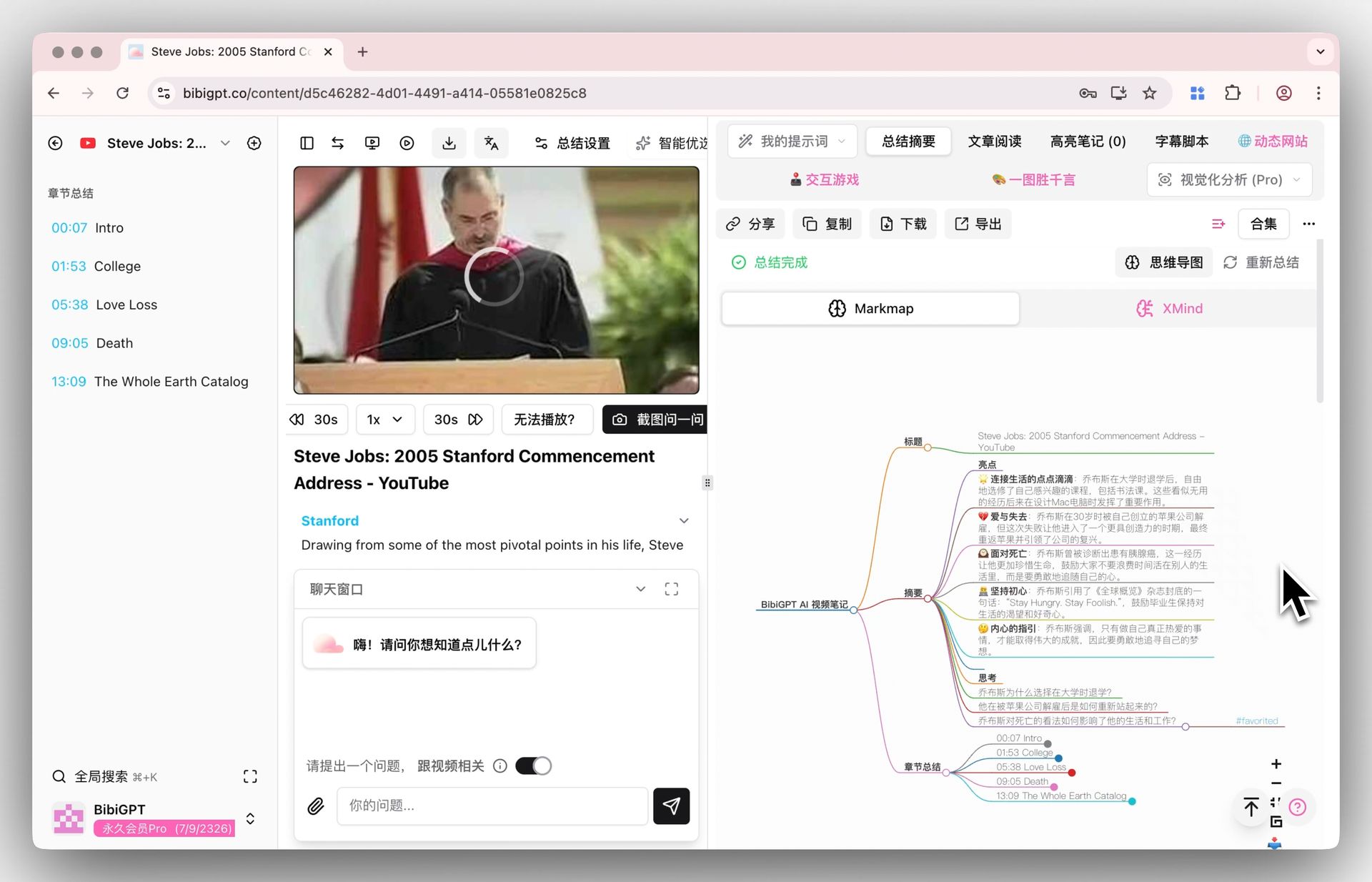 BibiGPT inline mind map in XMind view
Why is this better than "watching subtitles"?
Structured summaries force your brain to do "knowledge reorganization" — converting streaming video content into a hierarchical knowledge structure. This is active construction in itself, dramatically improving retention.
Step 2: AI Chat + Critical Thinking — Test Depth of Understanding
Cognitive principle: Feynman Technique
After reading the summary, open BibiGPT's AI chat window and run a simple Feynman self-test:
"Explain the core argument of this video in one paragraph, as if I have no background knowledge."
Then ask BibiGPT to evaluate your explanation, or challenge it with:
"What are the strongest counterarguments to the main claim in this video?"
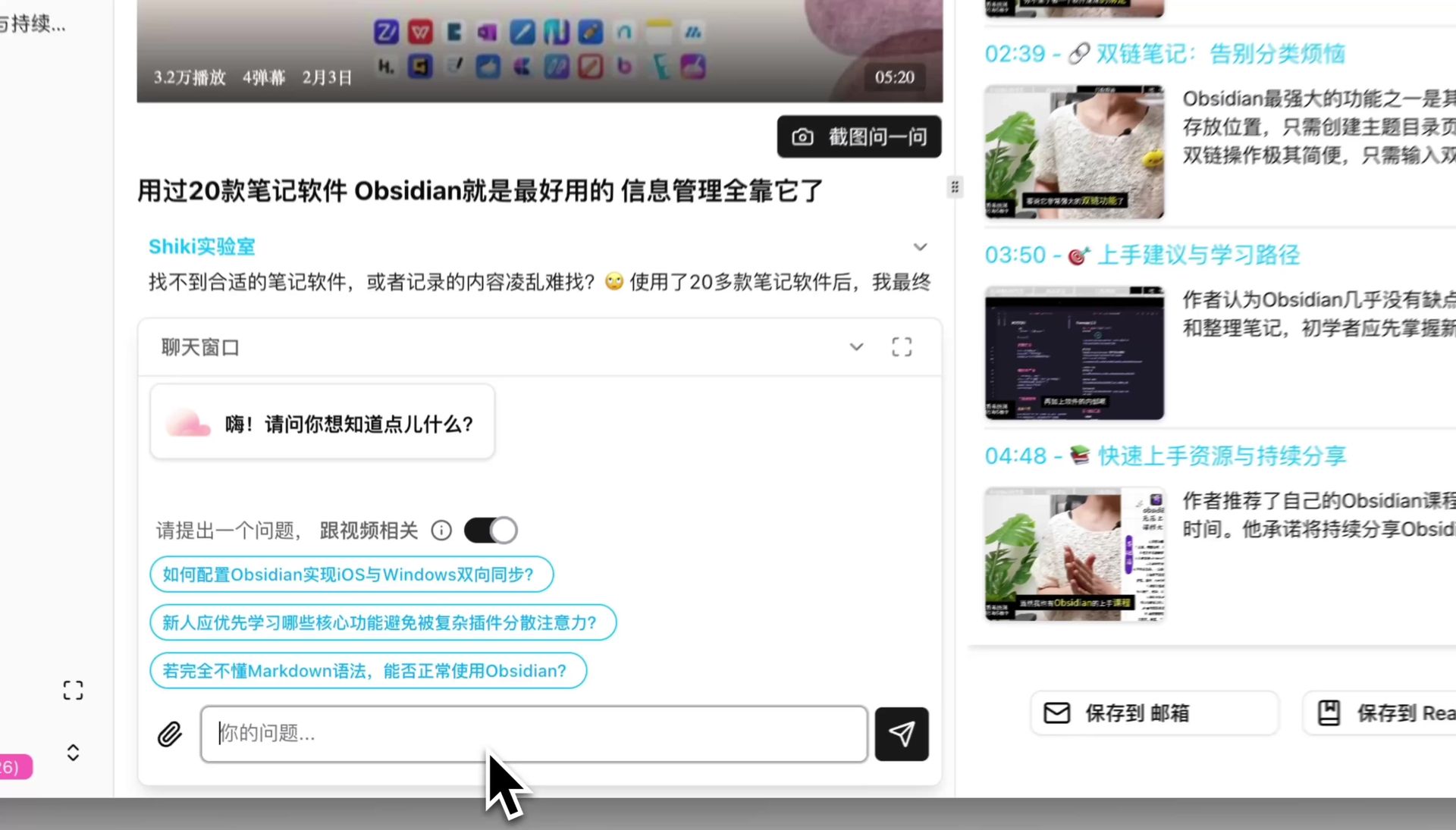 BibiGPT AI chat window: critical thinking dialogue about video content
Key detail: With the "video-relevant" toggle on, BibiGPT's AI answers are grounded in the current video content — no hallucinated responses about things the video didn't say. Every claim is traceable.
This is the Feynman Technique, digitized: use AI as your Feynman dialogue partner, challenging your understanding and surfacing blind spots on demand.
Step 3: AI Highlight Notes + Flashcards — Reinforce Key Knowledge
Cognitive principle: Active Recall
AI Highlight Notes: One click and BibiGPT automatically analyzes the video, extracts all highlight clips, and categorizes them by theme. No more manually scrubbing through timelines. Every highlight has a timestamp — click to jump to the source clip in the original video.
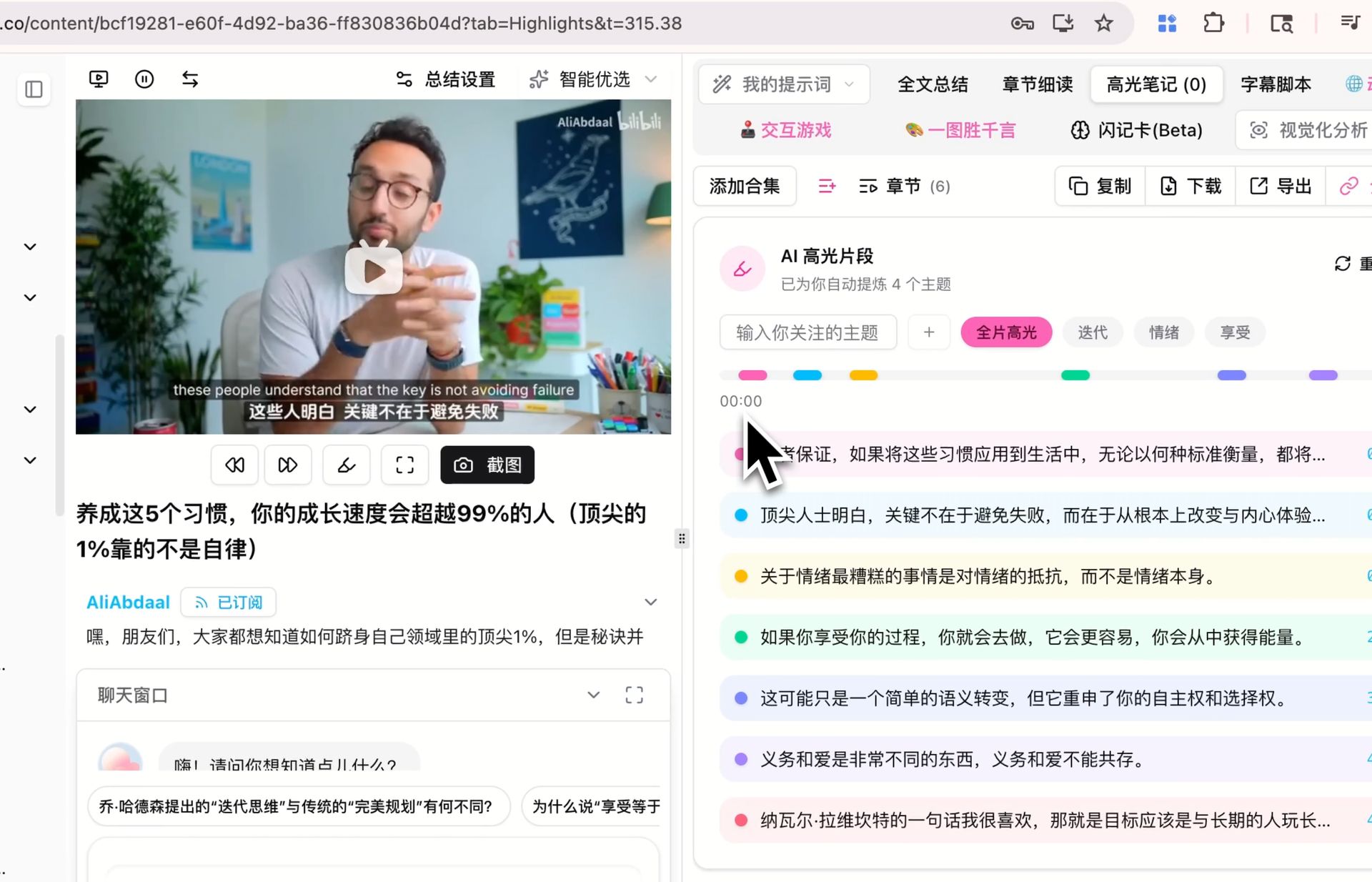 BibiGPT AI Highlight Notes: auto-extract and categorize key video moments
Then comes the Flashcard feature — the critical step from passive learning to active recall:
BibiGPT auto-generates Q&A cards from video content. Review them interactively inside BibiGPT, rating each as "got it" or "needs more practice." Most importantly: export as CSV with one click and import directly into Anki.
 BibiGPT Flashcard: auto-generate Q&A cards from video, export to Anki
From now on, every time you study a new video in BibiGPT, you automatically generate a batch of Anki cards that enter your spaced repetition system. This solves the biggest pain point of "wanting to use Anki but manual card creation is too tedious."
Step 4: Highlight Output + Knowledge Archival — Turn Understanding Into Usable Assets
Cognitive principle: Generation Effect
Research shows active output (writing, explaining, creating) is one of the most effective ways to consolidate memory — nearly 50% better retention than passive review (Roediger & Karpicke, 2006).
BibiGPT's highlight notes and sharing features make "output" frictionless:
- Select the most important sentences in the BibiGPT summary
- Highlights are collected in the Highlight Notes tab, organized by video
- Export to Notion, Obsidian, or Readwise — integrate into your PKM system
- Generate shareable image cards in one click — ready for blog posts, social media, or newsletters
When you force yourself to turn "what I learned" into "something I can share with others," your brain completes the deep-level comprehension processing that passive watching never triggers.
The Complete Workflow at a Glance
Watch video
  ↓
BibiGPT structured summary + mind map   ← Active organization, build knowledge framework
  ↓
AI chat + Feynman self-test             ← Test understanding, surface blind spots
  ↓
AI highlight notes + auto flashcards    ← Active recall, mark key points
  ↓
Export to Anki → spaced repetition      ← Long-term memory, scientific review
  ↓
Highlight output → Notion/Obsidian      ← Generation effect, knowledge archival
This isn't four separate tool actions. It's a complete, cognition-driven learning loop — with the Feynman Technique, active recall, spaced repetition, and the Generation Effect each embedded into a specific BibiGPT feature.
Advanced: Combining With AI Agents
If you use OpenClaw or Claude Code, bibigpt-skill can fully automate the first two steps of this workflow:
# Let your AI agent complete video summary and structuring
bibi summarize "https://www.youtube.com/watch?v=xxxxx" --chapter --json
After the agent completes the summary, you jump directly to Step 2 (Feynman test) and Step 3 (highlights + flashcards), focusing your attention on deep understanding rather than information collection.
For the full AI Agent + BibiGPT automation guide, see: OpenClaw Acquired by OpenAI: BibiGPT AI Video Learning in the Agent Era.
Real-World Case Study: Learning a Technical Course with This System
You've found an 8-episode series on RAG (Retrieval-Augmented Generation) on YouTube and want to systematically master it in two weeks.
Day 1 (Intake):
- Summarize all 8 episodes in BibiGPT
- Each episode generates a structured summary + mind map
- BibiGPT auto-generates flashcards — import to Anki
Day 2 (Comprehension test):
- Open BibiGPT AI chat, Feynman test: "Explain RAG to a product manager — what it is and why it's more practical than fine-tuning"
- Identify weak understanding points, re-watch corresponding chapters
Days 3–7 (Spaced review):
- 10 minutes of Anki review per day with BibiGPT-generated cards
- Anki's spaced repetition algorithm surfaces cards you're about to forget
Days 8–14 (Output consolidation):
- Organize highlight notes in Notion, write a "RAG Technology Summary"
- Share your mind map screenshot with your technical community
Two weeks later: You haven't just "watched" the course. With cognitive science backing you, you've genuinely internalized the core concepts of RAG and can apply them in real work.
Frequently Asked Questions
Q: What types of videos work best with this method?
Any video requiring deep understanding: technical tutorials, academic lectures, TED Talks, industry analysis, podcasts. Entertainment videos don't need this workflow — it's designed for videos where you want to actually retain and apply what you learn.
Q: Do I need to complete all 4 steps for every video?
No. Adjust depth based on your learning goal:
- Quick overview of a new concept → Step 1 only (summary + mind map)
- Need deep mastery → complete all 4 steps
Q: Which version of BibiGPT gives the best experience?
Web, desktop (macOS/Windows), and mobile all support all the features above. Desktop additionally supports the bibi CLI for integration with Claude Code and OpenClaw.
Start Your Cognition-Driven Video Learning Journey
If you're interested in learning methodology + AI tools, these related articles are worth reading:
- Feynman Technique + Bilibili AI Video Summary: BibiGPT for Technical Learning
- AI Video Active Recall: How BibiGPT Turns Passive Watching Into Active Learning
- OpenClaw + BibiGPT: AI Agent Era Video Learning Automation
Start using BibiGPT's AI video learning system today:
- 🌐 Website: https://aitodo.co
- 📱 Mobile app: https://aitodo.co/app
- 💻 Desktop download: https://aitodo.co/download/desktop
- ✨ Flashcard & all features: https://aitodo.co/features
BibiGPT Team