
OpenClaw Doesn't Support Douyin (TikTok)? bibigpt-skill AI Video Summary Fixes That
OpenClaw's native summarize skips Douyin (TikTok). bibigpt-skill adds full Douyin support in one bibi command — turn Chinese knowledge videos into structured deep notes for real learning.
OpenClaw Doesn't Support Douyin (TikTok)? bibigpt-skill AI Video Summary Fixes That
Table of Contents
- Why OpenClaw Can't Handle Douyin
- How bibigpt-skill Adds Douyin Support
- 3 Steps to Actually Learn from Short Knowledge Videos
- The Douyin Learning Workflow: Fragments → Knowledge System
- Knowledge Consumer vs. Content Creator: Two Different Douyin Use Cases
- FAQ
You saved 50 Douyin knowledge videos, dropped a link into OpenClaw — and got an error.
OpenClaw's native summarize doesn't support Douyin. bibigpt-skill was built exactly for this: one bibi command gives OpenClaw full Douyin support, turning short knowledge videos into structured deep notes you'll actually retain.
For bibigpt-skill setup basics, see OpenClaw + BibiGPT Skill: AI Video Summary for Bilibili, Xiaohongshu & Douyin Too. This article focuses on the Douyin knowledge-learning use case.
Why OpenClaw Can't Handle Douyin
OpenClaw's built-in summarize only recognizes YouTube URLs. That's fine for English-speaking users — but for anyone who learns from Douyin's knowledge creators, it's a critical gap:
- ❌
douyin.comURLs throw errors immediately - ❌ No audio extraction from Douyin videos
- ❌ No Douyin content discovery or search
Douyin's knowledge vertical is uniquely dense — science communicators, medical educators, economics explainers packing real information into 3–8 minute videos. Watching and forgetting them is a genuine waste.
How bibigpt-skill Adds Douyin Support
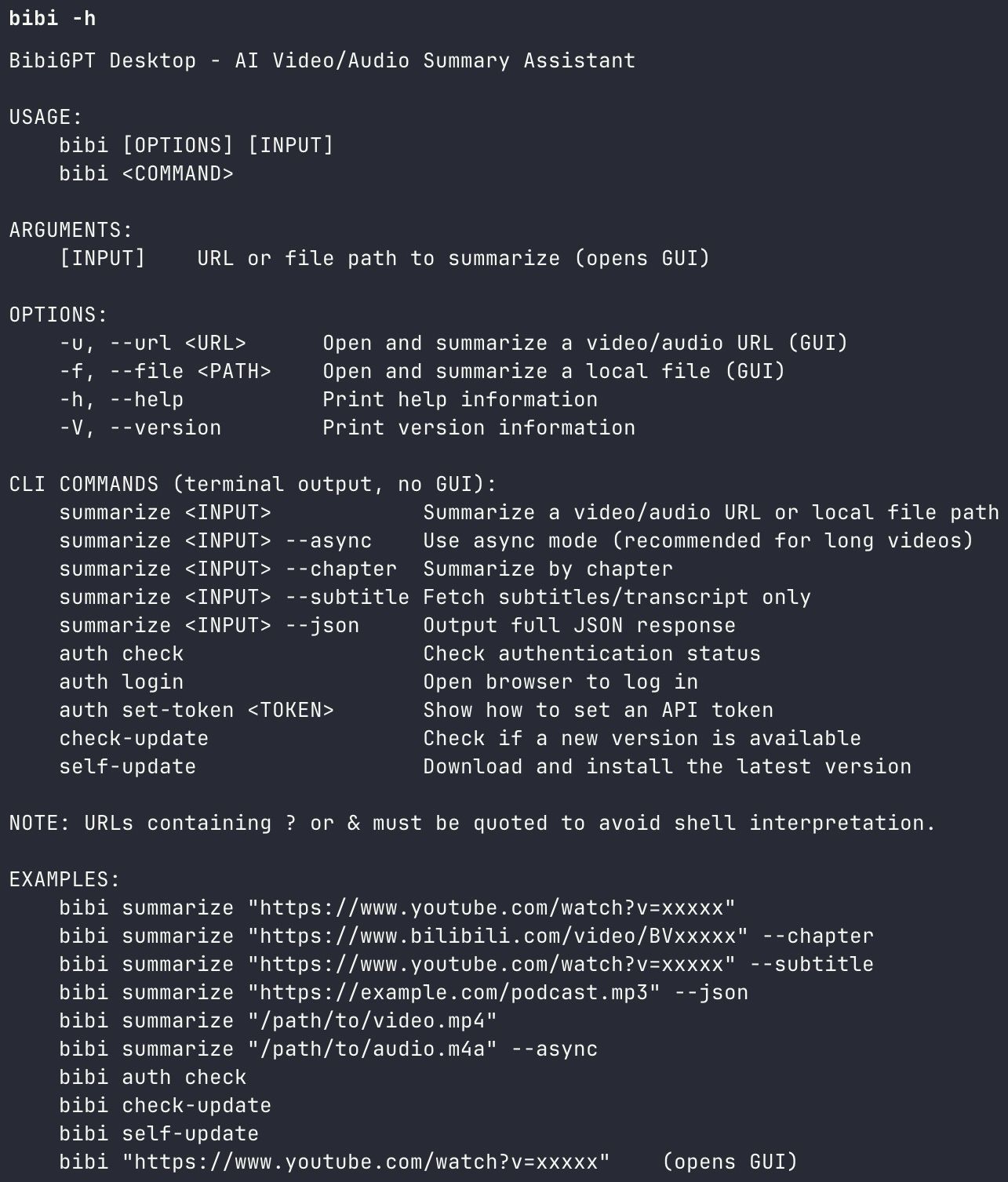
Install BibiGPT's desktop client and the bibi CLI is automatically available. Install bibigpt-skill in OpenClaw, and Douyin links stop throwing errors:
# Summarize a Douyin video
bibi https://www.douyin.com/video/xxxxxxxxxx

# Deep summary with chapter breakdown
bibi https://www.douyin.com/video/xxxxxxxxxx --chapter
Inside OpenClaw, just talk naturally:
You: Summarize this Douyin video for me: https://www.douyin.com/video/xxxxxxxxxx
OpenClaw: On it — calling bibigpt-skill now...
Install via:
 bibi-cli-help
3 Steps to Actually Learn from Short Knowledge Videos
Step 1: Extract with bibi
Drop the Douyin URL into OpenClaw. bibi handles audio extraction and AI transcription in the background — typically under 30 seconds. A 5-minute knowledge video comes back as a structured summary you can read in 60 seconds.
Step 2: Smart Deep Summary — More Than a Recap
bibigpt-skill taps into BibiGPT's Smart Deep Summary — not a basic TL;DR, but a structured learning report:
- Core summary: the 3–5 arguments actually worth remembering
- Critical thinking questions: auto-generated prompts to push your understanding further
- Term explanations: key jargon from knowledge-heavy videos, explained inline
 Smart Deep Summary
No custom prompts needed. Deep notes out of the box.
Step 3: Explore Douyin Content Directly in BibiGPT
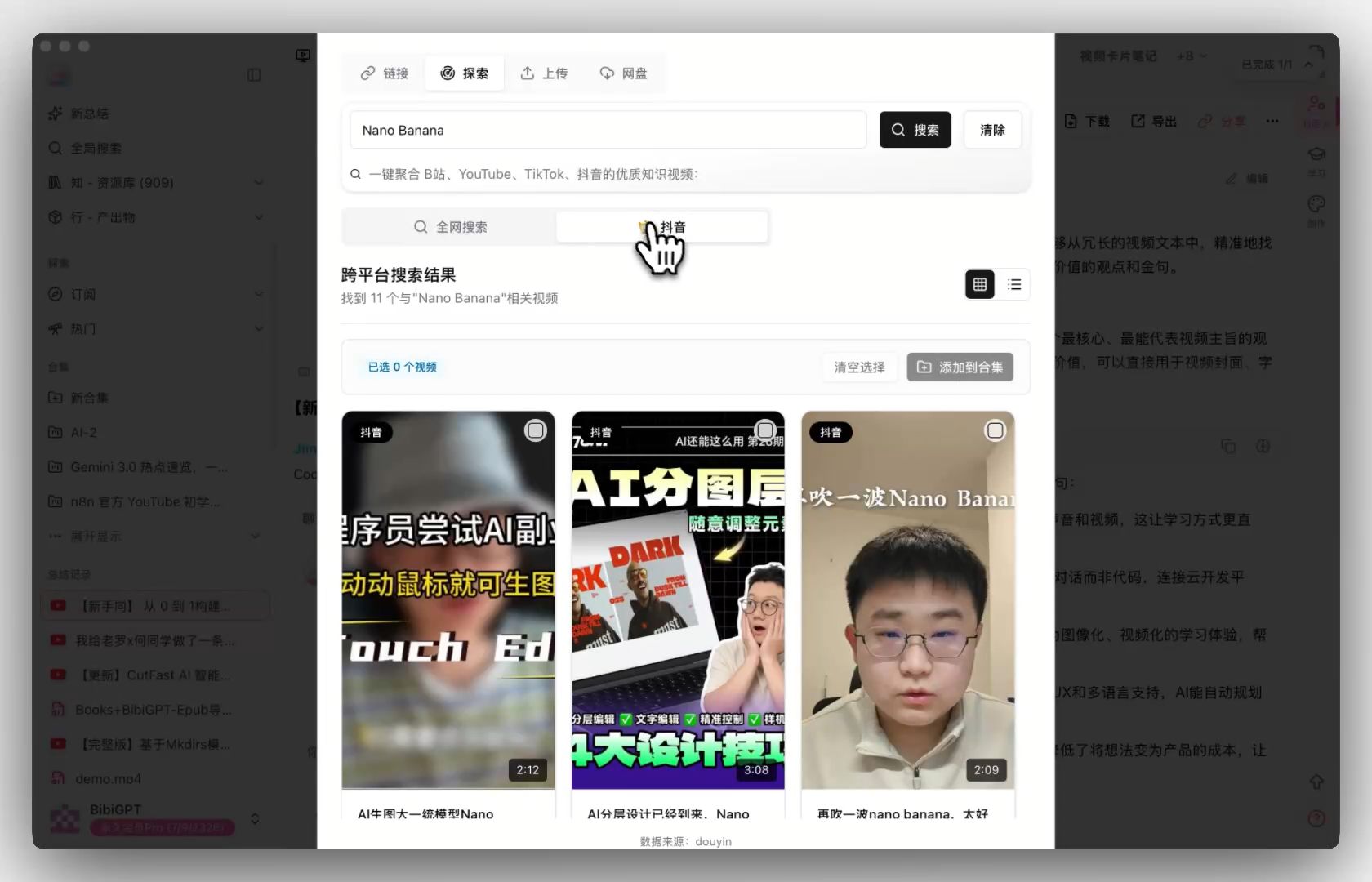
Don't have a specific video? BibiGPT's Explore page now includes Douyin as a search source (Pro feature): search by keyword, browse results from Douyin, and summarize in one click — shifting from passive scrolling to intentional learning.
 Douyin Explore Entry
The Douyin Learning Workflow: Fragments → Knowledge System
Douyin and YouTube require fundamentally different learning strategies. YouTube: one video, one complete topic. Douyin: one creator, 30 videos, one complete picture.
Batch summarization workflow:
- Find a Douyin knowledge creator in your field (neuroscience, economics, medicine, etc.)
- Copy 10–20 recent video links
- Feed them to OpenClaw via bibigpt-skill
You: Summarize these 15 Douyin videos and synthesize the creator's core ideas:
[list of links]

OpenClaw: Processing each one now — will compile a knowledge map when done...
- OpenClaw returns a synthesized "creator knowledge map" you can query further
First-hand experience: Running this workflow on 25 videos from a medical science communicator, OpenClaw could then answer "What's this creator's position on X?" from memory — fragments assembled into a searchable knowledge base.
Compare this with OpenClaw + Bilibili Collection Summary for systematic course learning: Bilibili suits structured course content; Douyin suits cross-video fragment synthesis. Both workflows complement each other.
Knowledge Consumer vs. Content Creator: Two Different Douyin Use Cases
This article and another in the series serve completely different users:
| Scenario | Your role | Core need | Article |
|---|---|---|---|
| This article | Knowledge consumer | Watched a great video → actually learn it → make it yours | You're here |
| OpenClaw Content Creator: bibigpt-skill AI Video to Article | Content creator | Recorded a video → convert to article → publish on Medium/LinkedIn | See that article |
Both use bibigpt-skill. Completely different outputs. If you have both needs, read both.
FAQ
Q1: Can OpenClaw summarize Douyin links directly?
A: Not natively. After installing bibigpt-skill, yes — bibi https://www.douyin.com/video/xxx inside OpenClaw returns a structured summary in about 30 seconds.
Q2: What Douyin content formats does bibigpt-skill support?
A: Standard short videos and longer knowledge-format videos work well. Live stream replays can be processed via local file upload. Pure image/text posts (non-video) are not supported.
Q3: What's the difference between the Explore Douyin search and the bibi command?
A: Complementary tools — bibi command is for when you already have a specific link; Explore Douyin search (Pro feature) is for discovery — search by keyword inside BibiGPT, find good videos, summarize directly.
Full OpenClaw + Douyin toolkit:
| Need | Tool |
|---|---|
| Summarize a specific Douyin video | bibi command + bibigpt-skill |
| Discover quality Douyin content | Explore page Douyin search (Pro) |
| Deep learning, not just a recap | Smart Deep Summary |
| Synthesize a creator's full body of work | OpenClaw batch workflow |
More in the OpenClaw series: YouTube AI Highlight Note Research Workflow · Podcast Flashcard Auto-Workflow
Start your AI-powered learning journey now:
- 🌐 Official Website: https://aitodo.co
- 📱 Mobile Download: https://aitodo.co/app
- 💻 Desktop Download: https://aitodo.co/download/desktop
- ✨ Learn More Features: https://aitodo.co/features
BibiGPT Team