
YouTube Video Summary Skill: BibiGPT Agent for Any Video (2026)
YouTube summarizer tools are everywhere, but Agent-native deep integrations are rare. bibigpt-skill lets Claude Code and OpenClaw summarize any YouTube video with one command — local subtitle extraction with server fallback, bilingual captions, iframe embedding, and 30+ platform support.
YouTube Video Summary Skill: BibiGPT Agent for Any Video (2026)
Table of Contents
- YouTube Summarizers: Red Ocean Tools, Blue Ocean Agent Skills
- bibigpt-skill's YouTube Core Capabilities
- bibigpt-skill vs Other YouTube Summary Solutions
- Use Case 1: Researchers Batch-Summarizing Academic Lectures
- Use Case 2: Creators Analyzing Competitor Channel Content
- Get Started in 5 Minutes: YouTube + bibigpt-skill
- Beyond YouTube: bibigpt-skill's Cross-Platform Ecosystem
- FAQ
The short answer: bibigpt-skill is a CLI tool that lets AI Agents (Claude Code, OpenClaw) directly invoke BibiGPT's AI video summarization engine. For YouTube specifically, it offers local subtitle extraction with server-side fallback, bilingual caption support, and iframe embedding — making it one of the most complete YouTube integrations in the Agent ecosystem. Install the BibiGPT desktop app, then run npx skills add JimmyLv/bibigpt-skill.
YouTube is the world's largest video platform — over 500 hours of content uploaded every minute. For researchers, creators, and professionals, it's the essential entry point for automated learning and research workflows. There's no shortage of YouTube summarizer tools: Chrome extensions, SaaS web apps, API services. But tools that integrate natively as Agent Skills — letting AI Agents autonomously invoke them without human intervention — are remarkably scarce.
bibigpt-skill fills exactly this gap. For bibigpt-skill's complete positioning in the AI Agent ecosystem, see the AI Agent Video Intelligence Pillar Guide.
YouTube Summarizers: Red Ocean Tools, Blue Ocean Agent Skills
试试粘贴你的视频链接
支持 YouTube、B站、抖音、小红书等 30+ 平台
Search "YouTube AI summarizer" and you'll find hundreds of results. But look closely — nearly all of them fall into the same quadrant:
- Browser extensions: Require a human to open the video page and click a button
- Web SaaS tools: Require a human to paste a link, wait, and copy results
- API services: Developer-facing, require writing integration code
The common limitation: a human must be present to operate them.
The core value of AI Agents is precisely unattended operation — the Agent plans tasks, invokes tools, and produces results autonomously. But when an Agent needs to "watch a YouTube video," most existing tools are useless — they need a browser environment or GUI interaction.
bibigpt-skill is a standard CLI tool. An Agent invokes it with a single shell command. No browser needed, no buttons to click — a perfect fit for how Agents work.
bibigpt-skill's YouTube Core Capabilities
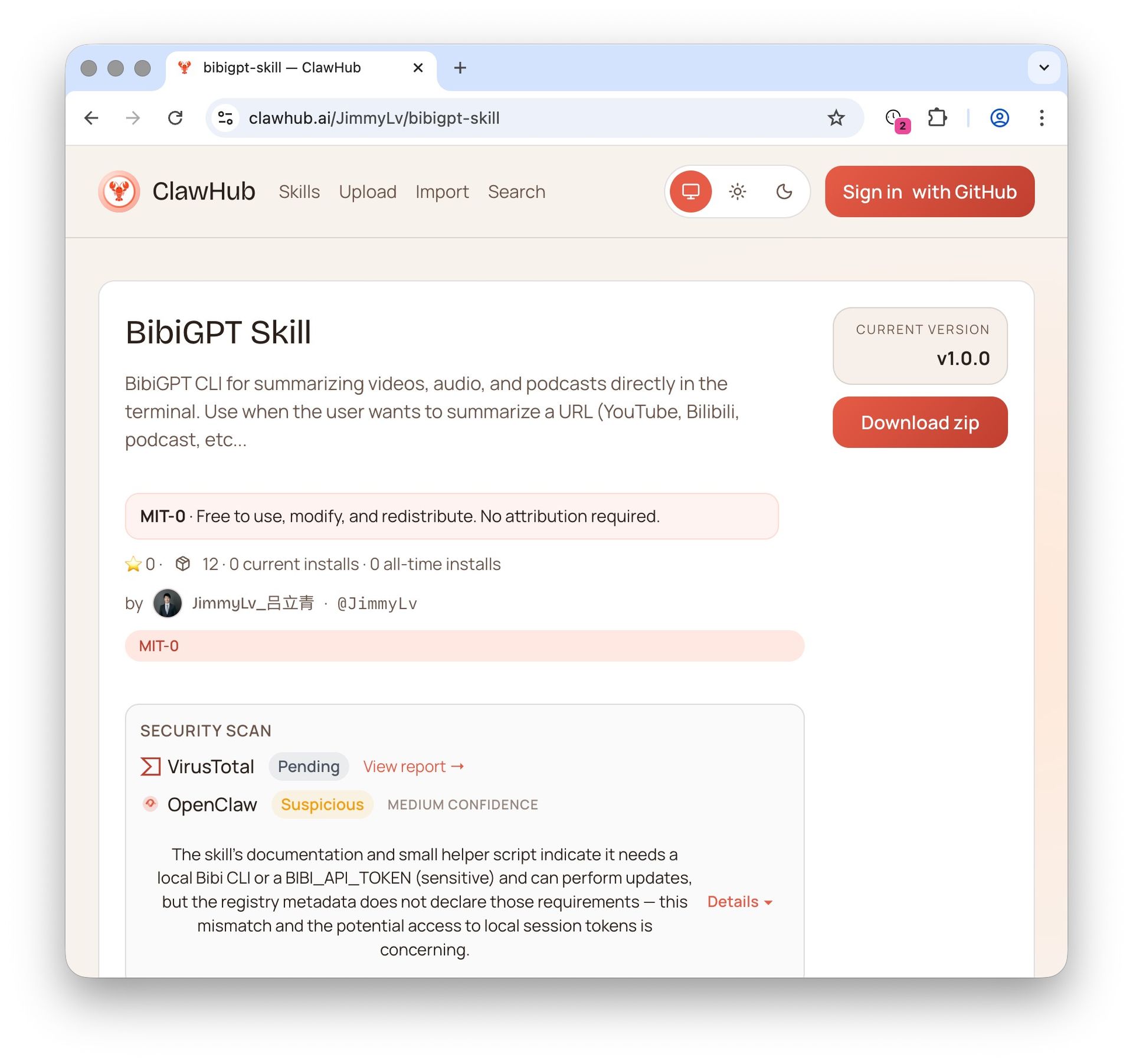 BibiGPT Agent Skill on ClawHub skill marketplace
bibigpt-skill's YouTube support isn't just "it works" — it's platform-level deep integration:
Local Subtitle Extraction + Server Fallback
YouTube videos may have official captions, auto-generated captions, or no captions at all. bibigpt-skill uses a two-tier strategy:
- Local first: Attempts to extract subtitles directly from YouTube (fastest, lowest cost)
- Server fallback: When local extraction fails, automatically falls back to BibiGPT's server-side AI speech recognition
This means: regardless of whether a video has captions, bibigpt-skill can handle it.
Bilingual Caption Support
For YouTube videos with multi-language captions, bibigpt-skill can simultaneously fetch captions in two languages and produce a bilingual structured summary — critical for cross-language research scenarios.
iframe Embedding
Data output via --json mode includes embeddable iframe code, allowing your Agent to embed video previews in generated reports — readers can jump directly to key timestamps.
Command Reference
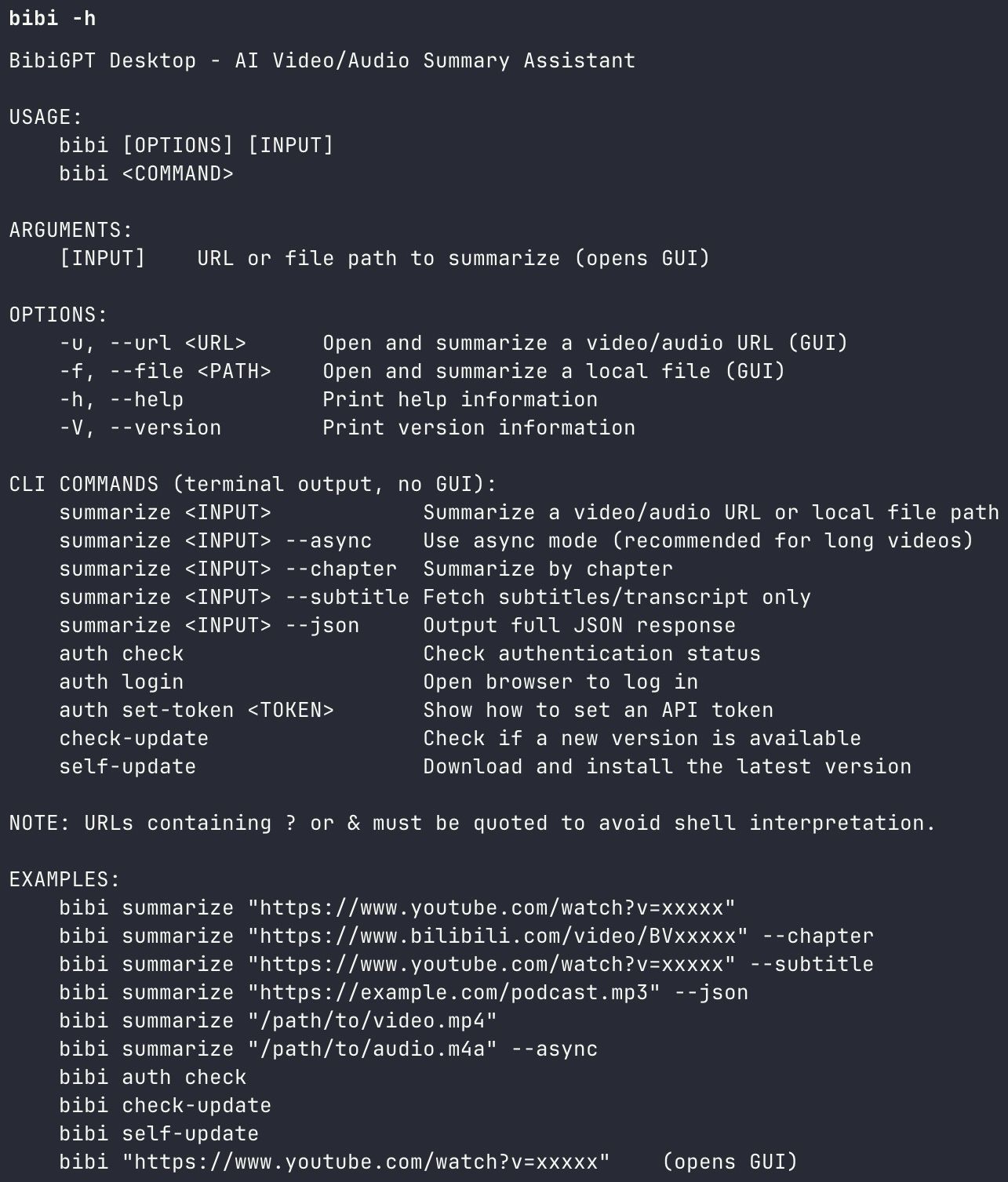 bibi CLI help output
| Command | Description |
|---|---|
bibi summarize "<youtube-url>" | Standard summary |
bibi summarize "<youtube-url>" --chapter | Chapter-segmented summary |
bibi summarize "<youtube-url>" --subtitle | Extract subtitles/transcript only |
bibi summarize "<youtube-url>" --json | Full JSON output (iframe, timestamps) |
bibi summarize "<youtube-url>" --async | Async mode (for very long videos) |
bibigpt-skill vs Other YouTube Summary Solutions
| Capability | Chrome Extensions | Web SaaS | bibigpt-skill |
|---|---|---|---|
| Agent-native invocation | ❌ Needs browser | ❌ Needs GUI | ✅ Direct CLI call |
| Unattended execution | ❌ | ❌ | ✅ Heartbeat/scheduled tasks |
| Local subtitle extraction | Some | ❌ | ✅ Local-first + fallback |
| Bilingual captions | Few | Some | ✅ Full bilingual output |
| Chapter-segmented summary | ❌ | Few | ✅ --chapter |
| Structured JSON output | ❌ | ❌ | ✅ --json |
| 30+ platform coverage | ❌ YouTube only | ❌ Few platforms | ✅ YouTube + Bilibili + Douyin + more |
| BibiGPT advanced features | ❌ | ❌ | ✅ Highlight notes / collections / flashcards |
The fundamental difference: Chrome extensions and web tools solve "I'm watching a video and want a summary." bibigpt-skill solves "My Agent autonomously watches videos and understands the content." This is a paradigm shift.
And bibigpt-skill isn't just a YouTube tool — it supports Bilibili, Xiaohongshu, Douyin, podcasts, and 30+ platforms simultaneously. Your Agent uses one Skill to understand video content across all major global platforms.
Use Case 1: Researchers Batch-Summarizing Academic Lectures
Who it's for: Academic researchers, PhD students, technical learners
YouTube hosts a treasure trove of academic content — MIT OpenCourseWare, Stanford Online, Lex Fridman Podcast, 3Blue1Brown math visualizations. The problem: each video is 1-3 hours long, and researchers simply can't watch them all.
Agent batch summarization workflow:
Step 1: Define research scope
You: Summarize all 8 lectures of MIT 6.S191 (Intro to Deep Learning)
     on YouTube. For each lecture, extract core concepts,
     key formulas, and practical recommendations.

Step 2: Agent processes automatically
Agent: [Batch invokes bibi summarize --chapter --json]
       Processing 8 videos, total ~12 hours of content...

Step 3: Structured output
Agent:
📚 MIT 6.S191 Course Summary (8 lectures):

Lecture 1: Foundations of Deep Learning
- [00:15:30] Core concept: Intuitive understanding of backpropagation
- [00:45:20] Key formula: Gradient derivation of loss functions
- [01:10:05] Practical tip: Getting started with PyTorch...

Lecture 2: Convolutional Neural Networks
- ...
Core value: 12 hours of video content processed in 30 minutes, consumed in 1 hour of structured reading. An 8x efficiency gain.
Combined with BibiGPT's collection summary feature, you can generate cross-video knowledge graphs. For YouTube-specific AI highlight note workflows, see the AI Highlight Research Workflow guide.
Use Case 2: Creators Analyzing Competitor Channel Content
Who it's for: Content creators, MCN agencies, social media managers
The hardest part of running a YouTube channel isn't "what to film" — it's "what are competitors filming, and what's working." bibigpt-skill turns your Agent into a competitive intelligence analyst:
Step 1: Competitor monitoring
You: Summarize the latest week's videos from these 3 competitor channels.
     Extract each video's topic, thumbnail strategy, and core value prop.
     - @ChannelA (tech reviews)
     - @ChannelB (coding tutorials)
     - @ChannelC (AI tools)

Step 2: Pattern extraction
You: Compare these summaries and identify common topic trends
     and differentiation angles.

Agent:
📊 Competitor Content Analysis:
- Topic trend: 3/3 channels covered "AI Agent" this week
- Differentiation: Channel A focused on product reviews,
  Channel B on hands-on coding
- High-frequency title keywords: 2026, AI Agent, workflow, automation
- Top-performing videos all share: data-driven hooks in first 15 seconds
Configure this as an OpenClaw heartbeat task and your Agent monitors competitors daily — you just read the digest. For content creation workflows, see the Video-to-Article Automation Guide.
Get Started in 5 Minutes: YouTube + bibigpt-skill
Prerequisites
Install the BibiGPT desktop app (CLI shares the session after login):
# macOS
brew install --cask jimmylv/bibigpt/bibigpt

# Windows
winget install JimmyLv.BibiGPT
Install bibigpt-skill
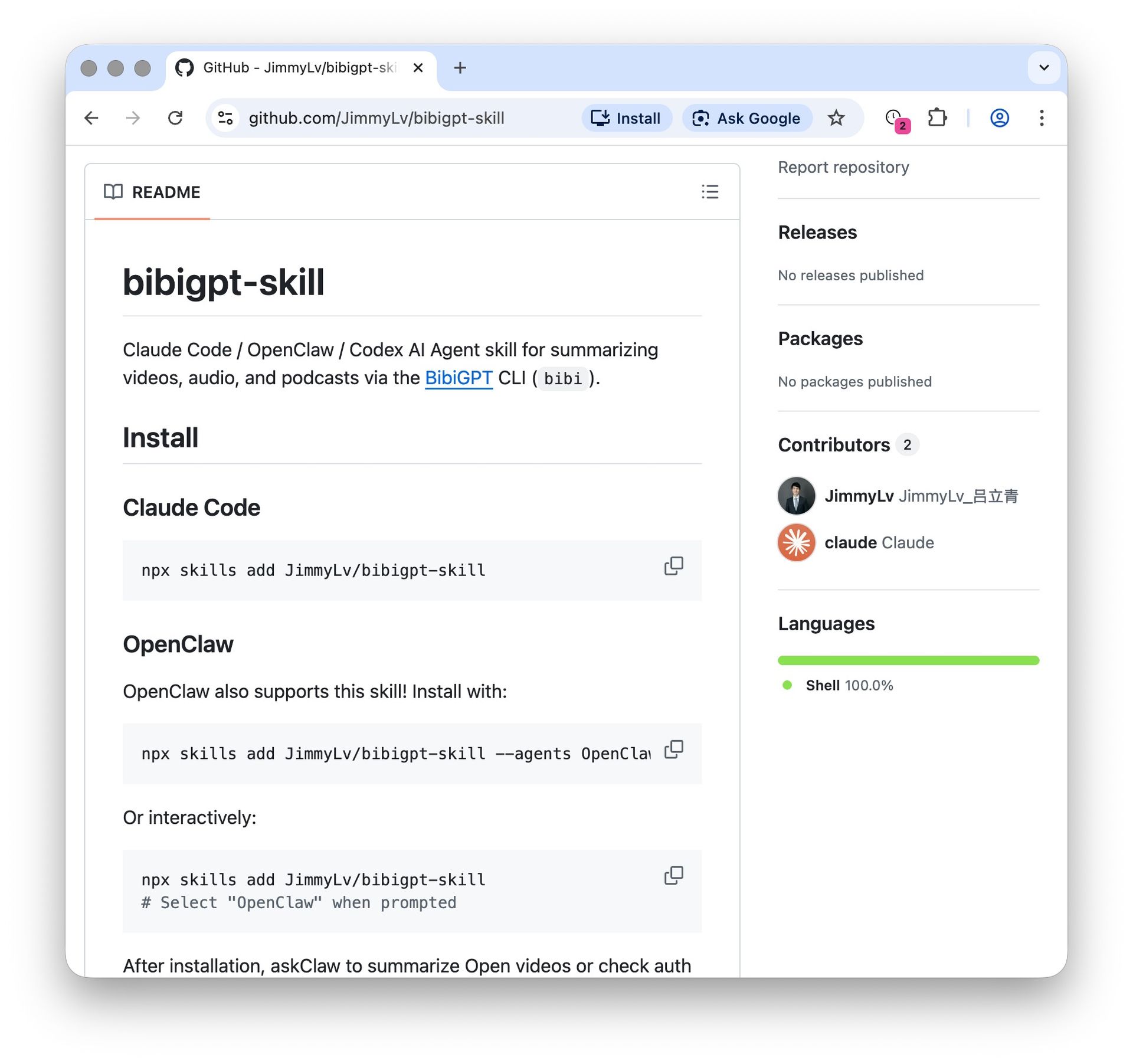 bibigpt-skill GitHub installation guide
# Install the skill
npx skills add JimmyLv/bibigpt-skill

# Verify installation
bibi auth check
bibi --help
Summarize Your First YouTube Video
In Claude Code, simply say:
Summarize this YouTube video, focusing on core arguments and data:
https://www.youtube.com/watch?v=xxxxx
The Agent will automatically invoke bibi summarize and return a timestamped, structured summary.
Advanced: Chapter Mode + JSON Output
# Chapter-segmented summary (uses YouTube's native chapter markers)
bibi summarize "https://www.youtube.com/watch?v=xxxxx" --chapter

# Full JSON output (for Agent post-processing)
bibi summarize "https://www.youtube.com/watch?v=xxxxx" --json
Beyond YouTube: bibigpt-skill's Cross-Platform Ecosystem
bibigpt-skill's value extends far beyond YouTube. The same Skill covers 30+ platforms, enabling cross-platform comparison workflows:
- YouTube vs Bilibili: Information gap analysis on the same topic across English and Chinese communities
- YouTube vs Podcasts: Content difference extraction between video and audio versions (see Best AI Podcast Summarizer Tools)
- YouTube vs TikTok/Douyin: Long-form vs short-form content pattern comparison
BibiGPT serves over 1 million users with 5 million+ AI summaries generated. Its video processing pipeline is deeply optimized for each platform. For YouTube specifically, this includes: subtitle format parsing (VTT/SRT/auto-generated), multi-language caption selection strategies, and structured video metadata extraction.
Through the BibiGPT platform, bibigpt-skill also connects to AI dialogue tracing, highlight notes, collection summaries, and flashcards — turning your Agent from a "video summarizer" into a complete video knowledge management system. For the Feynman technique applied to YouTube AI learning, see Feynman + YouTube AI Learning Guide.
FAQ
Q1: How is bibigpt-skill different from browser extensions like Glasp or YouTube Summary?
A: The fundamental difference is the usage paradigm. Browser extensions require a human to open a video page and click a button — it's "human operates tool." bibigpt-skill is a CLI tool that Agents invoke directly — it's "Agent autonomously uses tool." If you want your AI Agent to automatically summarize 50 channels' new videos every day, browser extensions can't do that. bibigpt-skill can.
Q2: What if a YouTube video has no captions?
A: bibigpt-skill uses a two-tier strategy — first attempts local extraction of YouTube's official or auto-generated captions, then automatically falls back to server-side AI speech recognition. Even videos with no captions at all can be transcribed and summarized.
Q3: How long of a YouTube video can it handle?
A: Supports videos up to 4 hours long. For very long content (university lecture recordings, multi-hour interviews), use --chapter for chapter-segmented processing or --async for asynchronous mode.
Start building your AI-powered YouTube research workflow today:
- 🌐 Official Website: https://aitodo.co
- 📱 Mobile Download: https://aitodo.co/app
- 💻 Desktop Download: https://aitodo.co/download/desktop
- ✨ Explore All Features: https://aitodo.co/features
BibiGPT Team