Gemini Intelligence Android (Proactive AI) vs BibiGPT (Precision-Triggered AI): Two 2026 Paths Compared
Gemini Intelligence Android (Proactive AI) vs BibiGPT (Precision-Triggered AI): Two 2026 Paths Compared
TL;DR: Gemini Intelligence is system-level proactive AI — it watches your screen, understands what you’re doing, and orchestrates tasks across apps without you typing a prompt. BibiGPT is user-level precision-triggered AI — you hand it a link or a file and it returns a structured, exportable artifact. These are not substitutes; they are best-of-class tools for different scenarios. Hand short, contextual tasks to proactive AI; keep deep learning and creator output on precision-triggered AI like BibiGPT. Below: 6 real scenarios that show you how to mix the two.
What Gemini Intelligence Actually Is
On May 12, 2026, Google announced Gemini Intelligence at The Android Show: I/O Edition (blog.google announcement). The shift is from “passive assistant” to “proactive system AI”, rolling out on Pixel and Samsung Galaxy first in summer 2026. Key capabilities:
- Cross-app screen understanding — Gemini sees what’s on your screen and infers context without you opening any specific app (the comment you’re reading, the flight time on a ticket, what a spreadsheet column means).
- Cross-service orchestration — “Add this receipt to my travel notes, set a calendar reminder for departure, and send it to my assistant.” One sentence, three apps.
- Gboard Rambler dictation — Speak into any input box; Gemini rewrites stream-of-thought into structured prose.
- gen UI widgets — AI generates native-looking widgets on the fly in response to a request, not chat bubbles.
Put together, the direction is clear: turn “I have to say what I want clearly” into “AI sees what I’m doing and brings me what I need.”
BibiGPT’s Precision-Triggered Path
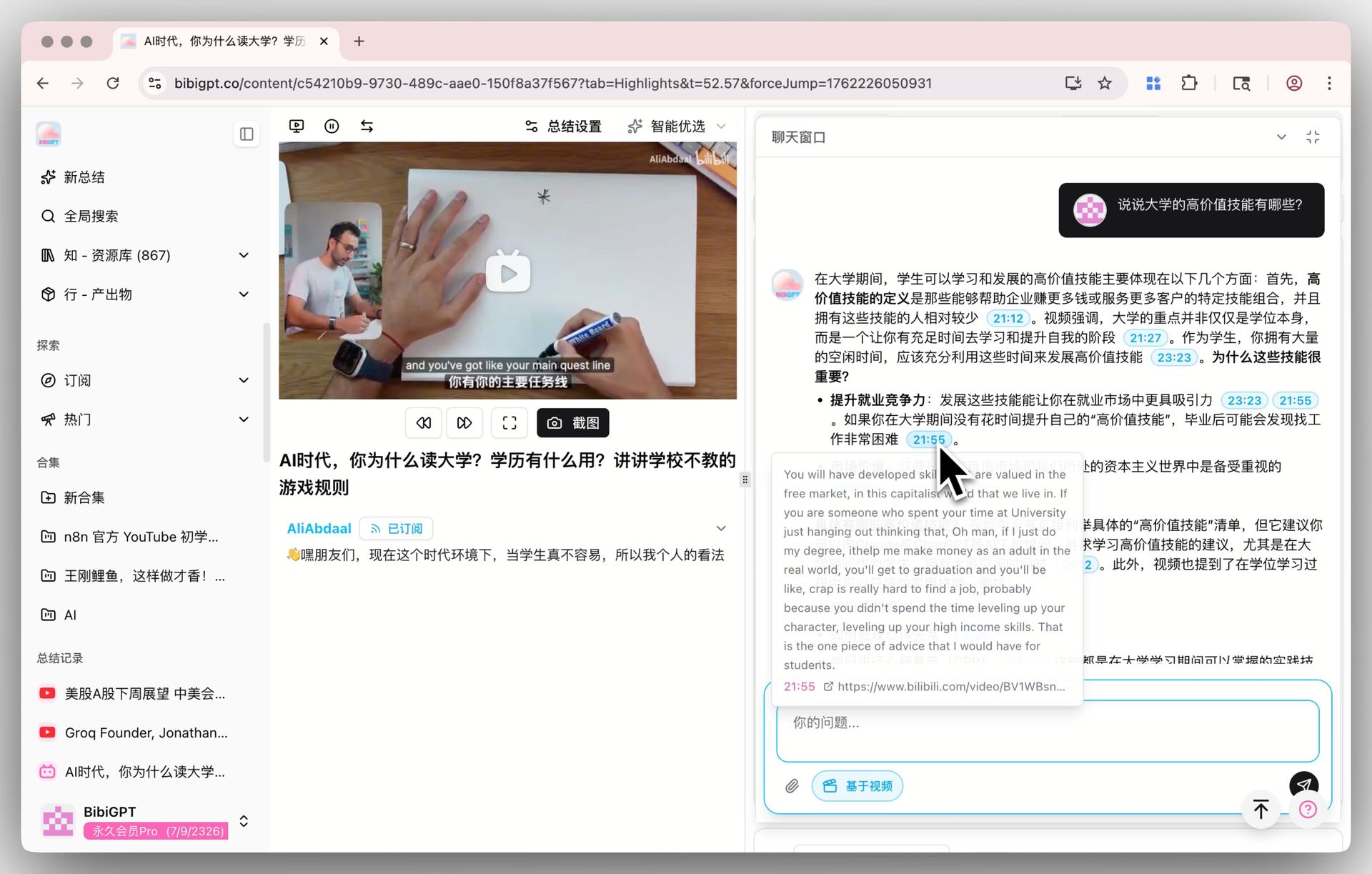
BibiGPT runs the opposite playbook: you give it an explicit input (YouTube link, Bilibili BV, podcast URL, local file, PDF) and you get back an explicit, structured artifact:
- Timestamped video / audio summaries
- Mind maps, bilingual subtitles, AI dialog with source tracing
- Newsletter cover images, short-video scripts, Xiaohongshu-style graphics, PPT extraction
- Sync to Notion / Obsidian / Readwise
The contrast: proactive AI competes on “coverage of what you’re doing”; precision-triggered AI competes on “quality of what you can take away.”
6 Real Scenarios Head-to-Head
Scenario 1: A long Bilibili video pops up — you want to understand it
- Gemini Intelligence: Can recognize you’re on Bilibili and pull the title from screen. But it won’t fetch subtitles, slice into timestamped chapters, or hand you a note you can drop into Obsidian.
- BibiGPT: Paste the BV link → 30 seconds → timestamped summary, mind map, bilingual subtitles. Use AI Bilibili summary.
→ Winner: BibiGPT (deep content output is precision-triggered AI’s home turf)
Scenario 2: You screenshot a utility bill — auto-add to family budget
- Gemini Intelligence: Textbook win — AI sees the screenshot, parses amount and date, writes into your budget app, sets a reminder for next month.
- BibiGPT: Out of product scope.
→ Winner: Gemini Intelligence (fragmented, contextual, lightweight tasks are its home turf)
Scenario 3: You recorded a meeting and want minutes + team sync
- Gemini Intelligence: Knows Zoom is open on screen, but won’t proactively transcribe a long video, won’t organize action items, won’t sync to Notion.
- BibiGPT: Drag local recording into desktop client → transcribe → summarize → segment by speaker → one-click Notion sync. The free video summarizer covers this.
→ Winner: BibiGPT
Scenario 4: You’re driving and want to dictate an idea
- Gemini Intelligence: Gboard Rambler restructures stream-of-thought into clean prose. Instant win.
- BibiGPT: Out of product scope.
→ Winner: Gemini Intelligence
Scenario 5: Turning a YouTube long video into a newsletter article
- Gemini Intelligence: Can summarize the segment currently on screen — but the artifact is a chat bubble, not a publishable post.
- BibiGPT: Paste YouTube link → long-form article + cover image + bilingual subtitles + AI dialog (with source-timestamp tracing). Core of creator workflows.
→ Winner: BibiGPT
Scenario 6: Booking a multi-app travel plan
- Gemini Intelligence: Textbook win — orchestrate flights / hotels / calendar / notes / family budget in one sentence.
- BibiGPT: Out of product scope.
→ Winner: Gemini Intelligence
Recommended Pairing
| Scenario Type | Use Which Path |
|---|---|
| Fragmented light tasks / cross-app orchestration / screen understanding / voice cleanup | Gemini Intelligence |
| Deep long-form learning (video / podcast / meeting) | BibiGPT |
| Multi-platform source aggregation to a knowledge base | BibiGPT |
| Content creation output (articles / scripts / bilingual subtitles) | BibiGPT |
| Cross-language (Chinese / English / Japanese / Korean / Traditional Chinese) deep processing | BibiGPT |
| Device-level privacy-sensitive scenarios (bills, family info) | Gemini Intelligence (on-device) |
Will Proactive AI Erode BibiGPT’s Differentiation?
No — if anything, it sharpens it. Reasons:
- Proactive AI is strong on context awareness, weak on artifact quality and control — its outputs are real-time chat / widgets, not archivable, reusable, searchable assets.
- Creator and deep-learner pain isn’t “AI didn’t see me” — it’s “what AI hands me afterwards isn’t reusable enough” — BibiGPT has been investing in artifact quality for years.
- Proactive AI is a black box across platforms — it works at the OS layer, but your Bilibili videos, xiaoyuzhou podcasts, local training recordings aren’t something the OS-level AI is incentivized or architected to aggregate.
How to Pair the Two
- Hand all phone-side light tasks to Gemini Intelligence — bills, reminders, calendar, cross-app orchestration.
- Hand desktop-side deep content to BibiGPT — video, podcast, meeting recordings, PDFs, local files.
- Long-term knowledge archival still lives in BibiGPT’s Notion / Obsidian sync — proactive AI outputs are ephemeral, not built for long-term libraries.
Try BibiGPT free — the slice proactive AI can’t capture, can’t go deep enough on, and can’t store — that’s exactly BibiGPT’s home turf.
FAQ
Q: After Gemini Intelligence rolls out, is there still a BibiGPT market? A: Fragmented light tasks shift to proactive AI; deep content learning, cross-platform aggregation, and creator output do not get replaced.
Q: Will BibiGPT add proactive AI features? A: Short term, no — system-level proactive AI belongs to OS vendors. We’re doubling down on artifact quality after explicit trigger: more modalities, deeper processing, more stable sync.
Q: Can Gemini Intelligence call BibiGPT directly? A: Conceptually yes — Android Intent / Shortcut can hand a “user is watching a long video” trigger to BibiGPT. We already do similar integration on macOS desktop and will follow up on Android.