Grok Bot Video Summarizer: Watch YouTube and Bilibili from Grok Bot (2026)

You spin up a Grok Bot. It has a name, a cloud computer, a browser, plugins. You close the laptop. It keeps working. That is the product that went public on 11 August 2026 — xAI’s always-on teammate, the thing people keep comparing to OpenClaw. Then you paste a 47-minute YouTube lecture into the chat and wait.
On X, a clip attached to a post comes back in seconds. Off X, the Bot often has nothing to watch — a title, a description, maybe a public transcript. The lecture stays in the player. The Bot still cannot see it.
That is the Grok Bot video summarizer problem. It is not “can Grok talk about video.” It is “can this always-on teammate watch a URL on a platform it does not own.” As of 2026-09-09, the path is a custom MCP in the Bot’s chat — not a terminal command, and not Grok Build.
Table of Contents
- Grok Bot is not Grok Build
- Why Grok Bot’s native recap is not a video summarizer
- Grok Bot vs OpenClaw: same job, different host
- Give Grok Bot a watch hand (custom MCP in chat)
- A working loop after connect
- FAQ
Grok Bot is not Grok Build
Key answer: Grok Bot is xAI’s always-on teammate, launched as early beta on 11 August 2026. Grok Build is the coding CLI from May 2026. They do not share an install path.
xAI ships three products that can talk to MCP servers. The steps do not carry over (Composio’s roundup of the split, checked 2026-09-09):
| Product | What it is | Where you add MCP | Official |
|---|---|---|---|
| Grok Bot | Named teammates on a cloud computer. Keeps working after the laptop closes. | Ask the Bot in chat to add a custom server, or Settings → Plugins | x.ai/bot |
| Grok chat | The assistant at grok.com | grok.com/connectors → New Connector → Custom | grok.com |
| Grok Build | Terminal coding agent | grok mcp add or ~/.grok/config.toml | x.ai/build |
If a guide tells you to run grok mcp add or edit a .toml file, that guide is for Grok Build. If it tells you to paste a URL into a settings form, that guide is for grok.com. Grok Bot has no config file and no settings field for an MCP URL.
The Bot itself is new. xAI’s launch post dated it 11 August 2026. Roman Ugarte told Lenny’s Podcast (8 September 2026) the team went from a blank page to an internal prototype in about four weeks, then public launch three weeks later. Analytics India Mag recapped the same origin on 9 September 2026. Claire Vo, who had been a loud OpenClaw user, published Grok Bot vs. OpenClaw on 2 September 2026: she killed every OpenClaw she had and moved the stack onto nine Grok Bots.
Practical rule: Before you install anything, name the product. Grok Bot = teammate in an app. Grok Build = CLI in a terminal. Mixing them is how this page used to read like a coding-agent tutorial.
The install page for the teammate is bibigpt.co/agent/grok-bot. The coding CLI is a different card: bibigpt.co/agent/grok-build.
Why Grok Bot’s native recap is not a video summarizer
Key answer: Grok on X is strong at videos posted on X. A Grok Bot is not a general video summarizer for YouTube, Bilibili, TikTok, or podcasts.
In March 2026, Grok’s own account spelled out the split: X-native videos get frames plus subtitles; links from other platforms fall back to whatever transcript or page metadata is already public. That is a product choice, not a bug. X is the corpus Grok can see without leaving home.
A Grok Bot adds a cloud computer, a browser, plugins, and routines. That is a bigger hand. It is still not a first-party YouTube / Bilibili watcher with timestamped chapters and a saved library. The Bot can click around a page. It cannot, out of the box, fetch captions and frames across 30+ platforms and drop them into an account you search later.
The same trap shows up in Grok Skills on grok.com. xAI launched Skills on May 18, 2026 so Grok remembers how you want Word, slides, sheets, and PDFs. That is an output skill. A video summarizer is an input skill. Office files out, YouTube in: different layer.
Practical rule: Before you ask a Grok Bot to “summarize this video,” ask whether the file lives on X. If it does not, native recap is the wrong tool.
This is what a finished input layer looks like in a chat — you state the intent, the tool runs, you get structure back:
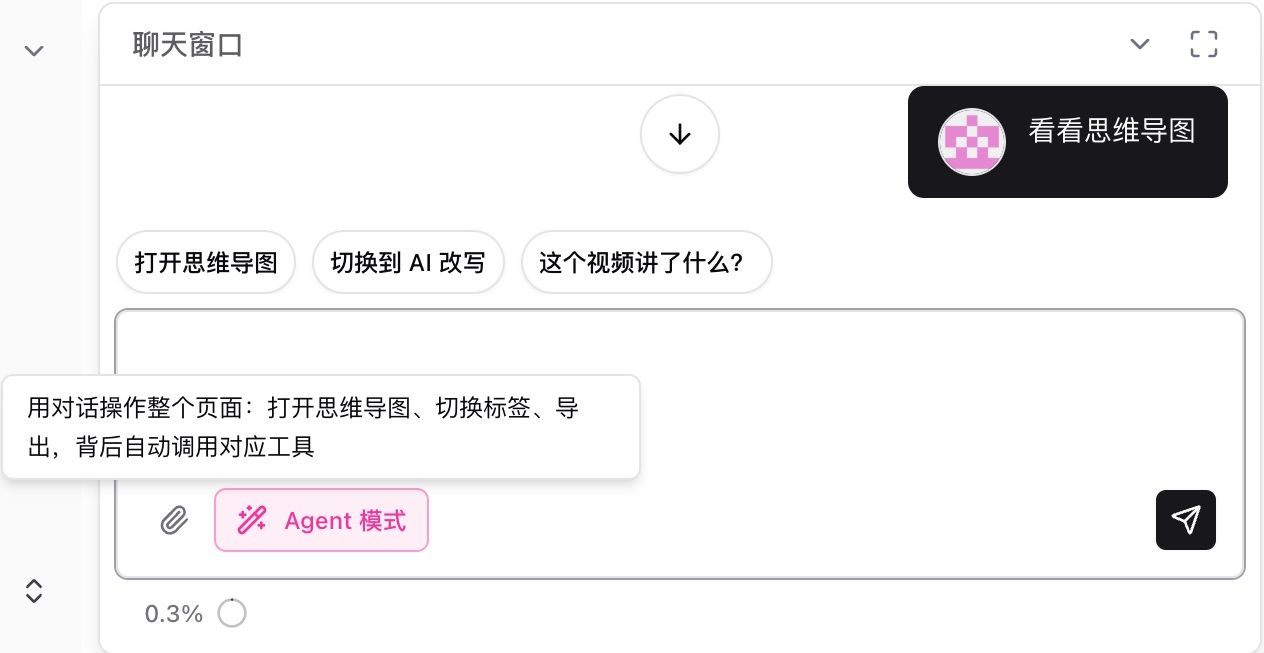
Screenshot: BibiGPT · chat agent mode calling a video tool
If you only need a browser recap and no agent at all, paste the link into a free AI video summarizer and skip the rest of this page.
Summarize any video in seconds
Pick a sample below to see the AI summary — TL;DR, key points, and jump-to timestamps.
TL;DR: Karpathy builds a GPT-style language model from scratch in code, explaining every piece — from a tiny character-level model up to the full Transformer.
Key points
- Start with a bigram model, then add self-attention so tokens can "talk" to each other
- A Transformer block = multi-head attention + feed-forward + residual connections + layer norm
- Training is just predicting the next token; scale and data do the rest
- The same architecture behind nanoGPT is what scales up to ChatGPT
Jump to
- 00:07 Why build GPT from scratch
- 08:23 Self-attention, intuitively
- 1:00:00 Assembling the Transformer block
- 1:35:00 From nanoGPT to ChatGPT
Grok Bot vs OpenClaw: same job, different host
Key answer: OpenClaw is the self-hosted always-on agent that blew up earlier in 2026. Grok Bot is xAI’s hosted version of that job: named bots, persistent machines, skills, plugins. The video gap is the same.
OpenClaw (Peter Steinberger; MIT; skills as SKILL.md folders) is the local / self-hosted teammate. You host it. It talks over WhatsApp, Telegram, Slack. Skills live in the workspace or ~/.openclaw/skills. Native summarize is mostly the open web and YouTube. Bilibili, Xiaohongshu, Douyin, podcasts need bibigpt-skill.
Grok Bot is the hosted cousin that shipped in August. You do not run a gateway. Each Bot gets a computer in xAI’s cloud. Plugins come from Settings → Plugins (Cursor Marketplace bundles). Custom MCP is a sentence in chat, not a config file. Claire Vo’s comparison is the public receipt: people are migrating the teammate stack, not the coding CLI.
| OpenClaw | Grok Bot | Grok Build | |
|---|---|---|---|
| Job | Self-hosted always-on agent | Hosted always-on teammate | Terminal coding agent |
| Machine | Yours (or a VPS you run) | xAI cloud computer | Your laptop / CI |
| Skills | ClawHub / SKILL.md | Marketplace plugins + @ attach | ~/.grok/skills/ + SKILL.md |
| MCP | Config / skill | Ask the Bot in chat (“custom server”) | grok mcp add |
| YouTube / Bilibili watch | After bibigpt-skill | After custom MCP to BibiGPT | After MCP or npx skills |
| Who it is for | People who want to host | People who want it to just run | People already in a terminal |
WorkBuddy is a third cousin — a China-office agent that stalls on audio and video. We already wrote that pairing: what WorkBuddy is, and where it stops. Globally, Grok Bot is the one that moved in the last month.
I’d rather ship this page at Grok Bot’s moment than write another coding-CLI how-to. The unique claim is not “we also have an office agent.” It is: Grok Bot already has the teammate loop; it does not yet have a watch hand for off-X video.
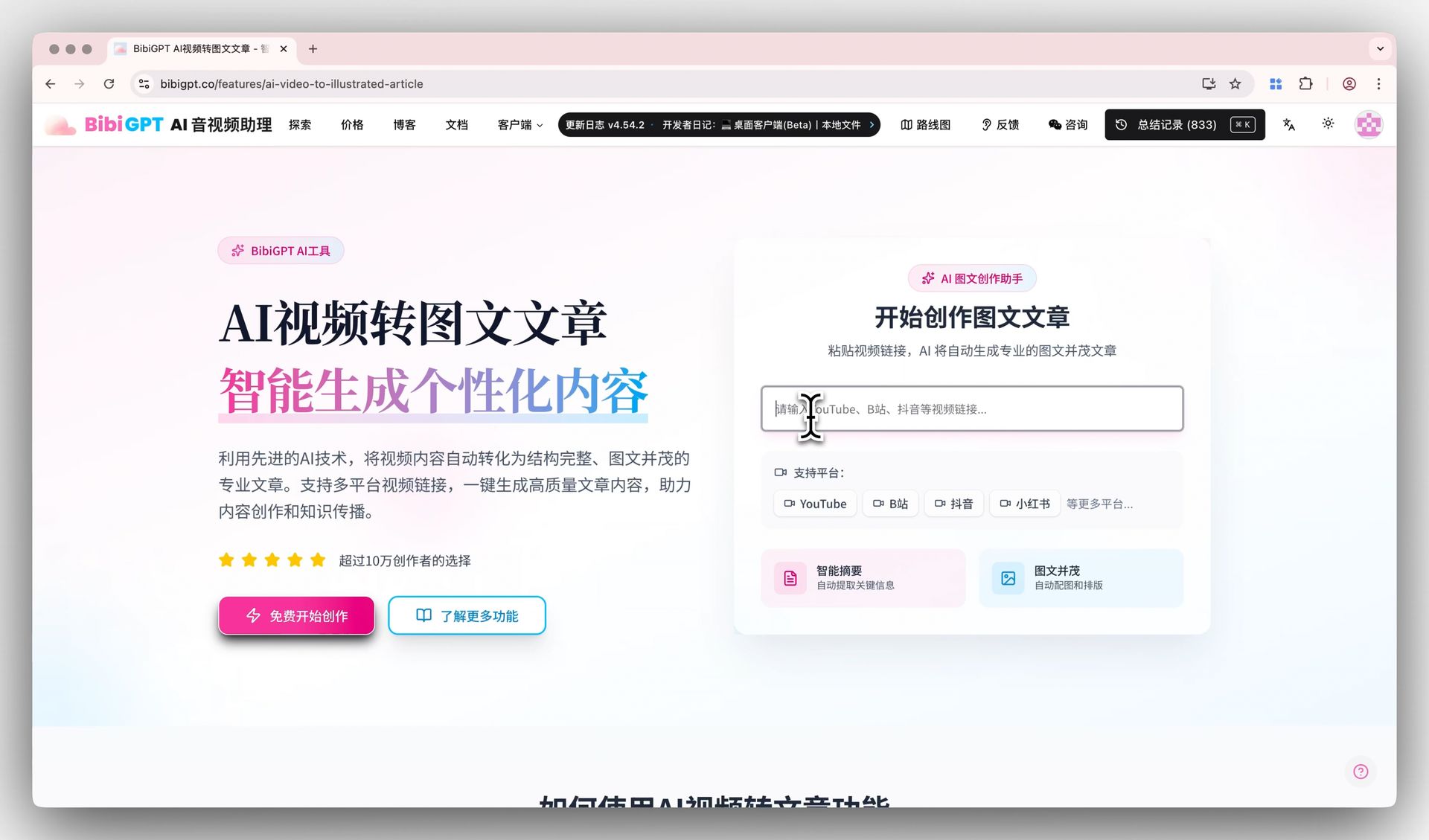
Screenshot: BibiGPT · paste-a-link video to article entry
BibiGPT has served more than 1 million users, generated more than 5 million AI summaries, and covers 30+ platforms. That is the watch layer. Grok Bot is the host. They are sequential, not competitors.
Give Grok Bot a watch hand (custom MCP in chat)
Key answer: In the Grok Bot app, send: Add a custom MCP server called bibigpt at https://bibigpt.co/api/mcp. Say “custom server.” Confirm. Sign in. Attach with @. That is the whole install. Do not run grok mcp add.
The contract lives on bibigpt.co/agent/grok-bot. The generic command from that page is:
Add a custom MCP server called bibigpt at https://bibigpt.co/api/mcpSay “custom server”. Without that phrase the Bot may hunt the Plugins marketplace. BibiGPT is not listed there as of 2026-09-09. Do not invent a plugin name and pretend a search will hit.
The Bot repeats the name and URL and asks you to confirm. The URL must be https://bibigpt.co/api/mcp. Click Add it. OAuth posts a connect card in the chat. Authorize, sign in with a BibiGPT account (new accounts register in that flow). Then type @ and attach bibigpt to the task.
Verify: Settings → Plugins → Yours should list bibigpt.
Practical rule: Localhost MCP does not work. The Bot runs on a cloud computer and cannot reach your laptop. A server in Cursor or
~/.cursor/mcp.jsondoes not show up in Grok Bot either — add it again in the Bot.
The bibi binary is optional here. Grok Bot is not your machine. If you also run Grok Build on this laptop, that is the other page: bibigpt.co/agent/grok-build — grok mcp add and npx skills add JimmyLv/bibigpt-skill.
Acceptance test, in order:
- You are in the Grok Bot app (x.ai/bot), not grok.com, not a terminal.
- The Bot added a custom server named
bibigptathttps://bibigpt.co/api/mcp. - Settings → Plugins → Yours shows it enabled.
- You attach
@bibigptand pastehttps://www.bilibili.com/video/BV1Sk4y1x7r2. - You get chapters with timestamps, not a paragraph guessed from the title.
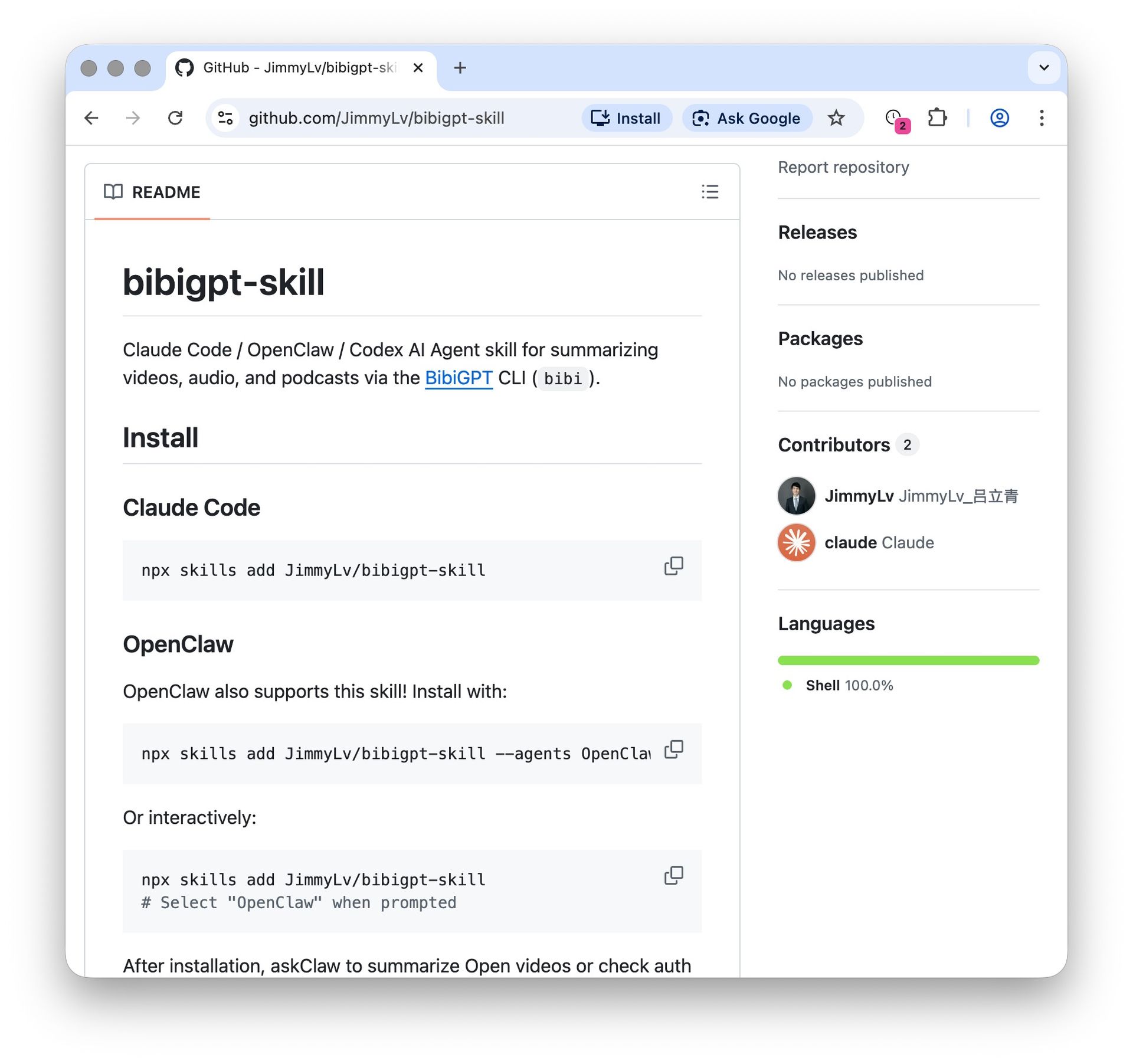
The install surface for the skill pack (for coding hosts, not for Grok Bot) looks like this on GitHub:
Screenshot: BibiGPT · bibigpt-skill GitHub install
The clip below is the same watch layer running in a browser — useful if you want to see the output shape before you wire the Bot:
Video: YouTube · BibiGPT video summarizer demo
Four skills share one account after the first summary lands:
| Skill | Job |
|---|---|
bibi | Watch: summarize, transcript, chapters |
bibi-library | Saved library, notes, collections |
bibi-feed | Channel subscribe and latest |
bibi-vision | Frames, OCR, mind map |
Plus members get 100 free Agent Skill runs a day; Pro members get 300. Extra calls use API balance. HTTP 402 means the skill quota is exhausted, not that the call “failed.”
URL (YouTube / Bilibili / podcast)
        |
        v
  Grok Bot chat: custom MCP https://bibigpt.co/api/mcp
        |
        v
  chapters + timestamps + notes in your account
        |
        v
  Grok Bot continues: brief, slides, follow-up, the next task while you sleep
As of 2026-09-09 the skill is at 1.8K installs on skills.sh and 121 GitHub stars. Those numbers are small next to a product that just ate a month of agent Twitter. That is the point of this post: the teammate loop is already there; the missing piece is the watch layer.
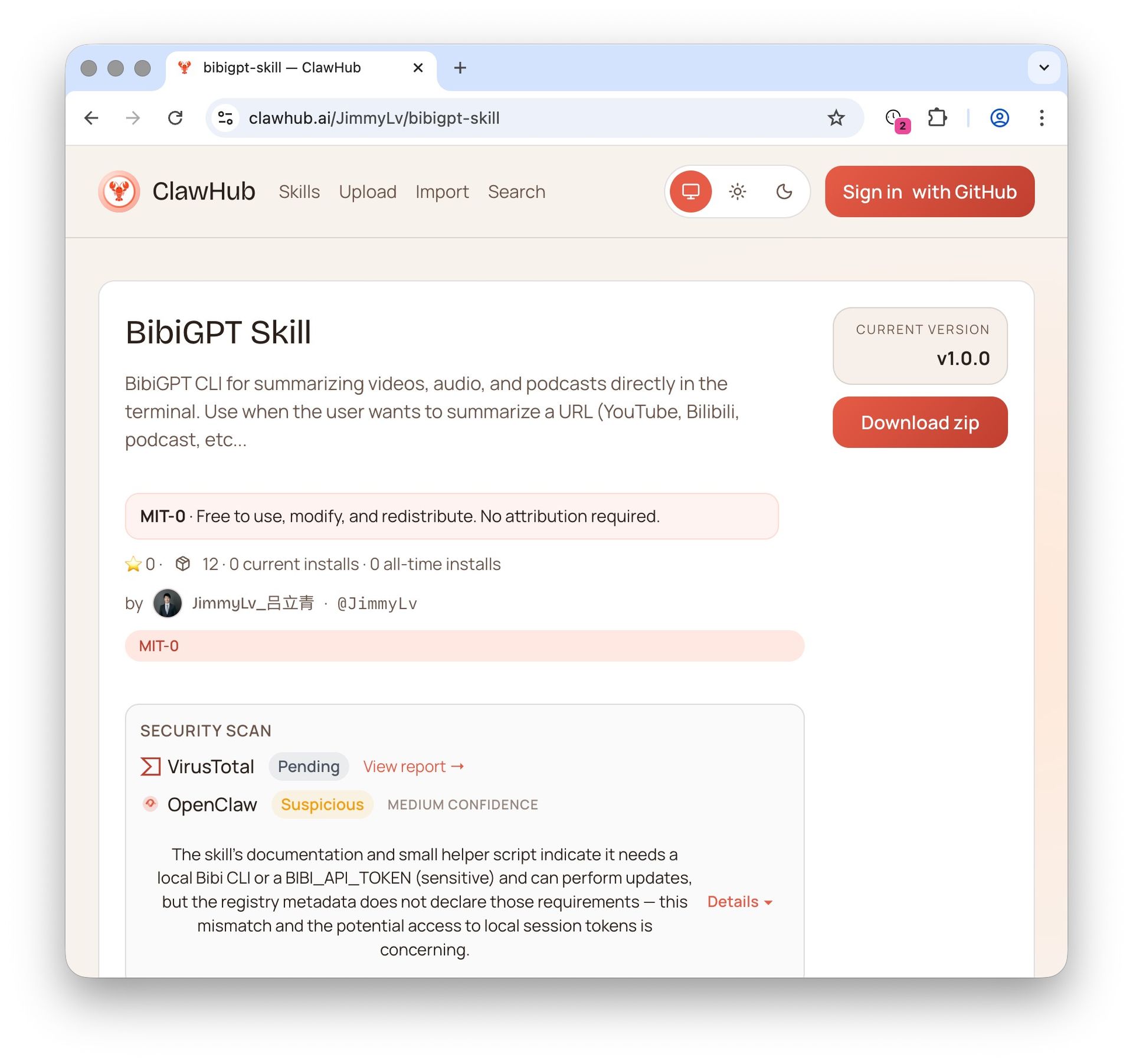
Screenshot: BibiGPT · skill marketplace listing
Decision filter: Grok Bot in the app → custom MCP in chat. Grok Build in a terminal →
grok mcp add. grok.com → Connectors. Browser paste if you do not need an agent at all — use YouTube video summarizer.
A working loop after connect
Key answer: One URL in, structured notes in your account, the Bot keeps going. Five steps, no extra product.
- Open the host you actually use: Grok Bot in the app, or Grok Build in a terminal, or the browser.
- Grok Bot: add the custom MCP. Grok Build:
grok mcp add. Do not do a third invented path. - Sign in with OAuth (connect card, or
bibi auth loginon a laptop). New accounts can register in that flow. - Ask:
Summarize this video: <url>— YouTube, Bilibili, podcast. Attach@bibigptin Grok Bot. - Next time, search what you already saved (
bibi-library) or subscribe (bibi-feed). Jump any timestamp to verify the source.
The output you actually submit is often not the chat recap. It is the illustrated article, the searchable transcript, or the brief the Bot writes on top. For the article path see AI video to illustrated article. For “I need to find the sentence, not reread the hour,” search the transcript after you summarize:
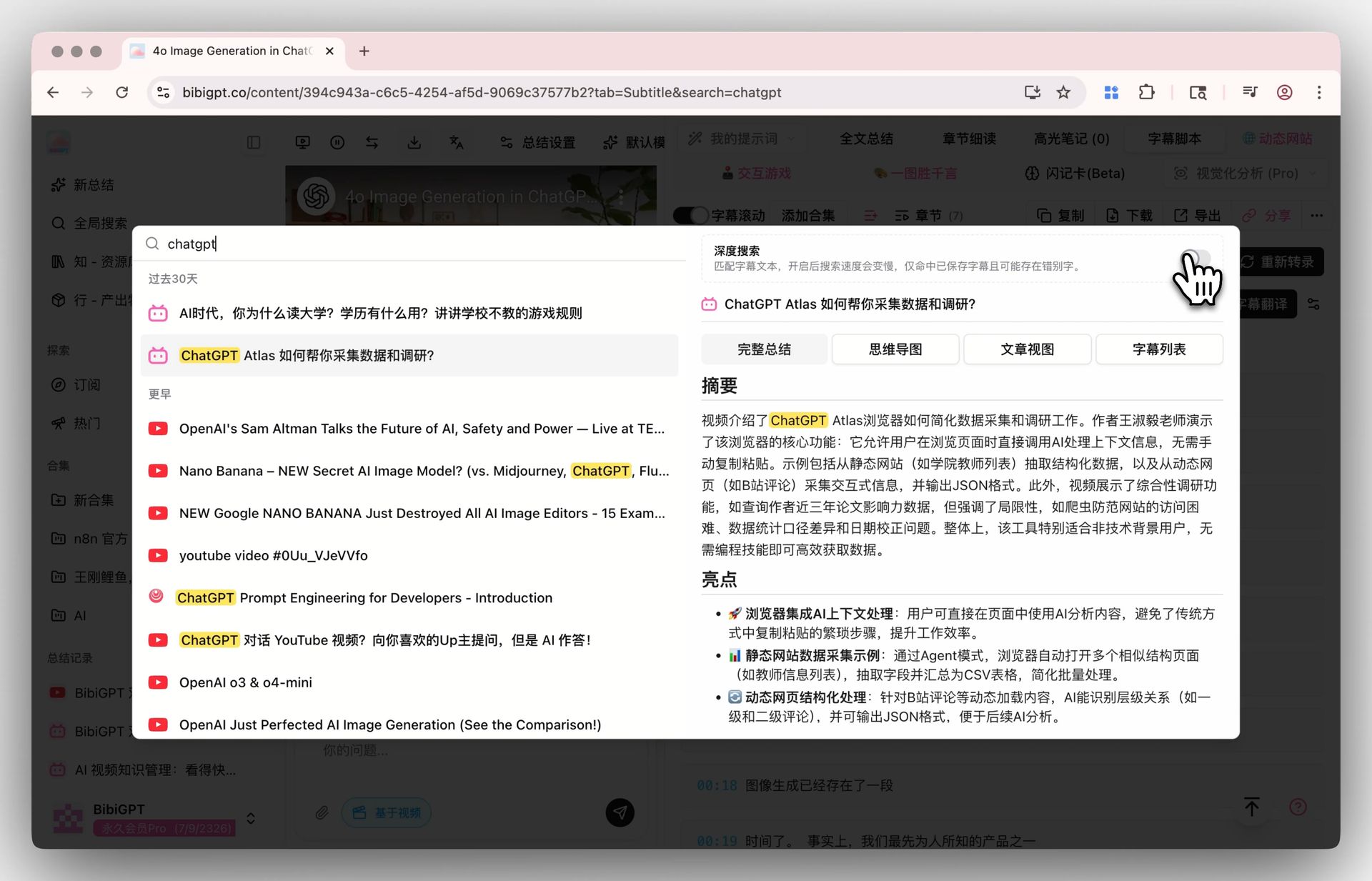
Screenshot: BibiGPT · Deep Search on a full transcript
Practical rule: Convert first, then let the Bot write. Do not ask a language model to invent chapters for a video it has not watched.
What I would bet, with a date: by 2027-06, mainstream always-on teammates that still cannot watch off-platform video will keep winning demos and losing daily use. If Grok Bot ships a first-party YouTube / Bilibili watcher that matches timestamped chapters plus a saved library, this pairing becomes optional — and this page should say so.
Until then, the scarce piece is the input layer. Models got cheaper; that moved the bottleneck from “who has the smarter recap” to “who can stably feed the file in.” Same argument we made when Grok STT landed as a speech-to-text API: transcription is a slice. Watching the video is the job.
Give Grok Bot a watch hand — or skip the agent and paste the link:
- 🧩 Grok Bot install (custom MCP in chat): https://bibigpt.co/agent/grok-bot
- ⌨️ Grok Build install (coding CLI): https://bibigpt.co/agent/grok-build
- ▶️ Summarize in the browser: Paste a YouTube or Bilibili link
- 🔌 MCP hub: https://bibigpt.co/mcp
- 📦 Skill source: https://github.com/JimmyLv/bibigpt-skill
FAQ
Does Grok on x.com install this?
A: The Grok inside x.com and the X mobile app does not expose Grok Bot’s Plugins / custom-server chat. Native recap on X still only treats X-native video as first-class. For the teammate, open the Grok Bot app. For grok.com chat, use Connectors, not this Bot flow.
Is this Grok Build? Do I run grok mcp add?
A: No. grok mcp add is Grok Build, the coding CLI. Grok Bot has no config file. Ask the Bot in chat to add a custom server. Full contract: bibigpt.co/agent/grok-bot.
How is this different from OpenClaw?
A: Same job — always-on agent with skills — different host. OpenClaw you run. Grok Bot xAI hosts. OpenClaw install is ClawHub / SKILL.md. Grok Bot install is custom MCP in chat. The watch layer is the same BibiGPT pipeline. OpenClaw steps: bibigpt.co/agent/openclaw.
Is this Grok Imagine or Grok STT?
A: No. Grok Imagine generates clips. Grok STT transcribes audio you already have. A Grok Bot video summarizer watches a URL on YouTube / Bilibili / podcasts and returns chapters. Different job.
Why not call Grok’s API on the video directly?
A: Because the hard part is not the model. It is fetching captions and frames across 30+ platforms, saving them into an account you can search later, and keeping quota honest. That is the pipeline behind OpenClaw + bibigpt-skill, reused here.
What does HTTP 402 mean?
A: Quota exhausted. Open the shop. Plus is 100 Agent Skill runs/day; Pro is 300. It is not a failed summarize.
BibiGPT Team
Popular tools
More in this series
- AI Competitive Intelligence Workflow: Build Industry Monitoring with BibiGPT Video Summaries
- Lessons From Shipping BiliGPT: Two Cold-Start Growth Tactics Behind a GPT-3 Side Project
- [BibiGPT Growth Series] Episode 1 | How AI Summaries for Bilibili Were Born
- BibiGPT Advanced Guide 2026: Download + AI-Summarize Videos from WeChat Channels, RedNote, TikTok, and Enterprise Intranet Sites
- Chat with Any Video: How to Ask AI Questions About Videos Instead of Watching the Whole Thing (2026)