GTD × AI Video Learning: Turn Watched Videos into Actionable Tasks (5-Step BibiGPT Method, 2026)
GTD × AI Video Learning: Turn Watched Videos into Actionable Tasks (5-Step BibiGPT Method, 2026)
80-word direct answer: GTD (Getting Things Done) by David Allen has 5 stages — Capture / Clarify / Organize / Reflect / Engage. Apply it to AI video learning: BibiGPT distills the video into structured notes; you then run the notes through GTD to convert “I want to learn this” into “the specific next action I’ll take.” This article is a copy-pastable 5-step workflow.
The same complaint shows up everywhere: “I watched a lot of videos but I don’t know what I’m actually doing with them.”
The bottleneck isn’t content or memory — it’s that passive consumption never becomes active execution. GTD (David Allen, Getting Things Done) has been the canonical productivity framework for 20+ years and was built to solve exactly this.
This guide adapts GTD’s 5 stages to AI video learning, paired with a BibiGPT workflow you can copy directly.
1. What Is GTD and Why It Fits Video Learning
GTD’s 5 core stages:
- Capture — write everything down (todos, ideas, intentions)
- Clarify — for each item, ask: what is it? does it need action?
- Organize — sort into project / single-action / waiting / reference
- Reflect — periodic review (daily/weekly) to keep the system alive
- Engage — choose the right next action right now
Why does GTD fit video learning?
- After a video, your head is full of “I should try X,” “I want to read paper Y,” “let me apply Z to my work”
- Without offloading, these become persistent cognitive load
- GTD’s “offload” mechanism = turn vague intentions into concrete next actions
2. GTD × AI Video Learning, Step by Step
Step 1: Capture — Use BibiGPT for One-Pass Ingestion
Goal: Extract everything useful from the video without missing key points.
How:
- Find a video worth your time (YouTube / Bilibili / Xiaohongshu / Douyin / podcasts)
- Copy the URL → paste into BibiGPT
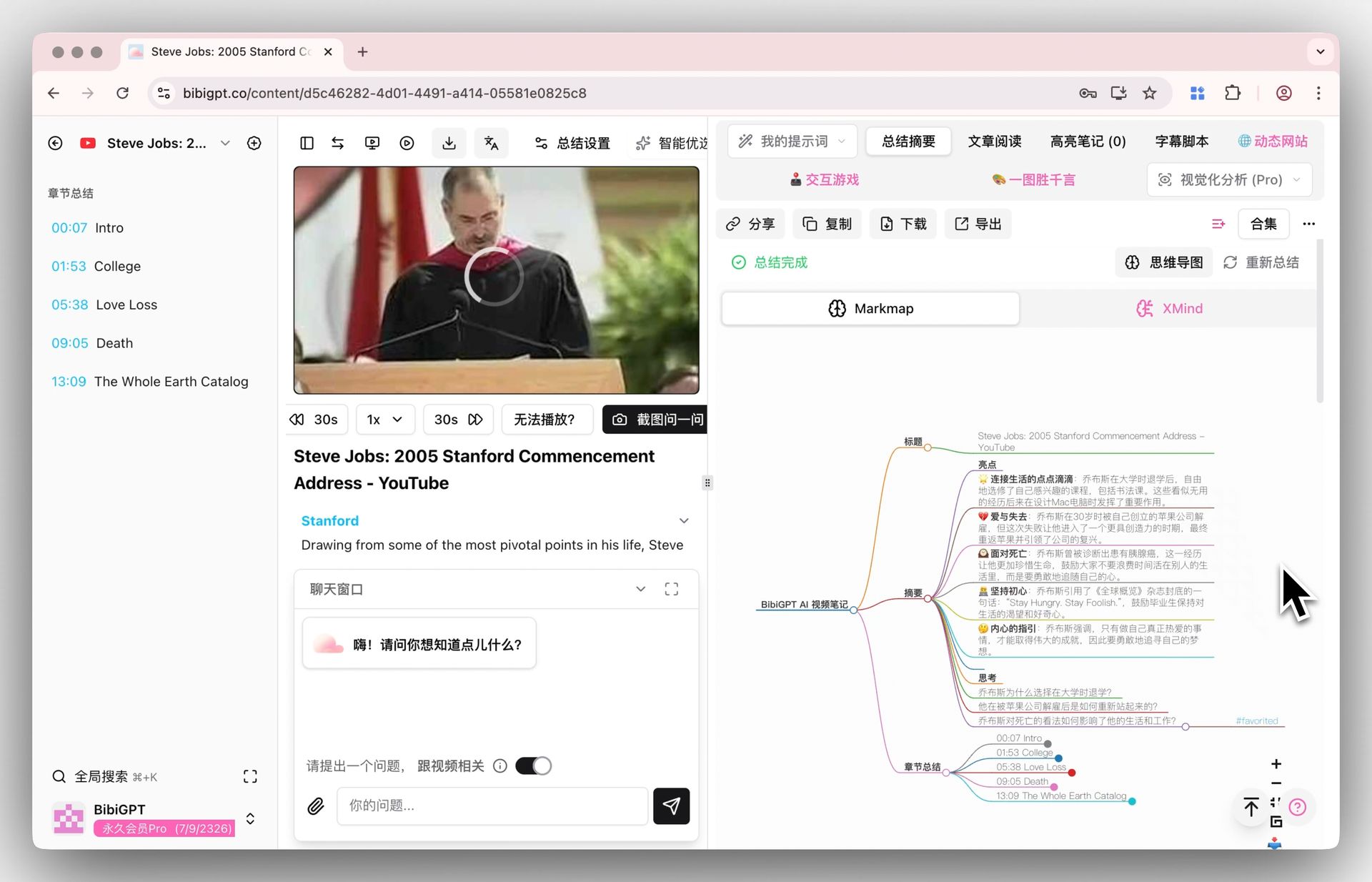
- 30 seconds to 3 minutes later, BibiGPT outputs a structured summary + mind map + chapter deep-read
Why this is GTD’s Capture: Hours of video collapse into 5 minutes of readable notes. All the key information enters the inbox — nothing missed.
Step 2: Clarify — Tag Each Insight
Goal: For every point in the BibiGPT output, ask:
- Is it a fact? → Reference
- Is it a concept? → Knowledge base
- Is it a method I want to try? → Project / action list
- Is it dependent on external timing? → Waiting list
How: Add quick tags next to each point in the BibiGPT summary:
- 📚 = Reference
- 💡 = Concept / knowledge
- ✅ = Action item
- ⏳ = Waiting
Step 3: Organize — Notes Integration
Goal: Send each item to the right destination.
How:
- 📚 Reference → export to Obsidian / Notion “Reference” folder
- 💡 Concept → into Anki flashcards (works great with Feynman + Spaced Repetition)
- ✅ Action item → task manager (Things / Todoist / TickTick / Notion tasks)
- ⏳ Waiting → “Waiting For” list
BibiGPT advantage: Direct export to Markdown / Notion / Obsidian — no manual copy-paste.
Step 4: Reflect — Weekly Review
Goal: Keep the system alive. No review = “information graveyard.”
How (30 minutes once a week):
- Open all ✅ action items generated this week from videos
- Tick what’s done; for the rest, ask: still relevant?
- Move “concepts I now use” from 💡 to “Mastered”
- Archive untouched references
Why GTD insists on Reflect: Without periodic review, all capture is wasted — same with video learning.
Step 5: Engage — Turn “Want to Do” into “Doing”
Goal: Execute the right next action at the right time.
How:
- Monday morning: pick 3 must-do items for the week from the action list
- Each workday before starting: pick 1-2 next actions from the task manager
- After completion, write a one-line reflection (“Used method X from the video — how did it work?“)
3. BibiGPT × GTD: Four Practical Scenarios
Scenario 1: Technical Learning Video (e.g., Andrej Karpathy — State of GPT)
| GTD Stage | What to do |
|---|---|
| Capture | BibiGPT summary + mind map |
| Clarify | Tag: facts (cited papers), methods (pretraining flow), actions (“I’ll run a SFT experiment”) |
| Organize | Papers → Notion library; methods → Obsidian; actions → Things “AI Learning” project |
| Reflect | Weekly: did I run last week’s experiment? still relevant? |
| Engage | Monday: pick 1 next action (“today I’ll write 100 lines of SFT code”) |
Scenario 2: Industry Analysis (e.g., Lex Fridman, Acquired podcast)
| GTD Stage | What to do |
|---|---|
| Capture | BibiGPT summarizes 2-hour podcast into 5-minute notes |
| Clarify | Tag: industry facts, opinions, companies worth tracking |
| Organize | Companies → Notion “Watchlist”; insights → Obsidian; research topics → tasks |
| Reflect | Monthly: 5 ideas from this month’s podcasts — how many shipped? |
| Engage | Pick 1 idea, write a thread (BibiGPT helps with the outline) |
Scenario 3: Skills Tutorial (editing / design / writing)
| GTD Stage | What to do |
|---|---|
| Capture | BibiGPT chapter deep-read + timestamp jumps |
| Clarify | Each tip tagged: practice now (✅) / buy tool first (⏳) / background knowledge (💡) |
| Organize | Practice → tasks; tools → Waiting; knowledge → Anki |
| Reflect | One small portfolio piece per week to validate techniques |
| Engage | Block 2 hours on weekends for practice work |
Scenario 4: Meeting Recording / Work Footage
| GTD Stage | What to do |
|---|---|
| Capture | Upload recording → BibiGPT structured minutes |
| Clarify | Mark every action item raised in meeting |
| Organize | Action items → Notion tasks (auto-export) |
| Reflect | Before next meeting, review last meeting’s action items |
| Engage | Schedule next steps immediately after the meeting |
4. Common Mistakes
Mistake 1: GTD adds another system on top of video learning
It doesn’t. BibiGPT compresses video into notes; GTD is a proven processing flow. Combined, they convert passive watching into active management without extra burden.
Mistake 2: Running every video through GTD
Don’t. GTD is for videos with explicit learning intent. Entertainment doesn’t qualify. Set a rule: “Learning videos get GTD; entertainment stays consumption.”
Mistake 3: Reflect feels like there’s nothing to review
That means Capture wasn’t specific enough (no concrete ✅ tagged). Next time, mark the BibiGPT summary more aggressively — “After this video, the 3 things I’ll do next week are ___.“
5. FAQ
Q1: Is GTD for everyone?
A: Best for people drowning in information and intentions. If you watch few videos and live a slower pace, GTD may be overkill.
Q2: Do I need BibiGPT for GTD video learning?
A: Not strictly. But BibiGPT compresses Capture from 30 min to 3 min. Manual works — just much slower.
Q3: Can BibiGPT auto-tag GTD labels?
A: BibiGPT’s summary is structured. You can ask via AI follow-up: “Classify by GTD tags (📚/💡/✅/⏳).” It will assign automatically.
Q4: Reflect feels heavy. Can I simplify?
A: Yes. Minimal version: 10 minutes Sunday to check this week’s ✅ status. No formal weekly review required.
Q5: How do Anki and GTD relate?
A: Anki is the memory layer (💡 concepts); GTD is the action layer (✅ tasks). Complementary: Anki for retention, GTD for execution.
Ground GTD × video learning with BibiGPT: bibigpt.co. Related: Feynman + Spaced Repetition AI Video Learning | BibiGPT × Pomodoro Technique | Zettelkasten + AI Video Notes