Noiz vs BibiGPT: Best YouTube AI Summarizer? (2026)
Noiz AI Summary vs BibiGPT: Which YouTube AI Summarizer Should You Use? (2026)
According to Statista, roughly 500 hours of new video are uploaded to YouTube every minute — no one can watch it all, which is why “let AI skim it first” has become a genuine need. Noiz and BibiGPT both solve this problem: Noiz focuses on lightweight timestamped summaries for YouTube alone, while BibiGPT covers audio and video understanding across 30+ platforms. The one-line verdict: if YouTube is all you need and you want something minimal, Noiz is enough; if you also watch Bilibili, podcasts, or local files and want deeper note-taking, BibiGPT is the better fit. — Paste a link into BibiGPT and try it in 30 seconds
100-word answer: Noiz wins on simplicity — open any YouTube video, click once, and get a timestamped summary right in the page. Chrome extension plus iOS/Android apps, 41 languages supported, up to 12-hour videos. BibiGPT wins on breadth — 30+ platforms including Bilibili, podcasts, and local files, plus mind maps, AI follow-up Q&A, playlist batch summaries, and note exports. If you only watch YouTube, go with Noiz. If Chinese content, cross-platform sources, or turning summaries into reusable knowledge matters to you, paste a link into BibiGPT and see results in 30 seconds.
1. What Is Noiz: An Objective Overview Based on First-Hand Research
Noiz is a YouTube AI summary tool launched in December 2024 by an independent developer team on Hacker News. The poster explained that two people spent three months building it with one goal: eliminate the friction of deciding whether a video is worth watching — no copying links, no tab-switching, no writing prompts. At launch it was web-only; the Chrome extension and mobile apps were still in development. As of June 2026, the official site shows the extension and iOS/Android apps are all live.
Based on the official tools page, Noiz’s core features include:
- One-click summary: Open any YouTube video, click “Summarize video,” and get a bullet-point summary instantly.
- Timestamped highlights: Each key point links to its timestamp in the video — click to jump back and rewatch. The company claims 41 languages are supported.
- Long video support: Handles videos up to 12 hours — covering online courses and long-form podcasts.
- Transcript and comment digest: In addition to the summary, provides a full transcript and a digest of video comments.
- Cross-device coverage: Chrome extension + iOS/Android apps.
Two caveats worth noting: first, Noiz is scoped to YouTube — the site does mention podcast support, but only for podcasts that exist as YouTube videos; second, Noiz does not publish a public pricing page, and third-party listings give conflicting accounts of its free tier and paid plans, so this article treats all pricing as “not publicly stated.”
Practical rule: When evaluating any AI summary tool, ask three questions — does it support the platforms you actually use? Can the summary jump back to the source video? Can you take the summary somewhere useful afterward? These three questions eliminate 80% of tools that won’t work for your situation.
2. Head-to-Head Comparison Table
The table below is based on Noiz’s official website, the Hacker News launch post, and BibiGPT’s official information (as of 2026-06-11):
| Feature | Noiz | BibiGPT |
|---|---|---|
| Platform coverage | YouTube only (podcasts must exist as YouTube videos) | 30+ platforms: YouTube, Bilibili, Douyin, Xiaohongshu, podcasts, and more |
| Input types | One-click summary within the YouTube page | Paste a link / upload local audio or video files |
| Summary format | Bullet points + timestamped highlights + transcript + comment digest | Structured summary + chapter highlights + mind map |
| Timestamps | ✅ Bullet points link to timestamps | ✅ Chapter timestamps with jump-to links |
| AI follow-up Q&A | Not mentioned on official site | ✅ Conversational Q&A to dig into video details |
| Playlist / batch | Not mentioned on official site | ✅ Batch summaries for playlists and multi-video collections |
| Export | Not mentioned on official site | ✅ Export to Notion, Obsidian, and other note tools |
| Mobile | iOS / Android App | iOS / Android App + desktop client |
| Browser extension | Chrome | Chrome and other major browsers |
| Languages | Summary in 41 languages | Chinese/English/Japanese/Korean and Traditional Chinese UI; multi-language summaries |
| Max video length | Up to 12 hours per official site | Supports long videos and long-form podcasts |
| Pricing | Not publicly stated | Free trial + subscription / pay-as-you-go |
Practical rule: A comparison table can help you eliminate options, but it can’t make the final call for you. The real decision method is to take the last three videos you watched (from whatever platform), run them through both tools, and see what comes out.
3. Where Noiz Excels and Who It’s For
To be objective, Noiz executes well within its chosen lane:
- Genuinely lightweight. No leaving the YouTube page, no copying links, one click and you have a result — this design philosophy was repeatedly emphasized in the Hacker News post. For the “quickly decide if this video is worth watching” use case, it’s a tight fit.
- Timestamps as a first-class citizen. Key points are directly tied to timestamps, so the summary isn’t just a substitute for watching — it’s a navigation system for jumping around.
- Full device coverage. Chrome extension for desktop, iOS/Android for mobile. For heavy YouTube users, the device loop is closed.
- Long videos and multilingual support. A 12-hour cap plus 41 languages handles online courses and foreign-language talks.
The target audience is clear: people who use YouTube as their primary information source. That’s a substantial group — Pew Research’s 2024 survey found that 83% of American adults use YouTube, making it the most widely used online platform in the US. If your content diet is mostly YouTube, Noiz’s “go deep on one platform” approach is a feature, not a limitation. The third-party roundup at Web Highlights also listed Noiz as a YouTube summary extension worth trying.
Practical rule: “Focused” vs. “broad” is a genuine trade-off in any tool category. Audit your last week of content sources — if YouTube is 90% of it, go focused. If Bilibili, podcasts, WeChat Video, and local recordings each take a slice, you need broad coverage or you’ll end up juggling five separate apps.
4. What Makes BibiGPT Different: An Audio/Video Workspace Beyond YouTube
BibiGPT takes a different approach: no single-platform lock-in, with a deeper focus on organizing and reusing what you’ve consumed. The product has over 1 million users and has generated 5 million+ summaries. Five areas of differentiation stand out:
- 30+ platform coverage: Beyond YouTube, Bilibili, Douyin, Xiaohongshu, a range of podcast platforms, and local audio/video files all work with one-click summarization. This is especially important for Chinese-language users — a huge amount of quality content lives on Bilibili and podcasts that Noiz simply can’t reach.
- Mind maps: Summaries don’t stop at paragraphs. BibiGPT auto-generates an expandable structure diagram so you can see the knowledge architecture of a long course at a glance.
- AI follow-up Q&A: Finish the summary and still have questions? Ask them directly against the video content without scrubbing through the original.
- Playlist batch summaries: A creator’s full course series or an entire season of a podcast can be submitted at once and processed together.
- Note exports: Output can be sent to Notion, Obsidian, and similar tools, turning summaries into a permanent part of your knowledge base rather than something you read and forget.
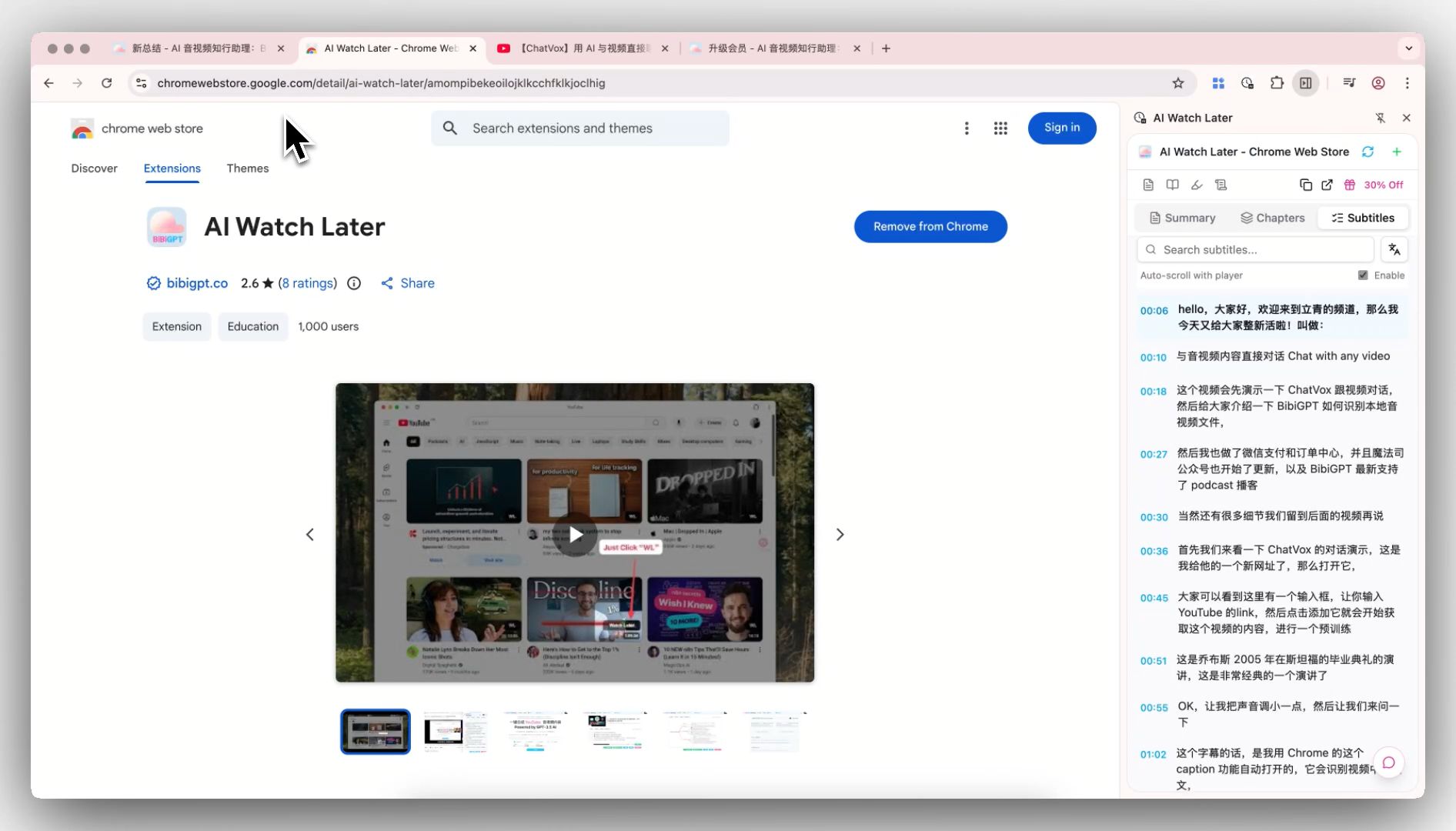
The screenshot below shows the BibiGPT browser extension generating chapter summaries directly within the video page — a similar in-page experience to Noiz, but not limited to YouTube:
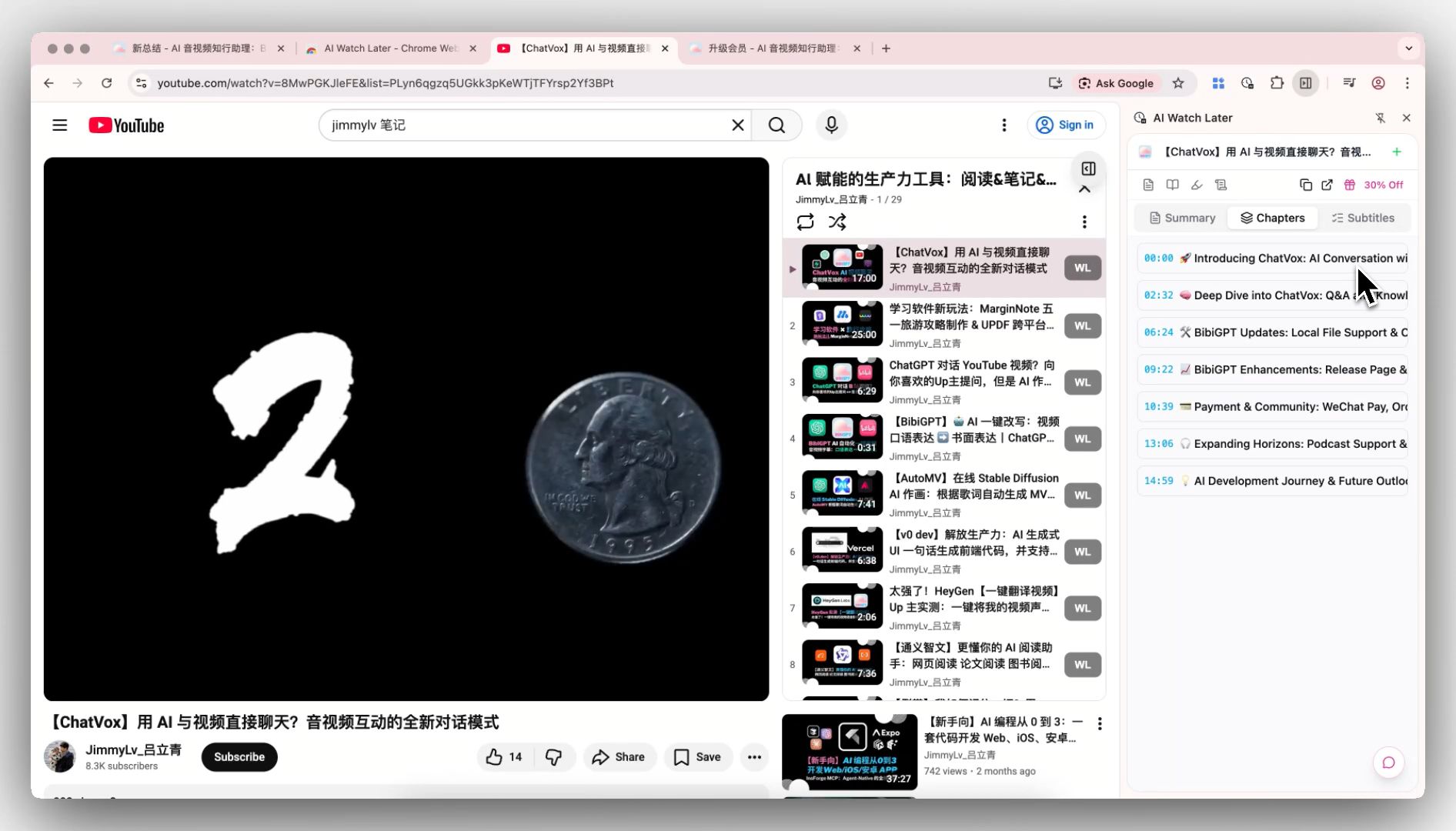
BibiGPT browser extension: chapter summaries generated right inside the video page
For a full walkthrough of how the extension works on YouTube, see the AI YouTube Summary feature page.
Here’s what the smart deep summary output looks like — not a few bullet points, but a structured long-form breakdown:
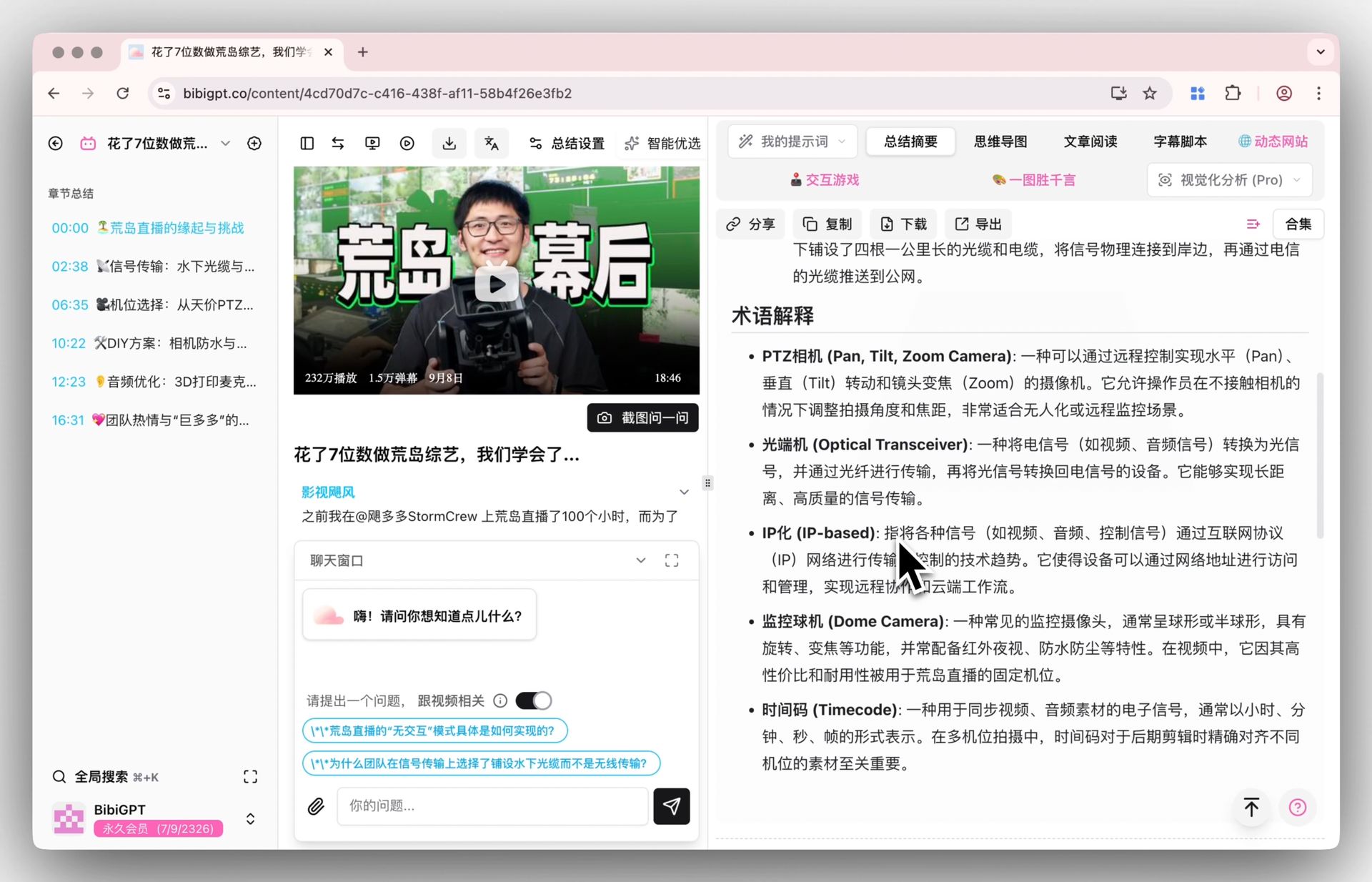
BibiGPT smart deep summary: structured long-form output, ideal for review and content creation
Still have questions after reading the deep summary? AI follow-up Q&A lets you keep asking against the video content:
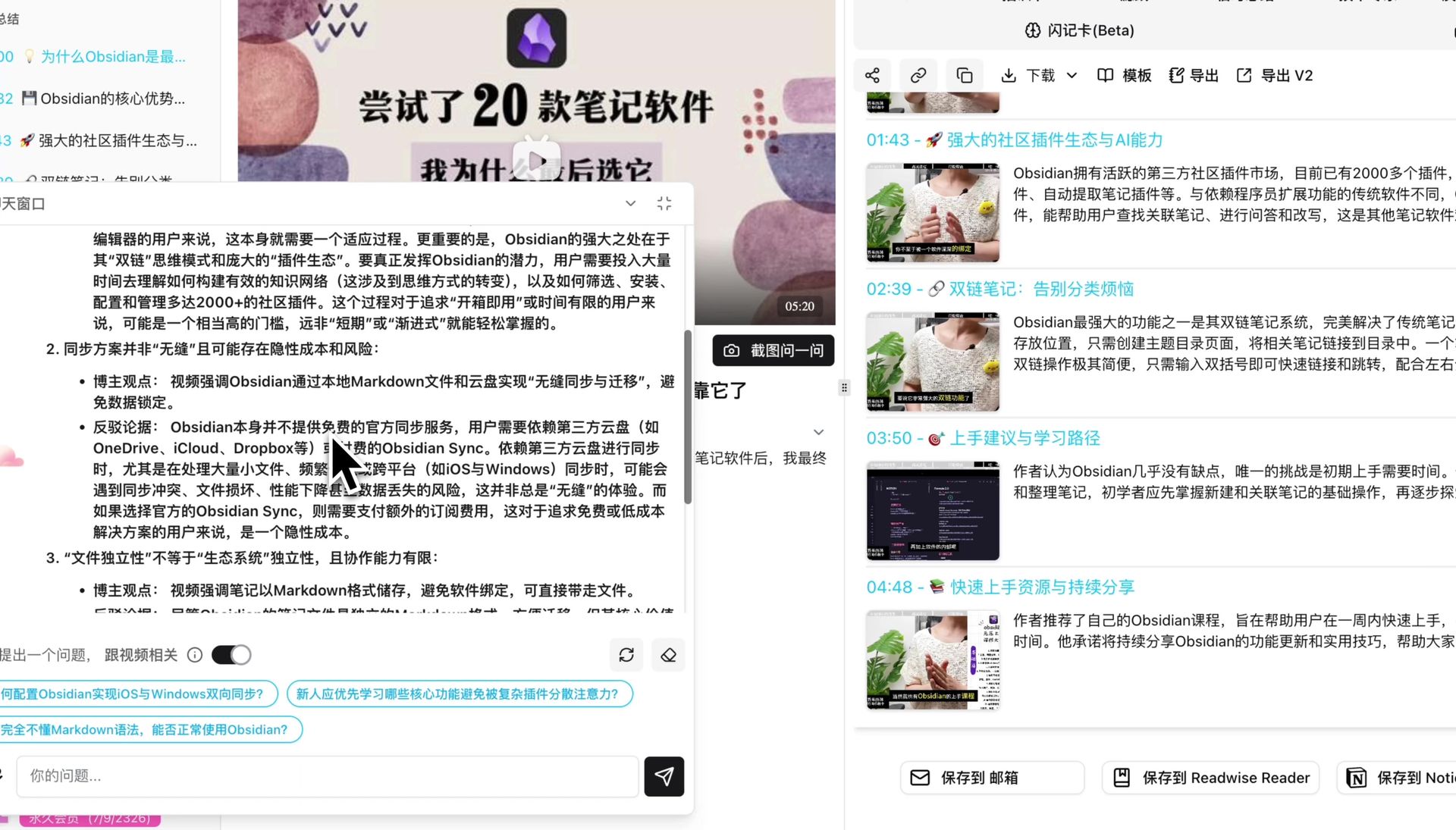
If you want to try it for free, start at the free video summarizer page. Heavy Bilibili users can go straight to the AI Bilibili Summary feature page.
Words only go so far — the interactive demo below shows the real “paste a video link → get a structured summary” flow. Feel free to try it:
Summarize any video in seconds
Pick a sample below to see the AI summary — TL;DR, key points, and jump-to timestamps.
TL;DR: Karpathy builds a GPT-style language model from scratch in code, explaining every piece — from a tiny character-level model up to the full Transformer.
Key points
- Start with a bigram model, then add self-attention so tokens can "talk" to each other
- A Transformer block = multi-head attention + feed-forward + residual connections + layer norm
- Training is just predicting the next token; scale and data do the rest
- The same architecture behind nanoGPT is what scales up to ChatGPT
Jump to
- 00:07 Why build GPT from scratch
- 08:23 Self-attention, intuitively
- 1:00:00 Assembling the Transformer block
- 1:35:00 From nanoGPT to ChatGPT
Practical rule: To judge whether a summary tool has lasting value, ask whether its output can enter your knowledge base. A summary you can only view inside the tool is a consumable; a summary you can export to Notion or Obsidian is an asset.
5. How to Choose: A Scenario Decision Checklist
Match your situation to the right tool:
- YouTube only + mostly English content + just want to quickly decide if a video is worth watching → Noiz’s lightweight approach fits perfectly. Install the extension and you’re done.
- Bilibili / podcasts / Xiaohongshu / local files in the mix → Choose BibiGPT. 30+ platform coverage means you’re not switching tools constantly.
- Studying online courses or working through long curricula where you need knowledge structure, not just bullet points → Choose BibiGPT. Mind maps + playlist batch summaries are designed for exactly this.
- Post-summary workflow: writing articles, taking notes, building a knowledge base → Choose BibiGPT. AI follow-up Q&A + Notion/Obsidian export cover the “after you’ve watched” step.
- Chinese-language user who cares about Chinese UI and Chinese summary quality → Choose BibiGPT. The Chinese experience is a native design decision, not a translation layer.
- Want both → They can absolutely coexist. Noiz handles quick triage inside YouTube; BibiGPT handles cross-platform deep dives.
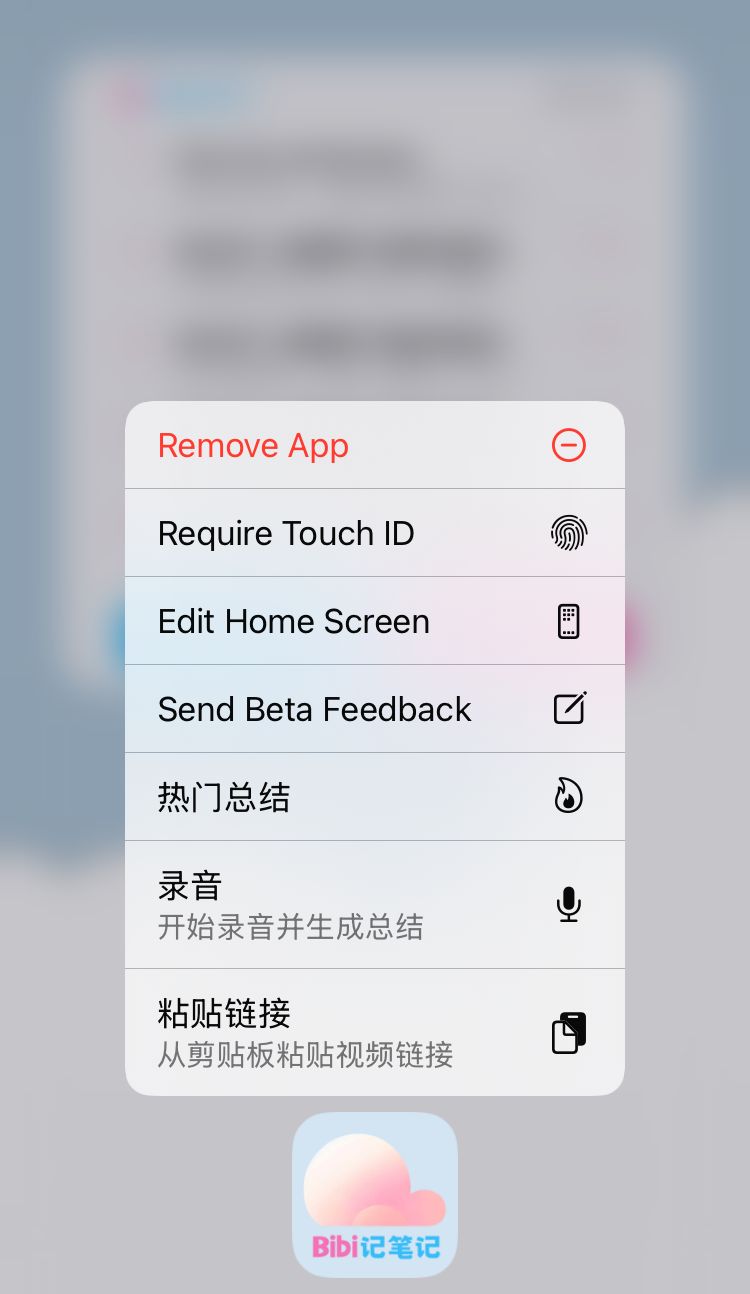
Mobile use cases are also covered. The screenshot below shows the BibiGPT mobile app widget — one tap from your home screen to kick off a summary on a link you just saw:

BibiGPT mobile app widget: start a summary with one tap on your phone
No widget needed either — just pick BibiGPT from your phone’s share menu:
For broader comparisons across similar tools, see our roundups: Best YouTube AI Summarizer Chrome Extensions and Best YouTube Video Summarizer Tools in 2026. Several video creators have also done side-by-side reviews of the major YouTube AI summary tools — the video below runs through the top contenders one by one and makes a useful third-party reference:
Source: YouTube · YouTube AI summary tools compared
6. FAQ: Common Questions About Noiz and BibiGPT
Q1: Is Noiz free?
The official site has no public pricing page. Third-party listings give conflicting accounts of its free tier and paid plans. Use whatever the site shows you when you install it as the ground truth. BibiGPT offers a free trial quota; after that you can choose a subscription or pay-as-you-go.
Q2: Does Noiz support Bilibili or podcasts?
Bilibili is not supported. For podcasts, the official site says: if a podcast exists as a YouTube video, it can be summarized; independent podcast platforms (Xiaoyuzhou, Apple Podcasts, etc.) are out of scope. For those needs, use BibiGPT.
Q3: How do the two tools’ timestamped summaries differ?
The direction is the same — key points tied to timestamps, click to jump back to the source video. The difference is what happens next: Noiz’s summaries are primarily consumed within the YouTube page; BibiGPT’s chapter summaries can be followed up with Q&A, converted to mind maps, or exported to note tools.
Q4: How long a video can Noiz handle?
Up to 12 hours per the official site — sufficient for the vast majority of online courses and podcasts. BibiGPT also supports long videos and long-form podcast summaries.
Q5: Which tool is better for Chinese-language users?
BibiGPT. Chinese UI, Chinese summary quality, and coverage of Bilibili and Chinese podcasts are all native capabilities. Noiz officially supports 41 summary languages, but the product is built around the YouTube ecosystem, so coverage of Chinese content sources is inherently limited.
After reading the comparison, the fastest way to verify is to run one of your own videos through each tool — you’ll know within 30 seconds whether it works for you. Paste a YouTube link into BibiGPT and see results in 30 seconds
BibiGPT Team