BibiGPT v4.318.0 Update: PPT Extraction, Hard Subtitle OCR & Local Privacy Mode
BibiGPT v4.318.0 Update: PPT Extraction, Hard Subtitle OCR & Local Privacy Mode
Dear BibiGPT users,
This update focuses on Quick View, Easy Search, and Better Use — we gave our AI “eyes” so it can now read PPT slides and burned-in subtitles directly from video frames. Plus, local privacy mode is now available on desktop. Here’s what’s new.
👀 Quick View
Local Privacy Mode — Now on Desktop
Worried about uploading sensitive meeting recordings or personal memos to the cloud?
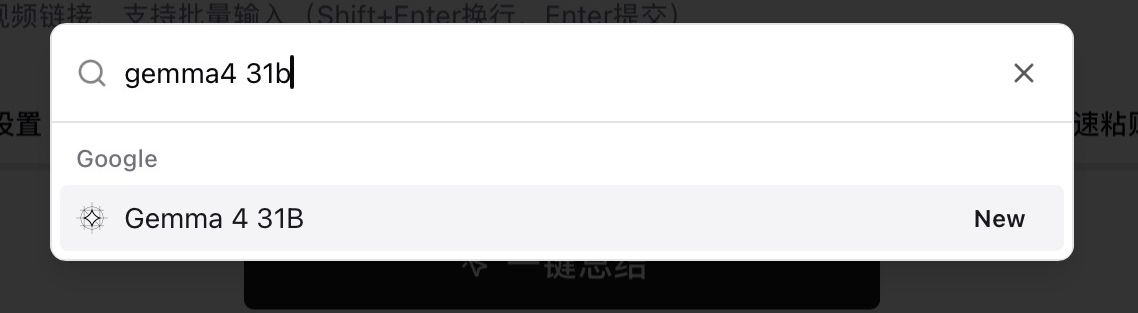
Local privacy mode has expanded from web to macOS and Windows clients. When enabled, speech recognition and summary generation run entirely on your local machine — no server uploads, no database storage. Physical-level privacy isolation, perfect for classified interviews, internal training recordings, or personal voice memos.
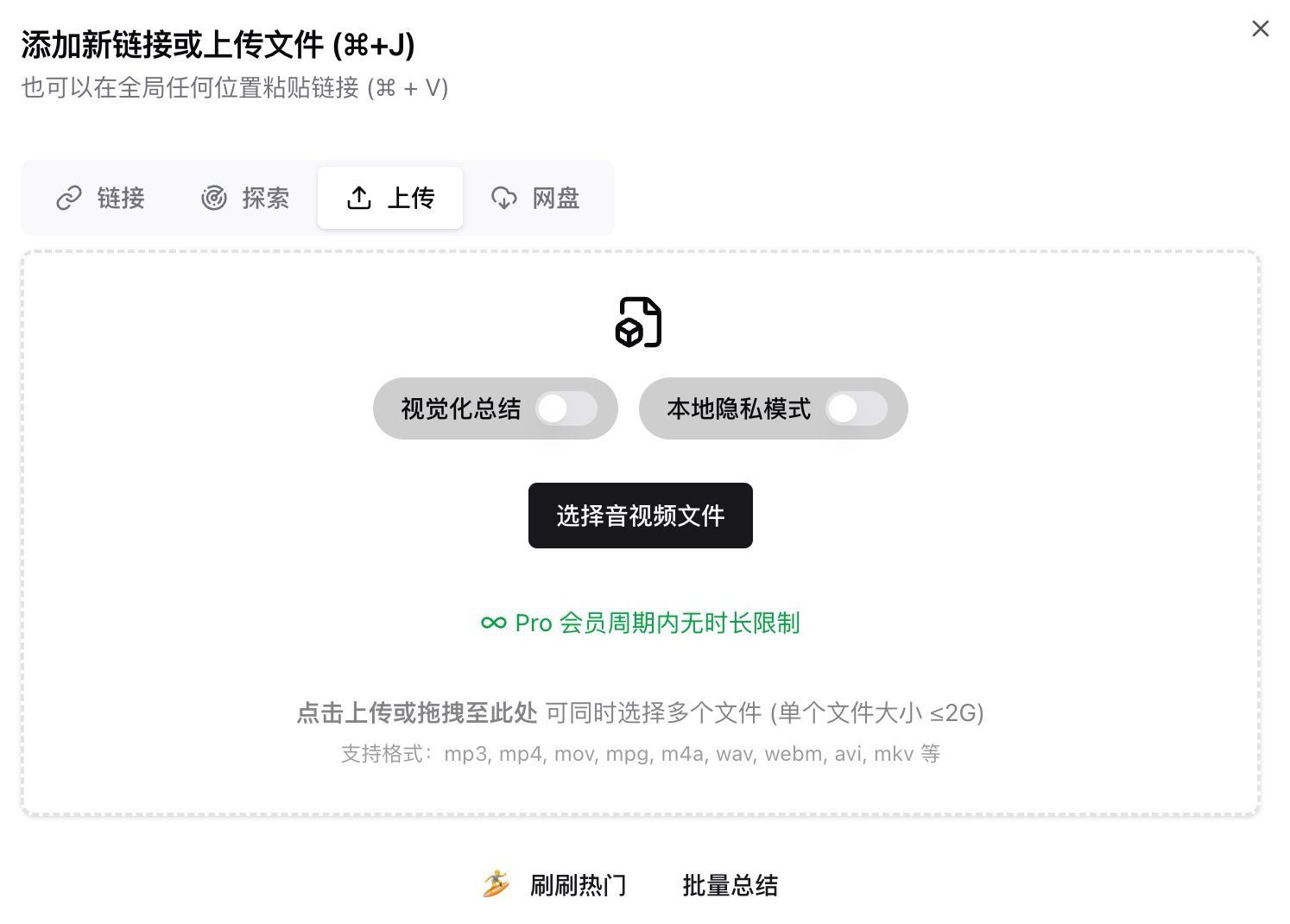
Google Gemma 4 31B Model
We’ve added Google Gemma 4 (31B) to the model selector — one of the most talked-about open-source models right now.
Fully open-sourced under the Apache 2.0 license, this 31-billion-parameter model excels at logical reasoning and long-context understanding, supports 140+ languages, and comes with native multimodal capabilities. Try running a few videos through Gemma 4 — different models bring genuinely different perspectives.
🔍 Easy Search
Hard Subtitle OCR Extraction (Beta)
Some videos have subtitles burned directly into the frames — no CC track, and traditional ASR chokes on background noise.
BibiGPT can now read them directly from video frames using OCR. Great for noisy street interviews, lectures with heavy accents, or any video where on-screen text is clear but audio quality isn’t. Currently supports Chinese, English, Japanese, French, German, and Spanish.
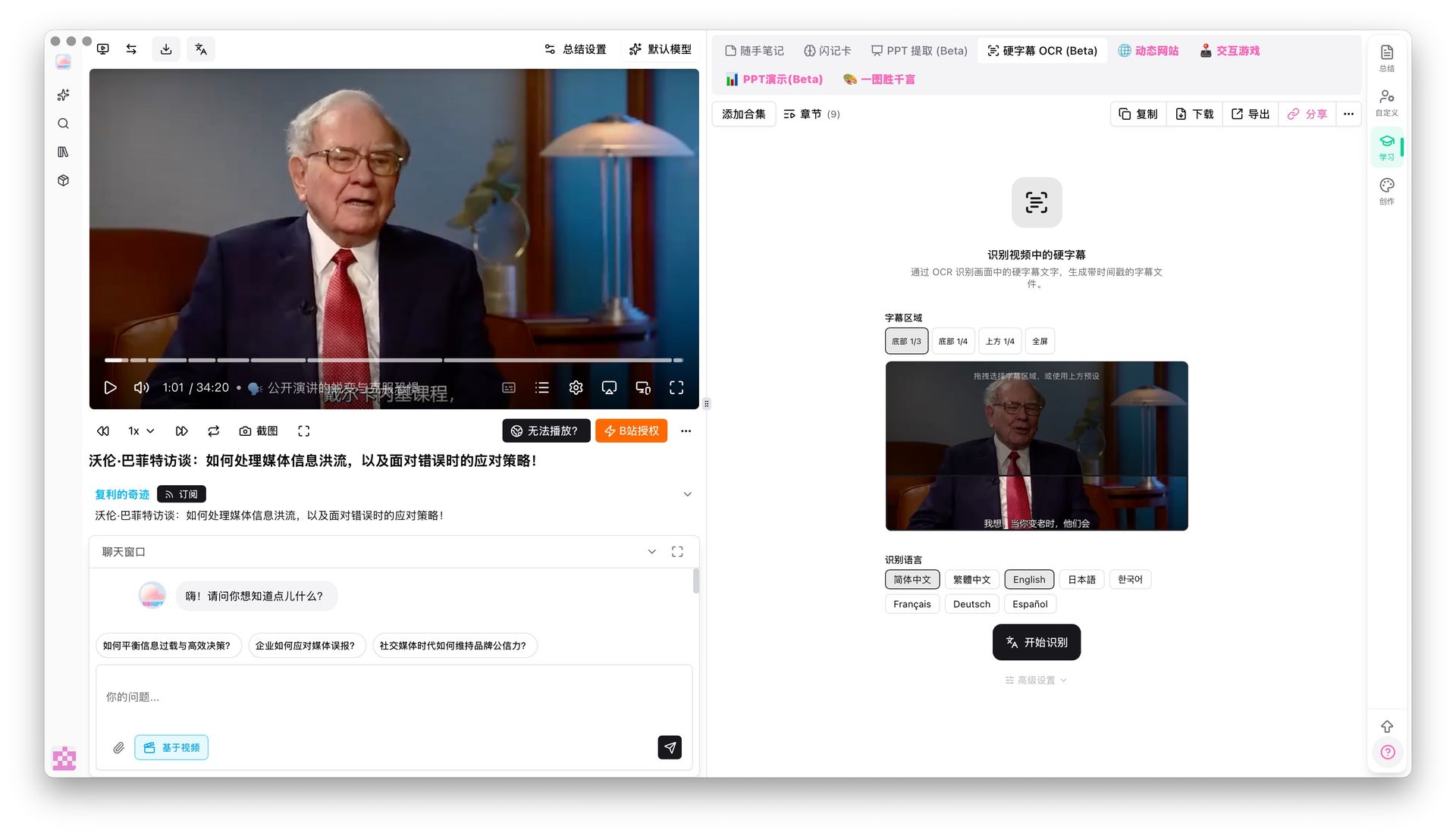
BibiGPT already understood video visuals — now it goes further by reading on-screen text directly.
🛠️ Better Use
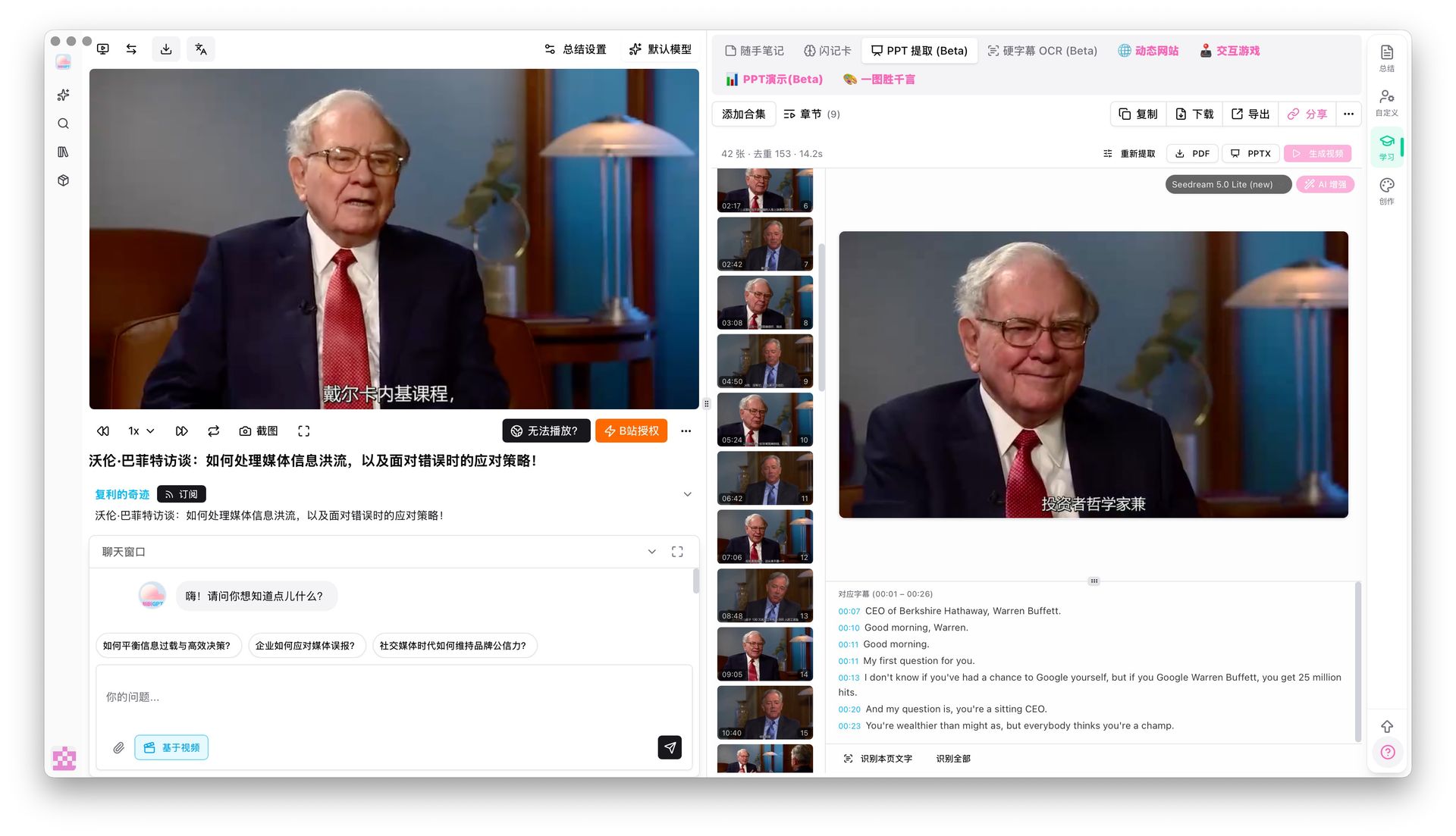
PPT Keyframe Extraction (Beta)
The real value of educational videos often lives on the slides, not in the narration. But finding that one slide means scrubbing through the timeline endlessly.
BibiGPT’s PPT keyframe extraction now automatically detects scene changes, captures unique keyframes, and groups subtitle text underneath each corresponding slide. The result is a visual outline — browse an entire video’s key visuals like flipping through a PDF.
Screenshot Keyframe Analysis
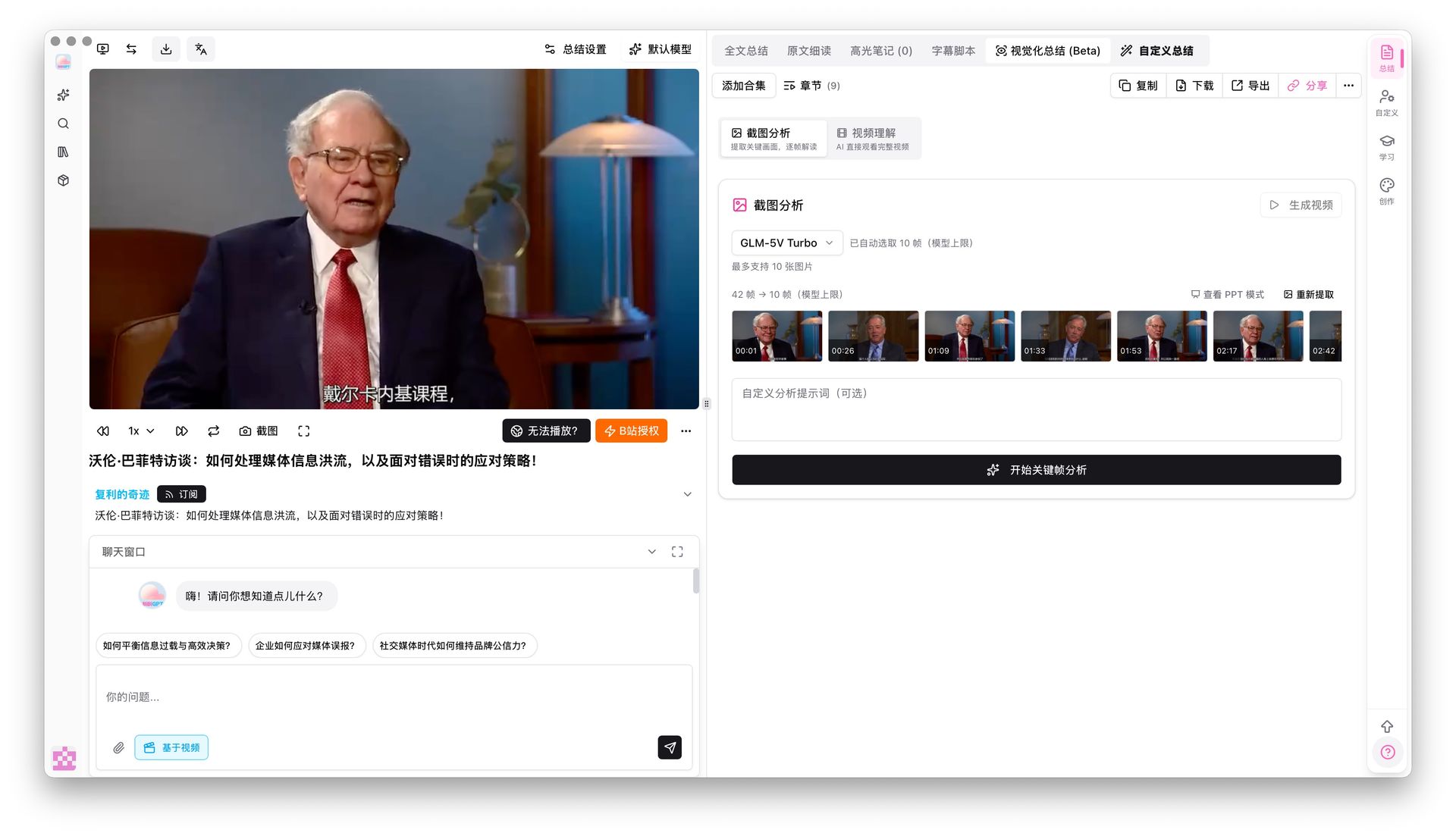
BibiGPT has supported visual understanding for a while — AI can already analyze video frames. This update adds screenshot keyframe analysis on top of that: after extracting keyframes, you can have AI deeply analyze each screenshot for complex charts, code snippets, or presentation content, filling gaps that audio alone would miss.
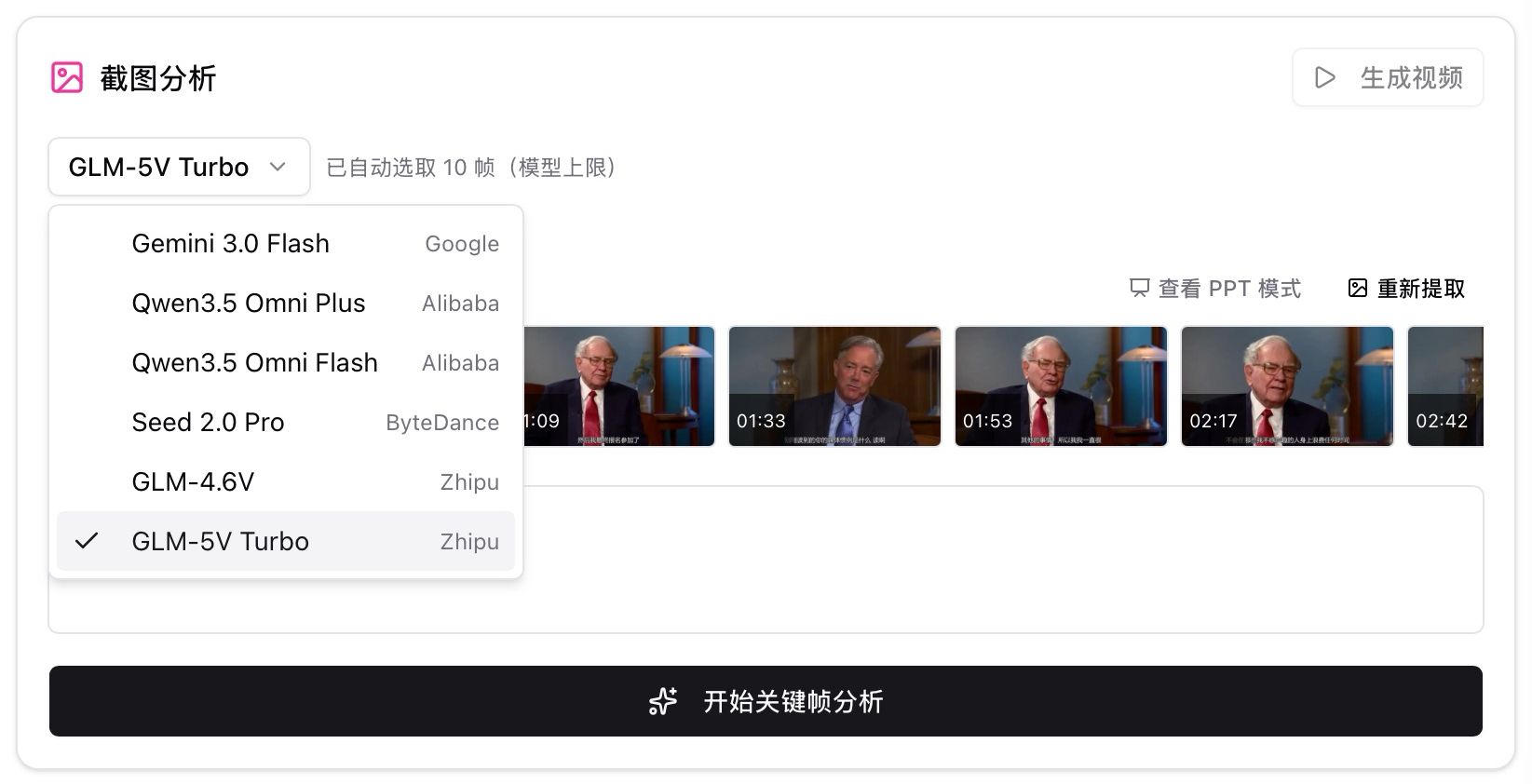
Multiple vision models are available including GLM-5V Turbo and Qwen 3.5 Omni — switch freely based on your needs.
More Recent Improvements
Beyond the major features above, here’s what else we’ve shipped:
- X/Twitter video fix: Pasting X video links used to play audio only — now fixed
- Wan 2.7 video generation: New text-to-video, image-to-video modes (Pro exclusive)
- Smart renewal reminders: Sidebar shows personalized reminders as your plan nears expiration
- Subscription channel icons: YouTube, Bilibili, podcast icons now show in your subscription feed
- Usage page upgrade: View historical usage by week/month/quarter with separate credit and API balance
- Batch operation improvements: Better button naming and auto-validation when adding to collections
Summary
This update takes BibiGPT’s visual understanding to the next level: local privacy mode keeps sensitive content on your machine, hard subtitle OCR solves the classic “clear subtitles but bad audio” problem, and PPT extraction with screenshot analysis turns video slides into a browsable knowledge base.
Start your AI efficient learning journey now:
- 🌐 Official Website: https://bibigpt.co/en/desktop?utm_source=growth-pages&utm_medium=blog-inline-cta&utm_campaign=20260407-bibigpt-v4318-ppt-ocr-local-privacy
- 📱 Mobile Download: https://aitodo.co/app
- 💻 Desktop Download: https://aitodo.co/download/desktop
- ✨ Learn More Features: https://aitodo.co/features
Enjoy!
BibiGPT Team