BibiGPT v4.361 Update: AI Model Roster Refresh, GPT Image 2 in AI Image Generation, Vision Analysis Trio
BibiGPT v4.361 Update: AI Model Roster Refresh, GPT Image 2 in AI Image Generation, Vision Analysis Trio
Dear BibiGPT users,
We shipped a lot this week — and the throughline is “make consuming video faster than reading text.” On the model layer, three flagship releases arrived in a single week (GPT-5.5, DeepSeek V4 Pro, MiMo V2.5), and we were live on each one the day it shipped — and OpenAI’s GPT Image 2 also landed in our AI image generation pipeline. On the experience layer, Vision Analysis got the kind of detail polish that quietly removes friction. Each individual change is small. Stacked together, things that used to require three windows, a 30-second wait and two settings reshuffles now flow in one move.
⚡ Faster to Watch
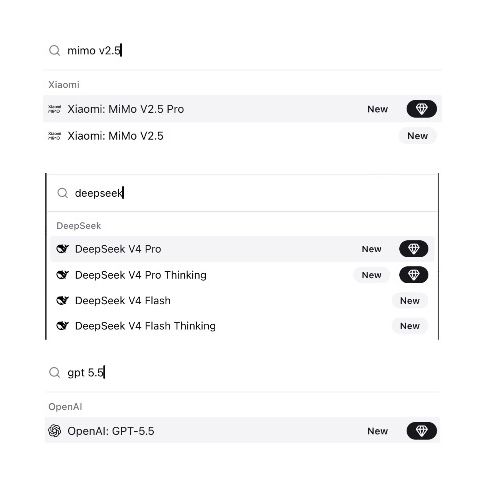
AI Model Roster Refresh: GPT-5.5 / DeepSeek V4 Pro / MiMo V2.5, Day-One
The model layer had a rare run of back-to-back releases this week. Plus / Pro members can switch in the moment each one ships — no need to bring your own keys:
- GPT-5.5 / GPT-5.5 Pro (OpenAI, released 2026-04-23) — 1M context window. Long lectures and 2-hour streams no longer get truncated.
- DeepSeek V4 Pro / V4 Flash (with thinking variants, released 2026-04-24) — 1M context, friendly pricing. We’ve also bumped the default chapter-summarization model to V4 Pro, so existing users see quality lift automatically.
- MiMo V2.5 (Xiaomi, open-source, 1M context) — best-in-class on price-performance.
With more models on the roster, the picker now has a “Show legacy models” toggle in the top-right corner. Older versions (GPT-4o, Claude 3, etc.) are hidden by default — out of the way, but one click away if you need them.
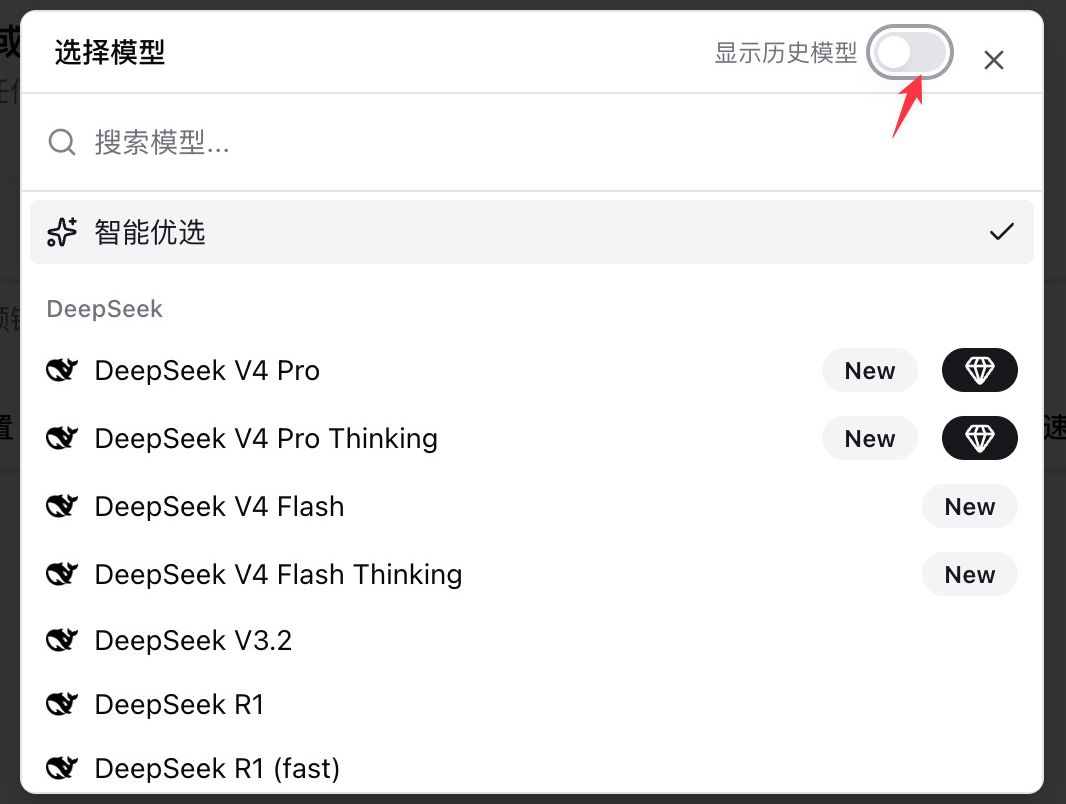
Models are no longer scarce — the speed at which you consume content is. The same 2-hour finance livestream can be reduced to 30 seconds of crisp chapters by the latest models. Day-one integration is just BibiGPT’s default setting; leave it to us, and you get the newest model the moment it ships.
🔎 Easier to Find
/apps — Unified Channel Hub
“Where do I download the desktop client / Chrome extension / iOS app?” — we hear this constantly. The new aitodo.co/apps collapses every channel onto one page:
- Mobile — iOS / Android / WeChat Assistant / Official Account, all reachable in one click
- Desktop — desktop client / browser extension / PWA install
- Developer area — Agent Skill / Remote MCP / Open API listed separately as advanced entries
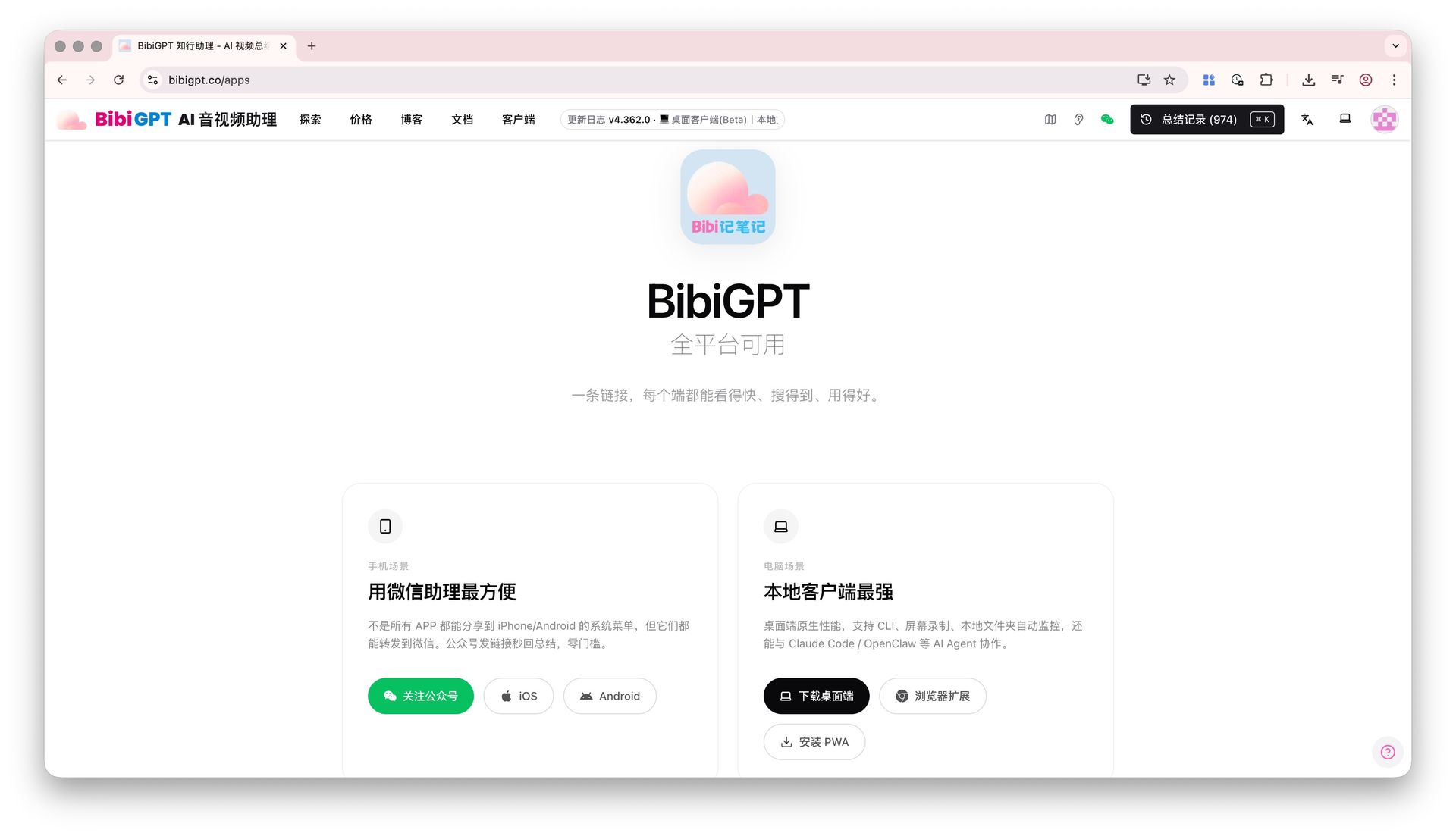
Two dedicated landing pages also went live: /apps/browser for one-click Chrome / Edge / Firefox extension install, and /apps/wechat for the WeChat assistant entry. Both translated across zh / zh-TW / en / ja / ko.
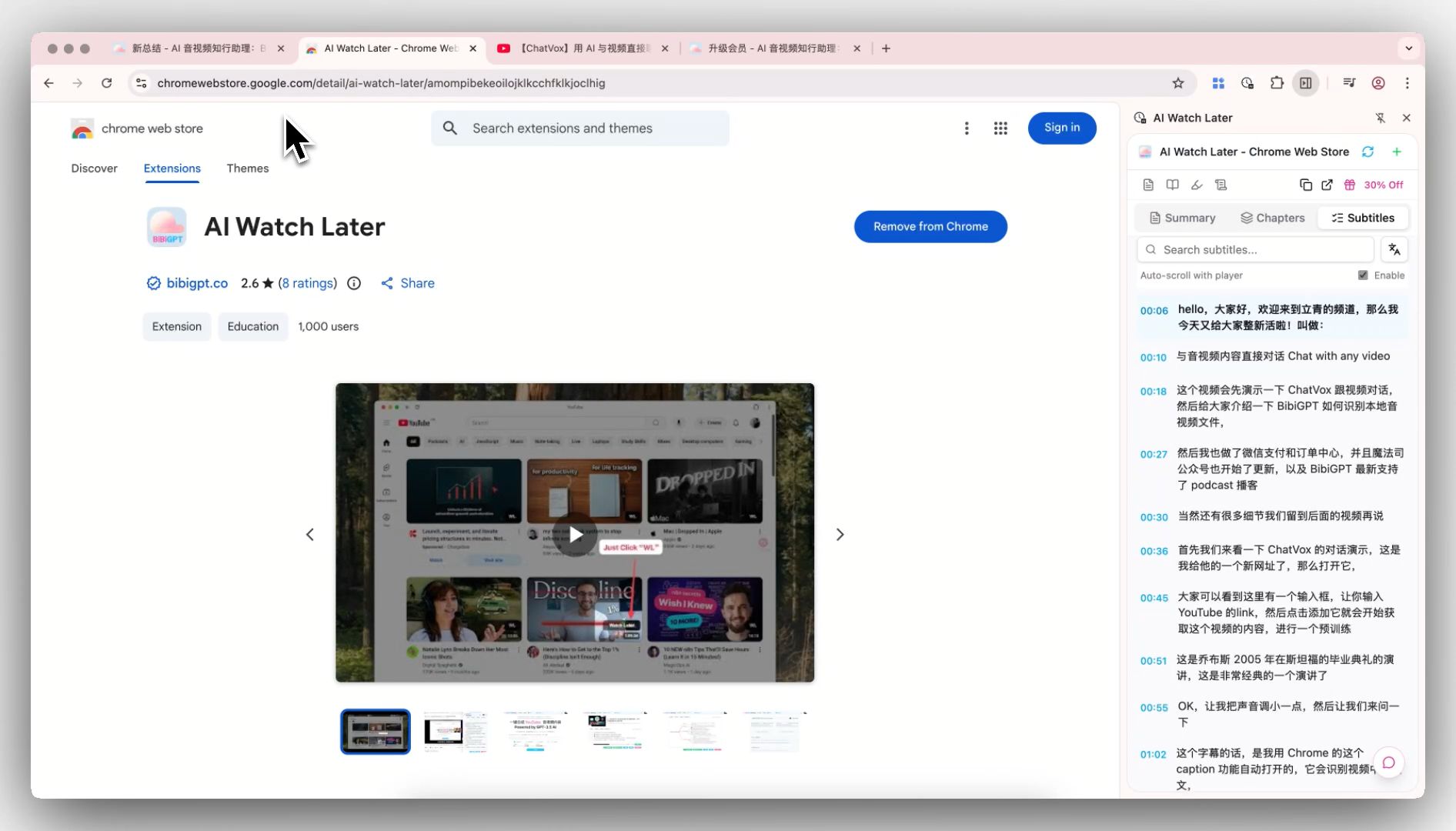
Recommending BibiGPT to a friend? Drop them a single aitodo.co/apps link and let them pick the entry that fits.
🛠️ Smoother to Use
GPT Image 2 Lands in BibiGPT Image Generation
OpenAI’s GPT Image 2 is now wired into BibiGPT’s AI image generation (25 credits per image). Open AI image generation in BibiGPT and switch to GPT Image 2 in the model picker:
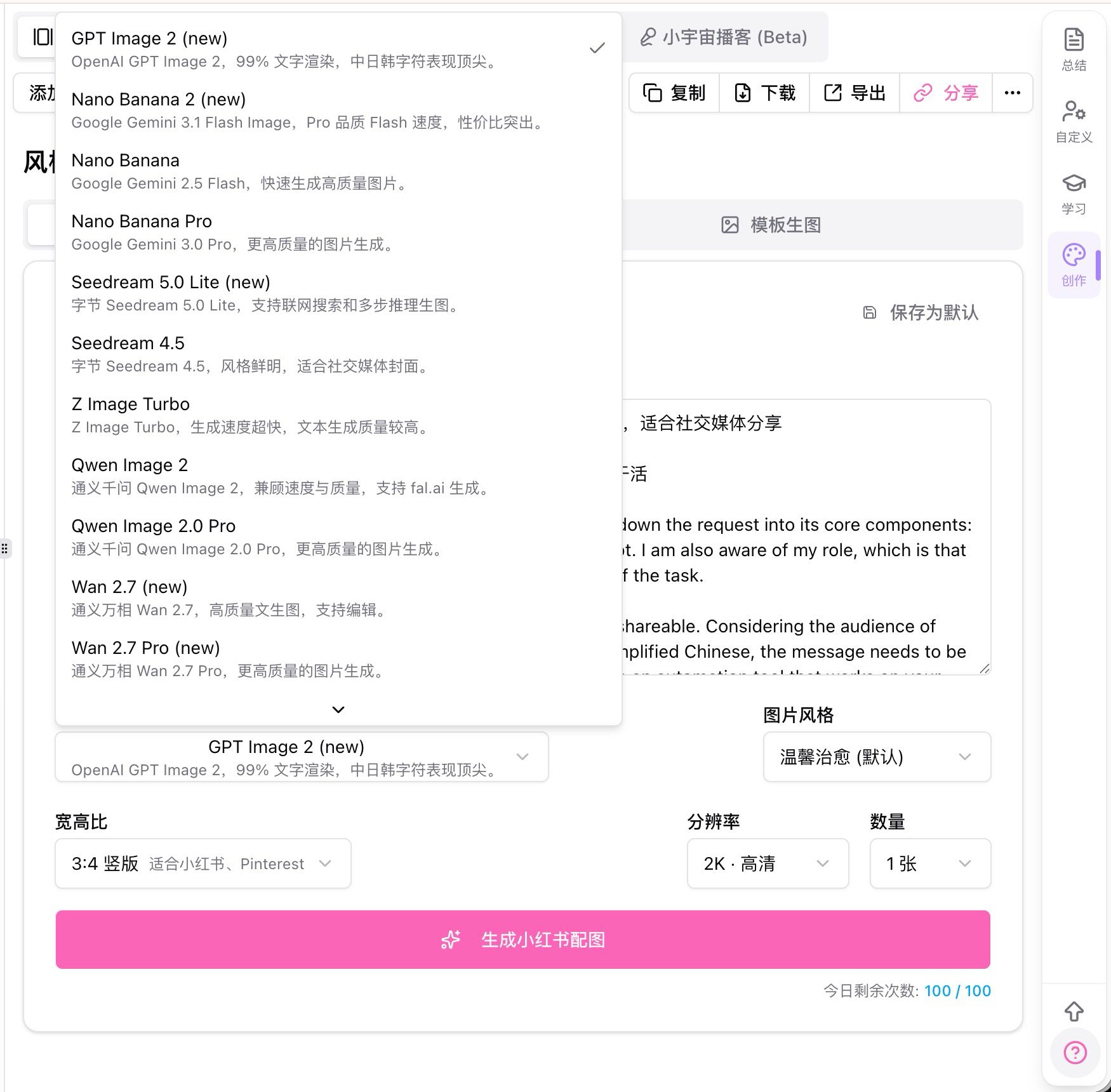
The two real wins:
- Text rendering accuracy ~99% — perfect for covers, posters and social-media art that need legible text directly in the image
- Native 4K output — standard / HD quality selectable
Sample outputs (video takeaways → publishable poster in ~1 minute):

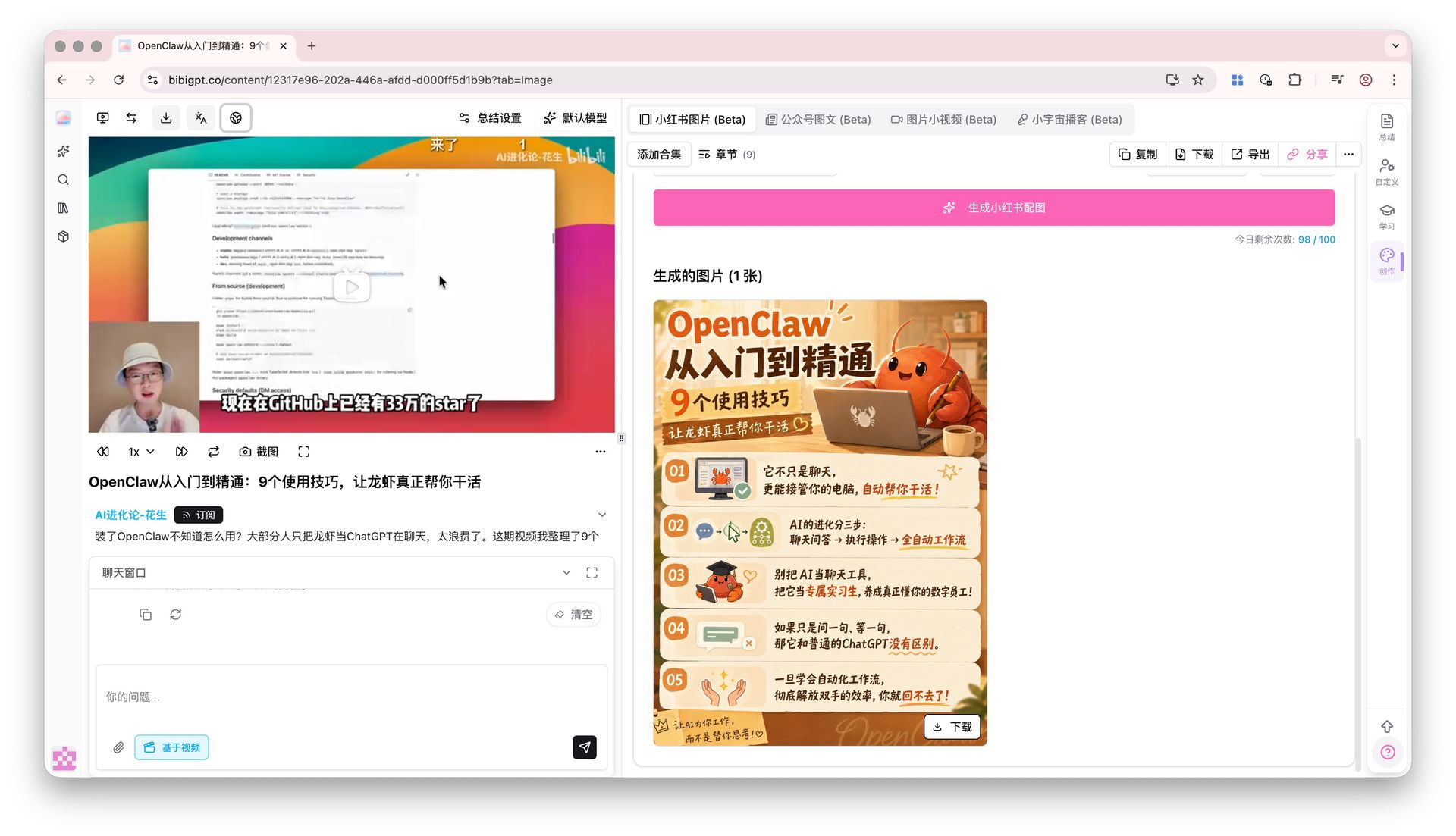
If you’re doing content repurposing — running a Twitter / LinkedIn / Substack pipeline, designing video covers, prepping social posters — this is the one to try first.
Vision Analysis Trio: Auto-Switch + Persistent Chat + One-Click Cache
Three Vision Analysis improvements ship together this week, each fixing a specific annoyance:
- Auto-switch — short videos (under 5 minutes) and videos with incomplete captions now auto-jump to the “Vision Summary” tab on completion. No more landing on an empty summary screen.
- Persistent chat — Vision Analysis follow-up conversations now restore automatically when you reopen the page. No re-asking what you already asked.
- One-click cache (desktop, online videos only) — for Bilibili / YouTube and similar online videos, click “Cache video now” in the Frame Analysis sub-tab. The system downloads at 720p and chains keyframe extraction automatically — no need to switch to the player tab to cache first.
For videos with vision analysis, Article Generation now prefers vision-derived summaries by default — final article accuracy is higher, especially for videos where charts or visual content matter.
Wrap-up
This week’s theme is “race to the latest models, polish the everyday flows.” GPT-5.5 / DeepSeek V4 Pro / MiMo V2.5 day-one integration covers “can I use the newest model”; GPT Image 2 + the Vision Analysis trio cover “does it feel smooth in daily use.” Add /apps unification on top, and every leg of the “Faster to Watch / Easier to Find / Smoother to Use” loop got tightened again.
Models aren’t scarce anymore. The speed at which you consume content is. That’s the real subtext under this week’s update.
Try BibiGPT and start your AI-powered video productivity:
- 🌐 Website: https://bibigpt.co/en/desktop?utm_source=growth-pages&utm_medium=blog-inline-cta&utm_campaign=bibigpt-newsletter-2026-04-27
- 📱 Mobile download: https://aitodo.co/apps
- 💻 Desktop download: https://aitodo.co/download/desktop
- ✨ Explore features: https://aitodo.co/features
Happy summarizing!
BibiGPT Team