BibiGPT vs Otter.ai Enterprise Search 2026: Which One for Meeting + Cross-Tool Discovery
BibiGPT vs Otter.ai Enterprise Search 2026: Which One for Meeting + Cross-Tool Discovery
Last updated: 2026-05-18
100-word direct answer: As of Q2 2026, Otter.ai launched Enterprise Search, expanding meeting-record search from “Otter only” to Gmail / Google Drive / Notion / Jira / Salesforce. That’s a real new capability for “meetings + business systems” federated search. But BibiGPT’s territory is “audio-video content understanding + knowledge tool integration” — video learning, podcasts → article, cross-platform material aggregation — where BibiGPT is still irreplaceable. Below: 5 enterprise scenarios with real picks.
30-Second Decision Guide (Jump by Your Core Scenario)
| Your core scenario | Primary pick | Jump to |
|---|---|---|
| Meeting-heavy + cross-business-system search | Otter.ai | Cross-tool meeting search |
| Audio/video content (lectures / podcasts / online courses) | BibiGPT | Audio-video scenario |
| Customer interviews → case studies / articles | BibiGPT | Interview → article scenario |
| Internal training video management | BibiGPT | Training video scenario |
| Notion / Obsidian collaborative notes | BibiGPT | Notes integration scenario |
Event Recap: What Otter.ai Enterprise Search Changed
Per TechCrunch’s April 28, 2026 coverage, Otter.ai’s Enterprise Search brings:
- Cross-tool federated search: search Gmail / Google Drive / Notion / Jira / Salesforce content from inside Otter
- Meeting records as anchors: meeting transcripts become entry points, surfacing related materials from other business systems
- Enterprise permission management: respects original system permissions
- Target users: Sales, Customer Success, Product, HR teams
For “meetings + business systems” federated search inside an enterprise, this is a real new capability. But the edges are clear:
- Still meeting-first positioning: the core entry is meeting records, not arbitrary audio-video
- Doesn’t process YouTube / podcasts / public platform content
- Enterprise IT deployment overhead: admin must configure OAuth for each business system
Practical rule: Otter.ai Enterprise Search makes “meeting cross-tool search” stronger. BibiGPT makes “cross-platform audio-video understanding” stronger. They’re strong on different dimensions.
5 Enterprise Scenarios
Scenario 1: Meeting Cross-Tool Search (Otter.ai’s New Territory)
Otter.ai’s flow:
- Zoom / Teams / Google Meet auto-imports to Otter
- Meeting ends → auto-transcribe + Action Items
- Search Otter for “the contract terms we discussed last week with the client”
- Otter returns related materials across Gmail / Drive / Notion
Fit teams:
- Sales: customer meetings + CRM data federated search
- Customer Success: meeting records + Jira tickets cross-search
- Product: internal discussions + Notion product docs federated search
Decision filter: Is your core work “meetings + finding stuff across business systems”? Yes → Otter.ai Enterprise Search is a new solution. No → see the scenarios below.
Scenario 2: Audio-Video Content Understanding (BibiGPT’s Territory)
BibiGPT’s flow is completely different:
- Paste any video URL (YouTube / Coursera / Apple Podcasts / Spotify / Khan Academy)
- Auto-transcribe + chapter (Chapter Deep Reading)
- Extract keyframes + subtitle translation (Subtitle translation)
- Output structured notes + mind map (Mindmap export)
Otter.ai barely covers this — it doesn’t process public video platform content.
Typical users:
- Product managers researching competitor launch videos, user interview tapes
- Marketing teams digesting industry conference content
- Training teams organizing public course materials
- Researchers tracking academic lecture videos
Scenario 3: Customer Interview → Case Study Article
A common enterprise content ops need: turn customer interviews into publishable case studies.
BibiGPT’s flow:
- Upload customer interview recording to BibiGPT
- Auto-transcribe + chapter
- Use Video to Illustrated Article for case study draft
- Marketing team polishes and publishes
Otter.ai’s bottleneck: transcription gives you Action Items but lacks “turn into readable article” capability.
Practical rule: Meeting tools optimize for “what’s next after the meeting.” Content tools optimize for “what do I write after watching this.” Two completely different output targets.
Scenario 4: Internal Training Video Management
Many enterprises accumulate large training video libraries (product onboarding, tech talks, sales playbooks). Common pain points:
- Poor searchability: key content inside videos isn’t full-text searchable
- Multilingual teams: overseas teams need subtitle translation
- New employee onboarding: finding the right video takes longer than watching it
BibiGPT’s approach:
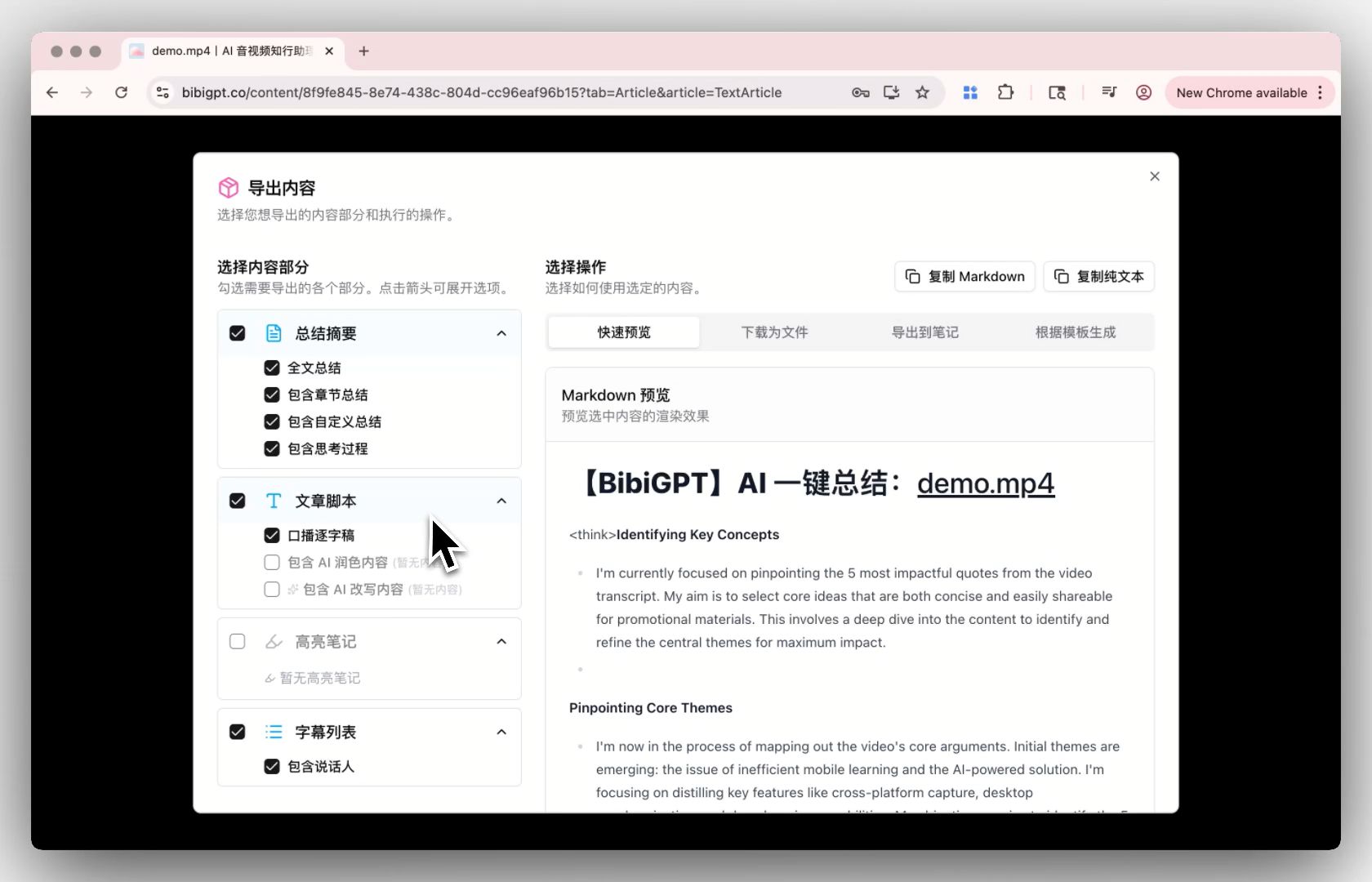
- Batch export: convert all training videos to structured text
- Subtitle translation: multilingual subtitles one-click
- Notion integration: training content syncs to internal KB
Otter.ai’s limitation: its turf is “real-time meetings,” not “historical training video management.”
Scenario 5: Notion / Obsidian Collaborative Notes
Knowledge worker “personal PKM” scenarios:
- Notion for team KB
- Obsidian for personal notes
- Video learning → note accumulation
BibiGPT’s strengths:
- Notion integration: video notes sync directly to Notion
- Mind map export feeds Obsidian as new pages
- Multi-source video (30+ platforms) aggregates into one notebook
Otter.ai’s “knowledge graph” is mostly meeting-data graph — doesn’t cover video learning scenarios.
Decision filter: Is your note core “meeting Action Items” or “video learning + long-term storage”? Former → Otter; latter → BibiGPT.
Comparison Table: 6 Dimensions for Real Decisions
| Dimension | Otter.ai (Enterprise Search) | BibiGPT |
|---|---|---|
| Real-time meeting transcription | ✅ Core territory (Zoom / Teams native) | ⚠️ Supported but not core |
| Cross-business-system search | ✅ New capability (Gmail / Drive / Notion / Jira / Salesforce) | ⚠️ Mainly via Notion integration |
| YouTube / public video | ❌ Not supported | ✅ 30+ platforms |
| Podcasts / long audio | ❌ Not supported | ✅ Core territory |
| Subtitle translation / multilingual | ⚠️ Limited language support | ✅ Bilingual + multilingual |
| Mind map / graph export | ❌ Not supported | ✅ .mm / .md / image export |
Cross-Tool Workflow: Enterprise Best Practice
Most enterprises’ best move is both tools, allocated by scenario:
| Scenario | Primary tool | Why |
|---|---|---|
| Internal sales / customer meetings | Otter.ai | Real-time transcription + Action Items + cross-system search |
| Product / engineering tech talks | BibiGPT | Video storage + KB |
| Customer interview → case study | BibiGPT | Video-to-article pipeline |
| Industry conference digestion | BibiGPT | Public video + multilingual subtitles |
| Recruiting interviews | Otter.ai | Real-time meeting context |
| Training video management | BibiGPT | Multi-source + batch processing |
Practical rule: Tool choice isn’t about camps — allocate by “is the input a meeting or a video.” Decisions become obvious.
Regional Suitability
| Dimension | Otter.ai | BibiGPT |
|---|---|---|
| Servers | Overseas only | Native in Mainland China + overseas |
| English transcription quality | ✅ Excellent | ✅ Excellent |
| Chinese transcription quality | ⚠️ Average | ✅ Excellent |
| Asian meeting platforms | ⚠️ Zoom international only | ✅ Tencent Meeting / DingTalk |
| Payment | ❌ International CC only | ✅ Multiple methods |
For Chinese enterprises, BibiGPT’s adoption barrier is much lower than Otter.ai.
FAQ
Can Otter.ai Enterprise Search be used in Mainland China?
Otter.ai’s primary servers are overseas. Mainland China access requires a VPN. Deployment barrier for Chinese enterprises is high. BibiGPT has local servers and payment methods.
We already use Otter.ai for meeting transcription — do we still need BibiGPT?
If your needs are purely meeting-bound, Otter is enough. But if your team also digests industry conference videos, produces customer interview case studies, or manages internal training videos — BibiGPT has fuller coverage there.
Can BibiGPT replace Otter.ai for real-time meetings?
It can handle meeting recordings, but Otter is genuinely more specialized for real-time meetings (Zoom/Teams integration, Action Items extraction). Recommended: use both, allocated by scenario.
Is Enterprise Search secure?
Otter.ai states it respects original system permissions (employees can only search content they’re already authorized to access in Gmail / Drive / Notion). But cross-system data flow still requires enterprise IT compliance review.
Pricing comparison?
- Otter.ai: Business plan starts at $20/seat/month, Enterprise requires sales contact
- BibiGPT: Free trial + Plus/Pro subscriptions, pricing well below Otter Enterprise. See Pricing
Full pipeline: customer interview → case study → marketing publish?
BibiGPT covers this more fully: interview recording → Video to Illustrated Article → Newsletter / blog / Medium multi-platform.
Wrap-Up: Meetings vs Videos — Two Different Product Shapes
Otter.ai makes “meeting data + business system search” strong. BibiGPT makes “audio-video content understanding + knowledge integration” strong. For enterprises, they’re not substitutes — they’re complementary, allocated by work scenario.
- Meeting-heavy teams (Sales / CS / internal collab): Otter.ai Enterprise Search is a new solution
- Content/learning teams (Marketing / Product Research / Training / Content Ops): BibiGPT is the smoother pick
From a “knowing-and-doing assistant” perspective, the best toolstack is segmented by scenario, not by tool tribe.
If “audio-video content understanding” is a meaningful share of your work, paste your first video link into BibiGPT — you’ll feel within minutes whether the loop fits. BibiGPT has served over 1 million users with over 5 million AI summaries.
Further reading: