Build a Personal Knowledge Graph from Videos: The BibiGPT Method (2026)
Build a Personal Knowledge Graph from Videos: The BibiGPT Method (2026)
Last updated: 2026-05-18
100-word direct answer: As of Q2 2026, “scattered video notes → connectable knowledge graph” has moved from a niche PKM practice into mainstream upgrade path for knowledge workers. This guide gives you the four-step method with BibiGPT + Obsidian / Tana: atomic notes → entity extraction → relationship linking → graph visualization. Compound 100 hours of video learning into a lifetime knowledge asset.
Why “Video Notes” ≠ “Knowledge Graph”
A familiar experience:
- You’ve watched 200 hours of lectures; your notes have thousands of fragments
- When you want to revisit a concept, you can’t remember which video covered it
- Your notes don’t talk to each other — every revisit feels like the first time
That’s because “taking notes” and “building a graph” are two different operations:
| Dimension | Ordinary video notes | Knowledge graph |
|---|---|---|
| Granularity | Long passages, by video | Atomic, by concept |
| Connectivity | Linear timeline | Web of cross-references |
| Searchability | Keyword search | Entity + relationship search |
| Reuse value | One-shot | Lifelong revisit |
| Compounding | None | Notes get more valuable over time |
Practical rule: A knowledge graph is “information turned into a searchable entity network.” Video notes are raw material — not the asset itself.
Four-Step Method: From Video to Graph
Step 1: Atomic Notes (One Idea = One Card)
The most common mistake in video learning: a whole episode’s notes get squashed into one long Markdown file. That kills the “atomicity” — one idea should stand alone as one card.
The BibiGPT flow:
- Paste video URL into BibiGPT
- Wait for Chapter Deep Reading auto-chapter output
- For each chapter, use Chat With Video to extract 3–5 core claims
- Export each claim as a separate Obsidian/Tana card
Practical rule: One idea = one card. If a card needs more than 200 words to express, it should be split into 2–3 cards.
Detailed granularity rules: Zettelkasten + AI Video Notes with BibiGPT.
Step 2: Entity Extraction (Identify Concepts, People, Organizations, Events)
The nodes of a knowledge graph are entities — concrete concepts, people, organizations, events, products.
BibiGPT entity extraction flow:
- In Chat With Video, prompt: “List every person, organization, product name, and technical term mentioned in this video”
- BibiGPT returns a structured entity list
- Create a separate page in Obsidian for each entity (even if that page only has one sentence to start)
- In the original note, use
[[Entity Name]]bidirectional links
Concrete example:
Watching a video about Anthropic Claude 4.6, atomic notes might include:
- A
Claude 4.6 vs Claude 4.5comparison card - A
[[Anthropic]]company page - A
[[Constitutional AI]]concept page - A
[[200K context window]]technical-parameter page - A
[[Dario Amodei]]person page
Step 3: Relationship Linking (Cards Reference Each Other)
The value of an entity network lives in relationships — what does A have to do with B?
Common relationship types:
| Relationship | Example |
|---|---|
| Belongs to | Claude 4.6 belongs to [[Anthropic]] product line |
| Compared with | Claude 4.6 vs [[GPT-5]] |
| Evolved from | Claude 4.5 → Claude 4.6 |
| Applies | [[Constitutional AI]] applies to Claude 4.6 |
| Solves | [[200K context]] solves [[long document understanding]] |
In Obsidian / Tana, these surface as [[]] links + tags + Dataview queries.
Decision filter: If a card has no links to ≥2 other cards, it hasn’t actually entered your knowledge graph — either add links or delete it.
Detailed entity-relationship modeling: Second Brain Knowledge Graph Method.
Step 4: Graph Visualization (Let Your Brain Actually See the Structure)
Last step: make the abstract relationships visible:
- Obsidian Graph View: native graph visualization
- Tana: supertags + queries dynamically generate views
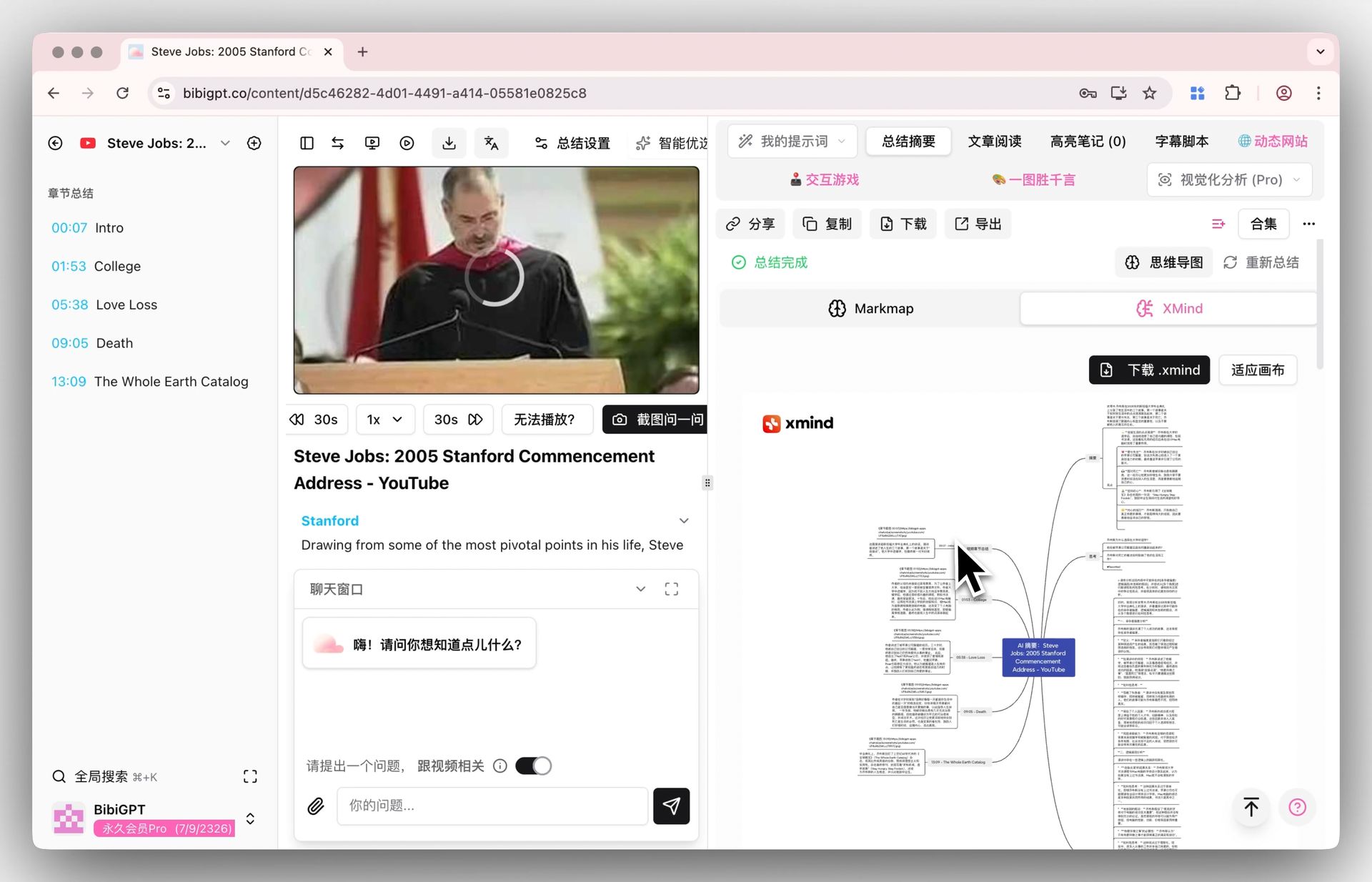
- BibiGPT Mindmap Export: Mindmap export turns single-video chapter structure into .mm files for XMind
- Logseq: block-reference graph (different shape)
Practical rule: Visualization isn’t the destination — it’s the feedback mechanism. Looking at the graph, you spot “dense regions” (where your knowledge is solid) and “isolated islands” (where you need more linking or more learning).
Real Case: Build an AI Knowledge Graph from 100 Hours of Video
Say you want to systematically master AI:
-
Video source list (100 hours):
- Every AI guest interview on Lex Fridman’s podcast
- OpenAI / Anthropic / Google DeepMind public talks on YouTube
- Andrej Karpathy’s Stanford CS25
- Coursera “Deep Learning Specialization”
- Khan Academy AI courses
-
BibiGPT processing:
- Each video uses Chapter Deep Reading for chapters
- Each chapter uses Chat With Video for claim + entity extraction
- Export Mindmap per video as topology overview
- Sync claims to Notion as permanent cards
-
Graph build (in Obsidian):
- Entity pages: every person, model, concept gets a separate page (~300–500 total)
- Relationship links: every note card has 2–5
[[]]connections - Topic views: use Dataview to aggregate by theme (RLHF, Transformer, Multi-modal)
- Graph view: see the entire AI domain’s network shape
What you end up with isn’t a “list of videos I watched” — it’s a lifetime-reusable AI knowledge graph.
Tool Stack
| Tool | Role | Required? |
|---|---|---|
| BibiGPT | Video parsing + chapters + entity extraction | ✅ Required |
| Obsidian / Tana | Card notes + graph visualization | ✅ Pick one |
| Notion | Note sync + database views | ⚠️ Optional |
| XMind / MindMaster | Single-video mind-map review | ⚠️ Optional |
| Anki | Spaced repetition | ⚠️ Optional (required for exam prep) |
Decision filter: More tools = more complexity. Minimum viable: BibiGPT + Obsidian. Don’t stack 6 tools on Day 1.
Full breakdown: Tana vs BibiGPT Knowledge Graph Comparison.
Common Pitfalls
Pitfall 1: Watch but Don’t Write
Just nodding along to videos and never exporting notes. The biggest waste — videos are consumables, notes are assets.
Pitfall 2: Notes That Don’t Connect
Every card lives in isolation, with no links to other cards. That’s burying notes in a black hole.
Pitfall 3: Over-Engineered Stack
Starting Day 1 with BibiGPT + Obsidian + Tana + Notion + Anki + Readwise + ChatGPT + Claude… collapse 6 months in.
Pitfall 4: Chasing “Complete” Graphs
Trying to graph every domain. End result: shallow in all of them. Pick 1–2 core domains and go deep.
Practical rule: Knowledge graph value isn’t about coverage — it’s about depth. A 500-card deep graph beats a 5000-card shallow one.
Self-Check Every 2 Weeks
- Added ≥10 atomic cards in the past 2 weeks
- Each new card linked to ≥2 existing cards
- No “untouched in 3 months” island pages
- Graph View shows a theme region getting dense (you’re growing a skill tree)
- At least 1 card has been referenced ≥3 times (proves it’s truly “atomic”)
FAQ
Can BibiGPT generate the knowledge graph directly?
No. BibiGPT parses videos into structured raw materials (chapters, entities, claims). Graph building still happens in Obsidian / Tana. BibiGPT is the “raw material supplier”; the graph is the “warehouse of finished assets.”
Obsidian vs Tana — which to pick?
- Obsidian: local-first, Markdown files, flexible, low learning curve → recommended for starting
- Tana: cloud-based, powerful supertags, knowledge-graph-native → good for users with prior PKM experience
See: Tana vs BibiGPT Knowledge Graph Comparison.
How many cards before it counts as a “graph”?
Typically 200+ cards with each averaging 3+ outbound links. The first 50 cards mostly build the skeleton — limited meaning. Push past that threshold.
Which videos are worth graphing?
- Foundational domain content (Andrej Karpathy’s Neural Networks: Zero to Hero)
- High-density interviews (Lex Fridman + top guests)
- Systematic courses (Stanford / MIT / Coursera full curricula)
- Skip: entertainment shorts, marketing content, overly fragmented podcasts
Is AI-auto-built graphs reliable?
No. AI helps with entity extraction and initial linking, but “which relationships are worth remembering” is a personal judgment. Outsourcing that step destroys the graph’s personalization value.
Wrap-Up: From Knowledge Acquisition to Knowledge Creation
BibiGPT’s product vision is “knowing-and-doing assistant” — closing the loop from knowledge acquisition (subscribe, search, aggregate, synthesize) to knowledge creation (articles, videos, podcasts). The knowledge graph is the core medium for the “acquisition → storage” step.
You don’t have to build the graph from zero today. After your next YouTube / Coursera video:
- Open BibiGPT for chapter summaries
- Extract 3–5 atomic cards
- In Obsidian, create entity pages + relationship links
- A week later: 30–50 cards + a graph skeleton
BibiGPT has served over 1 million users with over 5 million AI summaries. Upgrading video learning from “information consumption” to “asset accumulation” is the most important productivity move for knowledge workers in 2026.
Further reading: