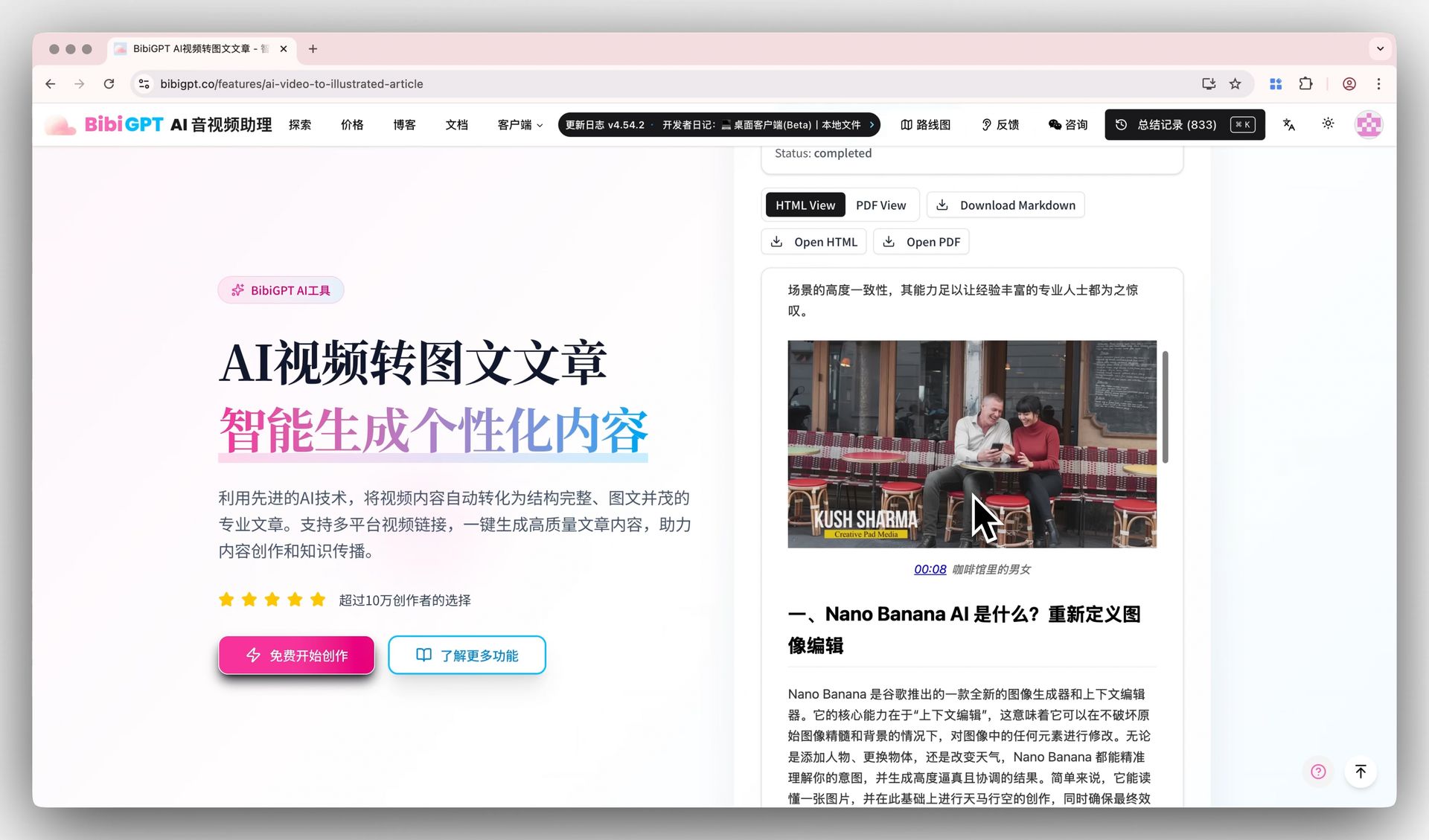
Convert Long Video to Article: Complete AI Workflow (Bilibili / YouTube → Newsletter / Notion in 2026)
Convert Long Video to Article: Complete AI Workflow (Bilibili / YouTube → Newsletter / Notion in 2026)
TL;DR: To turn a long video into a publishable article in 2026, use the 5-step workflow: subtitle extraction → AI summary → AI rewrite → image curation → publish. BibiGPT does the first 4 steps in one shot — average 5 minutes per 1500-word article. 30x faster than typing it yourself, and one quality tier above plain ChatGPT rewrites because it preserves source timestamps and verbatim quotes.
Table of Contents
- Speedrun: video-to-article in under 5 minutes
- Step 1: Subtitle extraction
- Step 2: AI summary for structure
- Step 3: AI rewrite into article tone
- Step 4: Image curation (screenshots + infographics)
- Step 5: Multi-platform publish
- 2026 tools and model comparison
- Common pitfalls
- FAQ
Speedrun: video-to-article in under 5 minutes
For a 60-minute interview on YouTube, the standard 2026 workflow is:
| Step | Time | Tool | Output |
|---|---|---|---|
| 1. Subtitle extraction | 30s | BibiGPT YouTube subtitle | Full transcript with timestamps |
| 2. AI summary | 30s | BibiGPT video summary | Chaptered points + mind map |
| 3. Rewrite to article | 1m | BibiGPT video-to-article | 1500-word narrative |
| 4. Image curation | 2m | BibiGPT visual analysis + screenshots | 3-5 images |
| 5. Publish | 1m | Newsletter / Notion / Substack | Multi-channel |
Total: under 5 minutes for a 1500-word illustrated post.
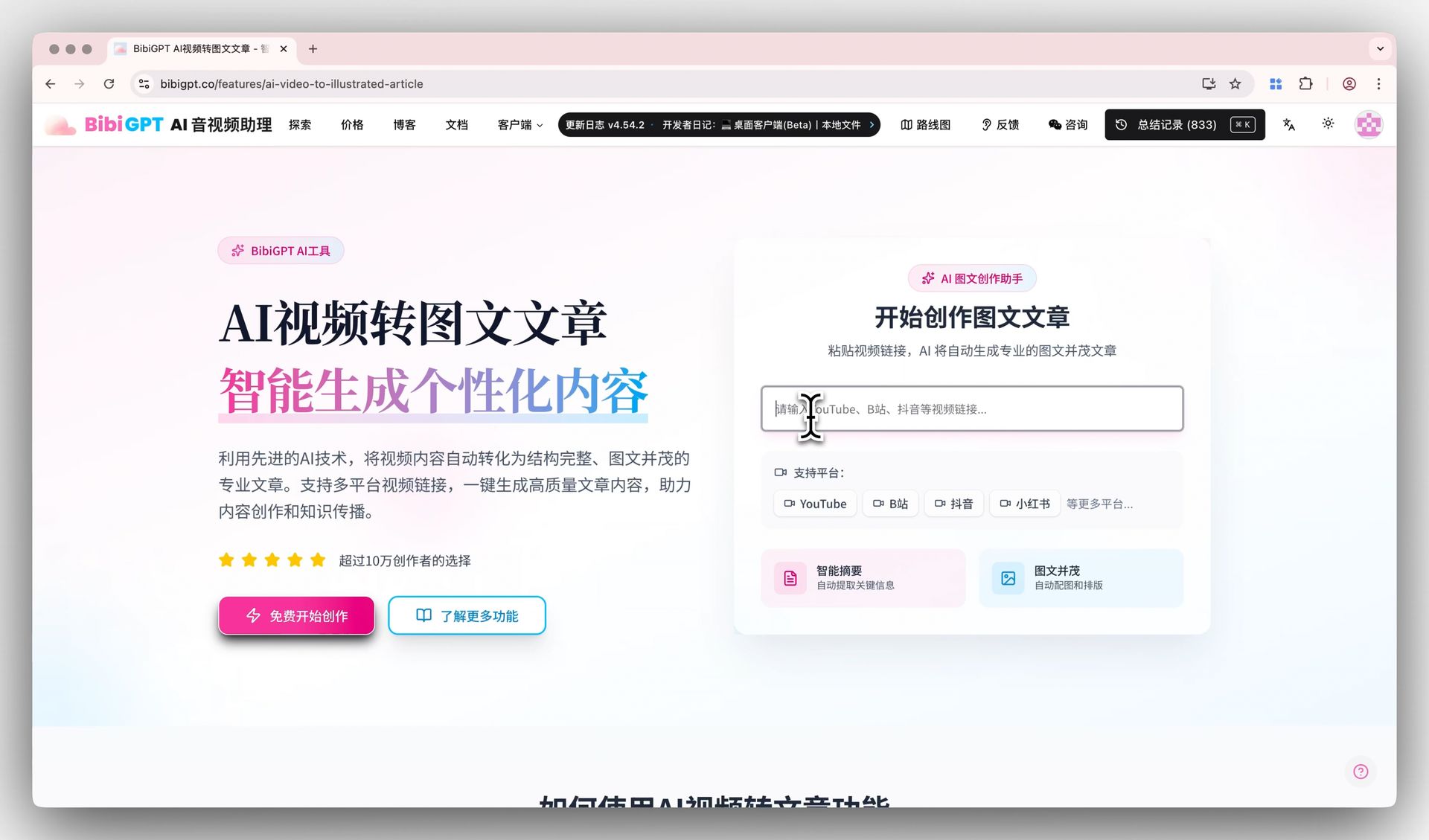
If you only need the quick answer, stop here — just open aitodo.co and paste a URL. Below are the details, pitfalls, and tool comparisons for power users assembling their own pipeline.
Step 1: Subtitle extraction
Subtitles are the raw material. Accurate subtitles = accurate article. Three paths in 2026:
Path A: Native platform subtitles
- YouTube: ~80% of videos have auto subtitles, mixed quality
- Bilibili: ~60% have creator or auto subtitles
- TikTok: native subtitle coverage is low
Path B: AI transcription
- Accuracy: Whisper-3 / Cohere Transcribe 03 ≥ 95% for English/Chinese
- Mandarin dialect scenes (Cantonese, Sichuanese): FireRed-ASR / Alibaba SenseVoice perform better
- Downside: needs compute or cloud quota
Path C: BibiGPT one-stop
BibiGPT subtitle extraction auto-routes — uses native subtitles when available, falls back to AI transcription. Paste link, 30s result with timestamps, ready for step 2.
Heads-up: Hard-burned subtitles inside the video frame will be missed by speech transcription. BibiGPT’s hard-subtitle OCR extraction handles those frames.
Step 2: AI summary for structure
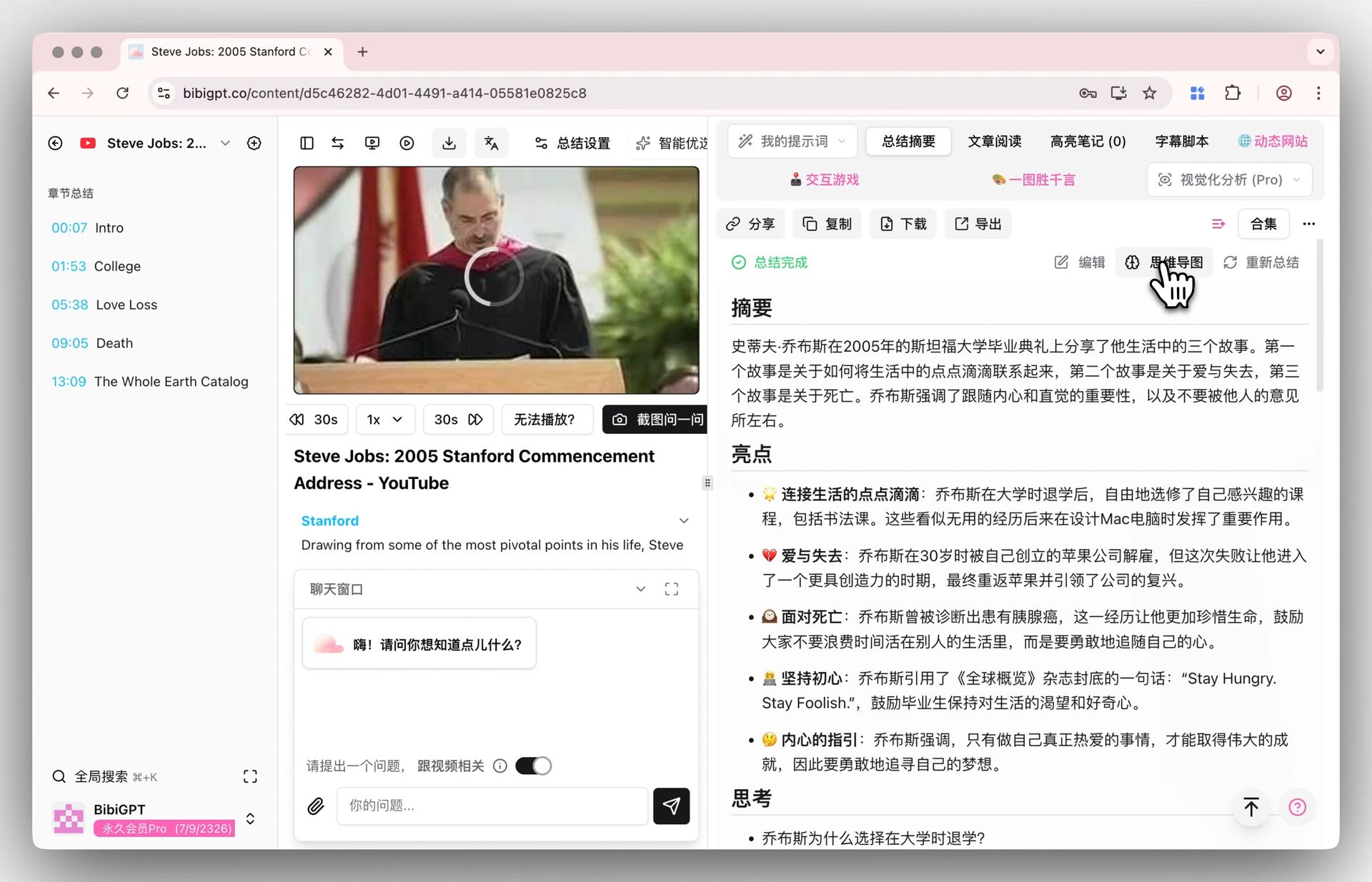
After getting subtitles, do not feed them straight to ChatGPT and ask “write me an article” — you will get template-heavy filler. The right move is structured summarization first:
- Chapter splits (5-10 sub-topics)
- 1-3 sentence core point per chapter
- Key quotes with source timestamps
- Mind map (OPML / Markdown export)
This step decides the article skeleton. BibiGPT’s chapter summary outputs all 4 in one shot.
DIY route: chunk the transcript (≤8000 words per chunk) and pass to GPT-4o / Claude Opus 4.7 / DeepSeek V4 with a “chaptered + timestamped + verbatim quote” prompt. Requires a script for chunking and stitching — not great if you are not an engineer.
Step 3: AI rewrite into article tone
Video is “listening” language (oral, full of fillers, jumpy). Article is “reading” language (structured, with transitions, dense). Rewriting is not just removing fillers — it’s reorganizing the narrative order:
- Common video order: small talk → topic intro → jumpy discussion → wrap-up
- Ideal article order: thesis up front → arguments → counterexamples → actionable takeaways
BibiGPT video-to-article ships with a “reading optimization” prompt: hoists conclusions to the top, places examples and data at the right place, removes verbal tics.
Creator advanced: if you publish to Substack / LinkedIn / Newsletter / Twitter long-form, each platform’s “reading rhythm” differs:
- Newsletter (Substack): subhead-driven + engaging hook + one strong CTA
- LinkedIn: contrarian opening + bullet density + identity-driven CTA
- Twitter long-form: one strong claim + 3 supporting beats + retweet-bait closer
BibiGPT can switch the output style per platform.
Step 4: Image curation (screenshots + infographics)
Text-only long posts have ~50% lower CTR than illustrated ones (newsletter industry data, 2026). 3-5 images is the floor.
Sources:
- Video screenshots: BibiGPT auto-extracts a chapter cover frame during summarization
- Infographics: BibiGPT visual analysis turns key points into SVG infographics
- AI-generated: GPT-Image-2 / Nano Banana 2 / Flux 1.5 for abstract concept visuals
- Stock: Unsplash / Pexels as fallback (mind licensing)
Priority: screenshots > infographics > AI-generated > stock. The first two carry source signal and bind tighter to the body, getting higher share rates.
Step 5: Multi-platform publish
Article + images ready. Last step is distribution. 2026 publish support:
| Platform | Direct paste | API automation | Recommended |
|---|---|---|---|
| Substack | ✅ | ⚠️ Limited | Paste & polish |
| ✅ | ⚠️ Limited | Manual schedule | |
| Notion | ✅ | ✅ | API automation |
| Obsidian | ✅ | ✅ (local files) | Vault sync |
| Medium | ✅ | ✅ | API or paste |
| Ghost | ✅ | ✅ | API automation |
BibiGPT supports Markdown export (Notion / Obsidian / Ghost-compatible) and rich-text export (Substack / LinkedIn ready). See Notion integration and Obsidian integration.
2026 tools and model comparison
| Dimension | DIY (ChatGPT + tools) | NotebookLM | BibiGPT |
|---|---|---|---|
| Subtitle extraction | Buy separately / manual download | ❌ No video | ✅ Native 30+ platforms |
| Summary quality | Depends on prompting | Excellent (PDF-first) | Excellent (video-first) |
| Rewrite to article | Multi-prompt iteration | Partial | ✅ One click |
| Timestamp citations | ❌ Hard to enforce | ⚠️ Weak | ✅ Always preserved |
| Multi-platform tone | ❌ | ❌ | ✅ Substack/LinkedIn/Twitter |
| Images | Buy separately | ❌ | ✅ Infographic + screenshots |
| Multilingual | OK | OK | Excellent |
| Pricing | API + tools combo ≥ $40/mo | $20/mo | Plus from $9/mo |
Common pitfalls
- Rewriting from un-proofed subtitles: errors get amplified by AI into the final article. Always skim the summary first; jump back to the source video on suspicious quotes
- AI quotes things the speaker never said: classic hallucination. BibiGPT’s ai-video-dialog-tracing forces a timestamp on every quote, jump back in one click
- Newsletter formatting breaks after paste: Markdown does not match every newsletter system. Use BibiGPT’s rich-text export, or convert via tools like doocs/md
- Account throttling on batch jobs: YouTube and Bilibili both rate-limit; DIY scripts get blocked easily. BibiGPT routes through distributed proxies and avoids throttling
- Forgetting to credit the original creator: source attribution + back-link to the source video is both ethical and SEO-positive
FAQ
Q1: Can I do the whole flow with free tools?
Yes, but you stitch it together. youtube-dl + Whisper local for subtitles, ChatGPT free tier for summary/rewrite (with daily caps), Unsplash for images. Roughly 30 minutes per article. BibiGPT compresses it to 5 minutes — that time saving is the value.
Q2: How long does a 1-hour video take?
Depends on the platform. BibiGPT typically returns subtitles in 30 seconds (when native available), summary in 1-2 minutes, rewrite in 30 seconds — you have a draft in under 3 minutes.
Q3: Can it process 4-hour-plus interviews?
Yes. BibiGPT is optimized for long-form (see ai-knowledge-base-pkm-workflow-video-podcast-2026). For very long content, read the chapter summary first and split into a 3-4 part series instead of one mega article — better engagement either way.
Q4: English video → Chinese article?
Works. BibiGPT’s subtitle translation chains: English subtitles → Chinese subtitles → Chinese article. The reverse (Chinese video → English article) is also supported for global content distribution.
Q5: Will the rewritten article get penalized for similarity?
Not if you “rewrite, don’t copy”. BibiGPT’s rewrite reorganizes narrative while preserving facts and quotes — typical similarity with raw transcript is below 30%. Spot-check by searching “title + a strong sentence” before publishing.
Q6: How does it handle on-screen charts and slides?
Plain transcription tools miss them. BibiGPT’s visual analysis auto-OCRs text on slides and reads chart data, weaving the visual signal into the article.
Turn today’s video into a publishable article right now?
- Global: aitodo.co
- China: bibigpt.co
BibiGPT Team