How to Turn Videos Into Mind Maps: A Complete Guide to AI-Structuring Long Videos in One Click (2026)

Short answer: To turn a video into a mind map, paste its link into an AI tool like BibiGPT. It transcribes the audio, distills the key points, and auto-arranges them into a “central topic → branches → sub-nodes” map in one click — and you can click any node to jump straight to that moment in the original video. Below we break down what this is, when it beats a plain summary, and the exact 5-step workflow.
A text summary tells you “what the video covered,” but sometimes you want something else — “how these pieces relate.” A two-hour course, a complex talk, a tutorial that builds layer by layer: reading a linear text summary, you still struggle to see its overall skeleton at a glance.
This is where a mind map is the right tool. It breaks content into a “central topic → branches → sub-nodes” hierarchy, making a long video’s logical structure visible at a glance. And in 2026, you no longer have to draw it by hand — AI can turn a video into a mind map directly: transcribe, distill, organize by hierarchy, generated in one click.
This guide makes it clear: what video-to-mind-map actually is, in which scenarios it beats a text summary, how AI auto-builds it, and a 5-step workflow you can start using right away.
100-word answer: Video to mind map means using AI to transcribe and distill a video’s content first, then auto-organize it into a map by hierarchy — “central topic → branches → sub-nodes.” It solves what a text summary can’t — seeing structure and relationships, not just knowing the content. A good implementation also lets you click a map node to jump back to the matching timestamp in the original video. To try turning a video into a map directly, paste a link into BibiGPT.
1. What “Video to Mind Map” Is, and How It Differs From a Text Summary
Let’s get the concept clear first. Video to mind map means having AI auto-organize a video’s content into a mind map — the video topic at the center, expanding outward into a few main branches, each branch further subdividing into sub-nodes, presenting the content’s hierarchical structure.
The difference from a text summary is the “presentation dimension”:
- A text summary is linear: you read it paragraph by paragraph, top to bottom — good for quickly knowing “what was covered.”
- A mind map is structured: you see the whole at a glance — good for understanding “how the parts relate and how they unfold layer by layer.”
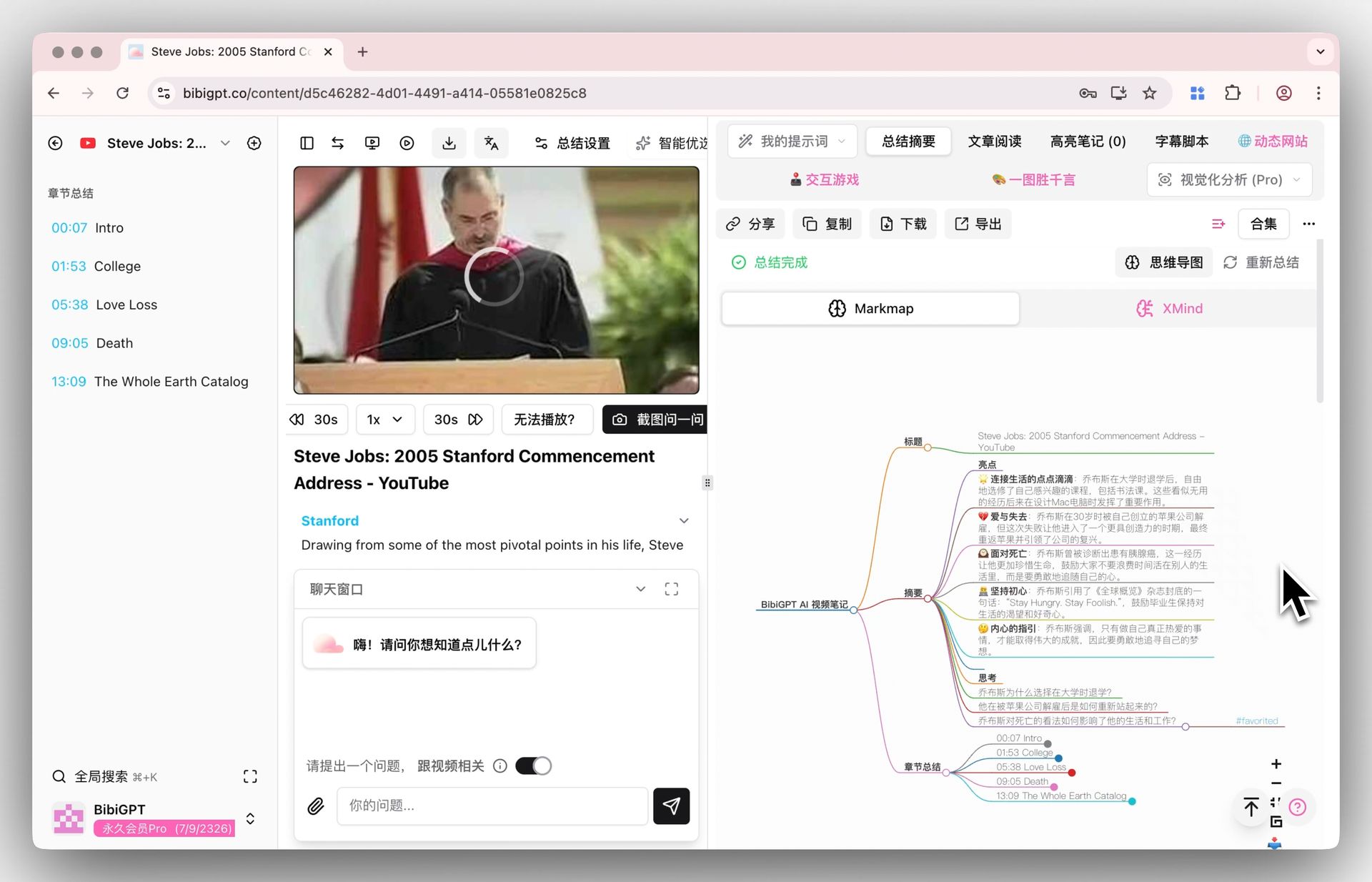
The mind-map product screenshot below shows what “a video organized into a map” looks like:
Screenshot: BibiGPT inline mind map within the summary
Practical rule: To know “what the video covered,” use a text summary; to see “the video’s structure and logical relationships,” use a mind map. They’re not replacements but complements — a good tool lets you switch between them in one click in the same interface.
2. In Which Scenarios a Mind Map Beats a Text Summary
Not every video needs a map. But for the scenarios below, a map’s value is clearly higher than plain text.
Long content with complex, multi-level structure
A course split into five chapters, each with several sections — by the time you read to the end of a text summary, you’ve forgotten the earlier framework. A map lays the whole skeleton on a single image, so you can always see “where the part being discussed now sits in the whole.”
Content where you need to build a global mental model fast
Prepping for an exam, doing industry research, chewing through a tutorial in an unfamiliar field — what you often need is to build a “cognitive map” first, then fill in the details. A mind map is naturally suited to exactly this.
Content you’ll re-output
To re-present a lecture to your team, or rewrite it into an article, having a structural map first gives your re-creation a ready-made skeleton — no need to untangle the logic from scratch.
The video below demonstrates the “quickly structure long content” idea from another angle, as a reference:
Video source: YouTube · video content structuring demonstration
3. How AI Auto-Turns a Video Into a Mind Map
The whole process is one click for you, but behind it there are roughly three steps:
- Transcribe: first turn the audio in the video into a timestamped transcript — this is the foundation for everything that follows; the more accurate the transcription, the more reliable the map.
- Distill: the AI reads the transcript, identifies the topic, main arguments, and supporting details, and clarifies their hierarchical relationships.
- Organize into a hierarchy: arrange the distilled content into a map structure of “center → branches → sub-nodes,” auto-laid-out and generated.
In the interactive demo below, turn a sample video into a mind map yourself and feel the process:
Turn a video into a mind map
A linear talk becomes a structured tree. Drag to pan, click nodes to fold.
The single most crucial capability is: map nodes jump back into the original video. When you see a branch you want to go deeper on, click the node to jump to the moment in the video where that part is discussed — no need to drag the progress bar from the start. The screenshot below shows this “mind-map timestamp jump” capability:
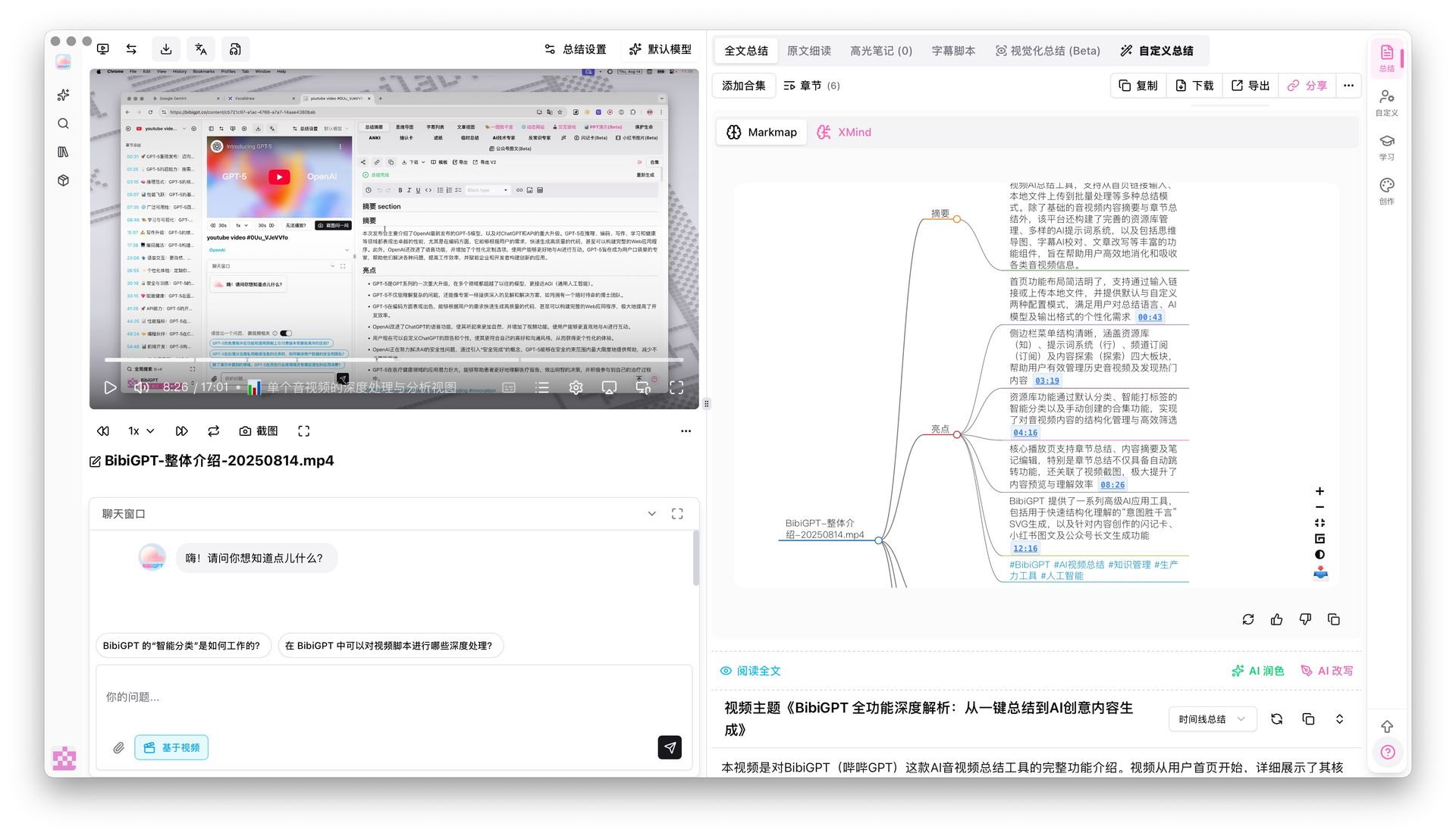
Screenshot: BibiGPT mind map timestamp jump
Practical rule: To judge a “video to mind map” tool, don’t just look at how pretty the map is — look at whether you can click a node to jump back into the source video. A map you can trace back from is “alive”; one you can’t is just a static picture.
4. A Hands-On 5-Step Workflow
To put the principles above into action, walking through it with BibiGPT is usually these 5 steps:
- Paste a link or upload a file: paste links directly from 30+ platforms including YouTube, Bilibili, Douyin, TikTok, RED, and podcasts, or upload local audio/video files.
- Wait for transcribe + summarize: the system first turns sound into a transcript, then generates a structured summary.
- Switch to mind-map view in one click: switch to the mind map within the summary view, threading the text summary with an overall structure overview.
- Click nodes to trace and verify: doubt about a branch? click the node to jump back into the original video at the matching timestamp and confirm.
- Export / reuse on demand: file the map and summary into your note app as a skeleton for re-creation or review.
If you’re handling multiple videos in a whole series, you can also do collection-level synthesis — one collection generates an overall overview + mind map, threading an entire series’ knowledge into one image. The collection-summary screenshot below shows this capability:
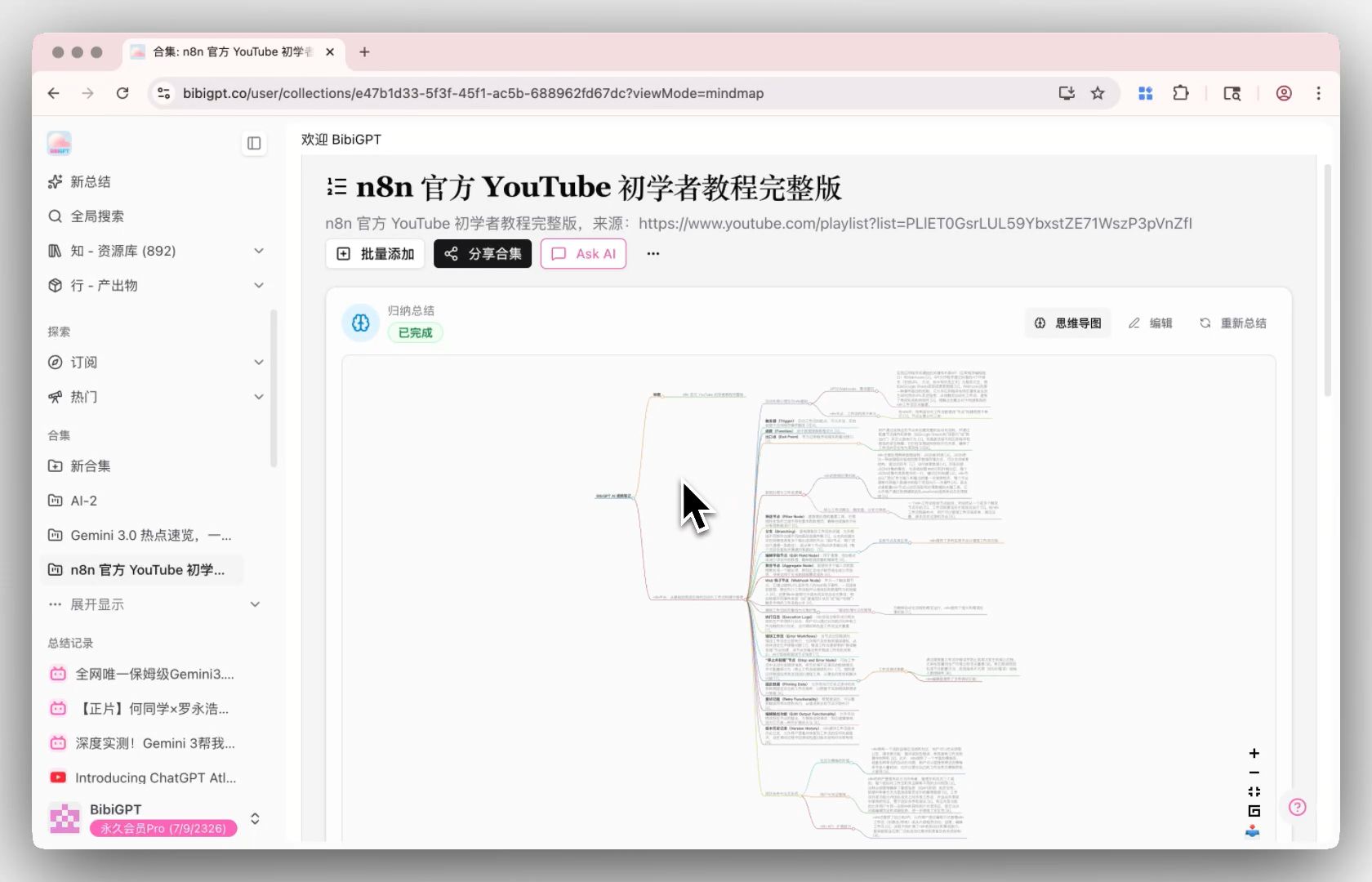
Screenshot: BibiGPT collection summary
BibiGPT has generated 5M+ AI summaries for over 1M users across 30+ mainstream platforms — the “video → text → structured map” chain runs end to end from a single entry point.
Further reading: for more “video to mind map” tool options, see the YouTube to Mind Map AI Tools Guide; to compound these maps into a long-term reusable knowledge base, see the Video Knowledge Base Guide.
5. FAQ
Q1: What kind of video is best to turn into a mind map? A: Content with complex, multi-level structure where you need to build a global mental model is best — courses, lectures, tutorials, industry analysis. For short, fast news-style videos, a text summary is often enough.
Q2: Can the generated mind map be edited? A: The map is a structure auto-generated from the video content; you can export it and keep editing it in a note or mind-map tool, adding your own thinking.
Q3: Can mind-map nodes really jump back into the video? A: Yes. A good implementation supports clicking a map node to jump back to the matching timestamp in the original video, making it easy to dig into a branch and verify — that’s the key to why “video to map” saves more time than drawing by hand.
Q4: Can a two-hour-long video also be converted? A: Yes. The AI transcribes then distills, organizing a long video’s content into a hierarchical map; the longer it is, the more value a map provides in helping you “see the structure.”
Q5: Can multiple videos be merged into one map? A: Yes. A series collection can be summarized as a whole, including a structured overview and a mind map, threading an entire series’ knowledge into one image.
Q6: Which platforms can I turn into a mind map? A: You can paste links from 30+ mainstream sources — YouTube, Bilibili, Douyin, TikTok, RED, and podcasts — or upload a local audio/video file. Whatever the source, the flow is the same: paste the link, wait for the transcript, then switch to the map in one click.
Q7: Google AI Overviews already answers “how to turn a video into a mind map” — do I still need a tool? A: People Also Ask results are now almost entirely answered by AI Overviews (about 97% in early September 2026). That tells you what the workflow is. It cannot transcribe this video or build a map whose nodes jump back to the original timestamps. You want a structured artifact and a way back into the footage, not another paragraph of summary.
Got a structurally complex long video, and want to see its overall flow at a glance? Paste a link into BibiGPT video to mind map, generate a map in one click, and click nodes to jump back into the original video.
BibiGPT Team
Popular tools
More in this series
- Is Evernote v11 AI Enough in 2026? BibiGPT: A More Native Audio-Video Knowledge Management Solution
- How to Build an AI Knowledge Base: BibiGPT x Notion / Obsidian Video & Podcast 5-Step PKM Workflow (2026)
- Build Your AI Second Brain from Videos and Podcasts: The 4-Step PKM Method (2026)
- Turn One Video into 10 Content Formats: The Complete AI Video Content Repurposing Workflow for 2026
- AI Video Content Repurposing: Complete Pipeline from Long Video to Narrated Short Video (2026)
View all 36 articles in Second Brain & PKM →