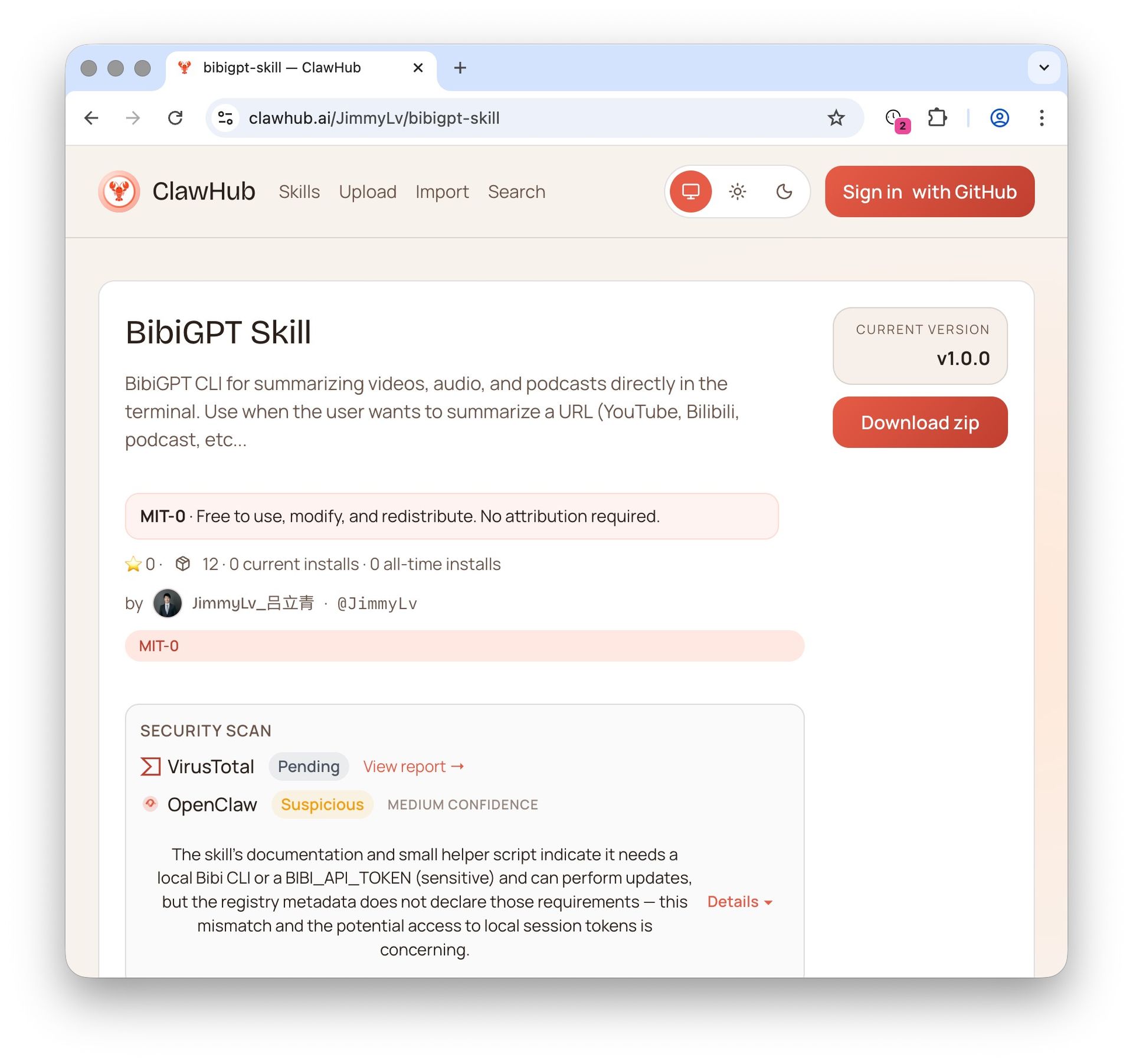
OpenClaw + BibiGPT Skill 2026: AI Video Summary for Bilibili, Xiaohongshu & 30+ Platforms

Last Updated: August 2026
Key Takeaway: bibigpt-skill is the Agent Skill that lets Claude Code / OpenClaw summarize Bilibili, Xiaohongshu and Douyin videos directly. It wraps BibiGPT’s AI video summarization pipeline into a one-line command (bibi summarize "<url>"), supports 30+ platforms, outputs time-stamped structured summaries, and hooks into AI highlight notes, collection summary, and flashcards. Install BibiGPT Desktop, then run npx skills add JimmyLv/bibigpt-skill to get started.
Want to see results first? Jump to the bibigpt-skill vs OpenClaw native summarize comparison. Further reading: the AI video summary pillar guide, AI Subtitle Translation Tools 2026, and Microsoft’s MAI-Voice-1 + MAI-Transcribe-1 for BibiGPT.
As of March 2026, OpenClaw has reached 290,000+ GitHub stars — the fastest-growing open-source project in history, surpassing React’s 10-year milestone in just 60 days. Its creator Peter Steinberger joined OpenAI to work on “bringing agents to everyone,” and the Claude Code spawn mode ecosystem continues to expand rapidly.
But for users working with Chinese video platforms, there’s a real problem: OpenClaw’s native summarize skill doesn’t support Bilibili, Xiaohongshu, or Douyin at all.
This isn’t speculation. JimmyLv, the creator of BibiGPT, put it plainly:
“What I built with bibi is actually an advanced encapsulation of these requirements — for example, the native summarize definitely doesn’t support Bilibili or Xiaohongshu.”
bibigpt-skill is built to solve exactly this. One command gives your Claude Code or OpenClaw agent the ability to summarize not just YouTube, but Bilibili, Xiaohongshu, Douyin, podcasts, and local audio/video files. More importantly, it’s not just a CLI — bibigpt-skill connects to BibiGPT’s complete AI video intelligence platform, including AI chat with source tracing, highlight notes, collection summary, flashcards, MV editor, and multilingual subtitle translation.
5-minute setup (quick reference):
- Install BibiGPT Desktop (macOS / Windows)
- Run
npx skills add JimmyLv/bibigpt-skill - Verify:
bibi auth check - Test in Claude Code: “Summarize this video:
<url>” (works for Bilibili & YouTube alike) - Advanced: Configure OpenClaw’s Claude Code spawn mode for full automation
Why Did OpenClaw Explode in 2026?
The shift from ChatGPT to OpenClaw represents a fundamental paradigm change: from “answering questions” to “executing tasks”.
OpenClaw is a self-hosted, model-agnostic Node.js agent runtime (works with Claude, GPT-4, Gemini, DeepSeek, or local Ollama models). Your data stays on your hardware. It’s MIT-licensed and completely free.
Its defining capabilities:
- Execute shell commands and manage files
- Operate external systems via WhatsApp, Telegram, Slack, and email
- Heartbeat mechanism: executes tasks autonomously every 30 minutes without human input
As of March 2026, the community has contributed 4,000+ skills (integration plugins), connecting OpenClaw to ClickUp, GitHub, Figma, smart home devices, and more.
The 2026 breakthrough was the Claude Code spawn mode: OpenClaw agents can now summon Claude Code CLI as a sub-agent for complex tasks. This means OpenClaw gains the entire Claude Code skills ecosystem — including bibigpt-skill’s video intelligence. This model directly drove the explosion of vertical-domain skills like bibigpt-skill — AI agents are no longer just chatbots, but truly capable assistants that can “watch videos, listen to podcasts, and take notes.”
For an in-depth analysis of how OpenClaw’s acquisition by OpenAI reshapes the agent ecosystem, see:
OpenClaw 250K Stars Acquired by OpenAI: How BibiGPT Helps You Thrive in the AI Agent EraWhy Is Video the Blind Spot of AI Agents? Not Just YouTube
Text, code, APIs — modern AI agents handle these with ease. But video remains an island, and Chinese video platforms are the deepest part of that island.
For Chinese internet users, the primary content consumption platforms are:
- Bilibili (B站): tech tutorials, creator knowledge sharing, documentaries
- Xiaohongshu (小红书): product reviews, lifestyle content, study notes
- Douyin (抖音): industry news, short knowledge clips
- Xiaoyuzhou / Podcasts: long-form deep content (complementing tools like NotebookLM and other AI podcast summarizers — see our best AI podcast summarizer tools comparison)
OpenClaw’s native summarize can’t reach any of this content. You can ask OpenClaw to compile daily AI news — it’ll search articles, aggregate tweets… but that deep-dive tutorial from the Bilibili creator you’ve followed for 3 years? It can only say “here’s a link.”
bibigpt-skill exposes BibiGPT’s platform-optimized AI video summarizer pipeline as a standard CLI, callable by any AI agent that supports shell commands — this is exactly what sets BibiGPT apart from competitors like NotebookLM: not just summarizing English content, but deeply integrated with the Chinese video ecosystem.
bibigpt-skill: Not Just a CLI, But an AI Agent’s Video Intelligence Engine
bibigpt-skill’s positioning isn’t a simple command-line tool — it’s the video intelligence core component in the AI agent ecosystem. When you install bibigpt-skill, your AI agent gains not just the bibi summarize command, but an entry point to BibiGPT’s entire video intelligence platform.
Prerequisites
Install BibiGPT Desktop (the CLI shares your login session automatically):
# macOS (recommended)
brew install --cask jimmylv/bibigpt/bibigpt

# Windows (winget one-click install)
winget install JimmyLv.BibiGPT
Install bibigpt-skill
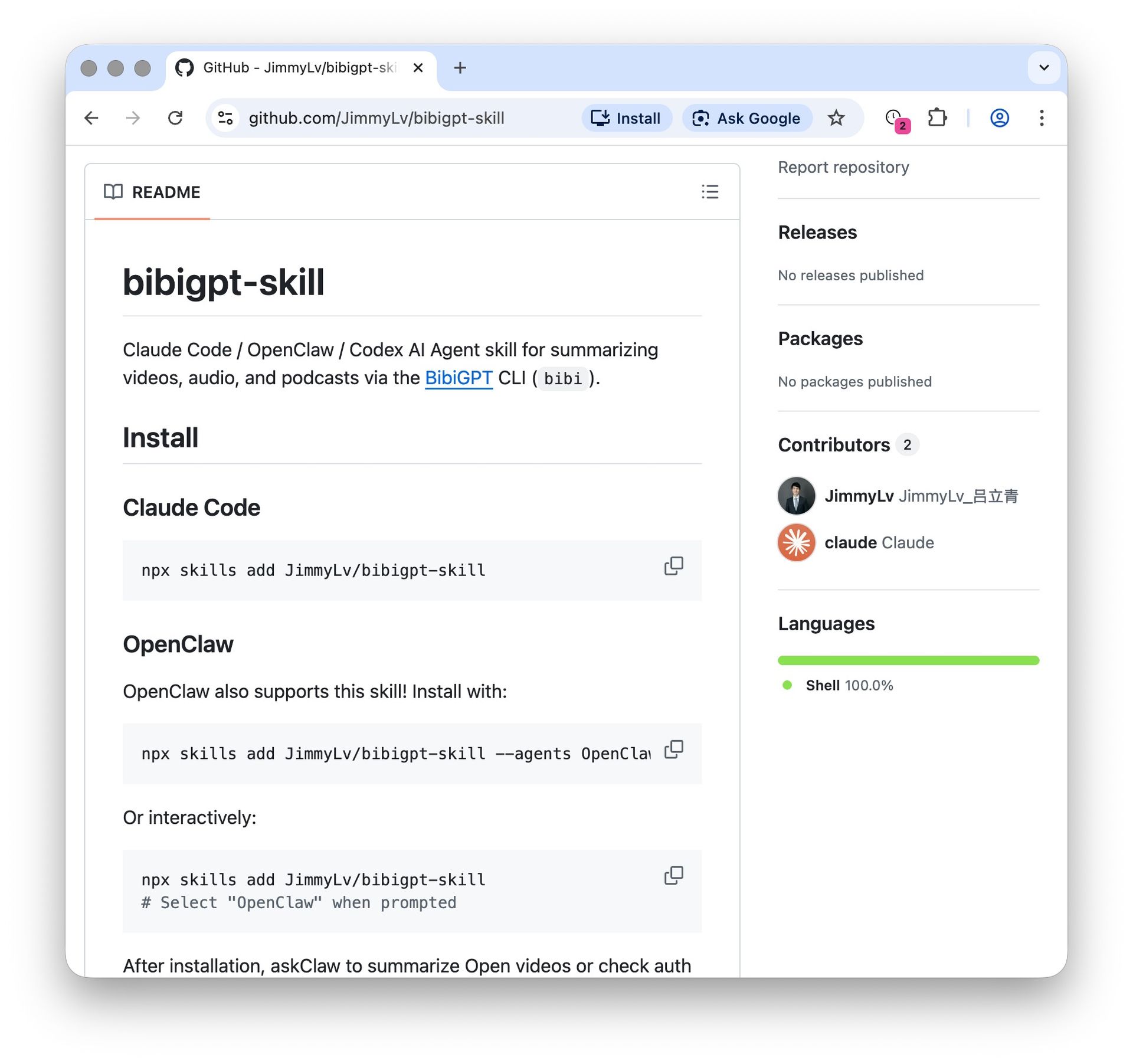
npx skills add JimmyLv/bibigpt-skillAfter installation, Claude Code has full access to the bibi CLI. Verify:
bibi auth check   # Check login status
bibi --help       # View all commands
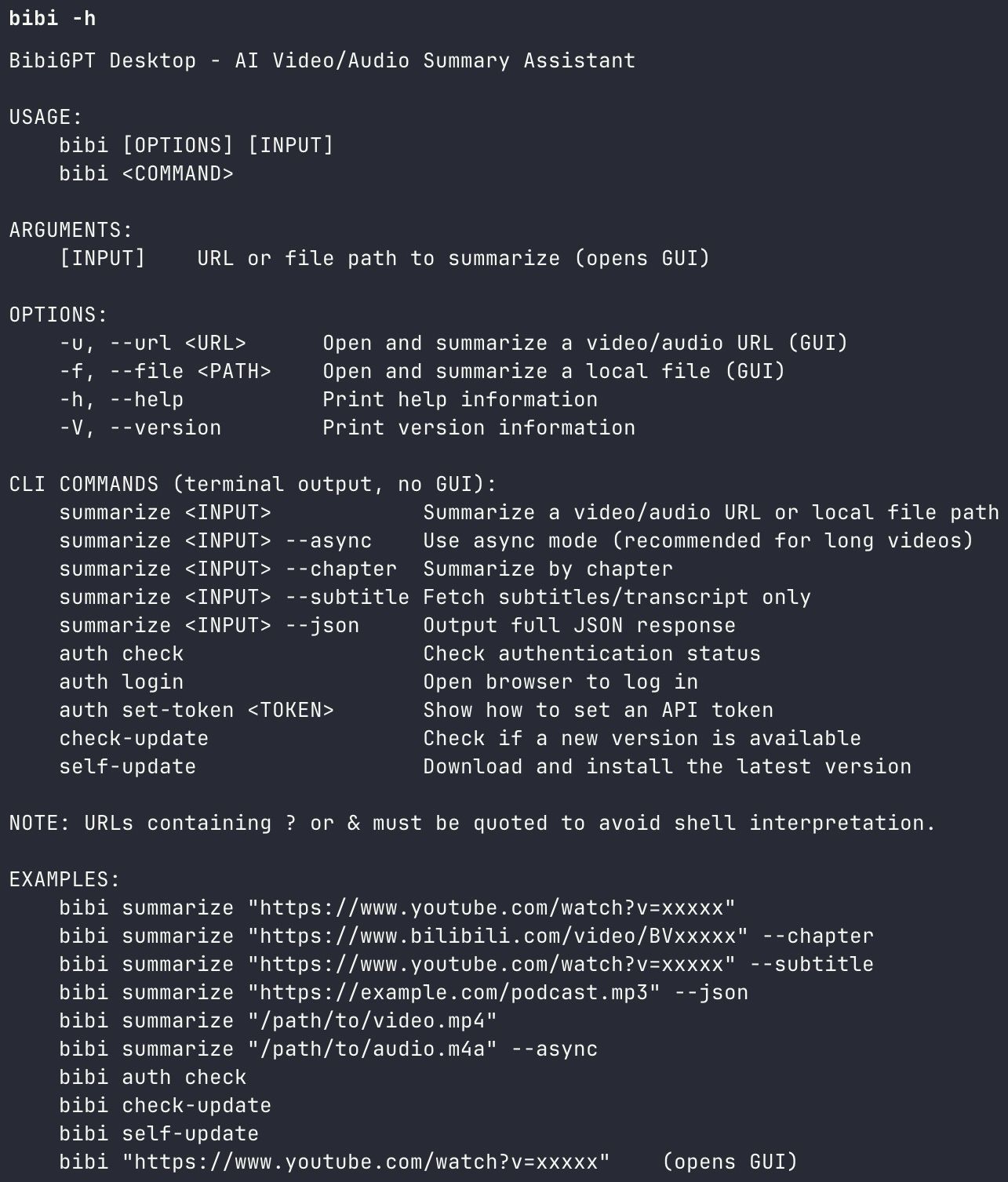
Command Reference
| Command | Description |
|---|---|
bibi summarize "<url>" | Standard summary |
bibi summarize "<url>" --chapter | Chapter-by-chapter breakdown |
bibi summarize "<url>" --subtitle | Fetch transcript/subtitles only |
bibi summarize "<url>" --json | Full JSON output (for programmatic use) |
bibi summarize "<url>" --async | Async mode (for long videos) |
Cognitive science research confirms that structured summarization improves information retention by approximately 40% compared to passive viewing (Mayer, 2021, Cognitive Theory of Multimedia Learning). bibigpt-skill makes that structured output accessible from any AI agent pipeline.
bibigpt-skill vs. OpenClaw Native Summarize: What Are the Core Differences?
The core differences: OpenClaw’s native summarize only handles YouTube and returns a flat text digest, while bibigpt-skill covers 30+ platforms including Bilibili, Douyin, and Xiaohongshu, and returns timestamped structured summaries you can pipe into further agent steps. This is a critical distinction most users overlook. OpenClaw’s ClawHub has a native summarize skill, but its limitations are clear:
| Capability | OpenClaw Native Summarize | bibigpt-skill |
|---|---|---|
| YouTube | ✅ | ✅ |
| Bilibili (B站) | ❌ Not supported | ✅ Full support |
| Xiaohongshu (小红书) | ❌ Not supported | ✅ Full support |
| Douyin / TikTok China | ❌ Not supported | ✅ Supported |
| Chinese podcasts | ❌ Not supported | ✅ Supported |
| Local audio/video files | ❌ Not supported | ✅ Supported |
| Chapter-by-chapter summary | ❌ | ✅ --chapter |
| Structured JSON output | ❌ | ✅ --json |
| Subtitle/transcript only | ❌ | ✅ --subtitle |
| Async mode for long videos | ❌ | ✅ --async |
| Multilingual subtitle translation | ❌ | ✅ Auto bilingual |
The native summarize is a general-purpose “summarize webpage content with LLM” tool. It has no support for platform-specific video APIs — Bilibili’s authentication flow, Xiaohongshu’s content structure, or Douyin’s short video format.
bibigpt-skill is built on BibiGPT’s years of deep integration with Chinese video platforms. The bibi CLI handles platform-specific subtitle extraction, transcription, and multilingual processing before passing structured content to the AI summarization layer. This is what JimmyLv means by “advanced encapsulation” — not just wrapping an LLM, but doing the hard platform work first.
Three Practical Paths: Which One Fits You?
Pick by autonomy level: Path 1 (pure Claude Code) suits developers who summarize videos inside their coding workflow; Path 2 (OpenClaw + bibigpt-skill) adds scheduled, semi-automatic runs; Path 3 chains heartbeat tasks into a fully autonomous video-tracking agent. Details below.
Path 1: Pure Claude Code (Developer Workflow)
The simplest entry point. In any Claude Code session, just say:
“Summarize this video, focusing on implementation details: https://www.youtube.com/watch?v=xxxxx”
Claude Code will automatically recognize bibigpt-skill, invoke bibi summarize, and return a structured summary.
Best for:
- Summarizing technical talks while working in a code repository
- Extracting key features from competitor product demos
- Quickly digesting meeting recordings and product walkthroughs (see how to create meeting minutes from video with AI)
Path 2: OpenClaw → Claude Code → bibigpt-skill
The most elegant combination in 2026. OpenClaw spawns Claude Code via spawn mode, Claude Code invokes bibigpt-skill, forming a complete video research agent chain:
OpenClaw (planning/scheduling)
  → spawn Claude Code (execution)
    → bibigpt-skill (video intelligence)
      → structured research output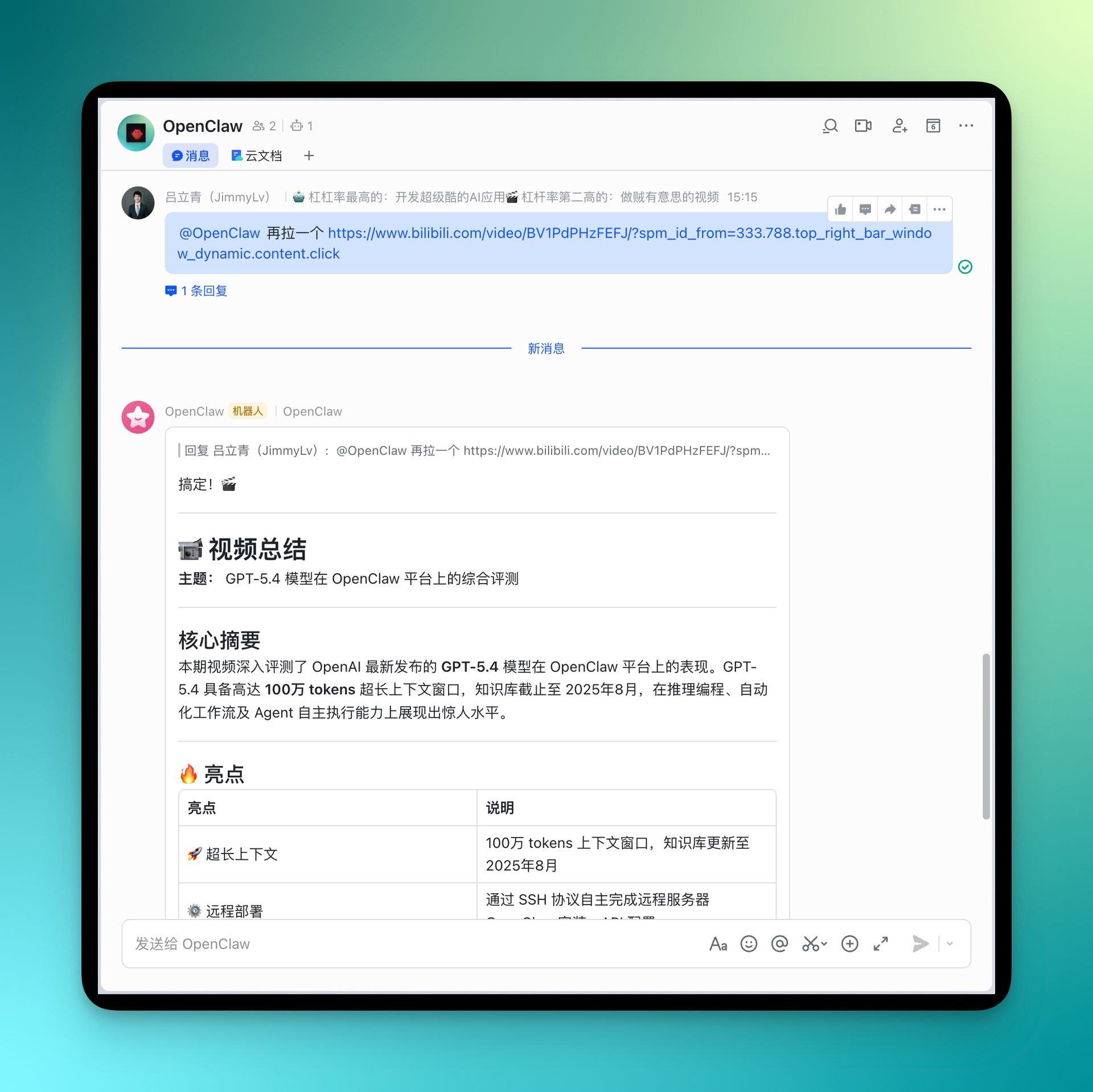
Example configuration:
// In OpenClaw, configure Claude Code spawn
const result = await sessions_spawn({
  mode: "claude-code",
  prompt: `Use bibigpt-skill to summarize the following video.
    Output JSON with: title, core arguments (3-5), key data points, action items:
    ${videoUrl}`
})
Best for:
- Competitive research: auto-analyze competitor product demo videos
- Academic tracking: regularly summarize conference talk videos
- Content creation: extract material from videos for writing
For a hands-on tutorial on using bibigpt-skill for AI video-to-article content creation workflows, check out the dedicated guide.
Path 3: OpenClaw Heartbeat (Fully Automated Research Assistant)
The ultimate form: your AI agent “watches videos” for you automatically, every day.
Configure an OpenClaw heartbeat task (runs at 8am daily):
- Fetch RSS from your subscribed YouTube channels for the past 24 hours
- Call
bibi summarize --jsonfor each new video - Aggregate into a Markdown daily digest
- Send to your Slack channel or inbox
Sample OpenClaw prompt:
Every day at 8am:
1. Use web_fetch to get RSS from these channels:
   - https://www.youtube.com/@AndrejKarpathy/videos
   - https://www.youtube.com/@3blue1brown/videos
2. Filter for videos published in the last 24 hours
3. For each video run: bibi summarize "<url>" --chapter --json
4. Aggregate all summaries into an AI Daily Digest in Markdown
5. Send via Slack skill to #ai-daily channel
This workflow achieves a critical shift: from “information finding you” to “you actively tracking information” — automated research at scale. For more on the YouTube AI highlight notes + automated research workflow, see the series tutorial.
Behind bibigpt-skill: BibiGPT’s Complete AI Video Intelligence Platform
bibi summarize is the entry point into BibiGPT’s complete AI video processing pipeline. But the CLI is just the tip of the iceberg — on the Web and Desktop, BibiGPT provides a full workflow from “understanding video” to “remembering knowledge” to “creating content.” Every capability below integrates with bibigpt-skill’s agent workflow.
AI Video Chat with Source Tracing — Every Answer Traces Back
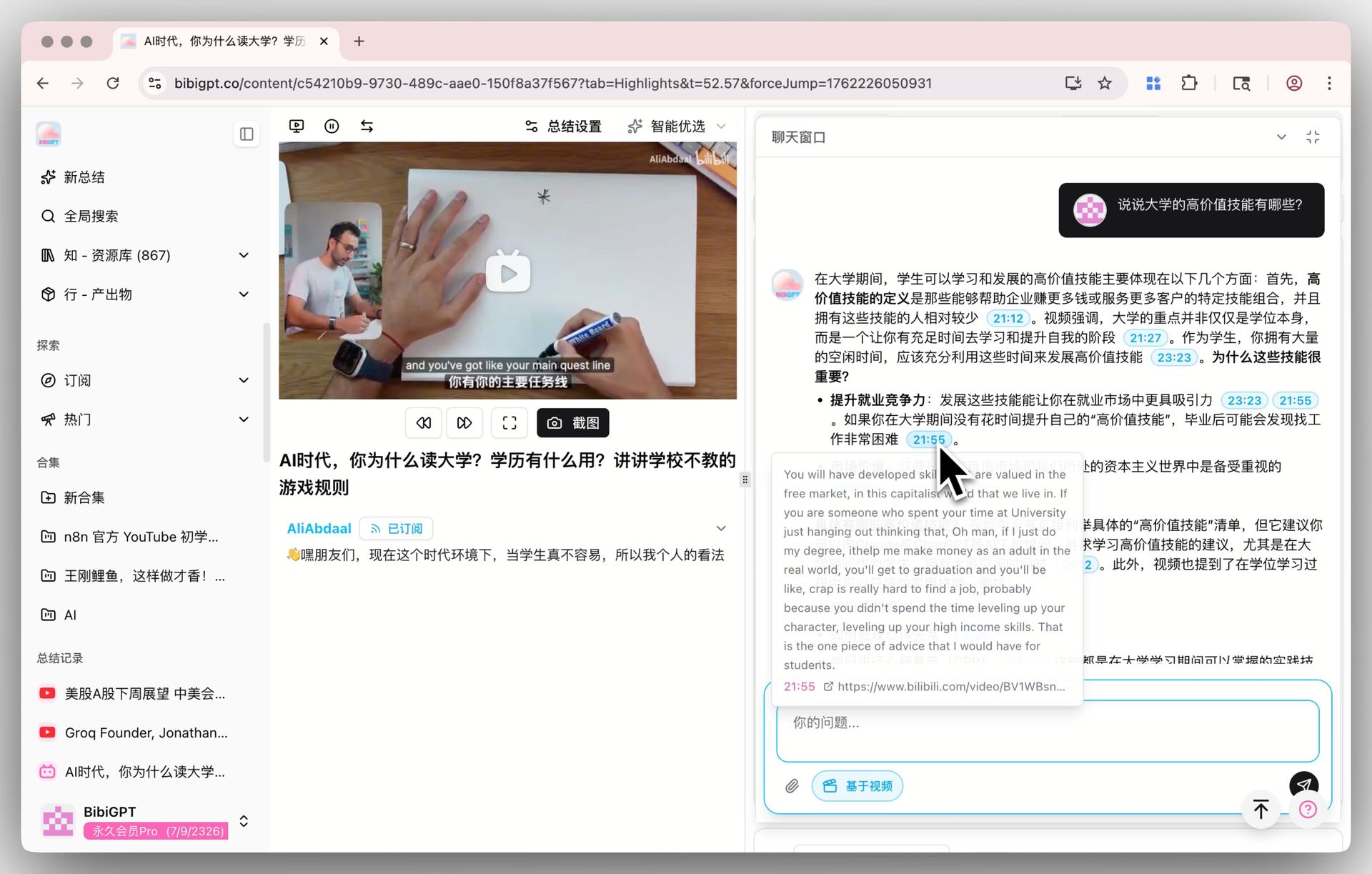
Ask deep questions about video content — every AI answer includes clickable timestamps. Hover to preview the source text from the video, click to jump directly to the original clip. No more worrying about AI hallucination: every information point is traceable and verifiable.
The chat window also supports:
- AI-recommended follow-up questions to guide deeper exploration
- Screenshot-based questioning — upload an image for precise answers
- Seamless switching between general AI chat and video-specific Q&A
This capability can already be leveraged in agent workflows: use --json to get subtitles, then have Claude Code perform deep analysis, Q&A, and information extraction on the transcript — giving your AI agent “video understanding with citations.”
AI Highlight Notes — Extract Video Essence in One Click
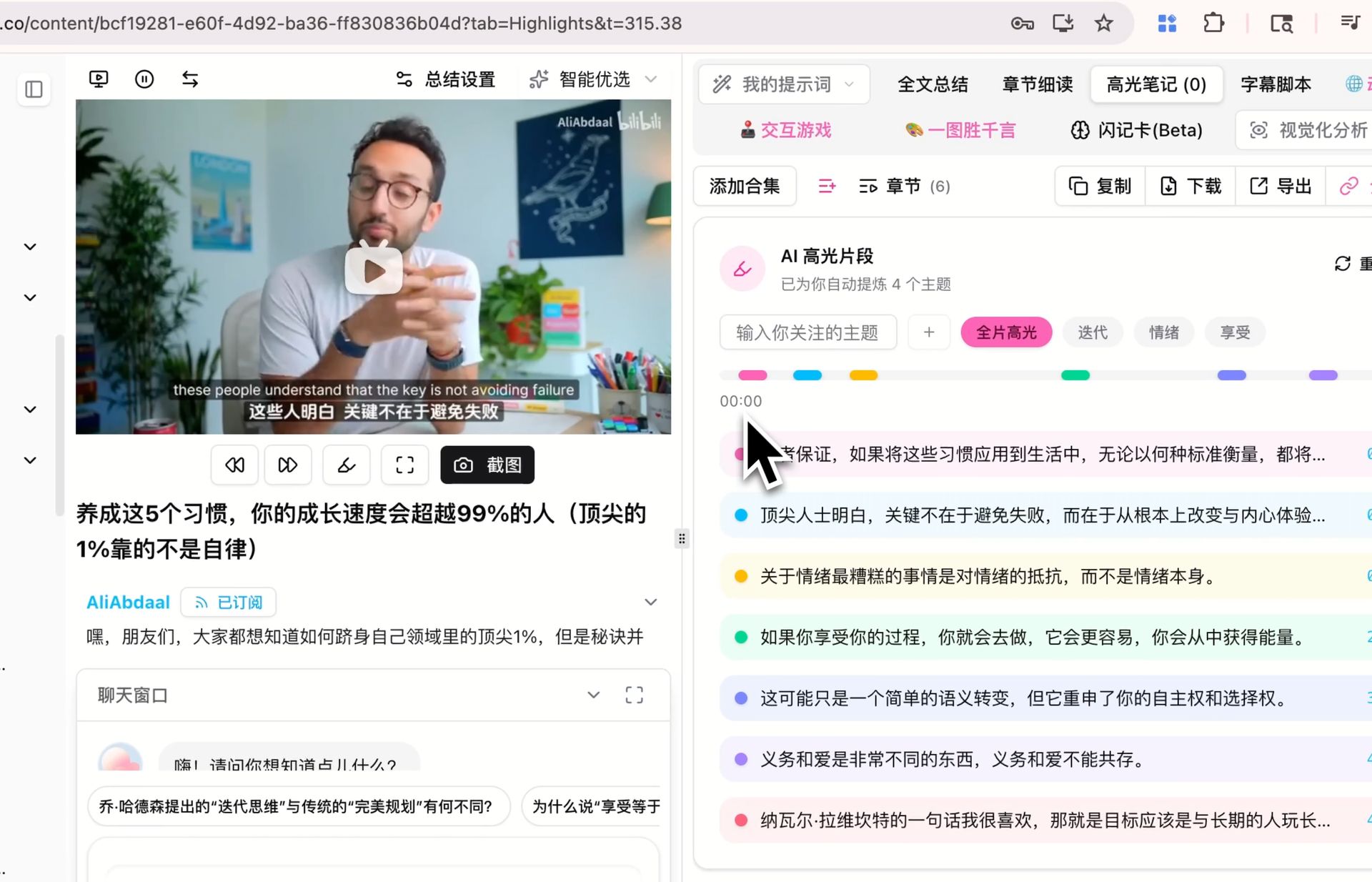
Automatically extract timestamped highlight clips from videos. AI not only generates a highlight list but intelligently categorizes them by themes like “core arguments,” “action steps,” and “key data points.” All highlights are clickable for instant playback and one-click sharing.
For OpenClaw’s Path 3 automation scenario, highlight data in --json output can be directly refined into your daily digest — your AI agent doesn’t just “watch the video,” it “automatically extracts the key points.”
Collection Summary — Multi-Video Knowledge Graph
The power tool for research scenarios: add multiple related videos (a creator’s technical series, a topic’s conference talks) to one collection, click “Summarize Now,” and BibiGPT generates a comprehensive summary of all videos in the collection — with expandable citation sources and a detailed mind map to trace back to specific video moments.
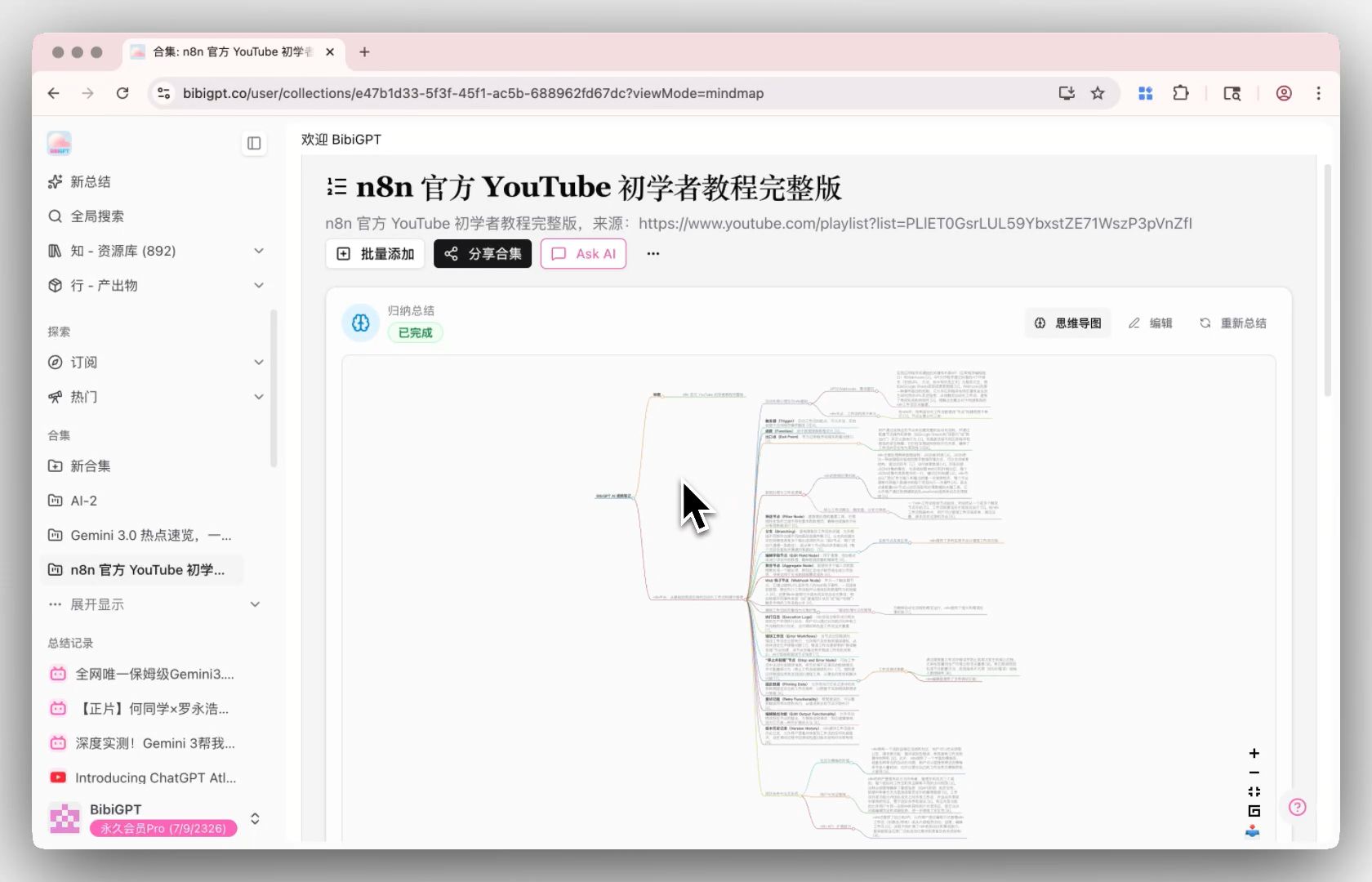
For competitive research: batch-collect competitor demo videos via heartbeat tasks, then generate a comprehensive competitive landscape summary with one click. For the complete Bilibili collection summary tutorial, see: Bilibili Collection Summary: Use bibigpt-skill to Map Creator Series Knowledge.
Flashcard + Anki Integration — Complete the Learning Loop
bibigpt-skill answers “how to get video knowledge.” The Flashcard feature answers “how to remember it”:

BibiGPT auto-generates Q&A cards from video content, each tagged with difficulty and concept. Review interactively with click or keyboard shortcuts, export as CSV with one click, import into Anki for spaced repetition.
For users applying bibigpt-skill to learning scenarios (tech tutorials, academic lectures, online courses), this is the critical step from “passive summary” to “active long-term memory.” For the complete Feynman Technique + Active Recall + BibiGPT learning methodology, see: BibiGPT AI Video Learning: Feynman + Active Recall, 4 Steps to Real Mastery.
For the podcast scenario with bibigpt-skill and flashcard automation, see: Podcast AI Summary + Flashcard Workflow: Turn Xiaoyuzhou into a Knowledge Base.
MV Editor + Nano Banana 2 AI Image Generation — From Learning to Creating
BibiGPT doesn’t just help you “understand videos” — it helps you “create content”:
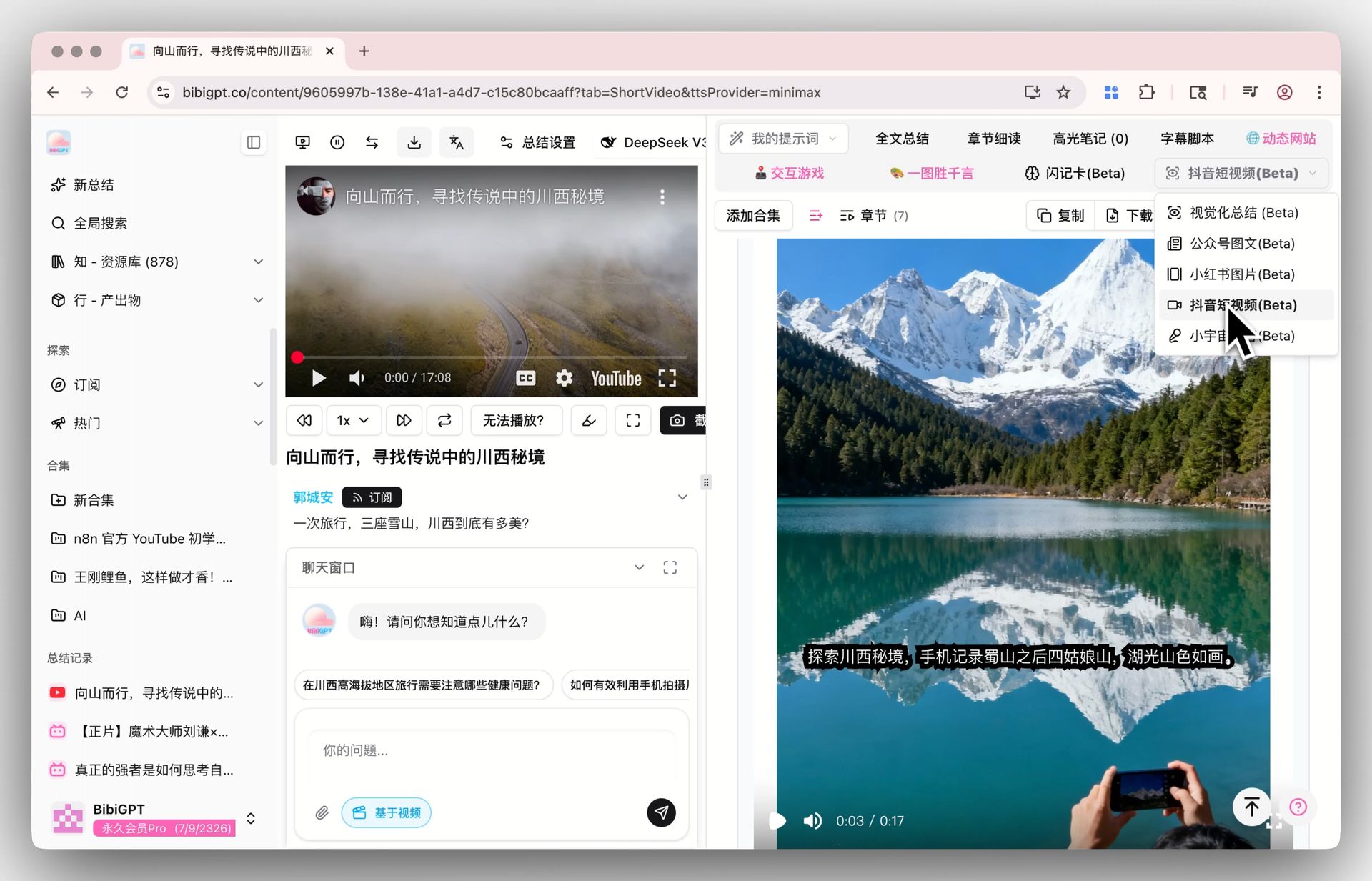
- Douyin Short Video (MV Editor): Generate short videos with AI voiceover, dynamic subtitles, and visuals from video summaries. Supports Gemini, ElevenLabs, Minimax voice engines for repurposing on Douyin, Kuaishou, and other platforms
- Nano Banana 2 AI Image Generation: Powered by Google Gemini 3.1 Flash Image, generate Xiaohongshu-style images from video summaries with Pro-grade quality and Flash-speed generation
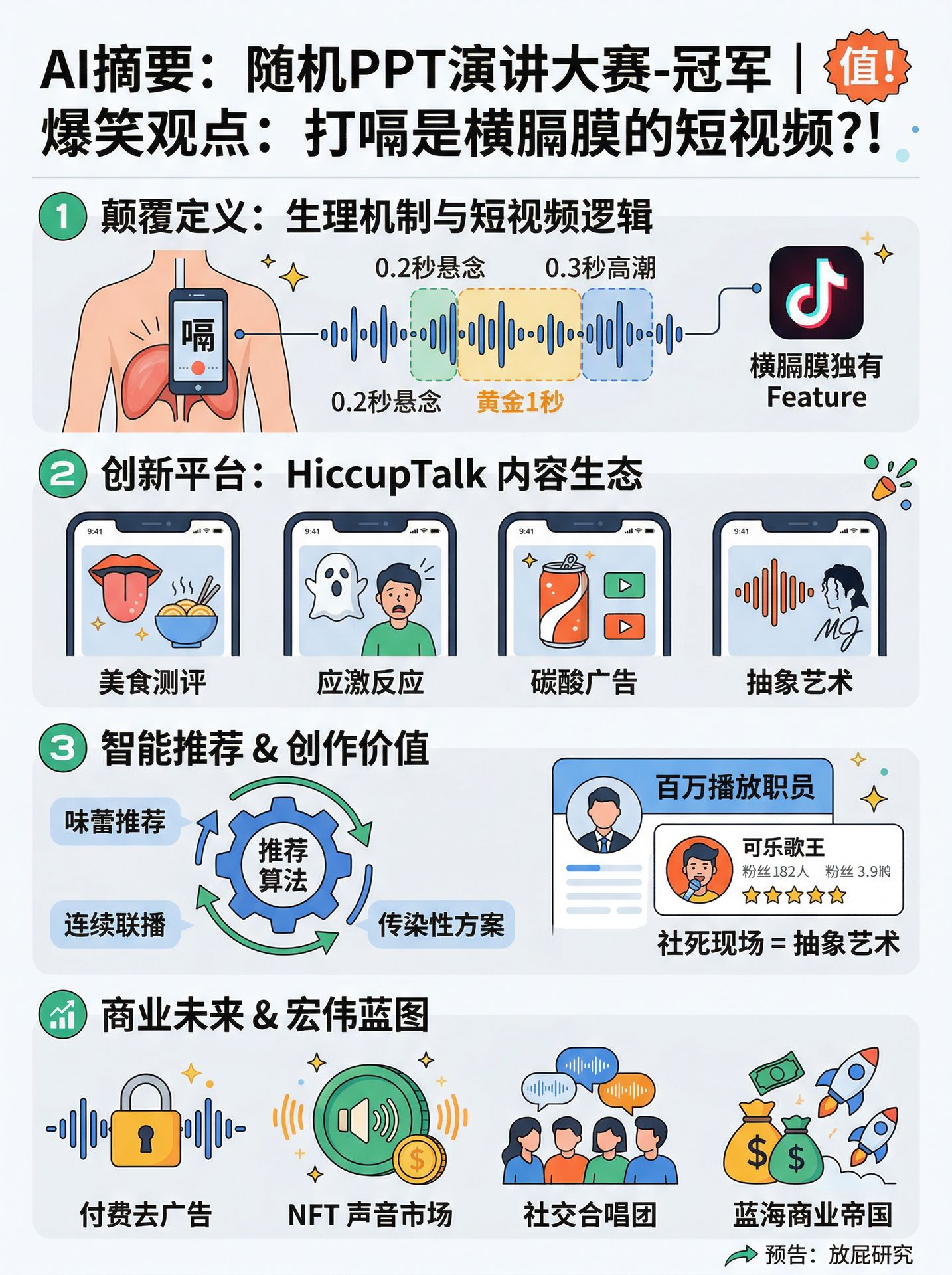
This means: bibigpt-skill helps your agent extract video knowledge → BibiGPT platform helps you transform knowledge into articles, short videos, podcasts, and images → forming a complete creation loop from “input” to “output.”
Multilingual Subtitle Translation — Breaking Language Barriers
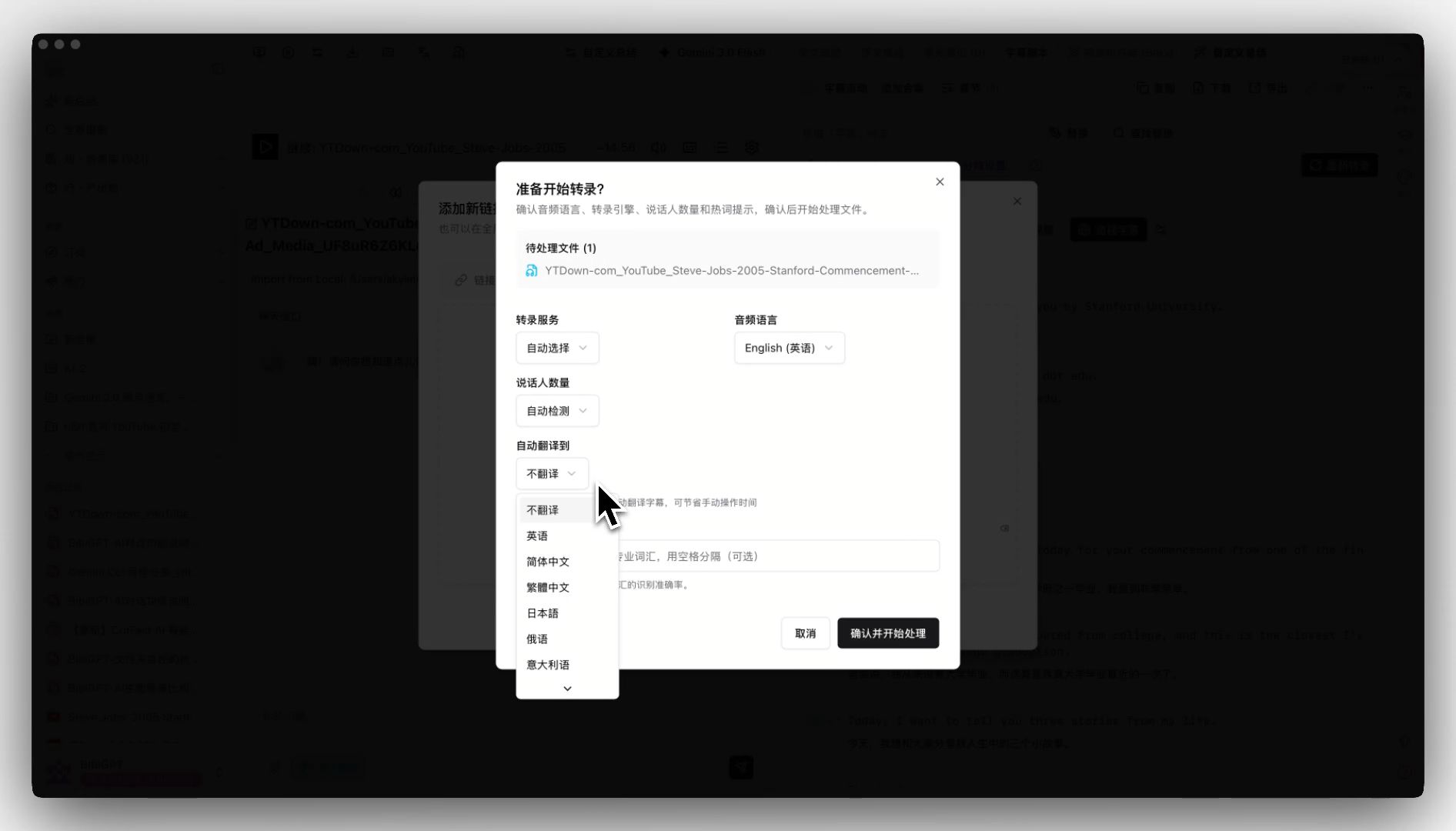
When uploading foreign-language videos, BibiGPT supports auto-translation during transcription (e.g., English → Simplified Chinese), delivering bilingual subtitles and summaries. Combined with bibigpt-skill’s --subtitle mode, your AI agent can access bilingual subtitle data from videos in any language — a core capability for multilingual teams and cross-border researchers.
Podcast Generation — Turn Videos into Conversational Audio
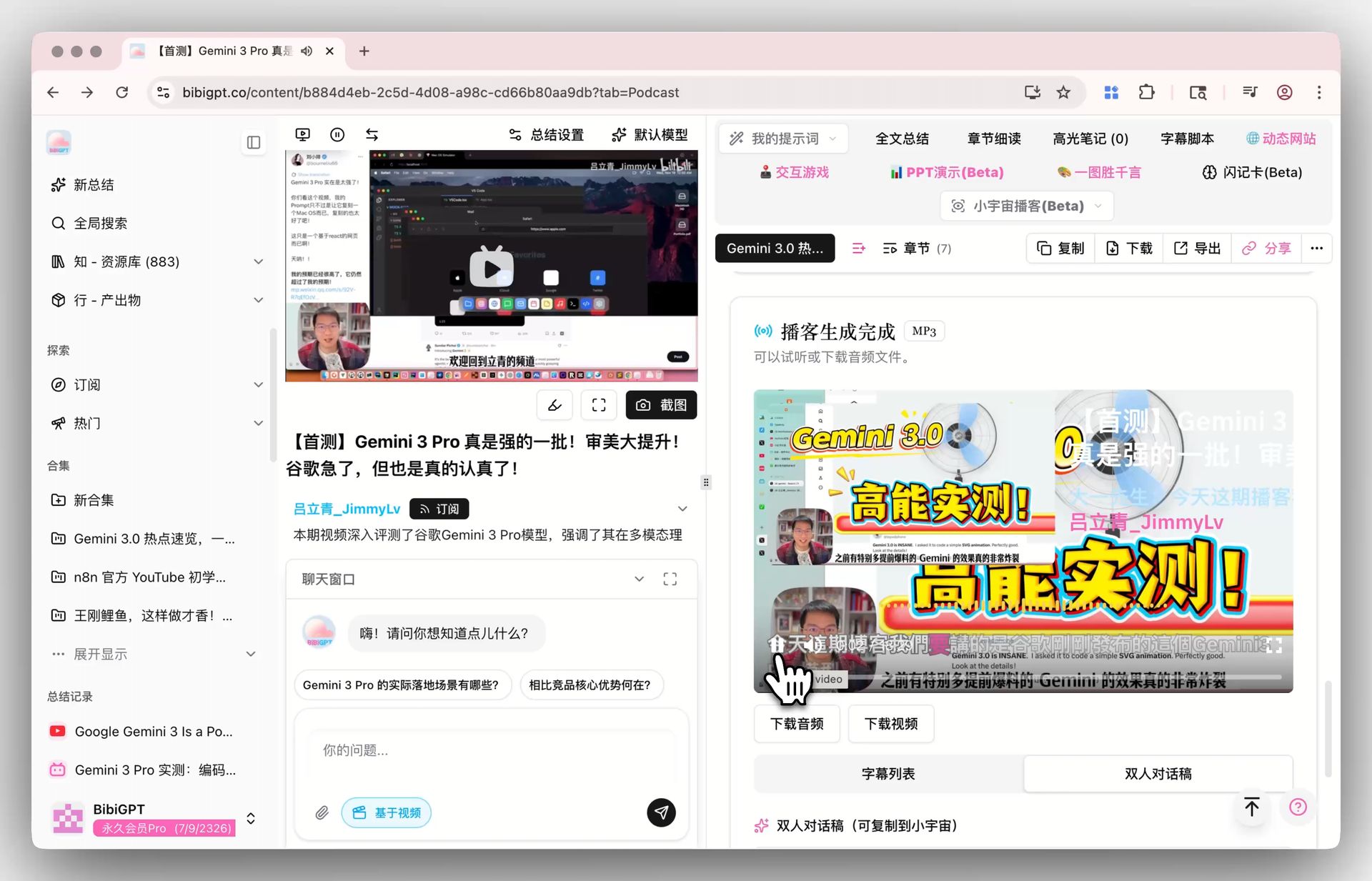
Convert any video into a Xiaoyuzhou-style conversational podcast with one click (featuring voice combinations like Mr. Dayi and Mizai), with synchronized subtitle lists, dialogue transcripts, and downloadable audio/video files. Listen to video highlights during the commute, or distribute directly to podcast platforms — the perfect embodiment of AI podcast summarizer capability. For more on AI audio models in podcast workflows, see: AI Audio Model Podcast Guide.
What Is bibigpt-skill’s Role in the AI Agent Ecosystem?
OpenClaw’s explosion proves one thing: the value of an AI agent ecosystem is in the breadth and depth of its skills. The more types of information your agent can process, the more complex tasks it can complete.
Video is currently the largest information island in the AI agent ecosystem. YouTube receives 500 hours of uploads every minute. Bilibili processes millions of new videos daily. Most of this content will never be touched by AI agents — unless there’s a bridge like bibigpt-skill.
bibigpt-skill’s value goes beyond “supporting Bilibili.” Its role in the AI agent ecosystem is as the infrastructure layer for video understanding:
Agent Ecosystem Layers:
┌─────────────────────────────────────┐
│  Application: Research / Tracking   │
│              Content / Knowledge    │
├─────────────────────────────────────┤
│  Orchestration: OpenClaw Heartbeat  │
├─────────────────────────────────────┤
│  Execution: Claude Code             │
├─────────────────────────────────────┤
│  Perception: bibigpt-skill          │  ← You are here
│  (Bilibili/Xiaohongshu/Douyin/Pod) │
└─────────────────────────────────────┘
That’s the core motivation behind building bibigpt-skill: let AI agents truly understand the knowledge inside videos, not just relay a URL. As BibiGPT gradually exposes AI chat tracing, highlight notes, collection summary, flashcards, and more via API, bibigpt-skill will evolve from an “AI video summarizer” into a complete video intelligence platform for AI agents.
Latest Updates
April 2026 (this revision) BibiGPT v4.34x keeps polishing bibigpt-skill — more robust --async recovery, cleaner CLI rendering in the newest Claude Code builds, and tighter integration with the subtitle-translation workflow. Pair it with the newly published AI Subtitle Translation Tools 2026 review to pipe bibi-extracted subtitles straight into BibiGPT’s translate + burn-in pipeline. On the voice-base side, Microsoft’s April 2026 release of MAI-Voice-1 + MAI-Transcribe-1 also strengthens the transcription foundation — see the Microsoft MAI voice stack breakdown.
Mid-March 2026 OpenClaw surpasses 290K GitHub stars. With the founder at OpenAI and Claude Code spawn mode ecosystem expanding, bibigpt-skill’s value as the video intelligence core continues to grow. See: OpenClaw 250K Stars Acquired by OpenAI: Thrive in the AI Agent Era with BibiGPT.
Early March 2026 BibiGPT v4.263.2 officially released the complete bibigpt-skill agent toolkit, along with Windows winget installation, Siyuan Notes integration, and mobile image creation. See: BibiGPT v4.263.2: OpenClaw-Powered AI Video Summary with Four Major Upgrades.
bibigpt-skill uses Claude Sonnet 4.6 (claude-sonnet-4-6) as its core reasoning model, combined with BibiGPT’s specialized video subtitle pipeline, achieving industry-leading Chinese video summary quality across Bilibili, Xiaohongshu, and Douyin.
FAQ
Q: Is bibigpt-skill free?
A: bibigpt-skill itself is open-source and free (MIT license), but usage requires a valid BibiGPT account (free trial credits available). Run bibi auth check after installing BibiGPT Desktop.
Q: What’s the fundamental difference between bibigpt-skill and OpenClaw’s native summarize?
A: OpenClaw’s native summarize is a generic web scraper + LLM summarizer. It can’t handle platforms requiring API authentication. bibigpt-skill uses BibiGPT’s specialized video processing pipeline: Bilibili API auth, Xiaohongshu content parsing, Douyin short video format, local file upload — none of these are solvable by generic tools.
Q: How does bibigpt-skill compare to NotebookLM?
A: NotebookLM excels at documents and PDFs, while bibigpt-skill focuses on video and audio content, with deep integration into Chinese video platforms (Bilibili, Xiaohongshu, Douyin). They complement each other: use bibigpt-skill for video knowledge extraction, NotebookLM for document organization.
Q: Can I use bibigpt-skill in Claude Desktop or Cursor?
A: bibigpt-skill is a standard Claude Code skill. Best experience is in Claude Code CLI. Claude Desktop doesn’t support custom skills yet; Cursor can use it indirectly via Claude Code MCP.
Q: What platforms does bibigpt-skill support?
A: Bilibili, YouTube, Xiaohongshu, Douyin, Xiaoyuzhou (podcasts), Ximalaya, and local mp3/mp4/m4a/mov files. See the full list at BibiGPT Features.
Q: What about very long videos (2+ hours)?
A: Use async mode: bibi summarize "<url>" --async. The system processes in the background and returns a task ID. Long videos typically complete in 3-5 minutes.
Get Started Now
# 1. Install BibiGPT Desktop
brew install --cask jimmylv/bibigpt/bibigpt  # macOS
winget install JimmyLv.BibiGPT               # Windows

# 2. Install the skill
npx skills add JimmyLv/bibigpt-skill

# 3. Verify
bibi auth check

# 4. Test in Claude Code:
# > Summarize this video: https://www.youtube.com/watch?v=xxxxx
bibigpt-skill on GitHub: github.com/JimmyLv/bibigpt-skill
Start your AI efficient learning journey now:
- 🌐 Official Website: https://bibigpt.co/en/desktop?utm_source=growth-pages&utm_medium=blog-inline-cta&utm_campaign=openclaw-bibigpt-skill-ai-agent-video-2026
- 📱 Mobile Download: https://bibigpt.co/app
- 💻 Desktop Download: https://bibigpt.co/download/desktop
- ✨ Learn More Features: https://bibigpt.co/features
BibiGPT Team
Popular tools
More in this series
- AI Competitive Intelligence Workflow: Build Industry Monitoring with BibiGPT Video Summaries
- Lessons From Shipping BiliGPT: Two Cold-Start Growth Tactics Behind a GPT-3 Side Project
- [BibiGPT Growth Series] Episode 1 | How AI Summaries for Bilibili Were Born
- BibiGPT Advanced Guide 2026: Download + AI-Summarize Videos from WeChat Channels, RedNote, TikTok, and Enterprise Intranet Sites
- Chat with Any Video: How to Ask AI Questions About Videos Instead of Watching the Whole Thing (2026)