PARA Method × AI Video Knowledge Management: Turn Every Video You Watch Into Reusable Assets With BibiGPT
PARA Method × AI Video Knowledge Management: Turn Every Video You Watch Into Reusable Assets With BibiGPT
As of May 2026, YouTube / Bilibili / podcasts push out high-quality content at roughly 10× what any person can digest. Most people manage with the “like + save + watch later” trio — and six months later, with 800 videos in saved, fewer than five are actually remembered.
Tiago Forte’s PARA method, introduced in Building a Second Brain, addresses this at the root. This article lands PARA into AI video consumption and gives you a ready-to-use BibiGPT workflow.
Practical rule: “Watched a video” ≠ “Learned something.” Knowledge only counts when it has been classified, retrievable, and reusable.
1. What Is the PARA Method
PARA stands for Projects, Areas, Resources, Archives. Tiago Forte defines it in the official Forte Labs post as “a universal classification system across tools and platforms”:
- Projects — short-term work with a clear deadline and outcome. E.g. “ship a product launch event next month,” “finish the master’s thesis”
- Areas — long-term areas of responsibility, no deadline. E.g. “health,” “finance,” “my YouTube channel”
- Resources — topics you find interesting but with no specific use yet. E.g. “AI video generation,” “travel guide to Japan”
- Archives — anything in the above three that’s done, expired, or no longer interesting
Practical rule: The same video belongs to different categories at different stages. The “Suno V5.5 tutorial” you watched today is Resources if you’re not making music; if you decide to make a song next week, it instantly upgrades to Projects.
2. Why PARA Fits the AI Video Consumption Era
The 2026 content consumption environment has three new traits:
- Generated-content explosion: AI-generated video grows exponentially, the ratio of “worth saving” content drops, and pure human filtering is impossible
- Cross-platform fragmentation: you learn English on YouTube, watch tech on Bilibili, chase trends on Douyin, listen to podcasts on commutes — every platform has its own saved list, fragmented all over
- Retrieval failure as default: “I remember I watched a video about RAG a few months ago” — then 30 minutes searching with no result
PARA addresses all three: unified cross-platform classification (videos from any platform land in 4 categories), organized by intent rather than origin (no more folder-by-platform), and searchable (every video has structured summary + tags).
3. PARA × BibiGPT Practical Workflow
Concrete steps to land PARA in your BibiGPT library:
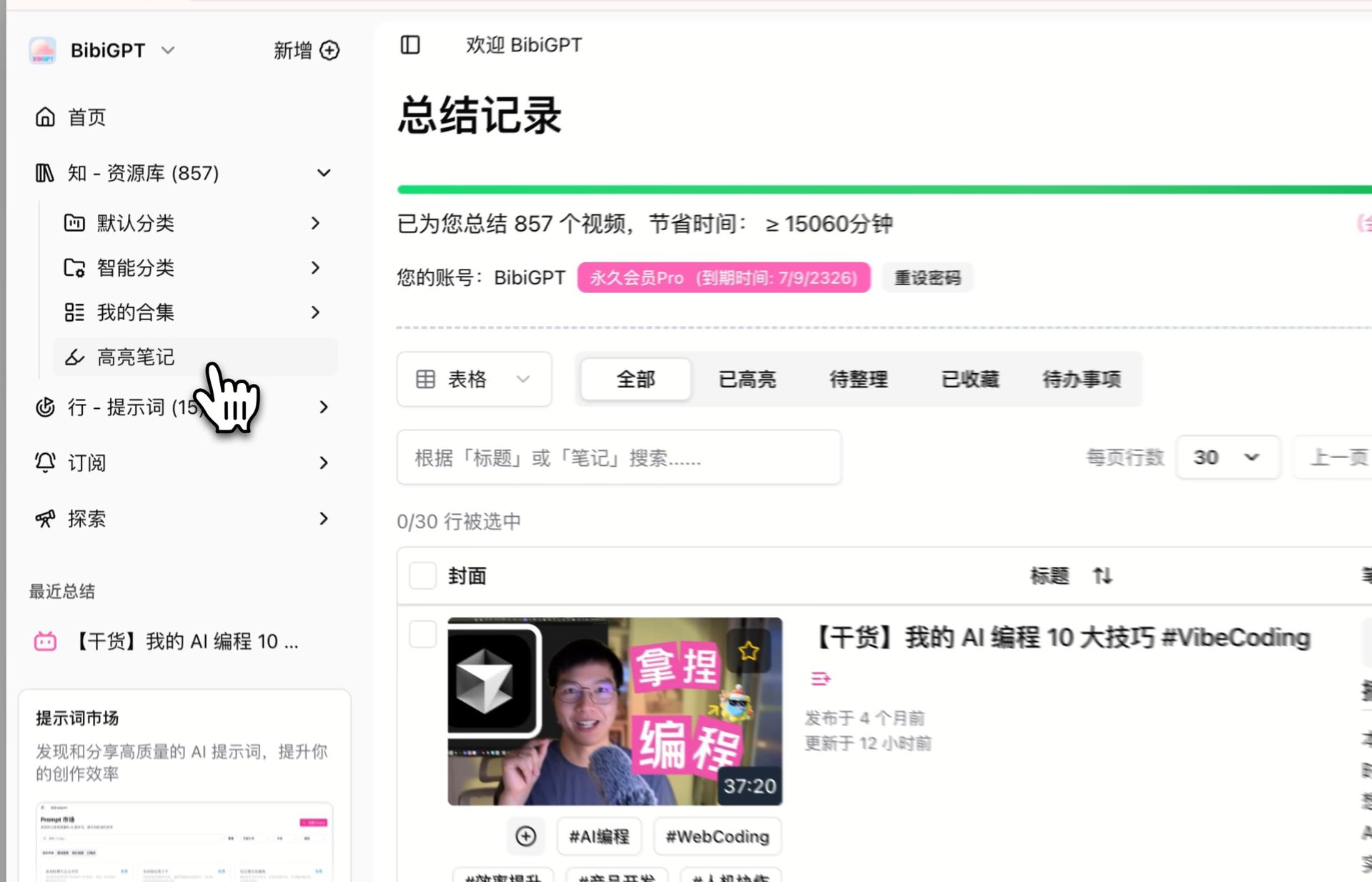
Step 1: Create 4 top-level collections
In BibiGPT’s video collections, create four:
01-Projects— what you’re actively working on02-Areas— long-term areas of responsibility03-Resources— topics you bookmark04-Archives— archive
Step 2: Sub-collections under each
Sub-collections map to specific projects / areas / topics. E.g.:
01-Projects/2026-Q3-product-launch02-Areas/my-content-channel03-Resources/AI-video-generation
Step 3: A three-step combo whenever you watch a video
- Paste the link to BibiGPT, get a summary in 5 seconds
- After reading the summary, ask “which collection does this video belong to?” (PARA decision tree)
- Use BibiGPT’s collection batch move/copy feature to classify directly
Step 4: A weekly “Archives sweep”
Spend 15 minutes every Sunday:
- Completed Projects → move to Archives
- Resources you no longer care about → move to Archives
- High-density videos in Areas → use BibiGPT highlight notes to extract key segments
Step 5: When you need a topic, search directly
Stop relying on memory. Open the relevant collection → use BibiGPT collection AI chat to ask a question, the model finds the answer inside every video’s transcript in that collection.
| PARA category | BibiGPT operation | Frequency |
|---|---|---|
| Projects | Classify instantly when you see a related video | Daily |
| Areas | Sunday cleanup + highlight extraction | Weekly |
| Resources | Add any topic that interests you, no pressure to consume | Anytime |
| Archives | Bulk-move completed / abandoned content | Weekly |
4. Five Real Recipes: PARA Per Persona
Recipe 1: Student (exam season)
01-Projects/2026-final-exam: exam-related videos02-Areas/my-major: long-term subject frontiers03-Resources/learning-methodology: Feynman, PARA-style videos04-Archives: last semester’s archive
Recipe 2: Content creator
01-Projects/next-week-video-topic: inspiration videos from YouTube / Bilibili / Douyin02-Areas/my-channel-direction: deep competitor analysis03-Resources/general-creation-skills: editing, copywriting, camera work04-Archives: published material archive
Recipe 3: Product manager
01-Projects/2026-Q3-requirements: competitor demos, user interview videos02-Areas/my-product-line: industry conferences, user feedback03-Resources/product-methodology: classic framework explanations04-Archives: post-launch archive
Recipe 4: Researcher
01-Projects/paper-LLM-eval: relevant talks, conference recordings02-Areas/my-research-direction: latest field updates03-Resources/general-research-skills: writing, visualization, statistics04-Archives: post-publication archive
Recipe 5: Career learner
01-Projects/2026-Q3-new-skill: tutorial videos02-Areas/my-career-field: industry analysis, expert shares03-Resources/general-professional-skills: communication, negotiation, reporting04-Archives: mastered-skill archive
Practical rule: Keep Projects few (no more than 5 simultaneously); Resources can be large (500+ is fine) because it’s just a “might use later” pool.
5. Three Hidden Wins of PARA × BibiGPT
Beyond basic classification, this combo has three less-obvious but practical wins:
- Cross-video recall: BibiGPT global deep search searches inside every transcript; PARA classification narrows the search to a specific collection
- Multi-video synthesis: Collection summary combines core viewpoints from 10 videos in a collection into one review
- Cross-device sync: BibiGPT web, desktop client, Chrome extension, mobile app — one account syncs everywhere, your PARA structure is visible on every device
6. FAQ
Q1: How deep should PARA sub-classification go? A: No more than 3 levels (top-level PARA + sub-project/area + sub-sub-topic). More than that becomes “folder anxiety.”
Q2: Can a video sit in multiple collections? A: Yes. BibiGPT’s collection batch move/copy feature supports “copy to collection” (video appears in multiple collections), great for core resources used across projects.
Q3: Does PARA conflict with platform-grouped collections (YouTube collection / Bilibili collection)? A: No conflict. BibiGPT supports multiple collections — use platform-grouped collections for browsing, PARA-grouped collections for retrieval.
Q4: I already have hundreds of videos in saved. How do I start? A: Don’t try to organize all at once. Use PARA for new videos; old videos get classified when you bump into them (or just dump them in Archives and search when needed).
Q5: Which video platforms does BibiGPT support? A: BibiGPT supports 30+ major audio/video platforms including YouTube / Bilibili / Douyin / TikTok / Xiaohongshu / podcasts / NetEase Cloud Music. Trusted by over 1 million users, with over 5 million AI summaries generated.
7. Add BibiGPT to Your PARA Workflow
PARA is the method, BibiGPT is the execution tool. Combined, they make sure your daily videos stop vanishing into history.
- Try BibiGPT AI video summary in one click
- See BibiGPT video collection details for how to organize your knowledge base
- Follow our WeChat channel “魔法司” for weekly knowledge-management plays
—— BibiGPT Team