Qwen3-ASR-Flash Is Here: What More Accurate Speech Recognition Means for Video Subtitles and Summaries (2026)

In June 2026, Alibaba released a new speech recognition model, Qwen3-ASR-Flash. The headline isn’t a benchmark number — it’s that on multilingual content, heavy accents, and even whole clips with background music, it pushes the rate of turning sound into the wrong text down to a very low level. In the published figures, even song-lyric recognition lands below an 8% error rate, beating widely-cited reference models across several scenarios.
That sounds like a very “technical” release. But for anyone who watches online lectures, mines podcasts, or cleans up meeting recordings every day, it answers a concrete question: that video you used to get back full of typos — can it finally transcribe correctly in one pass?
This post skips the spec sheet and the benchmark race. We’ll make three things clear: why transcription accuracy is the foundation of AI video summarization, which kinds of content went from “won’t transcribe” to “actually usable” thanks to this leap, and how to apply it to your own video and audio.
100-word answer: When models like Qwen3-ASR-Flash get more accurate, the biggest winner isn’t “speech recognition” itself — it’s the AI summary, search, and translation built on top of it, because all of those start by turning sound into correct text. Once that first step is accurate, heavy-accent lectures, noisy meetings, and music-backed live videos can mostly be transcribed correctly in one pass. To try it directly, paste a link into BibiGPT and get subtitles plus a summary.
Rather than take the claim on faith, pick a sample video below and watch the full “transcribe accurately first, then summarize” flow run right in your browser:
Summarize any video in seconds
Pick a sample below to see the AI summary — TL;DR, key points, and jump-to timestamps.
TL;DR: Karpathy builds a GPT-style language model from scratch in code, explaining every piece — from a tiny character-level model up to the full Transformer.
Key points
- Start with a bigram model, then add self-attention so tokens can "talk" to each other
- A Transformer block = multi-head attention + feed-forward + residual connections + layer norm
- Training is just predicting the next token; scale and data do the rest
- The same architecture behind nanoGPT is what scales up to ChatGPT
Jump to
- 00:07 Why build GPT from scratch
- 08:23 Self-attention, intuitively
- 1:00:00 Assembling the Transformer block
- 1:35:00 From nanoGPT to ChatGPT
1. What’s Actually New Here as of June 2026?
What’s new comes down to three things: stable transcription across Chinese, English, and mixed-language speech; stronger robustness to noise and accents; and usable transcription even with background music. Qwen3-ASR-Flash is a speech recognition (ASR — turning speech into text) model Alibaba released in June 2026. The facts:
- Multilingual (Chinese + English and beyond): it transcribes stably across Chinese, English, and mixed-language speech, so you don’t keep swapping tools for different languages.
- Robust to noise and accents: it holds up better on “real-world” audio — distant mics, accents, live background noise.
- Handles background music: this used to be the hardest category. In the published figures, even full-song lyric recognition stays below an 8% error rate, outperforming widely-cited transcription models across several reference scenarios.
Practical rule: When an ASR model launches, don’t fixate on its “clean-audio accuracy” — almost every model does fine there. The real dividing line is the hard content: accents, noise, background music. That’s exactly where Qwen3-ASR-Flash is interesting.
Why should a regular user care? Because speech recognition is the bottom layer of the entire AI video tool chain. Once it gets more accurate, everything above it benefits.
2. Why Transcription Accuracy Is the Ceiling for AI Summaries
Many people assume the core of an AI video tool is “how good the summary reads.” The real foundation is one step earlier: turning sound into correct text first.
AI summaries, AI translation, and AI follow-up questions are all, at bottom, “reading” that transcribed text. If the first step mishears a name, mangles a key term, or drops a critical phrase, then no matter how polished the summary looks, it’s built on wrong content. Transcription accuracy is the ceiling for every downstream feature.
As the interactive demo at the top of this page showed, “transcribe accurately first, then summarize” is one continuous flow — not two disconnected steps.
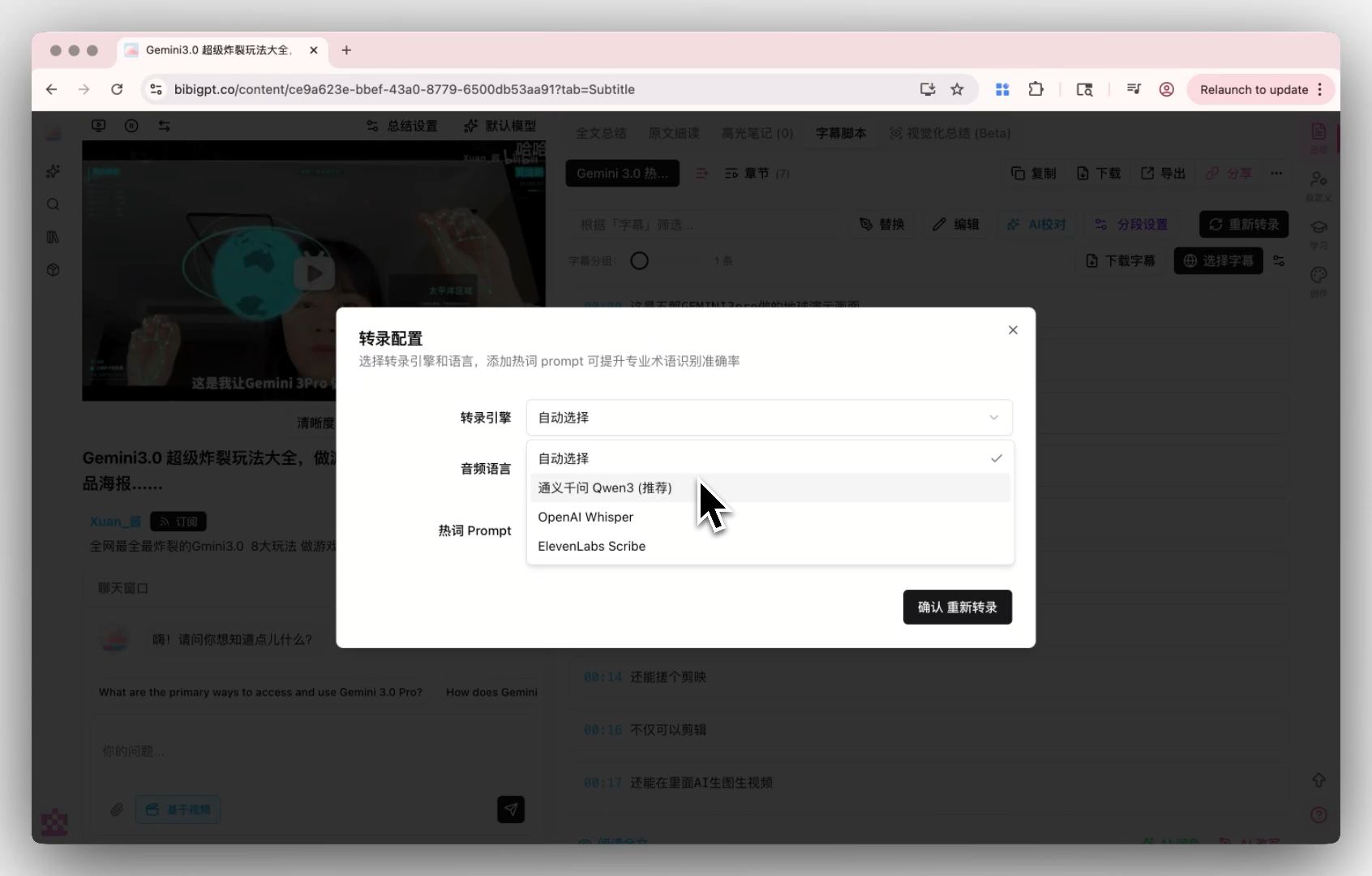
In other words, when models like Qwen3-ASR-Flash do that first step more accurately, they raise the ceiling for the whole pipeline. That’s exactly why BibiGPT treats the transcription engine as a core capability — you can switch between transcription engines in settings to pick the one that fits each kind of content.
Here’s what that transcription-engine settings entry looks like:
Screenshot: BibiGPT transcription engine settings
Practical rule: To judge an AI video tool, don’t start with how pretty the summary layout is — start with how accurately it transcribes your “hard to hear” content. That’s the foundation.
3. Which Three Kinds of Content Used to Be Untranscribable — and Are Now Usable?
The three categories are: hard-to-hear lectures and large-classroom recordings, noisy or accented meeting and interview audio, and live video or songs with background music. More accurate speech recognition never mattered much for crisp studio narration — the gap shows up on real-world hard content, which is exactly where this round of improvement lands.
Hard-to-hear lectures and large-classroom recordings
A professor with a heavy accent, a classroom with echo, a mic far from the podium — this is the nightmare scenario for international students and online-course watchers. The transcripts used to be so full of errors they were useless as notes. With more stable recognition, a 90-minute lecture recording yields a broadly readable transcript; pair it with an AI summary and you can scan the key points first, then decide which segments are worth re-listening to.
The video below shows speech-to-text in a real-world scenario:
Video source: YouTube · speech-to-text demonstration
Noisy, accented meeting and interview recordings
The coughs, rustling paper, and AC hum of a conference room, plus the overlapping talk of an interview, all used to throw recognition off. With more robust transcription, these “very live” recordings now yield usable text, making it easy to later search for “who said that key conclusion, and where.”
Music-backed live videos and lyrics
This was the hardest category — any background music and many tools returned garbage for the whole clip. What Qwen3-ASR-Flash specifically highlights is recognition of whole clips with background music, with lyric error rates below 8%. That means scored talks, live vlogs, and even vocal song segments now have a much better shot at being transcribed correctly.
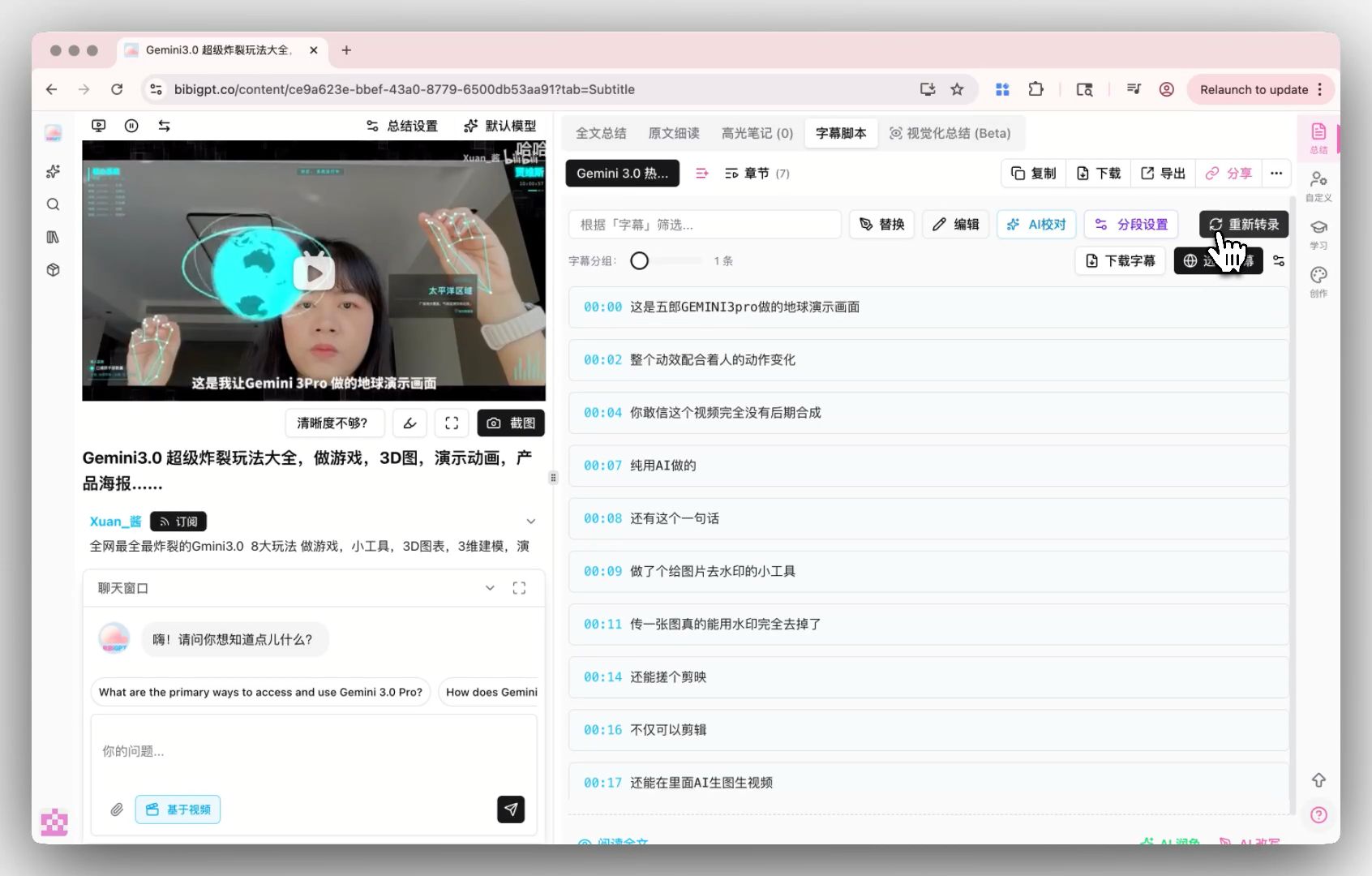
After transcription, you can also customize how subtitles are segmented to keep the script tidy and readable, as shown below:

Screenshot: BibiGPT smart subtitle segmentation
Practical rule: If you’ve got a piece of “used to come back as garbage” hard content, it’s worth trying again now — the biggest dividend of this year’s recognition gains lands exactly on content like that.
Further reading: for a more systematic take on “what more accurate subtitles actually change,” see What More Accurate AI Subtitles Mean; to handle Bilibili, YouTube, podcasts and more from one entry point, see the Cross-Platform AI Video Summary Guide.
4. How Do You Put “More Accurate Transcription” to Work in 3 Steps?
The 3-step workflow: paste a link or upload a file, let the AI finish transcription and summarization, then export or translate the subtitles as needed. A model’s progress only matters once it lands in a usable product — using BibiGPT as an example, turning hard content into usable text plus a summary looks like this:
- Paste a link or upload a file: paste links directly from 30+ platforms including YouTube, Bilibili, Douyin, TikTok, RED, and podcasts, or upload local audio/video files.
- Auto-transcribe + summarize: the system first turns sound into a timestamped transcript, then generates a structured summary (TL;DR + bullet points). Wherever you couldn’t hear clearly, tap the timestamp to jump back into the original video and verify.
- Translate / export on demand: an English lecture can be turned into Chinese in one click with subtitle translation; both the transcript and the summary export to Markdown, plain text, and other formats for your note app.
If your content is in English and you want a bilingual subtitle reference, the translation demo below shows the effect:
Translate captions into your language
Original and translation, line by line, with timestamps. Great for foreign-language talks.
| 00:07 | We're going to build GPT from scratch, together. | Vamos a construir GPT desde cero, juntos. |
| 08:23 | Self-attention is the heart of the Transformer. | La autoatención es el corazón del Transformer. |
| 45:10 | Each token emits a query and a key. | Cada token emite una consulta y una clave. |
| 1:35:00 | At its core, this is the same model behind ChatGPT. | En esencia, es el mismo modelo detrás de ChatGPT. |
Practical rule: The right way to handle hard content is “transcribe first, verify against timestamps, then summarize” — not to expect the AI to be perfect in one go. Being able to jump back to the source video to check is the mark of a trustworthy summary.
BibiGPT has generated 5M+ AI summaries for over 1M users across 30+ mainstream platforms — built precisely for turning audio and video into consumable text quickly and accurately.
5. Outlook and FAQ
Looking ahead, this year’s progress in speech recognition brings three shifts: the barrier to transcribing hard content keeps dropping (accents, noise, and BGM are no longer roadblocks), mixed-language speech gets ever more seamless (a Chinese-English interview no longer needs two passes), and “transcribe + summarize + translate” increasingly feels like one continuous action rather than three disconnected tools.
Q1: Can I use Qwen3-ASR-Flash directly? A: As a regular user, you don’t need to wire up to the model. Just use a product with high-quality transcription — drop in a link or file — and you’ll enjoy this round of recognition gains without caring which model is under the hood.
Q2: Can videos with background music really be transcribed accurately? A: Clearly better than a year or two ago. Pure speech is most accurate; content with BGM now mostly yields usable text, though extremely noisy scenes may still carry small errors — verify key segments against the timestamps.
Q3: Can heavily-accented English lectures be transcribed? A: Yes. Robustness to accents is one of this year’s focus areas. After transcription you can also get a Chinese summary in one click — especially useful for students who can’t fully follow an all-English class.
Q4: Can the transcribed text be searched and exported? A: Yes. The transcript is timestamped and fully searchable, and both the summary and transcript export to Markdown, plain text, and other formats.
Q5: Which content is most worth retrying? A: The “used to come back as garbage” hard content — distant-mic lectures, accented interviews, music-backed live videos — is what benefits most from this round of improvement.
Want to ride this wave of speech-recognition progress and turn a hard-to-hear lecture, podcast, or music-backed video into clean, readable, summarizable text in one pass? Paste a link into BibiGPT smart transcription and summary and see the result before you decide.
BibiGPT Team
Popular tools
More in this series
- GPT-Transcribe vs Whisper vs Grok Voice 2.0 vs MAI-Transcribe:2026 语音转文字模型怎么选
- Apple iOS 27 Opens Third-Party AI: The Era of Switchable Assistants Is Here — How to Choose for Audio and Video (2026)
- DeepSeek R1 + BibiGPT: A Practical Guide to AI-Powered Audio/Video Understanding in 2025
- DeepSeek-V4 Is Here! BibiGPT Ships Four New Models + 1M Context on Day One — AI Video & Podcast Summarizing Just Leveled Up
- BibiGPT vs DeepSeek-V4 + Granite Speech Plus 2026: Self-Hosted Open Source vs Productized Stack
View all 43 articles in Model Updates →