Tana's May Surge: Voice Agent + Live Digest Turn BibiGPT Video Summaries into Meeting-Grade Notes
Tana’s May Surge: Voice Agent + Live Digest Turn BibiGPT Video Summaries into Meeting-Grade Notes
If you already use Tana to manage your knowledge base, this wave of May updates may be the most transformative in the past year — not just adding features, but inserting the “voice” dimension directly into the core of note-taking interaction. Coupled with Live Meeting Digest and Build Custom Agents, Tana is reshaping itself from a “structured note tool” into an AI work companion that can speak, sense meetings in real time, and process information autonomously.
For BibiGPT users, this translates into something very concrete: meeting recordings and lecture videos you previously summarized with BibiGPT can now be read aloud by Tana Voice Agent — letting you “listen to yesterday’s meeting recap” during your commute without ever glancing at a screen.
1. What Happened in Tana, May 2026
Tana delivered a dense cluster of updates in May, with voice and AI workflows as the clear headline:
- May 26 · Build Custom Agents — describe your own voice agent in plain language, no coding required
- May 26 · Voice Agent features — 7 voice profiles, freely choose agent role, voice style, and language
- May 20 · Live Digest & AI workflows — “Live meeting digest narrates progress,” AI can build and edit workflows on supertags
- May 17 · Voice Agent in meetings — participate by voice during live meetings, “Hey Tana” wake word supported
- May 12 · Content language & summaries — authoritative summary auto-generated at the end of each call, document auto-pinned to the corresponding event
- May 8 · New meeting digest — dedicated digest panel combining transcript, screenshots, and AI sub-areas in one view
- May 1 · Video and audio support — inline video and audio playback natively in the editor, no jumping to an external player
- Apr 24 · Team tasks view — team task panel with grouping by assignee
Full changelog: Tana Releases
In a single sentence: Tana’s May is not about “filling in missing features” — it’s about pushing the entire tool from “static knowledge base” toward “an AI partner that actively participates in your work.”
2. What This Means for BibiGPT Users — My Take
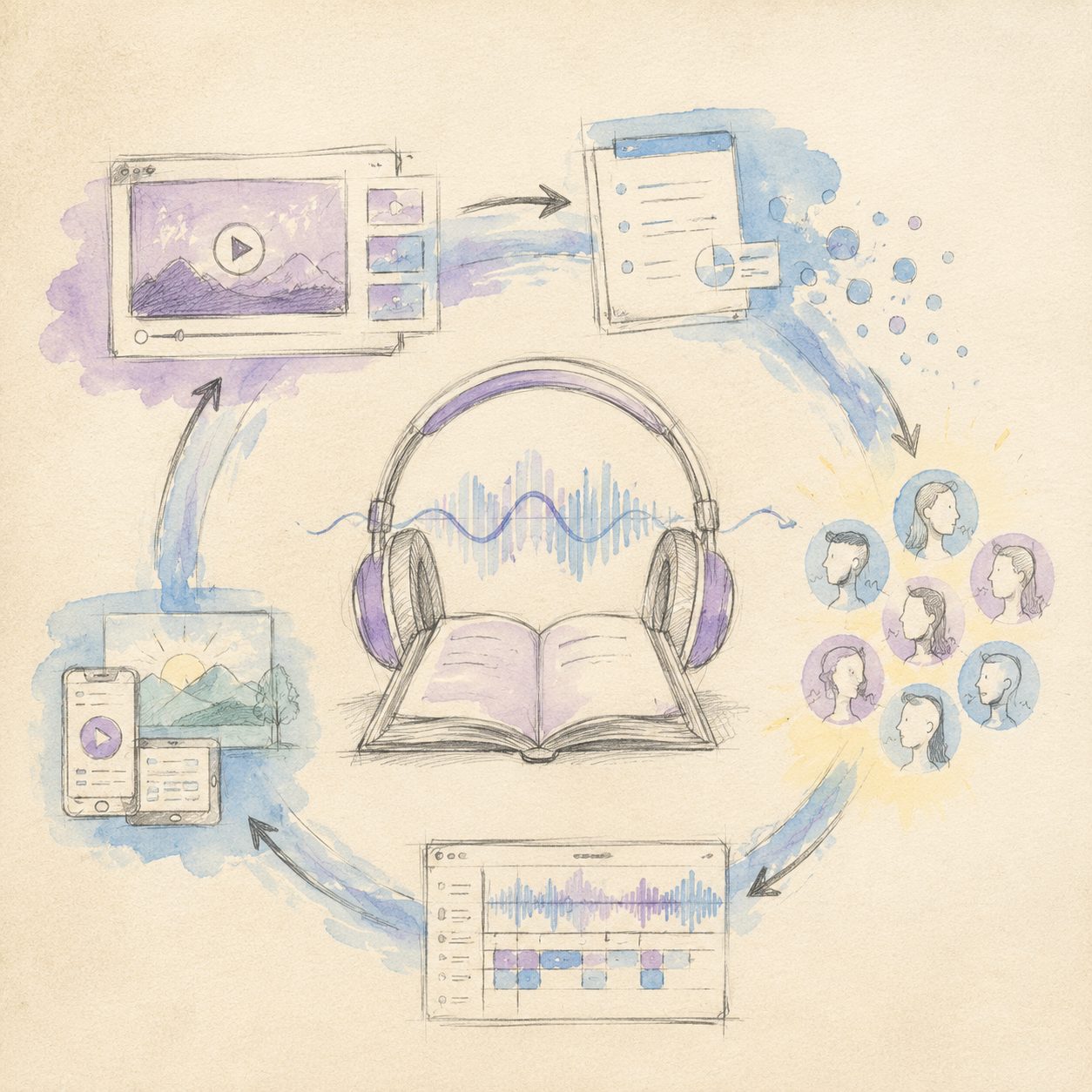
A quick sketch to put the idea on paper — the diagram below maps the key flow:
Illustration: drawn by the BibiGPT team
The first reaction many people have after seeing this Tana update is: “Tana handles audio and video now — is BibiGPT still useful?” Great question, but the answer is probably not what you expect.
What user pain point does this update solve
The core of Tana’s May push is moving AI capability from “static retrieval” to “real-time awareness + voice interaction.” Meeting Digest addresses the real-time summarization problem while a meeting is still happening — AI transcribes as it listens, organizes as it transcribes, so by the time the meeting ends you already have a searchable, structured document instead of a pile of unedited recordings. Voice Agent goes a step further, letting content inside Tana be spoken aloud — not mechanical TTS, but “talking AI notes” that can switch across 7 voice styles and multiple languages.
Together these two directions solve the pain point: “My notes are sitting dormant in Tana and I never have time to sit down and read them.” Now you can have Voice Agent read last week’s content digest while you drive or commute, and use “Hey Tana” to interrupt and ask follow-up questions at any moment. This is a qualitative leap from “passive container” to “active broadcaster.”
My take: Tana Voice Agent pushes the AI workflow for the meeting context to its extreme — but what it solves is the “while the meeting is happening” real-time problem, while BibiGPT solves the “replaying the video after the meeting” async problem. The trigger moments are fundamentally different: Tana’s Meeting Digest runs while you’re in a meeting, with AI recording in real time beside you; BibiGPT is where you drop a link to a YouTube lecture from yesterday, last week, or even three years ago and get a structured summary 30 seconds later. These two scenarios have zero overlap.
The relationship with BibiGPT’s existing capabilities: naturally complementary
Tana’s video and audio support (May 1) addresses the “inline playback in the editor” experience — you don’t need to jump out to a player while reading notes. But it does not do “video content understanding”: inline playback does not mean the AI has understood what was said in the video, and it will not generate a chapter outline, extract highlights, or translate subtitles. Those are two entirely different things.
What BibiGPT does is “source video understanding” — taking a 90-minute meeting recording, a podcast episode, or an online course and converting it with AI compute into structured text output: timeline summary, chapter outline, key highlights, bilingual subtitles. This capability does not overlap with Tana, and it is not trying to.
My take: Tana doesn’t do “source video understanding”; BibiGPT doesn’t do “live meeting participation” — that’s a natural pipeline division of labor. The most valuable combination is: use BibiGPT first to summarize a meeting recording or lecture video into structured text, import that content into Tana, then let Tana Voice Agent read it back for review, and use Live Digest to weave a week’s content into a narrative flow. Users can achieve “listen to yesterday’s meeting summary on the way home from work” — BibiGPT turns recordings into text, Tana turns text into voice — a complete async learning loop.
The real value of Build Custom Agents
“Build Custom Agents,” released May 26, is the item in this update most likely to be underestimated. Previously, creating a customized AI workflow required configuring rules and writing trigger conditions; now you simply describe the agent behavior you want in plain language and Tana automatically turns it into a runnable voice agent.
For BibiGPT users this means you can create a dedicated agent along the lines of: “Whenever a new ‘meeting summary’ node appears in my Tana database, read the summary section aloud in a calm male voice in English, pause two seconds on technical terms, and end with ‘Would you like me to expand on any section?’” That level of fine-grained customization, creatable by natural language description alone, is what truly lowers the configuration bar.
Try BibiGPT for free and import your first video summary into Tana — results in 30 seconds, no credit card required.
3. Hands-On Workflow: The “Async Audiobook” Loop with BibiGPT × Tana Voice Agent
This workflow is built for users with high content consumption density but fragmented time — lots of meetings, lectures, and podcasts, but less and less time to sit down and flip through notes. Five steps to configure, then it runs on autopilot:
Step 1: Paste the meeting recording / lecture video link into BibiGPT
Open BibiGPT, paste a Bilibili, YouTube, or exported meeting recording link — or upload a local video file directly — and get a structured summary + timeline chapters + key highlights + optional subtitle translation within 30 seconds. This is the “raw material processing” stage of the entire workflow and the only step that requires a video link.
Step 2: One-click export to Tana, supertag auto-categorization
Click “Export to Tana” on the BibiGPT summary page and the content lands in your Tana database as a structured node. Combined with Tana’s supertag feature you can pre-set rules: “Nodes whose title contains ‘meeting’ automatically get the #meeting-notes supertag and go into the ‘Work Review’ branch; those containing ‘course’ go into the ‘Learning Input’ branch.” Every import from BibiGPT stays organized automatically.
Step 3: Create your dedicated Voice Agent in plain language
Go to Tana’s Build Custom Agents interface and describe your agent in one sentence: “Every morning at 8 AM, scan all #meeting-notes nodes I added yesterday, read each summary aloud in clear English, emphasize person names and project names, pause 3 seconds after each entry.” Tana converts this description into a runnable agent configuration, and you can pick the most pleasant-sounding option from 7 voice profiles.
Step 4: Use Live Digest to stitch this week’s video summaries into a “content stream”
Open Tana’s Live Meeting Digest panel and drag all nodes imported from BibiGPT this week into the “This Week’s Content Stream” view. Live Digest automatically weaves these scattered nodes into a narrative — sorted chronologically, with AI adding connecting sentences between each entry — producing a readable version of “what I watched, listened to, and attended this week.” No manual editing required on your part.
Step 5: “Hey Tana” on your commute — listen and ask follow-ups
Open Tana on your phone, say “Hey Tana, read this week’s content stream,” and Voice Agent starts playing. If a meeting summary mentions a point you want to dig into, say “Expand the third bullet of the second entry” — the agent continues reading the detailed content of that node without interrupting the entire flow and starting over. Meeting reviews, lecture revisits, weekly knowledge refreshers — all handled during your commute.
The core logic of this workflow: BibiGPT is the machine that turns video into text, Tana is the machine that turns text into voice — two tools solving two different physical problems, and the chain is only complete when they are connected.
4. The New Infrastructure for the Voice Notes Era
Tana’s May wave has one fundamental difference from the “AI upgrades” of other note tools: it is not adding an AI button to an existing interface — it is redefining the interaction between “notes” and “the person using them.” Voice Agent lets notes proactively speak; Live Digest lets notes sense the present in real time; Build Custom Agents lets everyone define their own information-processing rules in plain language.
Think of BibiGPT as the “video content understanding layer” and Tana as the “structured memory + voice broadcast layer” — this is the most worthwhile pairing for knowledge workers to invest in heading into 2026. Content enters BibiGPT to be distilled, then enters Tana to be structured, stored, and voice-activated, forming a genuinely complete “async learning loop”: no need to carve out dedicated time to flip through notes — the notes come to find you whenever you have a spare moment.
Want to explore more note app × BibiGPT collaborative workflows? Head over to our Note Apps blog category, where every tool gets its own 1+1>2 workflow breakdown.
Drop a comment below to share your workflow.