NotebookLM Audio Overview formats × BibiGPT
NotebookLM now ships four Audio Overview formats — Deep Dive (default two-host conversation), Brief (single-speaker, under two minutes), Critique (constructive expert feedback), and Debate (two hosts arguing both sides) — with Shorter / Default / Longer length controls and 80+ language coverage. This page maps each format to a real workflow and shows how BibiGPT summaries, mind maps and follow-up Q&A pair with each.
Key facts (90-second read)
As of 2026-05-20, NotebookLM's Audio Overview ships four distinct formats — Deep Dive (default two-host podcast), Brief (single-speaker under two minutes), Critique (editorial review of your material) and Debate (two hosts arguing both sides). Shorter / Default / Longer length controls remain English-only; 80+ languages get the Default length per format. BibiGPT pairs with each format by covering YouTube / Bilibili / podcast / livestream sources NotebookLM does not ingest natively.
Features
What changed in NotebookLM Audio Overview
Until 2025 Audio Overview shipped one default style — the two-host "Deep Dive" podcast. The 2026 update splits it into four formats so you can pick the shape of the listen, not just the topic.
Deep Dive — the original two-host podcast
Two AI hosts have a lively, multi-turn conversation that unpacks and connects ideas across your sources. Still the default; best for full topical immersion when you have 15 to 30 minutes.
Brief — single-speaker under two minutes
One voice delivers only the key takeaways. Useful for triage: skim a 200-page PDF or a 90-minute lecture as a 90-second audio bite before deciding whether to go deeper.
Critique and Debate — opinionated takes
Critique reviews your material like an editor (constructive feedback on an essay, design doc, business plan). Debate stages two hosts arguing opposite sides — great for stress-testing a hypothesis.
Why each format pairs differently with BibiGPT
BibiGPT covers what NotebookLM doesn't ingest natively (YouTube, Bilibili, podcasts, livestreams) and ships summaries, mind maps, chapter lists and follow-up Q&A. Each Audio Overview format slots in differently.
Brief + BibiGPT chapter list = fastest triage
BibiGPT extracts chapter-level summaries with timestamps from any YouTube / Bilibili / podcast URL. Drop the transcript into NotebookLM, request a Brief — a 90-second audio that previews the chapters before you commit to the full Deep Dive.
Deep Dive + BibiGPT mind map = full-immersion learning
Listen to a 25-minute Deep Dive while commuting; review BibiGPT's visual mind map on the way back. Two opposite modalities of the same content fix it faster than either alone.
Critique + Debate + BibiGPT Q&A = decision support
For a contested document — a startup pitch, a research preprint, a policy brief — run Critique for one polished review, Debate for two-sided pressure, then use BibiGPT's follow-up Q&A on the source text to drill into specific claims.
Where the formats still fall short
Knowing the gaps prevents over-relying on Audio Overview. BibiGPT covers a few of them; others are open across the category.
Cannot natively ingest YouTube / Bilibili / podcasts
NotebookLM still requires uploaded sources (PDF, .docx, Google Docs, web URLs). BibiGPT handles the public-content side: paste a YouTube / Bilibili / podcast / TikTok link and get a transcript-plus-summary you can hand to NotebookLM.
Brief locked to single speaker — no Q&A
The Brief format is one-way audio. For follow-up questions on the same source, you switch back to NotebookLM Chat or use BibiGPT's AI Q&A directly on the original video / podcast transcript.
Longer mode is English-only
The 80+ language roll-out covers all four formats at Default length. Shorter and Longer length controls are English-only as of the 2026 rollout. Non-English users get one fixed length per format.
5 key changes (90-second read)
Headline shifts from the NotebookLM Audio Overview format rollout.
- 1
One format becomes four
Audio Overview used to ship only the two-host "Deep Dive" podcast. The update splits it into Deep Dive, Brief, Critique and Debate so callers pick the shape of the listen instead of always getting a 20-minute conversation.
- 2
Brief targets triage
Under two minutes, single speaker, key takeaways only. Designed for the moment when you have a 200-page PDF and 90 seconds to decide whether it deserves a Deep Dive.
- 3
Critique and Debate add opinion
Critique evaluates your material like an editor — essays, design docs, pitches. Debate stages two hosts arguing opposite sides of the same topic — useful for stress-testing a thesis before publishing.
- 4
Length controls — English only
Shorter / Default / Longer is an English-only slider as of the 2026 rollout. The 80+ supported languages get Default length per format.
- 5
Source coverage gap unchanged
NotebookLM still ingests only uploaded sources (PDF, .docx, Google Docs, web URLs). YouTube, Bilibili, podcasts and livestream replays remain out of reach — BibiGPT's lane.
3 typical scenarios for BibiGPT users
Where pairing each Audio Overview format with BibiGPT pays off most.
YouTube lecture → Brief triage → Deep Dive immersion
Paste a 90-minute YouTube university lecture into BibiGPT, get the transcript and chapter list. Drop the transcript into NotebookLM, request a Brief — a 90-second audio that previews chapters. Listen, then come back for the full Deep Dive only if it earned the time.
Bilibili technical talk → Debate stress-test
A controversial Bilibili tech talk you don't fully buy. BibiGPT extracts the transcript and AI summary. NotebookLM Debate format stages two hosts arguing for and against the talk's central claim. BibiGPT's follow-up Q&A lets you drill into specific timestamps when the debate raises a flag.
Podcast season → Critique your own writeup
After a podcast season you wrote up your takeaways. NotebookLM Critique format reviews the writeup as an editor would. BibiGPT keeps the original episode transcripts indexed, so when Critique flags a misquote you jump directly to the source minute and verify.
Loved by creators, students & researchers
Why people use BibiGPT to turn videos into text every day.
Trusted by 50,000+ users worldwide
“I paste a link and get clean captions in seconds — it saves me hours of retyping every single week.”
Maya R.
Content Creator · Repurposes short videos
“Exporting the transcript lets me review new words at my own pace instead of pausing the video constantly.”
Daniel K.
Language Learner · Studies with real videos
“Accurate, timestamped text I can quote directly. It has quietly become part of my daily workflow.”
Priya S.
Researcher · Cites public talks
FAQ'S
Frequently Asked Questions
Ask us anything!
Popular guides
 1
1 Bilibili AI Video Summary Tool: BibiGPT Summarizes 30+ Platforms Instantly (2026)
Best Bilibili AI video summary tool in 2026? Paste any link for an instant summary, mind map, and key points across 30+ platforms. See the top 5 compared.
 2
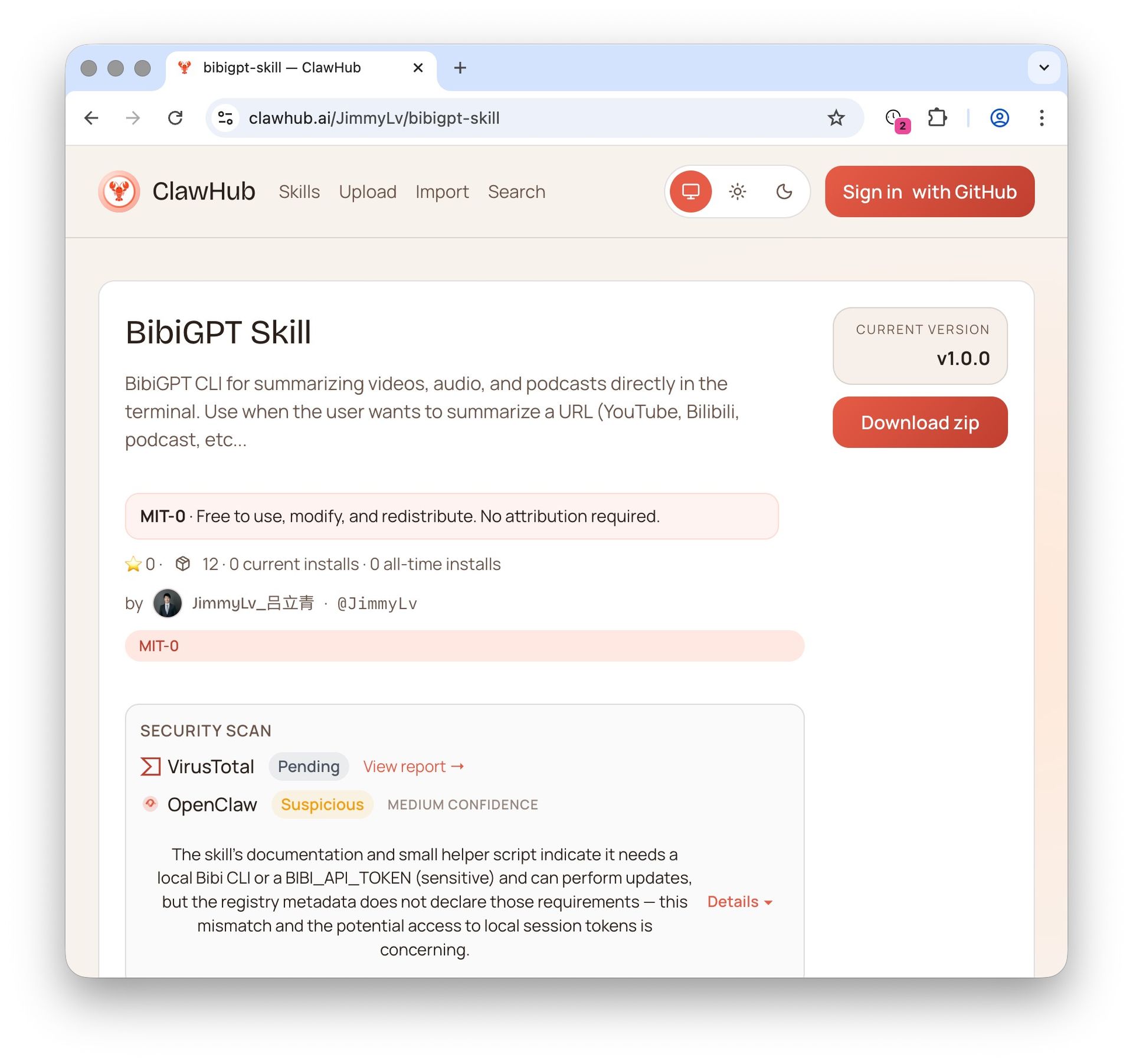
2 OpenClaw + BibiGPT Skill 2026: AI Video Summary for Bilibili, Xiaohongshu & 30+ Platforms
OpenClaw's native summarize skips Bilibili, Xiaohongshu, Douyin. bibigpt-skill is the one command that adds 30+ platform support for Claude Code / OpenClaw, plus highlight notes, collection summary and flashcards. Updated June 2026.
 3
3 Bilibili Transcript Tools Compared: Best Subtitle Extractors in 2026
Looking for the best bilibili transcript tool? We compare 5 top subtitle extractors for Bilibili videos — from free downloaders to AI-powered tools like BibiGPT that handle transcription, translation, and summarization.
Pair NotebookLM Audio Overview with BibiGPT — cover the sources NotebookLM cannot ingest
BibiGPT extracts transcripts, summaries, chapter lists and mind maps from YouTube, Bilibili, TikTok, podcasts, livestreams and uploaded files. Drop the output into NotebookLM to generate any of the four Audio Overview formats — Deep Dive, Brief, Critique, Debate.