Gemini 3.1 Flash Image Can Now Read Video to Make Covers — Does BibiGPT Visual Analysis Still Win?
Gemini 3.1 Flash Image Can Now Read Video to Make Covers — Does BibiGPT Visual Analysis Still Win?
As of June 2, 2026: On May 28, 2026, Google added a notable capability to gemini-3.1-flash-image in the Gemini API changelog — it can now take a video file, or even a YouTube link, and generate visual outputs like thumbnails and posters from it. This step lands right on what BibiGPT has been doing all along: understanding what’s on screen in a video and turning it into visual content. This post explains the upgrade clearly, then digs into where each one is strong on the “video → visual content” pipeline.
1. What exactly changed in this upgrade
Before judging on impressions, it helps to see it in motion — the video below is worth a few minutes:
Video source: YouTube · Laichu · Gemini 3 + AI Studio Top Apps
First, the facts. According to the official Google Gemini API changelog, the gemini-3.1-flash-image image model got a new input channel on May 28, 2026:
- Video as context: previously text-to-image models only took text and static images; now they can use a whole video (or a YouTube link) as reference material
- Direct visual output: it generates thumbnails, covers, and posters from the video content, without you first grabbing a pile of frames and describing them
- Still the fast Flash tier: positioned as the “fast and cheap” option, suited to bulk image generation
In one line: the model evolved from “read text, draw an image” to “read video, draw an image.” For people who make covers and thumbnails, this genuinely removes the “watch the video → screenshot → write a prompt” middle steps.
Practical rule: Whenever a model “can now read video,” the real story isn’t the model itself — it’s which middle steps it removes for you.
2. What it means for content creators
To avoid guessing, here’s a real screenshot of the gemini.google.com page (captured on the day of publishing):
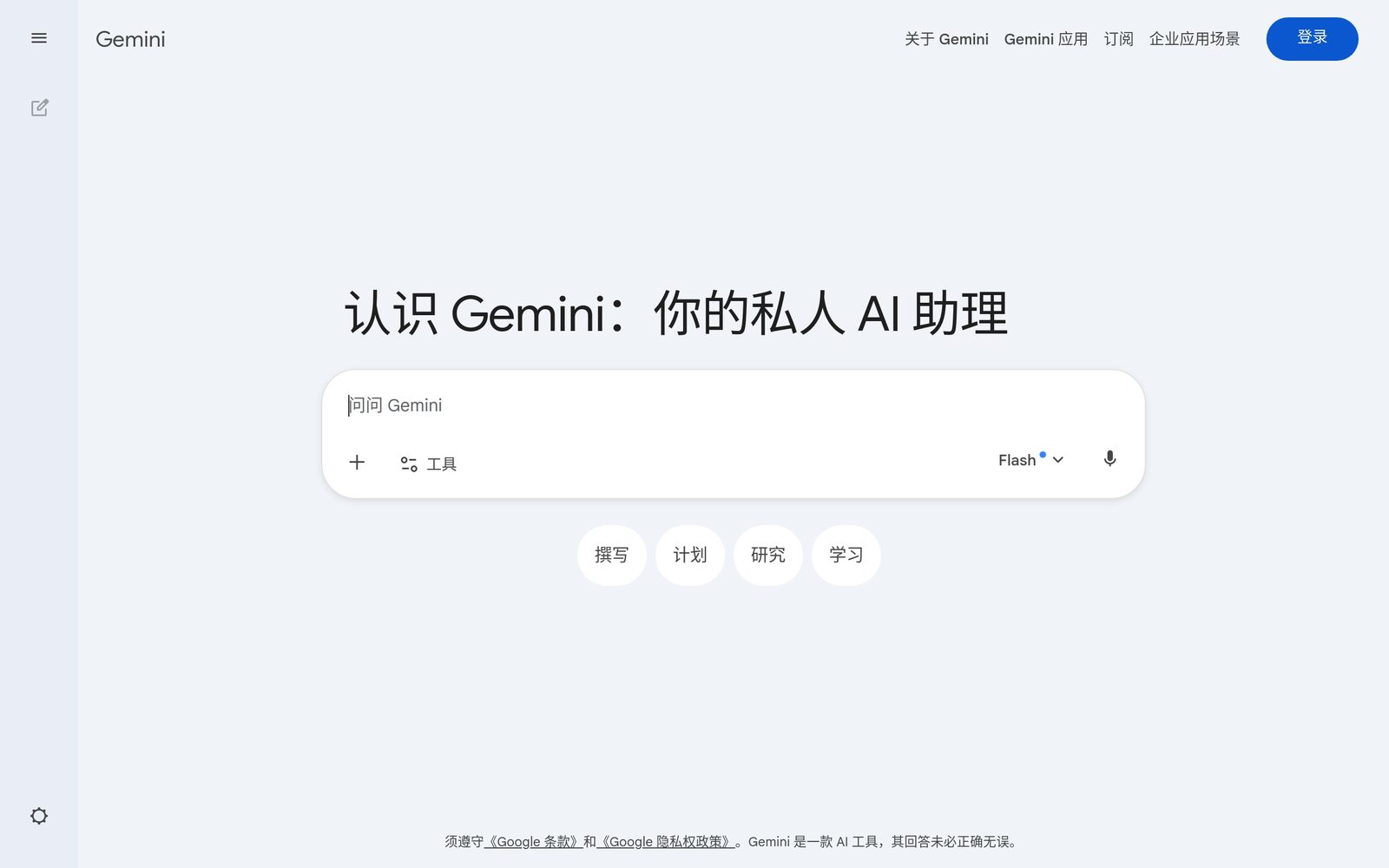
Screenshot source: gemini.google.com (captured on publish day)
The direct beneficiaries of this upgrade are the people who deal with “video → image” every day. Three groups:
Creators / short-video makers — making covers is a constant need. Where you used to dig through editing software for “the most representative frame,” now you let the model watch the video and spit out a few cover options. Genuinely faster.
WeChat / Xiaohongshu operators — turning a video into an article means dealing with images. Generating visuals straight from the video skips finding images, screenshotting, and copyright worries.
E-commerce / course teams — bulk main images and promo posters for videos are where demand for the “fast and cheap” tier runs highest.
But a sober note: “can generate one image from a video” and “can turn a whole video into a ready-to-publish article” are two different orders of magnitude. The former is one asset; the latter is a complete production line. The model upgrade solves the former, while what creators actually get stuck on is usually the latter.
Practical rule: When evaluating an AI image capability, don’t just ask whether it makes one good image — ask whether it plugs into your whole “raw material → finished product” flow.
3. BibiGPT isn’t just another image-model wrapper
When you hear “read video, make visual content,” it’s easy to assume this is another thin wrapper over a model API. It isn’t. BibiGPT already serves over 1 million users and has generated over 5 million summaries, supports 30+ major audio/video platforms, and layers a whole production line on top of the models:
- Visual analysis → visual content: not just one image — it watches the full video, understands what’s on screen, and generates ready-to-publish output like WeChat articles and Xiaohongshu promo images. Try the full AI video-to-article workflow
- Chapter-level deep reading: it splits long videos into chapters, each with key points and visuals, so long content stays digestible
- Multi-model routing: it connects to several models under the hood and uses whichever generates best, so you don’t have to manage which one to call
- Source traceability: every key point jumps back to the original timestamp in the video — nothing summarized out of thin air
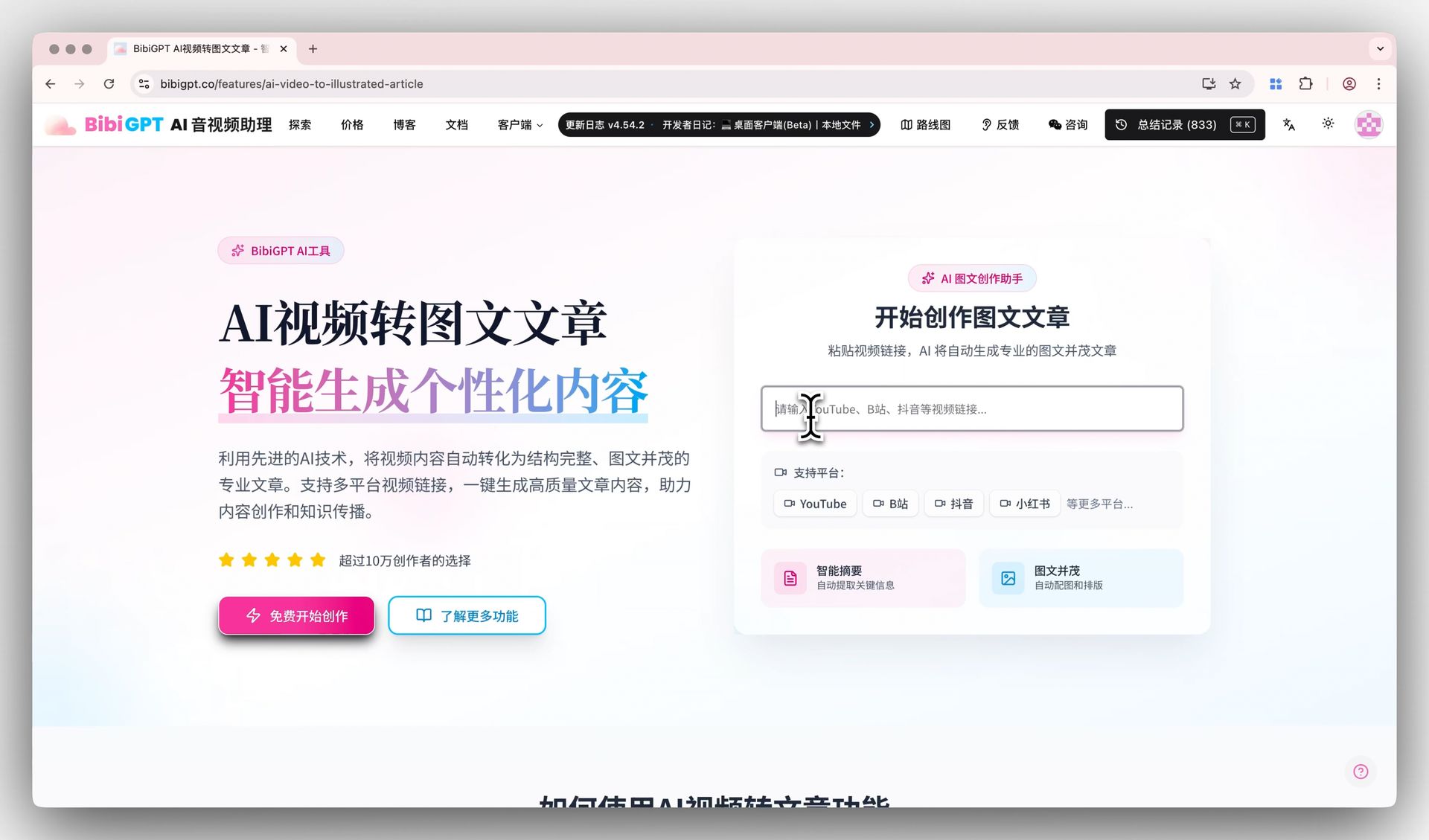
Below is the actual entry where BibiGPT turns a video into visual content:
Screenshot: BibiGPT · AI video-to-article feature demo
In other words, single-point image generation is one link in this production line, not the endpoint. By making the model better at “read video, make image,” Google actually strengthened that one link — which is good news for a product like BibiGPT that builds the whole line: a stronger raw-material step means a better finished product.
4. Turn a video into visual content with BibiGPT in four steps
Let’s make the difference concrete. Say you have a 20-minute product walkthrough video and want to turn it into an illustrated WeChat article:
- Paste the link and let AI watch the full video — paste the link; BibiGPT extracts subtitles + analyzes the visuals and produces structured key points in seconds
- Generate visual content — go to the creation panel, pick “video to article,” and AI drafts an illustrated article by chapter
- Pick visuals, adjust style — generate images for key chapters; swap styles if you’re not happy
- Export and publish — one-click export, with images, key points, and timestamps all in place, ready to paste into WeChat
For a direct feel of “paste one link → get a structured summary,” check this interactive demo:
Summarize any video in seconds
Pick a sample below to see the AI summary — TL;DR, key points, and jump-to timestamps.
TL;DR: Karpathy builds a GPT-style language model from scratch in code, explaining every piece — from a tiny character-level model up to the full Transformer.
Key points
- Start with a bigram model, then add self-attention so tokens can "talk" to each other
- A Transformer block = multi-head attention + feed-forward + residual connections + layer norm
- Training is just predicting the next token; scale and data do the rest
- The same architecture behind nanoGPT is what scales up to ChatGPT
Jump to
- 00:07 Why build GPT from scratch
- 08:23 Self-attention, intuitively
- 1:00:00 Assembling the Transformer block
- 1:35:00 From nanoGPT to ChatGPT
Across the whole process, “generating visual material from a video” is just part of step 3; what actually saves you time is the line in steps 1, 2, and 4 that strings raw material into a finished product. To go deeper on this Gemini upgrade itself, read Gemini 3.1 Flash Image explained; to see visual analysis in more complex scenarios, try visual analysis:
Turn video frames into illustrated notes
The AI looks at the picture too — slides, charts, on-screen text — and writes it up.
Key frames

On-screen text: nanoGPT
Karpathy live-codes the bigram model — the simplest language model, predicting the next character from the current one.
5. Where this is heading
Based on this upgrade, three calls:
- “Read video, make image” becomes table stakes: within this year, mainstream image models will likely support video input, so the capability itself is no longer a moat
- Competition moves up to the “production line” layer: when everyone can get one image from a video, the contest becomes who can plug image generation into the full “material → product → publish” flow
- Possible spin-offs: auto cover A/B, bulk images by platform size, one-click “video points + visuals” drafts — all opportunities at the production-line layer
Models are no longer scarce; turning a video quickly into something you can directly use is what’s scarce. That’s the position BibiGPT has always anchored to — making consuming and re-creating audio/video as fast as handling text.
Practical rule: When an AI capability becomes table stakes for everyone, the value shifts from “having the capability” to “plugging it into your complete flow.”
6. FAQ
Q1: Can gemini-3.1-flash-image directly replace a video-to-visual-content tool? It solves “generate one image from a video.” It doesn’t turn a whole video into ready-to-publish content with key points and timestamps. That needs a full line of summary + visual analysis + layout + export.
Q2: Which image model does BibiGPT use? BibiGPT connects to several models under the hood and routes automatically. You just use it in the creation panel — no need to care which one it calls, and no API key required.
Q3: Are images generated from video copyright-safe? AI-generated visuals avoid the copyright worries of finding and screenshotting images, but confirm against your platform’s rules before use. BibiGPT’s visual content is yours to edit and publish.
Q4: Can it handle long videos? Yes. BibiGPT supports chapter-level deep reading, splitting long videos into segments with key points and visuals, digesting long content across 30+ platforms.
Q5: Does this upgrade directly affect regular users? Regular users won’t notice model-layer changes, but they’ll enjoy a smoother, faster “video → visual content” pipeline.
Try it now
Paste in a video and watch AI break it into illustrated key points in seconds — far faster than manual screenshotting and copywriting.
Open BibiGPT and turn video into visual content
BibiGPT Team