Subscribed to Dozens of Channels but Can't Keep Up? An AI-Powered Source-Digest Workflow That Watches and Summarizes for You (2026)
Subscribed to Dozens of Channels but Can’t Keep Up? An AI-Powered Source-Digest Workflow That Watches and Summarizes for You (2026)
You probably know the feeling: dozens of high-quality creators, YouTubers, and podcasters sit in your following list, each one you “want to watch,” but when a new video drops you either miss it or open it, see it’s 40 minutes long, sigh, and bookmark it — then never open it again. In the end, what you actually digest is maybe a tenth of what you follow.
A clear trend in 2026: keeping up is shifting from “you watching” to “AI watching for you.” Platforms like Bilibili have begun using AI agents to monitor the creators you follow and auto-push summaries; across the industry, “let AI watch new content and hand you only the key points” is getting more mature.
This post isn’t a button-by-button tutorial for one feature — it’s a reusable methodology: how to chain “follow → update → summarize → archive” into an automated pipeline, so the more you subscribe to, the more time you save, not the more anxious you get.
100-word answer: The core of a source-digest workflow is to split “keeping up” into three stages, each handed to the right tool — watch (let the system monitor whether the creators you follow have posted), digest (auto-turn new content into readable key points instead of forcing you to watch it all), and archive (file the points into your knowledge base, searchable and reviewable). The point isn’t a more powerful tool — it’s making digesting new content shift from “spending time actively” to “receiving digests passively.” To try turning a new video into key points, paste a link into BibiGPT.
1. The Real Problem Isn’t “Too Many Subscriptions” — It’s “Digestion Can’t Keep Up”
Many people solve “can’t keep up” by unsubscribing — cut half the list, out of sight, out of mind. But that’s usually wrong: you followed them because they’re genuinely valuable. The problem isn’t “too many sources” — it’s that the way you digest sources is too primitive.
Opening each one and watching from start to finish is the lowest-bandwidth way to digest. A 30-minute video might have only 3 minutes you need; the other 27 are setup, small talk, and repetition. What’s truly scarce isn’t good content — it’s the speed of consuming good content.
Practical rule: When you want to unsubscribe to “lighten the load,” ask first — is this source worthless, or is your way of digesting it too slow? If it’s the latter, what needs upgrading is the workflow, not the subscriptions.
So the right direction isn’t to reduce input, but to add an auto-filter-and-digest layer in front of your input: let AI watch first, compress each new item into a few lines of key points, and you then decide which few are worth opening in full.
2. The Source-Digest Workflow: Watch → Digest → Archive
This methodology has three stages, each with a clear goal, and you can implement each with whatever tool fits. Let’s walk it through using BibiGPT as the example.
Stage 1: Watch — hand “I have to remember to check” to the system
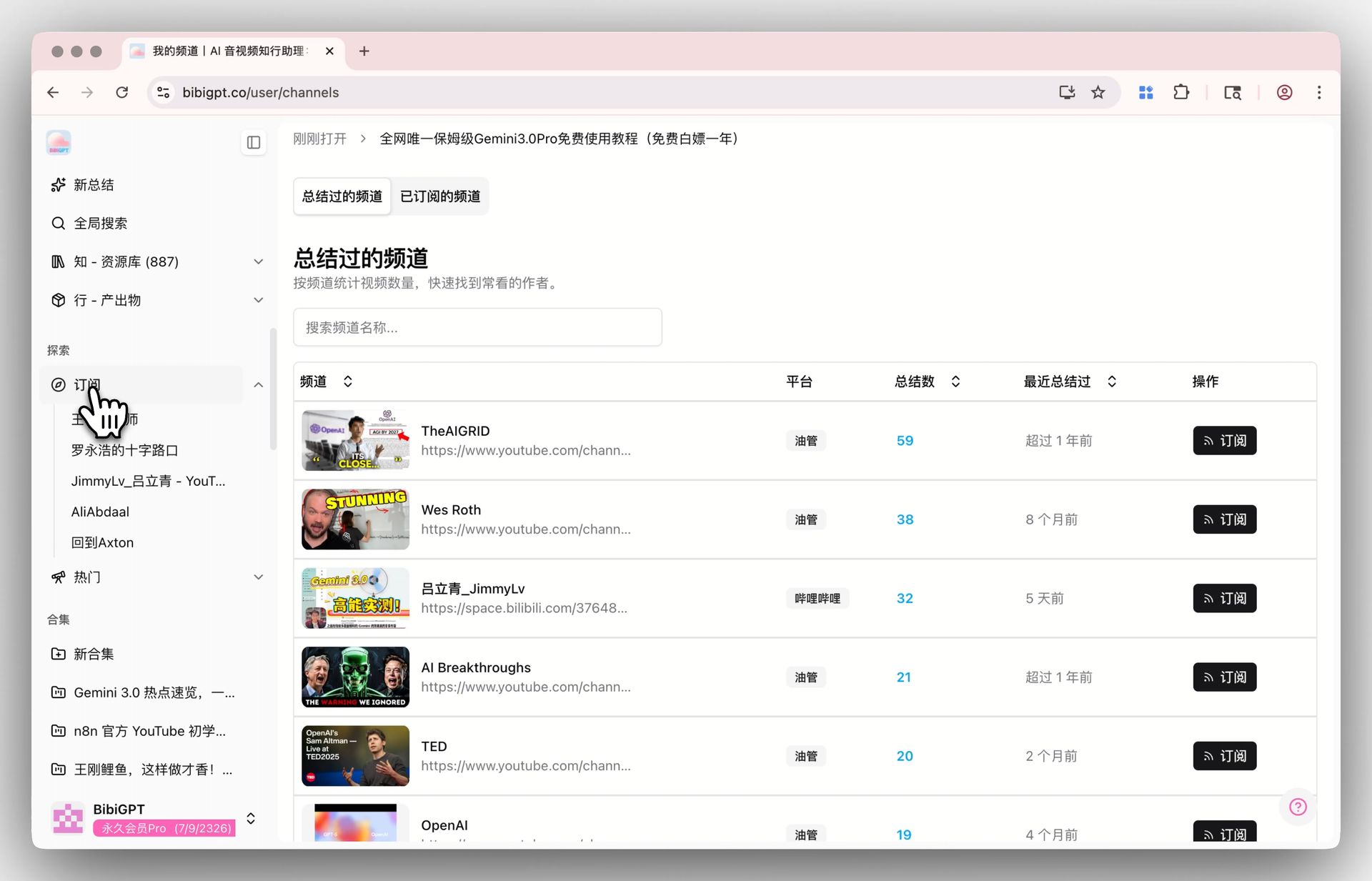
Step one is to stop using your memory to keep up. Rather than actively scrolling your following list for new videos every day, let the system watch for you: after you subscribe to a creator on the video detail page with one tap, all their summarized videos are aggregated in your subscription list, so you no longer hunt across platforms.
The subscription dashboard screenshot below shows what “gathering everyone you follow in one place” looks like:
Screenshot: BibiGPT subscription dashboard
Paired with “summary-complete notifications,” you get an active nudge once new content is processed, instead of waiting until you remember to check. That flips keeping up from “you chasing content” to “content coming to you.”
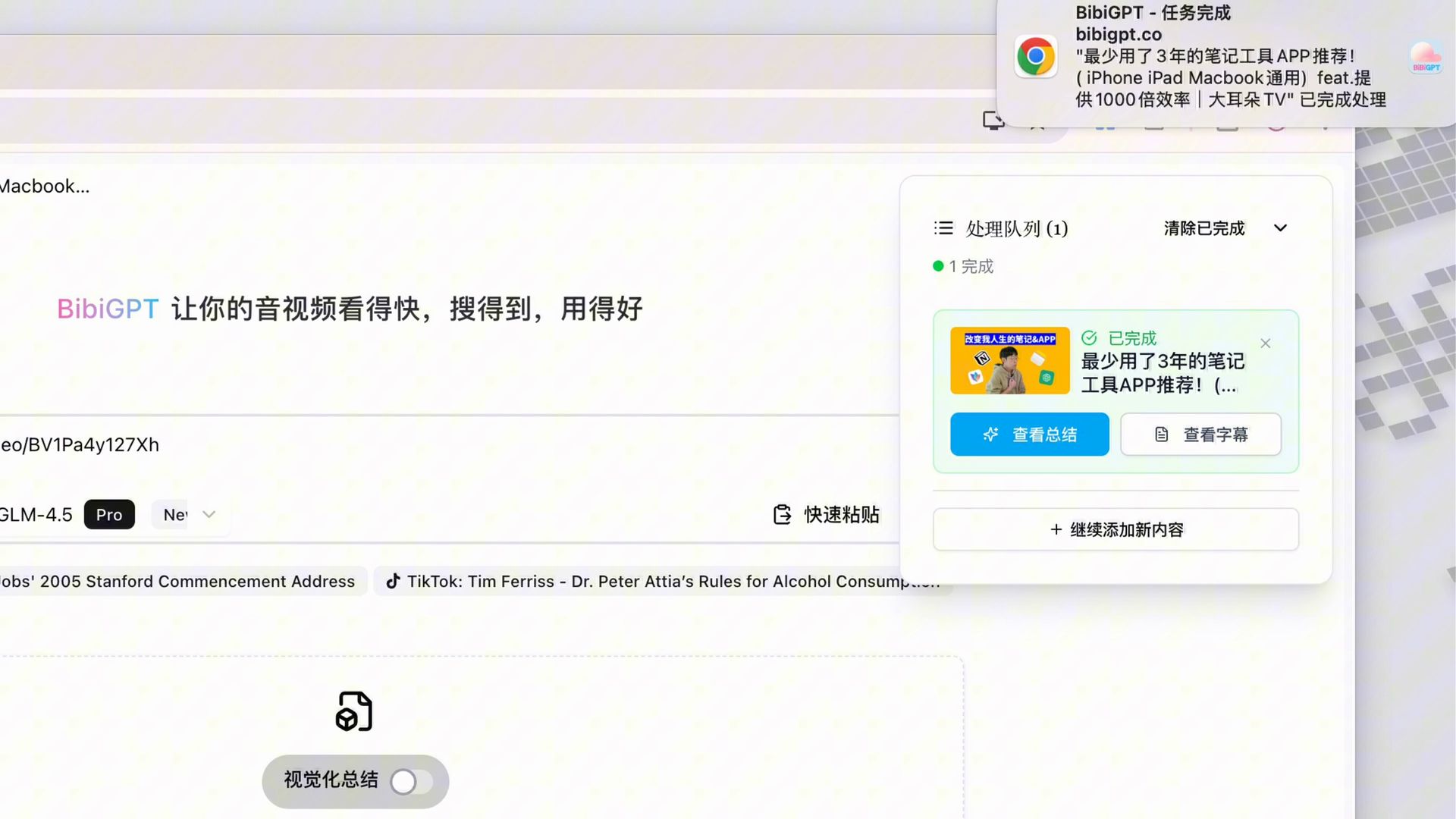
Screenshot: BibiGPT summary-complete notification
Stage 2: Digest — let AI watch first, you read only the points
Once you’ve caught new content, don’t rush to watch from the top. Let AI transcribe + summarize first, compressing a long video into a TL;DR + bullet points + key Q&A. You scan the points and land in one of three outcomes:
- The points are enough → archive directly, save the whole stretch of time.
- You want to go deeper on one point → tap the timestamp to jump back into the original video, watch just those 3 minutes.
- The whole thing matters → then watch it in full — but you’re doing it knowing “this is worth it.”
In the interactive demo below, turn a sample video into structured key points yourself and feel the “digest first, then decide” rhythm:
Summarize any video in seconds
Pick a sample below to see the AI summary — TL;DR, key points, and jump-to timestamps.
TL;DR: Karpathy builds a GPT-style language model from scratch in code, explaining every piece — from a tiny character-level model up to the full Transformer.
Key points
- Start with a bigram model, then add self-attention so tokens can "talk" to each other
- A Transformer block = multi-head attention + feed-forward + residual connections + layer norm
- Training is just predicting the next token; scale and data do the rest
- The same architecture behind nanoGPT is what scales up to ChatGPT
Jump to
- 00:07 Why build GPT from scratch
- 08:23 Self-attention, intuitively
- 1:00:00 Assembling the Transformer block
- 1:35:00 From nanoGPT to ChatGPT
Practical rule: The value of a digest isn’t “watching it for you” — it’s helping you decide which is worth watching in full. Move judgment to the front, and your attention won’t be hijacked by a 40-minute progress bar.
Stage 3: Archive — points into the knowledge base, searchable and reviewable
The final step is to not throw points away after reading. File each summary into your knowledge base, and over time it becomes a “private library grown from your sources.” When you need it, run a global search — “who said that point, and in which video” — and you find it instantly.
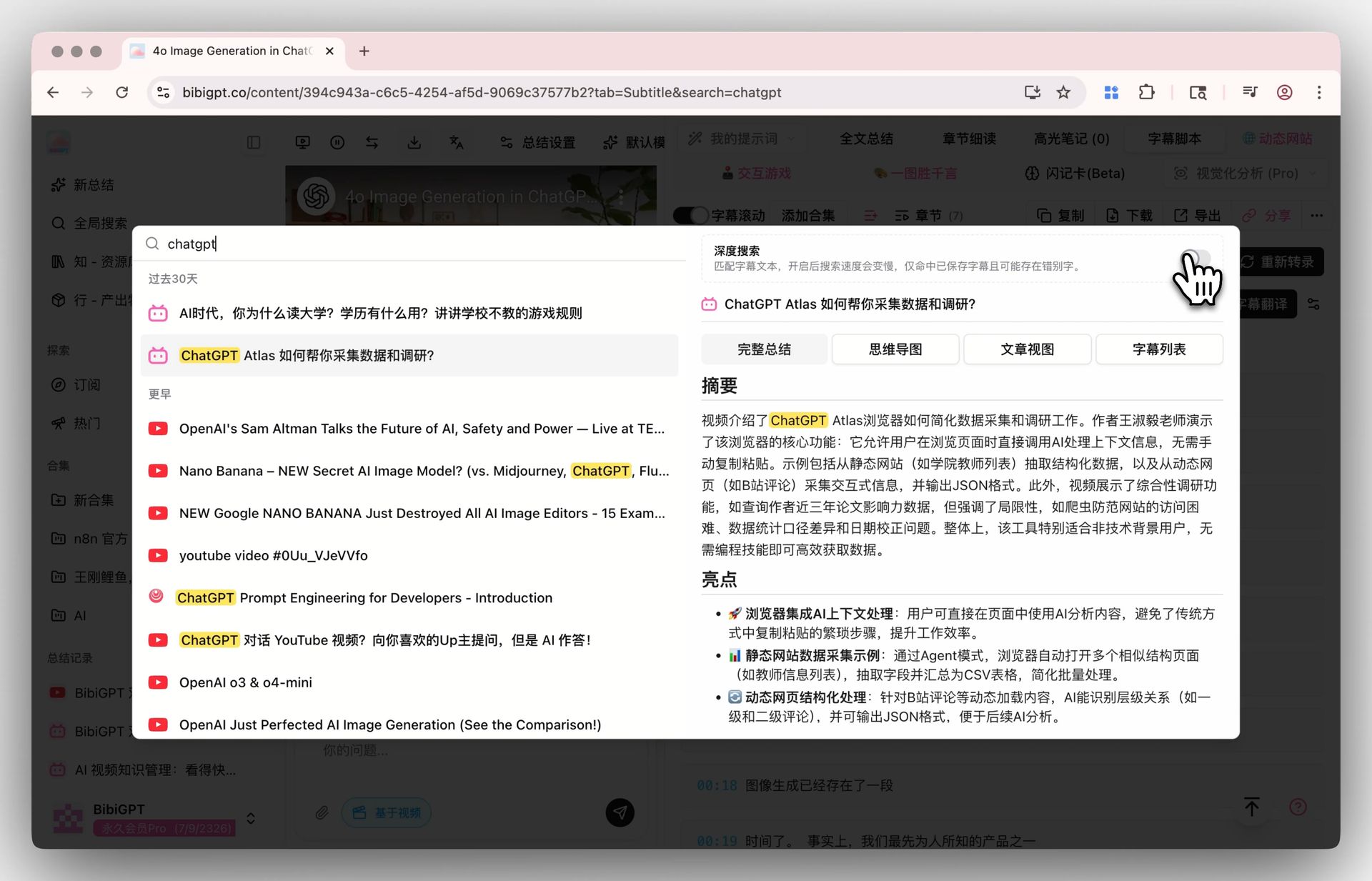
Screenshot: BibiGPT global search
This step is what upgrades the whole workflow from “saving time” to “accumulating assets” — every piece you’ve digested leaves a searchable trace, rather than being consumed and forgotten.
3. Who This Workflow Is For
Different people get different things from this pipeline.
- Industry researchers / track-watchers: watch a set of vertical creators and channels, get auto-digests of new posts, and spend 10 minutes a day to grasp what’s happening in your space.
- Learners / international students: the open courses, knowledge creators, and lecture channels you follow get digested on update, and are fully searchable at review time.
- Creators: watch the benchmark accounts in your field, see what they’ve been covering and from what angle, and stop relying on luck to find topics.
- Working professionals: read the points of the industry accounts and podcasts you follow on your commute instead of listening to full episodes — information density doubles.
The video below demonstrates the “quickly turn long content into usable key points” idea from another angle, as a reference:
Video source: YouTube · AI video summary workflow demonstration
Further reading: to systematically build a video knowledge base that compounds over time, see the Video Knowledge Base Guide; to handle Bilibili, YouTube, podcasts and more from one entry point, see the Cross-Platform AI Video Summary Guide.
4. Getting Started: A 5-Step Checklist to Build Your Source-Digest Flow
To turn the methodology above into action, it’s just these 5 steps:
- Inventory your sources: list the 10-30 creators / channels you genuinely care about — don’t over-collect, lock onto the high-value ones first.
- Subscribe from one entry point: subscribe to them in a cross-platform tool, and hand “remember to check” to the system.
- Set up update alerts: turn on summary-complete notifications so new content comes to you once it’s processed.
- Read only the points, deepen on demand: scan each TL;DR first, and only for the worthwhile ones, tap the timestamp to jump back into the original video.
- Archive into the knowledge base: file the points away and periodically fish them back with global search, so they grow more valuable the more you use them.
BibiGPT has generated 5M+ AI summaries for over 1M users across 30+ mainstream platforms — the subscribe-digest-search-archive chain runs end to end from a single entry point.
5. FAQ
Q1: I follow a lot of people — won’t notifications flood me? A: You can control alerts on demand, turning on notifications only for the sources you care about most and letting the rest gather in your subscription list. Alerts exist so you don’t miss things, not to interrupt you.
Q2: Does this workflow only work for videos? A: Not limited to videos. Videos, podcasts, and open courses all apply — any source that “keeps updating, you want to follow, but can’t keep up with” fits the watch → digest → archive idea.
Q3: Will the AI summary miss important information? A: A digest is meant to help you judge “whether it’s worth watching in full,” not to replace watching it in full. For key content, tap the timestamp to jump back and verify against the original — that’s the point of moving judgment to the front.
Q4: Will the archived points be easy to find later? A: Yes. Summaries are timestamped and fully searchable, and the longer it runs, the more valuable this private library grown from your sources becomes.
Q5: My following list keeps changing — do I have to rebuild the workflow? A: No. Inventory → subscribe → alert → digest → archive is one stable process; adding or removing sources just changes the entries, not the process itself.
Want to turn “subscribed to dozens but can’t keep up” into “the more you subscribe, the more time you save”? Paste a new video from a creator you follow into BibiGPT smart summary, feel the “digest first, then decide” rhythm, and then decide whether to build out the whole workflow.
BibiGPT Team