Kimi K2.6 vs BibiGPT: Which One Should You Use for Video and Podcast Summaries? (2026)

Kimi K2.6 has been getting a lot of attention lately: open-source, cheap, and the first time it can natively understand video. Naturally, a lot of people land on the same question — “If I want to summarize a Bilibili video or a podcast episode, can I just hand it to Kimi?” The short answer: it depends on whether you want “a capability” or “a finished job.” The two are very different, and picking wrong wastes real time.
September 2026 generation note: Moonshot shipped Kimi K3 on 2026-07-16 (2.8T MoE / 1M native context / native vision). This article still compares the K2.6 product surface. A larger engine does not automatically become a “paste a link, get a structured summary” vehicle. The division of labor holds.
Let’s lay out the facts first. As of July 2026, Kimi K2.6 is the open-weight large language model released by Moonshot AI on April 20, 2026: a trillion-parameter MoE model, a 262K context window, native multimodal input (with video newly added), and a strong focus on agent orchestration. It excels at coding and agent tasks, and it’s remarkably cheap — according to Artificial Analysis and the official model page, the official API charges roughly $0.60 per million input tokens, nearly 90% cheaper than leading closed-source models.
This article isn’t about “whose model is smarter.” It’s about one specific thing: when you drop a video or podcast link in, which one actually gives you a summary you can immediately use — with timestamps, follow-up Q&A, translation, and content you can repurpose.
What Kimi K2.6 Actually Is (For Video and Audio)
Strip away the marketing language, and Kimi K2.6’s positioning is “a very capable general-purpose model plus an agent framework”:
- Open-source and self-hostable: the weights are open (Hugging Face model card), so teams can deploy and fine-tune it themselves.
- Natively understands video: K2.6 is the first version to accept video files (mp4, mov, etc.) as input, understood through the same architecture as text and images.
- Extremely long context plus agent swarms: a 262K context window with automatic history compression; its agent capabilities can scale out to hundreds of sub-agents collaborating on long-running tasks.
- Strong at coding and agent work: it leads on coding and tool-use benchmarks, though it’s less dominant on pure reasoning tasks.
There’s also a consumer-facing side: Kimi’s browser extension (Kimi Copilot) can summarize web pages and some Bilibili videos, and the Kimi assistant lets you paste links or upload files for it to answer questions about.
Practical rule: Kimi K2.6 is a powerful “engine” that can understand a video file you upload — but it isn’t a complete “paste a link, get a structured summary” audio/video vehicle. A great engine isn’t the same as a ready-to-drive car.
What You Actually Want When You Paste a Video or Podcast Link
In everyday use, what people want isn’t “can the model understand video” — it’s a smooth pipeline. According to Synthesia’s 2026 video statistics report, the average internet user now spends close to 12 hours a week watching online video — lectures, tutorials, interviews, podcasts. To actually get through all of that quickly, what you really need is:
- Cross-platform link parsing: paste a Bilibili, YouTube, podcast, Douyin, TikTok, or Xiaohongshu link and have it processed directly, instead of manually downloading the file first and then uploading it.
- Timestamped, structured summaries: see the key points at a glance, and click a timestamp to jump straight back to that moment in the original.
- Mind maps: compress an hour of content into one expandable knowledge map.
- Traceable follow-up questions: keep asking questions about the summary, with answers that point back to specific segments of the original.
- Subtitle translation and repurposing: add Chinese subtitles to an English course, or rewrite a video into a WeChat article or a short video.
Compressing an hour-long video into a single page with a mind map is the clearest way to see the difference between “digesting” audio/video and merely “understanding” a video:
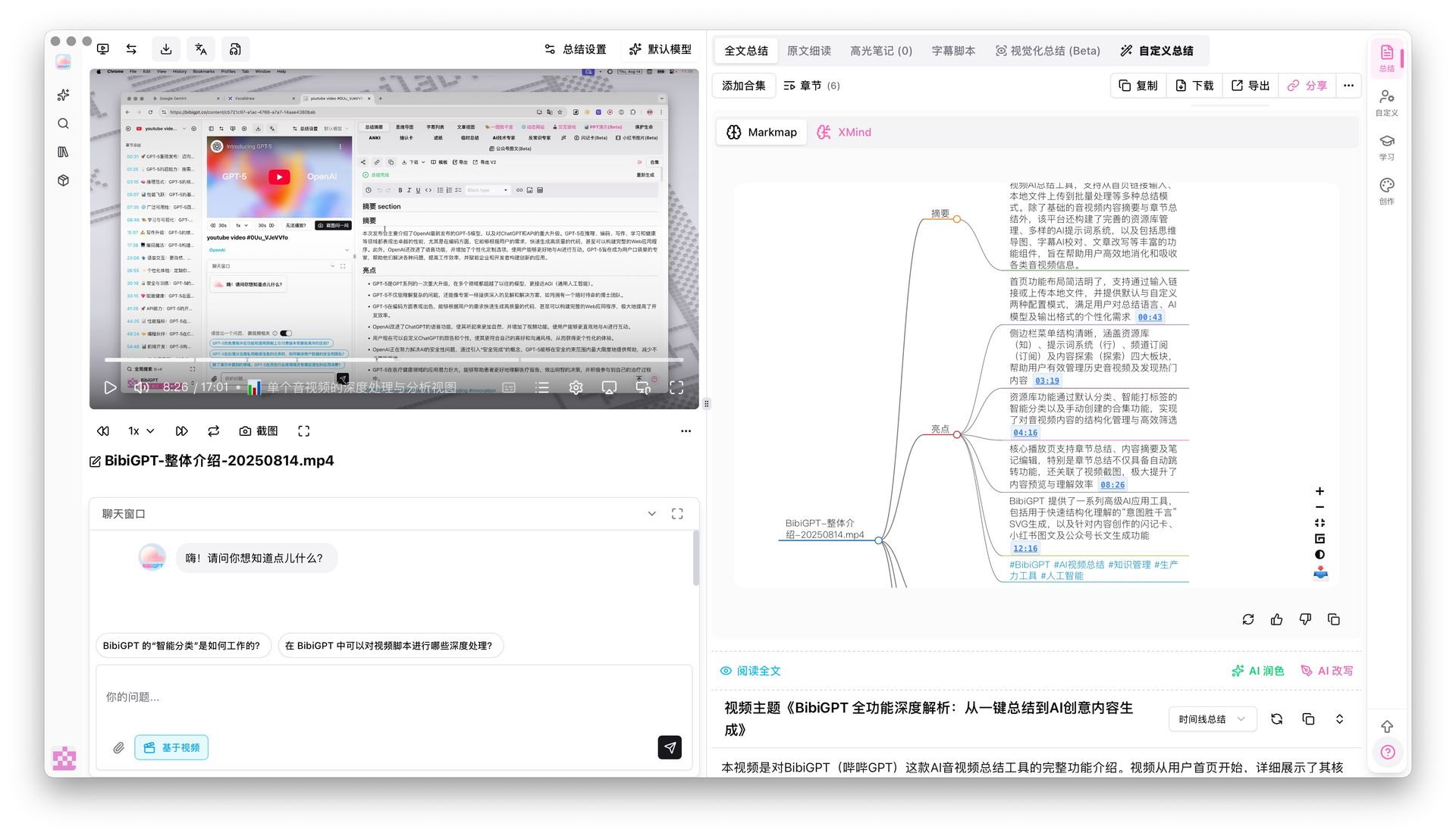
Screenshot: BibiGPT · mind map timestamp-jump feature demo
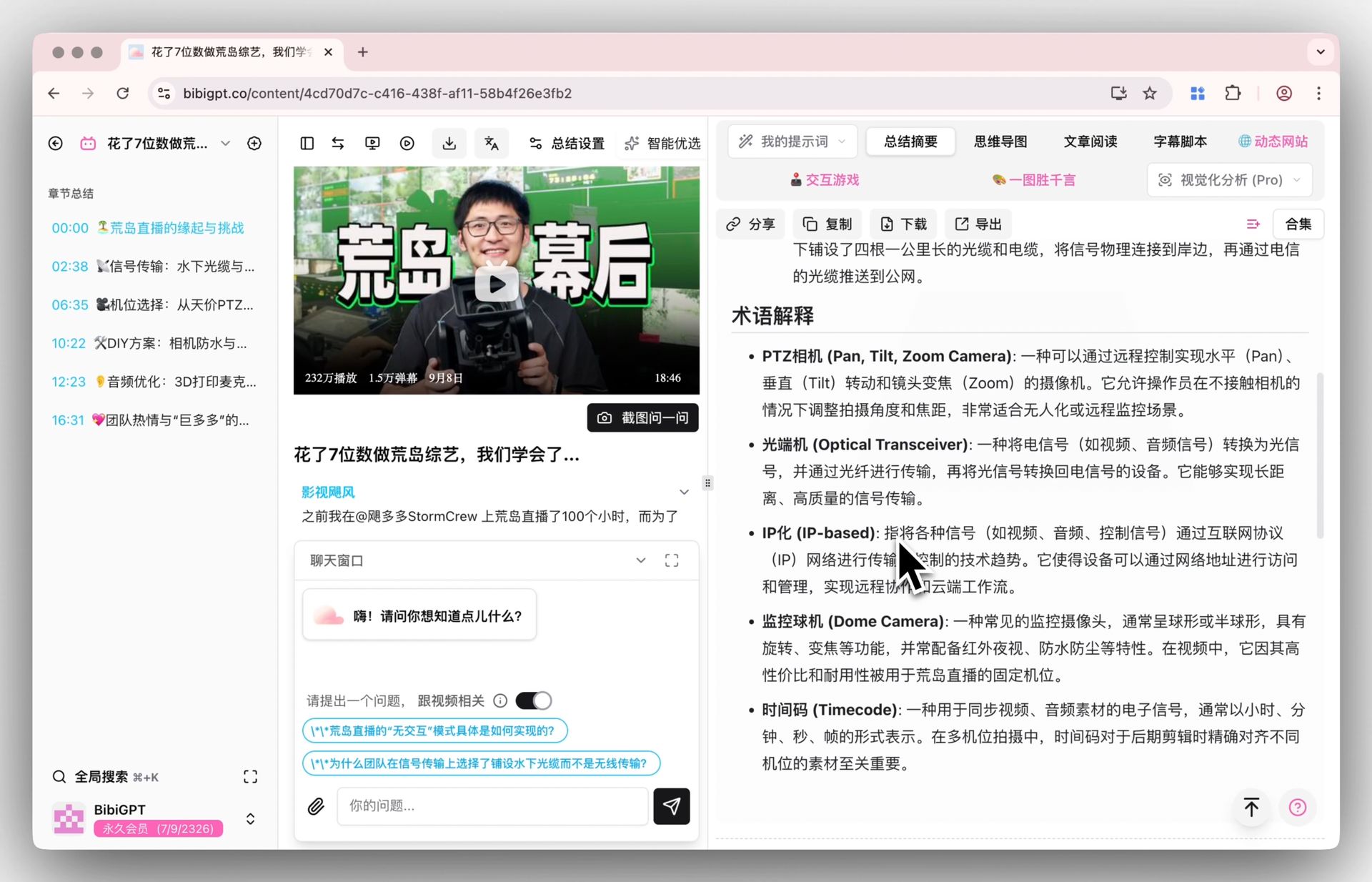
This is exactly why purpose-built tools like BibiGPT video summaries and podcast summaries exist: they aren’t chasing “smarter,” they’re paving the “link in, usable output out” path so it’s fast and reliable.
Kimi K2.6 vs. BibiGPT, Point by Point
Both are “AI plus video,” but their positioning is essentially orthogonal. Here’s a side-by-side comparison focused on what you actually get when you paste in a single link:
| Dimension | Kimi K2.6 | BibiGPT |
|---|---|---|
| Positioning | General-purpose LLM + agent framework | Dedicated AI audio/video assistant |
| Input method | Upload a video file / paste a link and ask | Paste a platform link for one-click processing |
| Platform coverage | Web pages, some Bilibili videos (via extension) | 30+ platforms including YouTube, Bilibili, podcasts, Douyin, TikTok, Xiaohongshu |
| Transcription | Relies on model comprehension, no dedicated subtitle output | Automatic subtitle extraction and transcription |
| Timestamps | No structured timestamps | Timestamped, clickable jump-to points |
| Mind maps | None | Generated with one click, expandable |
| Traceable follow-up | Ordinary conversation | Follow-up answers point back to source segments |
| Subtitle translation | Relies on the model to translate text | Bilingual subtitles, translation, and burn-in |
| Visual analysis | Native multimodal understanding | Visual scene analysis generating illustrated highlights |
| Best for | Developers, agent workflows, teams that want self-hosting | Creators, students, and professionals who want to get through audio/video quickly |
After seeing the comparison, why not try what “link in, summary out” actually feels like:
Summarize any video in seconds
Pick a sample below to see the AI summary — TL;DR, key points, and jump-to timestamps.
TL;DR: Karpathy builds a GPT-style language model from scratch in code, explaining every piece — from a tiny character-level model up to the full Transformer.
Key points
- Start with a bigram model, then add self-attention so tokens can "talk" to each other
- A Transformer block = multi-head attention + feed-forward + residual connections + layer norm
- Training is just predicting the next token; scale and data do the rest
- The same architecture behind nanoGPT is what scales up to ChatGPT
Jump to
- 00:07 Why build GPT from scratch
- 08:23 Self-attention, intuitively
- 1:00:00 Assembling the Transformer block
- 1:35:00 From nanoGPT to ChatGPT
Practical rule: For “building things” — writing code, running agents, self-hosting a model — Kimi K2.6 is a great choice. For “digesting audio/video” — actually understanding a video or podcast and repurposing it — pick a tool built specifically for that job, and you save real time every day.
Each tool’s strengths are clear. Kimi K2.6 wins on coding and agent orchestration, staying coherent through very long tasks, being open-source and self-hostable, offering excellent value for money, and treating video as raw material for multimodal reasoning. BibiGPT wins by fully committing to “getting through content fast” — visual scene analysis, timestamped structured summaries, mind maps, traceable follow-up questions, subtitle translation, and rewriting videos into illustrated posts or short videos. As a product that has already served over 1 million users, generated over 5 million AI summaries, and supports 30+ platforms, BibiGPT has polished this pipeline until it’s genuinely effortless to use.
Being able to trace every conclusion in a summary back to the original clip is the key to “trusting” it — the image below shows a follow-up answer with a clickable timestamp and source segment attached:
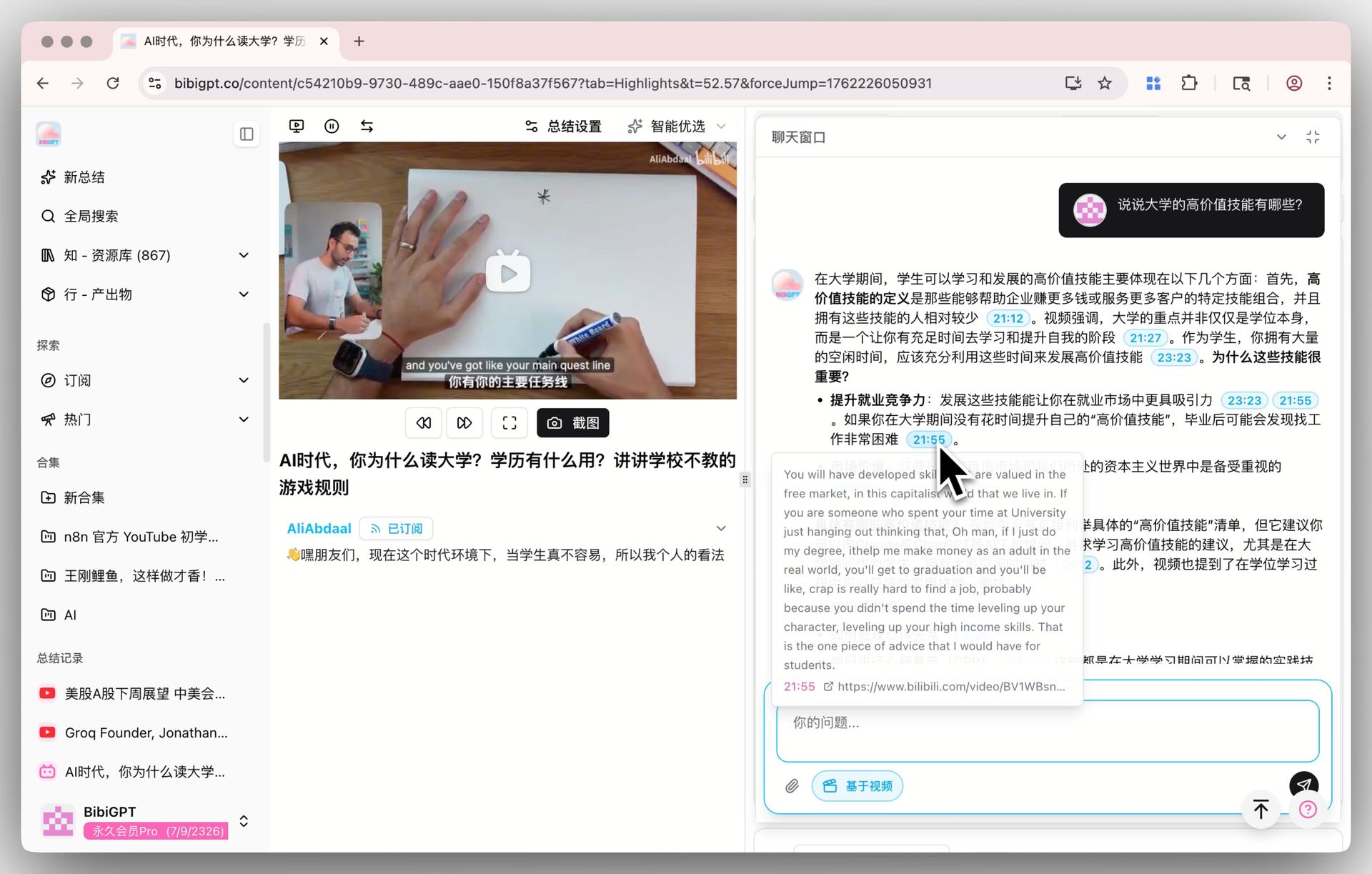
Screenshot: BibiGPT · AI video conversation and source-tracing feature demo
How Do You Summarize Any Video or Podcast with BibiGPT?
Summarizing takes three steps: paste a Bilibili, YouTube, or podcast link into the input box, click once to get a timestamped structured summary with a mind map, then ask follow-up questions, translate, or export the result. No downloads, no configuration — just paste a link and go:
- Paste a link: drop a Bilibili, YouTube, or podcast link into the input box (the same applies to Bilibili video summaries).
- One-click summary: get a timestamped, structured summary plus a mind map that lets you grasp the key points at a glance.
- Ask follow-ups, translate, or export: keep questioning the summary, generate bilingual subtitles, or export it as Markdown or an illustrated post.
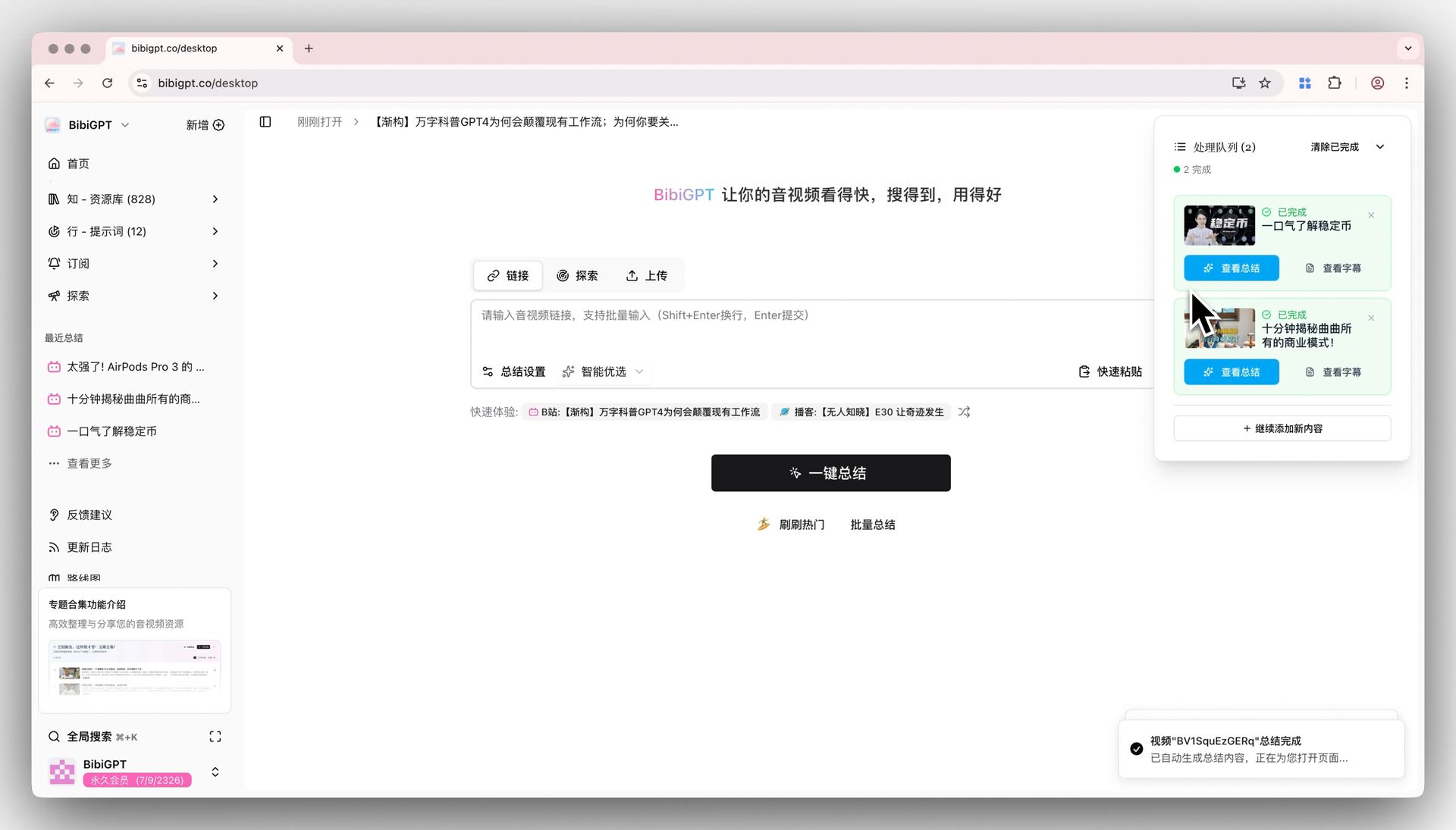
Screenshot: BibiGPT · structured summary result display
If you’d like an independent, third-party perspective on AI video summary tools, this video is a useful reference:
Video source: YouTube · a head-to-head review of AI video summary tools (independent creator)
If you just want to quickly get through a video or podcast, try BibiGPT now — paste a link, and get a usable summary in seconds.
FAQ: About Kimi, BibiGPT, and Video Summarization
Can Kimi K2.6 summarize YouTube or Bilibili videos? Kimi can understand a video file you upload, and its browser extension can summarize web pages and some Bilibili videos. But it doesn’t have a complete pipeline that lets you paste a link from any platform and automatically get subtitles plus a structured summary — cross-platform coverage and timestamp features are areas where it struggles.
Which is cheaper, Kimi or BibiGPT? They’re not really the same category of product. Kimi K2.6 is a token-billed model API (roughly $0.60 per million input tokens), aimed at developers. BibiGPT is a subscription-based audio/video assistant for end users, and its price covers the entire “link in, output out” experience — you don’t have to build the pipeline yourself.
Can Kimi produce timestamped summaries and mind maps? Not natively. What it gives you is a text answer. Timestamp jump-to links, expandable mind maps, and traceable follow-up questions are outputs from dedicated tools like BibiGPT.
I already use Kimi for coding — do I still need BibiGPT? The two needs don’t conflict. Keep using Kimi for coding and running agents; use BibiGPT when you want to quickly understand a video or podcast and repurpose it. Plenty of people use both.
What platforms and languages does BibiGPT support? It supports 30+ platforms including YouTube, Bilibili, Douyin, TikTok, Xiaohongshu, and podcasts, with output available in Chinese, English, Japanese, and Korean, plus a browser extension and a desktop client.
Conclusion: Pick the Right Tool for the Job
Kimi K2.6 is one of the most notable open-source models of 2026, especially well-suited to developers and teams that want to self-host. But “a model that can understand video” and “a product that helps you digest video” are two different things. If your goal is to get through the videos and podcasts you scroll past every day — watch them fast, find them again, and put them to good use — a dedicated assistant built for exactly that job will save you more effort than assembling a pipeline out of a general-purpose model on the fly.
Paste a link, and in seconds get a timestamped summary, a mind map, and answers you can keep questioning — that’s what BibiGPT wants to save you.
BibiGPT Team
Popular tools
More in this series
- Adobe Acrobat Student Spaces vs BibiGPT: due strade per trasformare PDF e video in podcast AI (confronto 2026 sullo studio AI per studenti)
- AI Haoji vs BibiGPT 2026 Full Comparison: Use Case, Platform Coverage, Multilingual, Mind Map Depth, Pricing — Which Should You Pick?
- Confronto strumenti generatori di PPT con IA 2026: Qwen vs Gamma vs BibiGPT vs Tome — quale è giusto per te?
- AI Video Note Taker Comparison 2026: QuickQuill vs Mufal vs Memories.ai vs BibiGPT
- Ask YouTube's Conversational AI Search Rolls Out Wider This Summer: Can It Replace Video Summary Tools? (2026 Hands-On Review)