
How to Summarize YouTube Videos Efficiently
Learn how to capture YouTube video highlights in minutes with BibiGPT. This guide walks through the workflow, answers common questions, and shows how the AI assistant saves time.
How to Summarize YouTube Videos with BibiGPT
Table of Contents
- What Is BibiGPT: An AI Built for YouTube Summaries
- Step-by-Step: Summarize a YouTube Video with BibiGPT
- FAQs
- Wrapping Up
What Is BibiGPT: An AI Built for YouTube Summaries
In the era of information overload, YouTube remains the largest video platform on the planet. With new content arriving every minute, extracting real value quickly is a real challenge. For a deeper look at why YouTube summaries matter, read Why summarize YouTube videos? Solve information overload with BibiGPT.
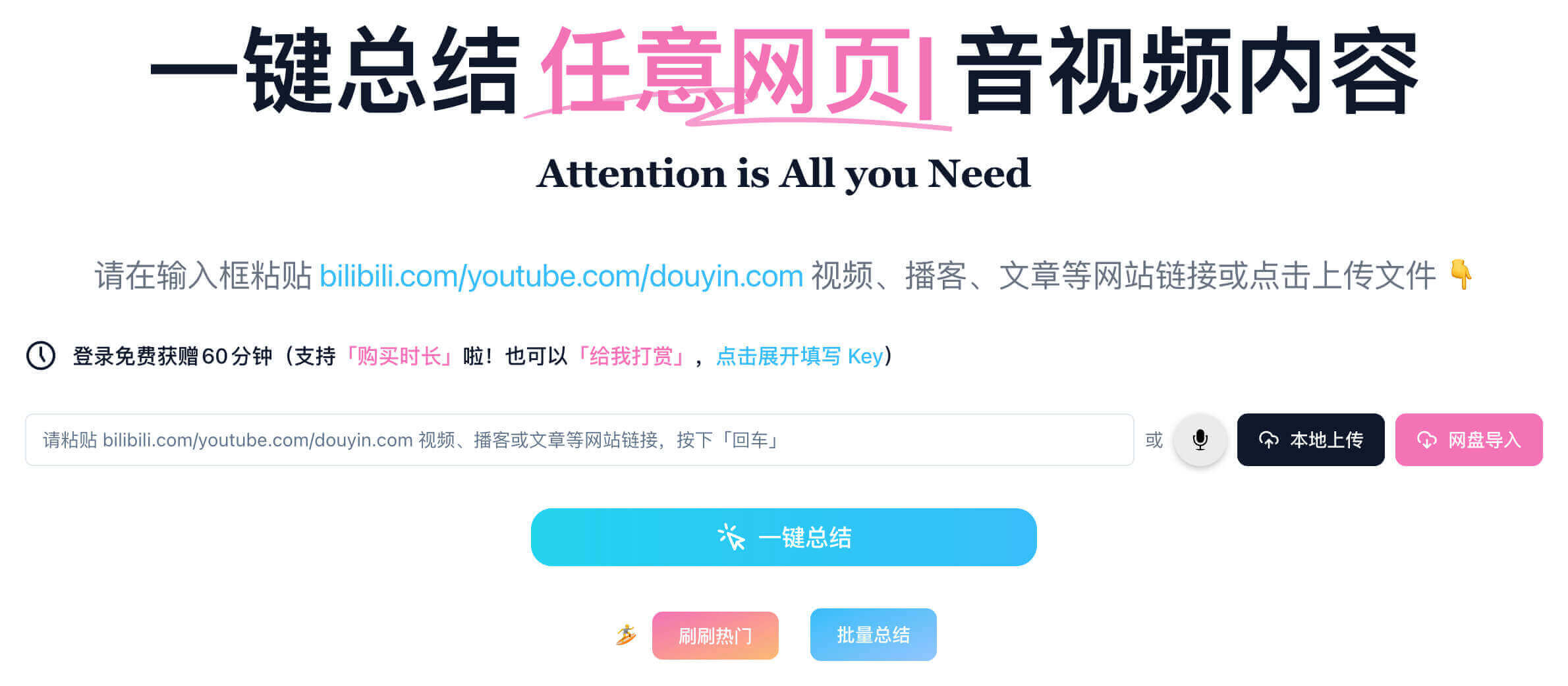 BibiGPT Homepage
BibiGPT is an AI-powered media assistant that helps you summarize YouTube videos with ease. Curious about how other AI models handle YouTube? Check out How to summarize YouTube videos with Claude AI.
Core capabilities include:
- Cross-platform coverage: Beyond YouTube, BibiGPT supports Xiaohongshu, Douyin, Kuaishou, Baidu Netdisk, Alibaba Drive, podcasts, meeting recordings, web pages, and local files.
- Flexible outputs: Generate mind maps, full transcript lists, and AI-rewritten article views with multiple large language models and personalized templates.
- Effortless experience: No complex setup. Paste a link, tap summarize, or use the WeChat assistant and iOS shortcuts to get results from anywhere.
Curious about how these features evolved—especially YouTube support and intelligent timestamps? Read BibiGPT Growth Series #2: YouTube support, smart timestamps, and Notion login.
Step-by-Step: Summarize a YouTube Video with BibiGPT
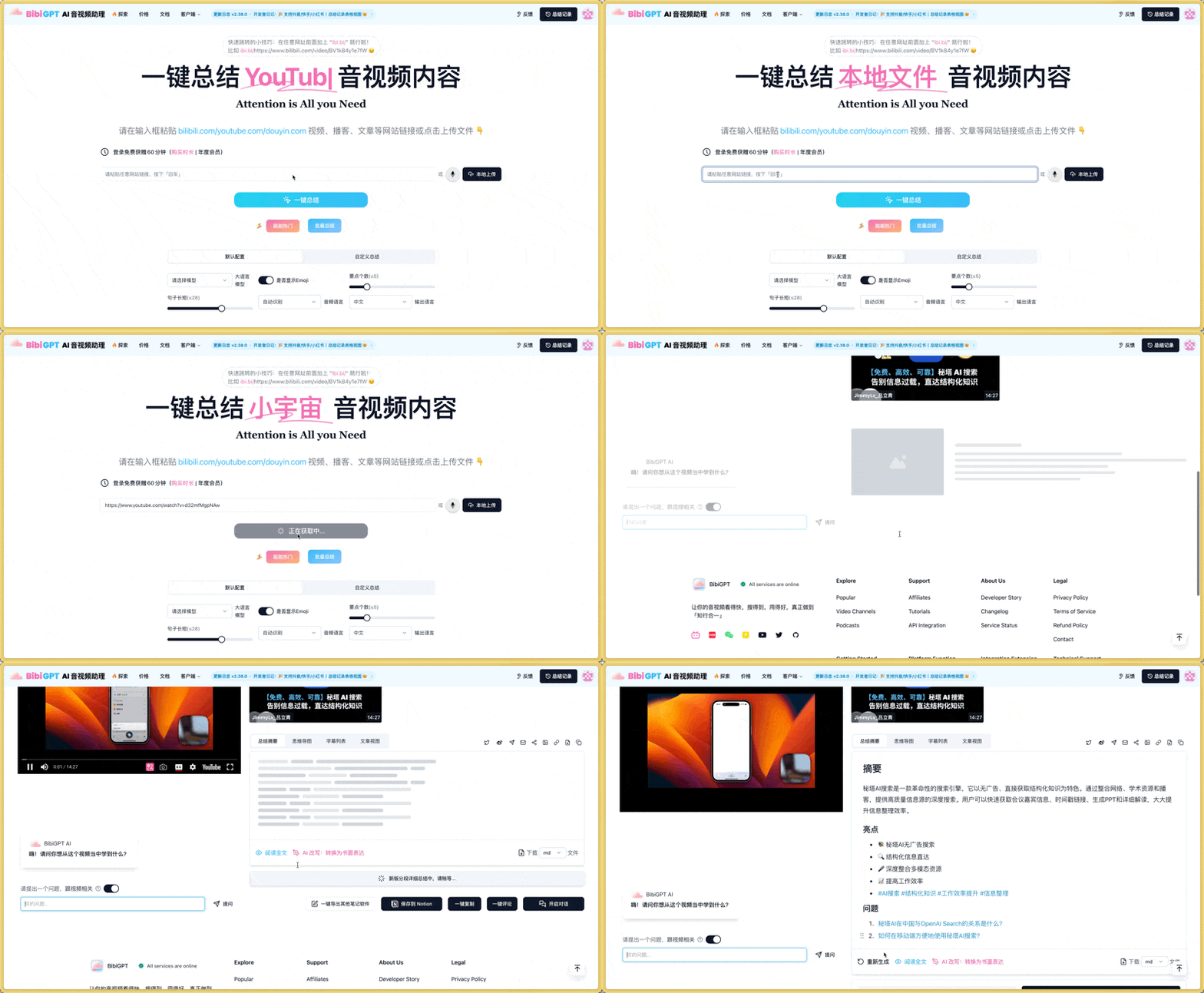 Summary Gif
Step 1: Grab the YouTube Link
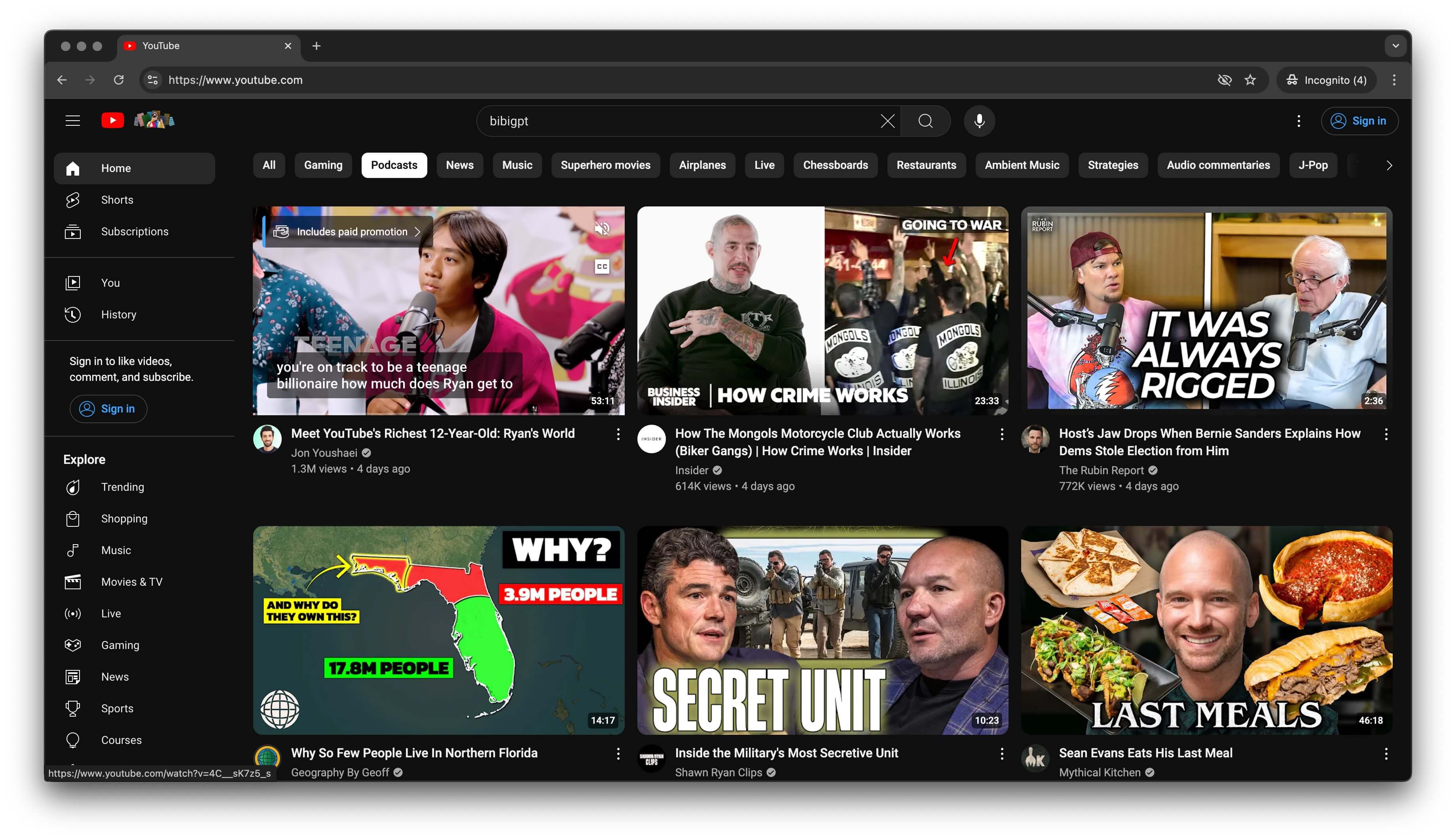
- Open YouTube and find the video you want to summarize.
- Copy the URL from the address bar.
Step 2: Launch BibiGPT
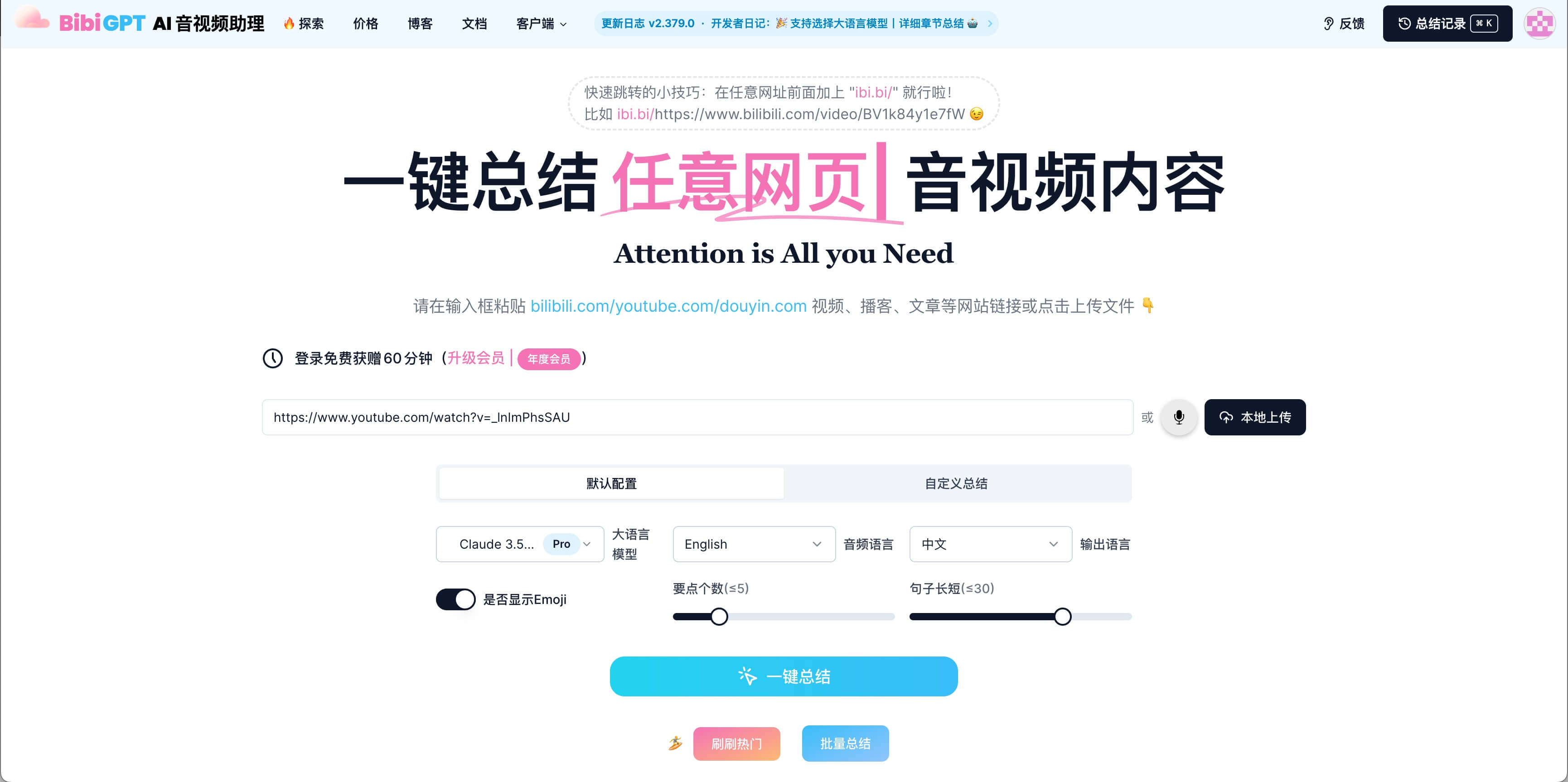
- Visit the BibiGPT website.
- Paste the URL into the input field.
- Click “Summarize” and let BibiGPT analyze the video automatically.
Step 3: Review the Summary
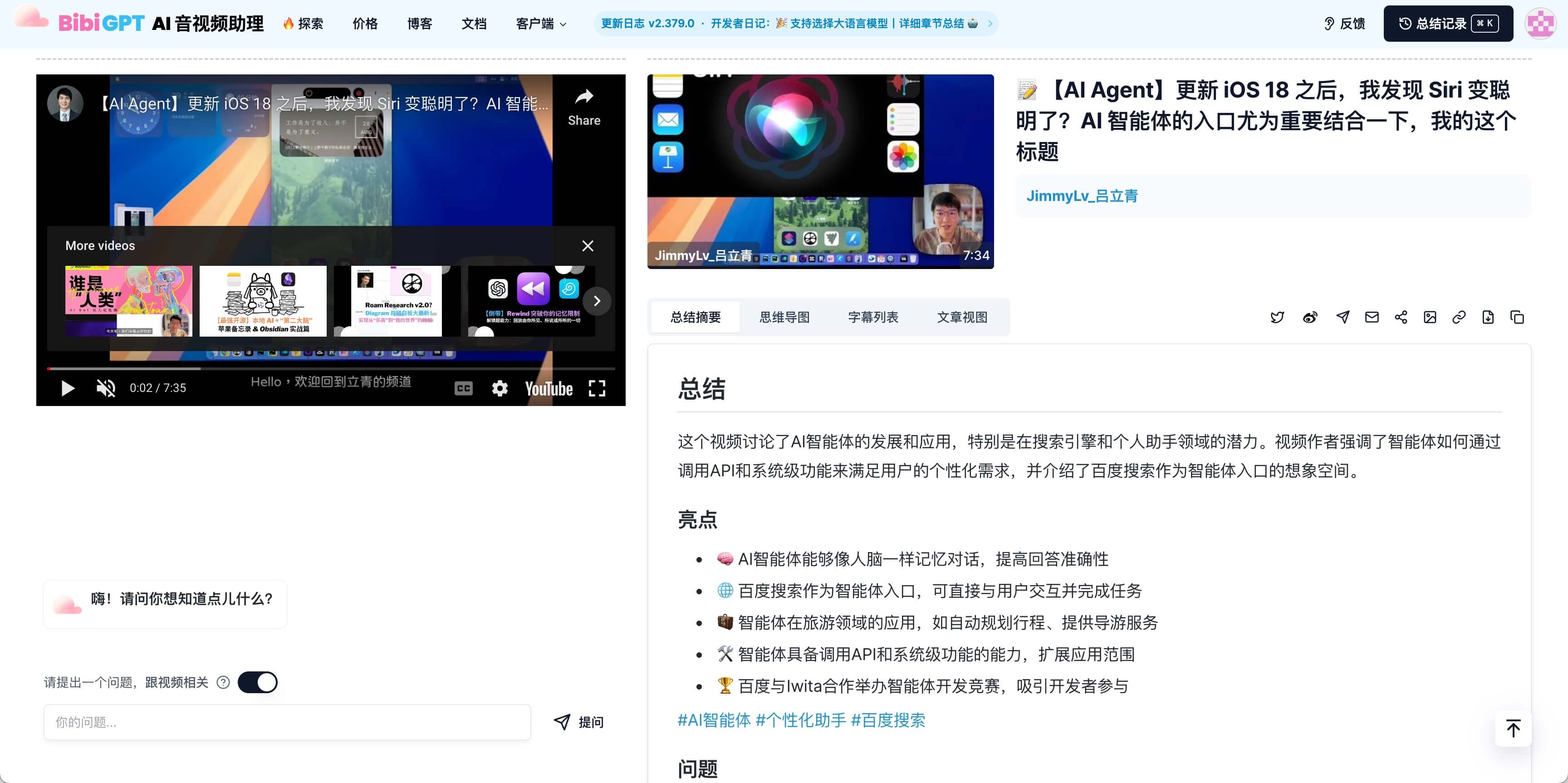
- Video analysis: BibiGPT performs speech recognition and content parsing to extract key points.
- Summary generation: It organizes the insights into concise, easy-to-read takeaways.
- Optional edits: Browse the result, tweak the text, and copy or export it as needed.
In just a few steps, you have the essentials of any YouTube video—perfect for rapid learning and research.
FAQs
Does BibiGPT support multiple languages?
Yes. BibiGPT summarizes videos in Chinese, English, and many other languages without extra configuration.
Is it safe to summarize videos with BibiGPT?
Absolutely. Data is encrypted during processing and storage, and privacy protection is built into every workflow.
Is BibiGPT free?
BibiGPT offers free trial minutes, paid subscriptions, and pay-as-you-go credits. The free tier covers core summary features; paid plans add higher speed, longer durations, and advanced options. Choose the tier that fits your workload.
How accurate are the summaries?
Advanced AI models power BibiGPT’s understanding. Accuracy can still be influenced by audio quality or noisy recordings, so providing clear source material always helps.
Wrapping Up
BibiGPT streamlines YouTube learning—whether you need a quick overview or an in-depth digest. Try BibiGPT today and make video summaries faster than ever.