Can ChatGPT Watch Videos? What the CapCut ChatGPT Plugin Changes (2026)

On 24 October 2026, CapCut posted that its new plugin is “coming soon to ChatGPT.” The post passed roughly 640,000 views within a day. The pitch is simple: start with an idea in ChatGPT, let the plugin turn it into a video, then polish it in CapCut’s web editor.
Read the replies and a different question keeps coming up. If ChatGPT can now make a video, can it finally watch one? You paste a 40-minute YouTube lecture, ask for the three key arguments, and get back a confident summary of the title and description.
Short answer: no. As of 2026-10-26, ChatGPT still cannot reliably watch a video from a link, and the CapCut plugin does not change that. CapCut covers the making half. The understanding half needs a different plugin. This page explains the gap and shows how to close it in a few minutes.
Table of Contents
- Can ChatGPT watch videos? The 2026 answer
- What the CapCut ChatGPT plugin actually does
- Why a video link is not something ChatGPT can read
- Make vs understand: CapCut and BibiGPT side by side
- Add a plugin that watches videos to ChatGPT
- One workflow: watch, understand, then edit
- FAQ
Can ChatGPT watch videos? The 2026 answer
Key answer: ChatGPT reads text, images, documents, and audio. It does not take a video link and watch it. When you paste a YouTube URL, it can at best look up the page, which gives it a title, a description, and sometimes a public transcript.
OpenAI’s own file upload guide lists documents, spreadsheets, presentations, images, and audio as supported uploads. Audio uploads need a paid plan, and an MP4 or WebM file that is detected as video is not accepted as audio. Video is not on the list.
That leaves three common failure modes:
- It summarizes the page, not the video. You get the description and the comments, rewritten as if they were the talk.
- It hits a wall. The platform needs a login, a short link redirects, or captions live behind a player API.
- It guesses. The model fills chapters with plausible content. It sounds right and has no timestamps you can check.
Practical rule: If an answer about a video has no timestamps, assume the model did not watch the video.
What the CapCut ChatGPT plugin actually does
Key answer: The CapCut plugin is a creation tool. It brings CapCut’s video editing and generation into ChatGPT, so a script or idea becomes a draft video that you can finish in CapCut’s web editor.
This is not CapCut’s first time inside ChatGPT. In July 2023, Search Engine Journal covered a CapCut plugin for the old ChatGPT plugin store. It turned a short prompt into a video with a script, voiceover, music, and subtitles. The 2026 version, announced at CapCut World LA, returns to the same idea with ChatGPT’s new plugin system.
Notice the direction of every step: text goes in, a video comes out. Nothing in that flow reads an existing video and tells you what is in it.
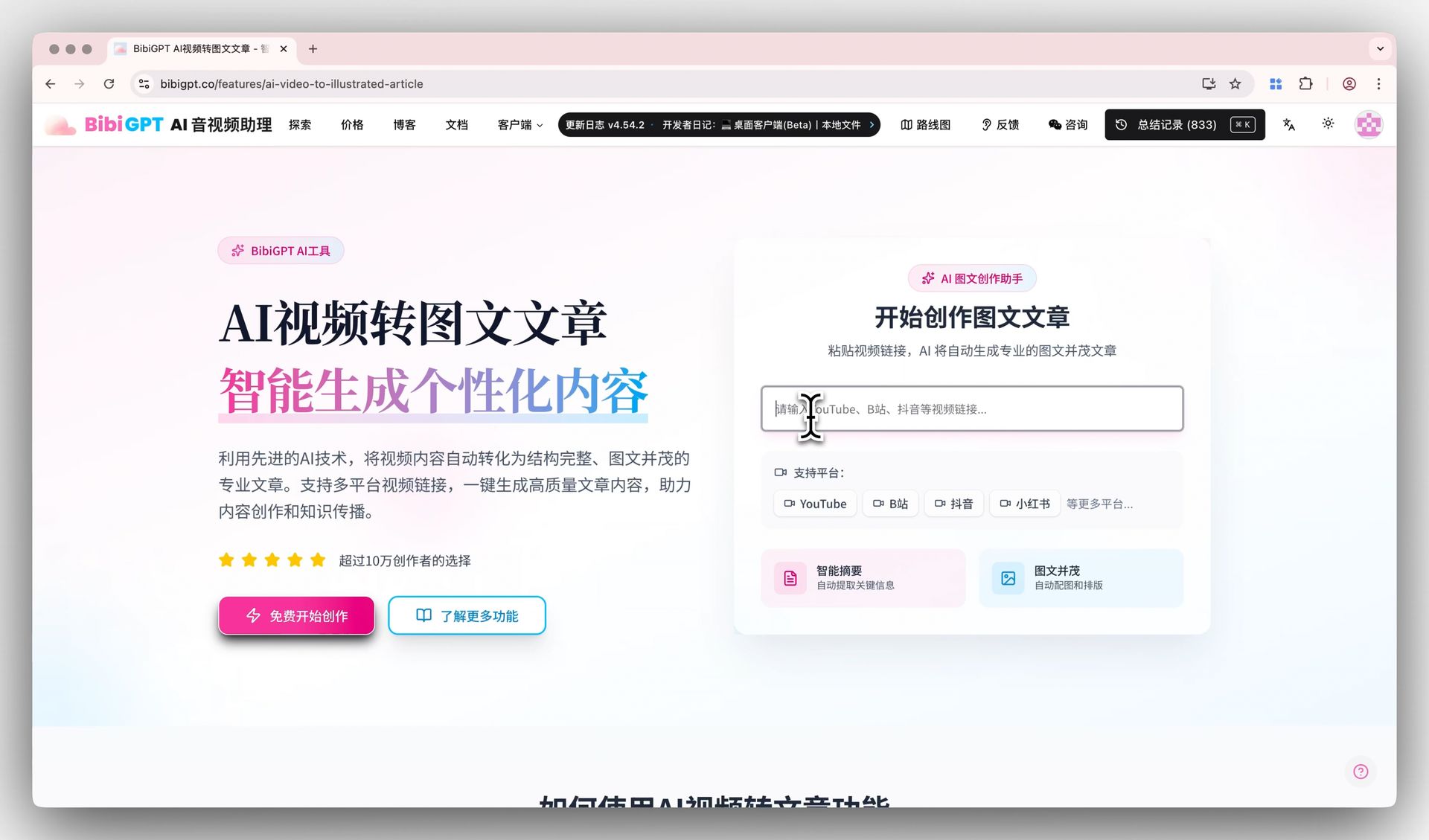
Image: BibiGPT · a video becomes a transcript and article before any writing starts
Practical rule: A creation plugin needs a script. If the script should come from a video you watched, you need an understanding step first.
Why a video link is not something ChatGPT can read
Key answer: Watching a video is an input pipeline, not a model skill. Something has to fetch captions or audio, transcribe it, find chapters, and keep timestamps. A chat model on its own does none of that.
Every platform hides the useful part differently. YouTube serves captions through its player. Bilibili and Douyin often need a signed-in session. Podcasts are audio files behind RSS feeds. A general web browser tool sees the page around the player, not the speech inside it.
This is why a better model alone does not fix the problem. The bottleneck is stable access to the file across 30+ platforms, plus a transcript you can search later. BibiGPT has built that pipeline for 1M+ users and 5M+ AI summaries, and now exposes it to AI assistants through the Model Context Protocol.
Video: get a structured summary first, then decide whether to watch the whole thing
Make vs understand: CapCut and BibiGPT side by side
Key answer: The two plugins are not competitors. CapCut turns ideas into videos. BibiGPT turns videos into text you can act on. Inside ChatGPT, one feeds the other.
| Job | CapCut plugin | BibiGPT plugin |
|---|---|---|
| Input | An idea, prompt, or script | A video or podcast link, or a local file |
| Output | A draft video to edit in CapCut | Summary, chapters with timestamps, full transcript |
| Platforms | Creates new video | YouTube, Bilibili, TikTok, X, podcasts and more |
| Typical ask | “Make a 30-second explainer” | “What are the three claims in this talk, with times?” |
| Status (2026-10-26) | Announced, coming soon | Installable today on ChatGPT / Codex desktop |
Practical rule: Ask “does this step start from a video or end with one?” Start from one: understanding plugin. End with one: creation plugin.
Add a plugin that watches videos to ChatGPT
Key answer: Install the BibiGPT plugin from the ChatGPT / Codex desktop app, sign in once, then paste any video link into the chat. The web app at chatgpt.com cannot run the installer, so use the desktop app.
The fastest path is to let ChatGPT do it. Open the desktop app, start a new conversation, and paste:
Read bibigpt.co/chatgpt to install the BibiGPT plugin and summarize my first video.The page is written as an execution contract for the assistant. It checks that you are on desktop, installs the plugin with the bundled CLI, runs the sign-in, and finishes by summarizing a demo video. If you prefer to type it yourself:
codex plugin marketplace add JimmyLv/bibigpt-skill
codex plugin add bibi@bibigpt
codex mcp login bibigpt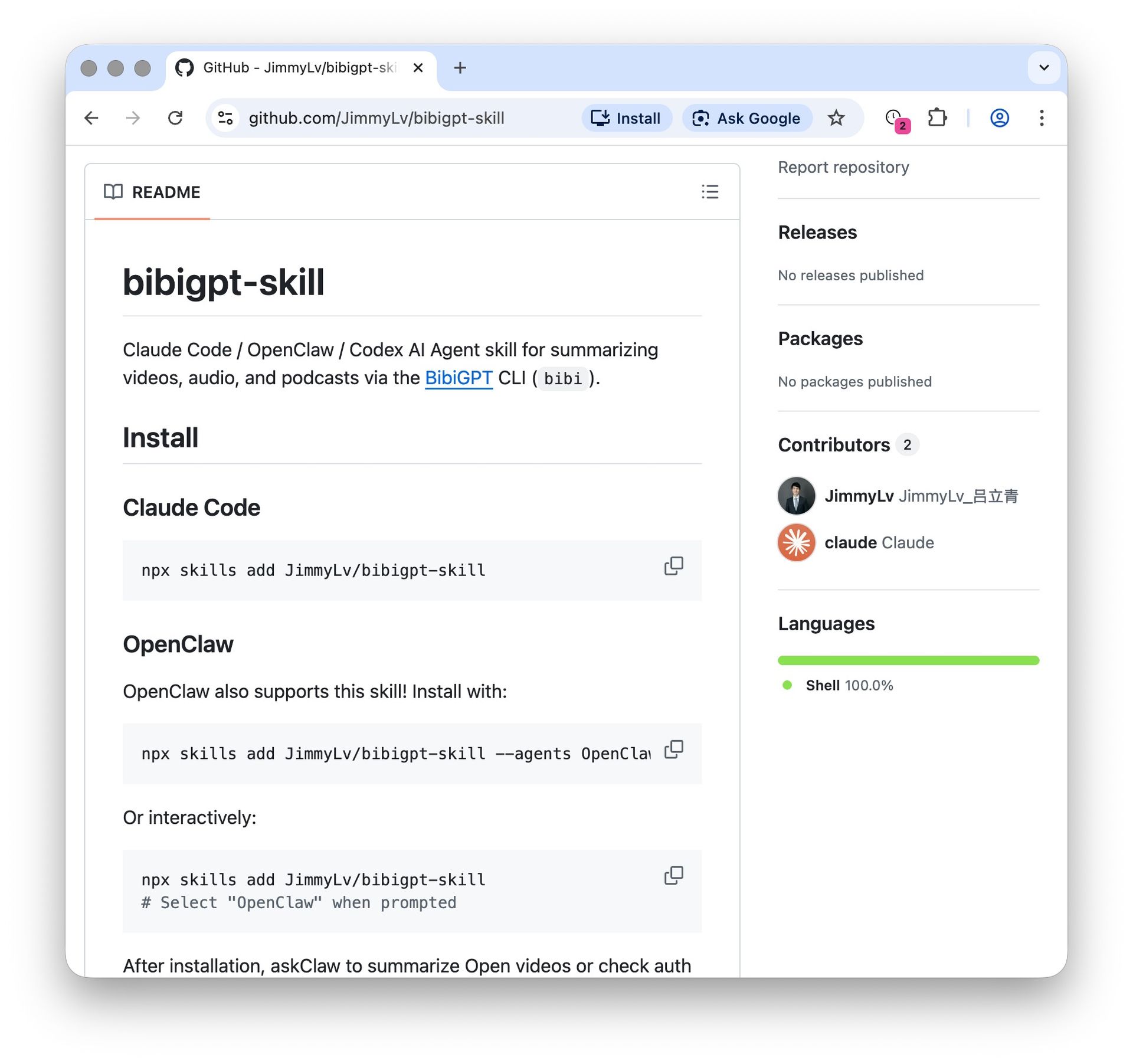
Screenshot: BibiGPT · skill install from the public repo
Full steps: install BibiGPT in ChatGPT / Codex. The plugin source is open on GitHub. If you use another assistant, the same server works at https://bibigpt.co/api/mcp; see the MCP page.
One workflow: watch, understand, then edit
Key answer: Let BibiGPT watch the source, let ChatGPT write, and let CapCut cut the result. Each tool does the job it was built for.
- Paste a link:
Summarize this video with chapters: <url>. Check two timestamps against the source. - Ask ChatGPT to turn the chapters into a 60-second script, keeping the original quotes.
- When CapCut’s plugin ships, hand that script to it for a first cut.
- Next time, search what you already summarized instead of re-watching.
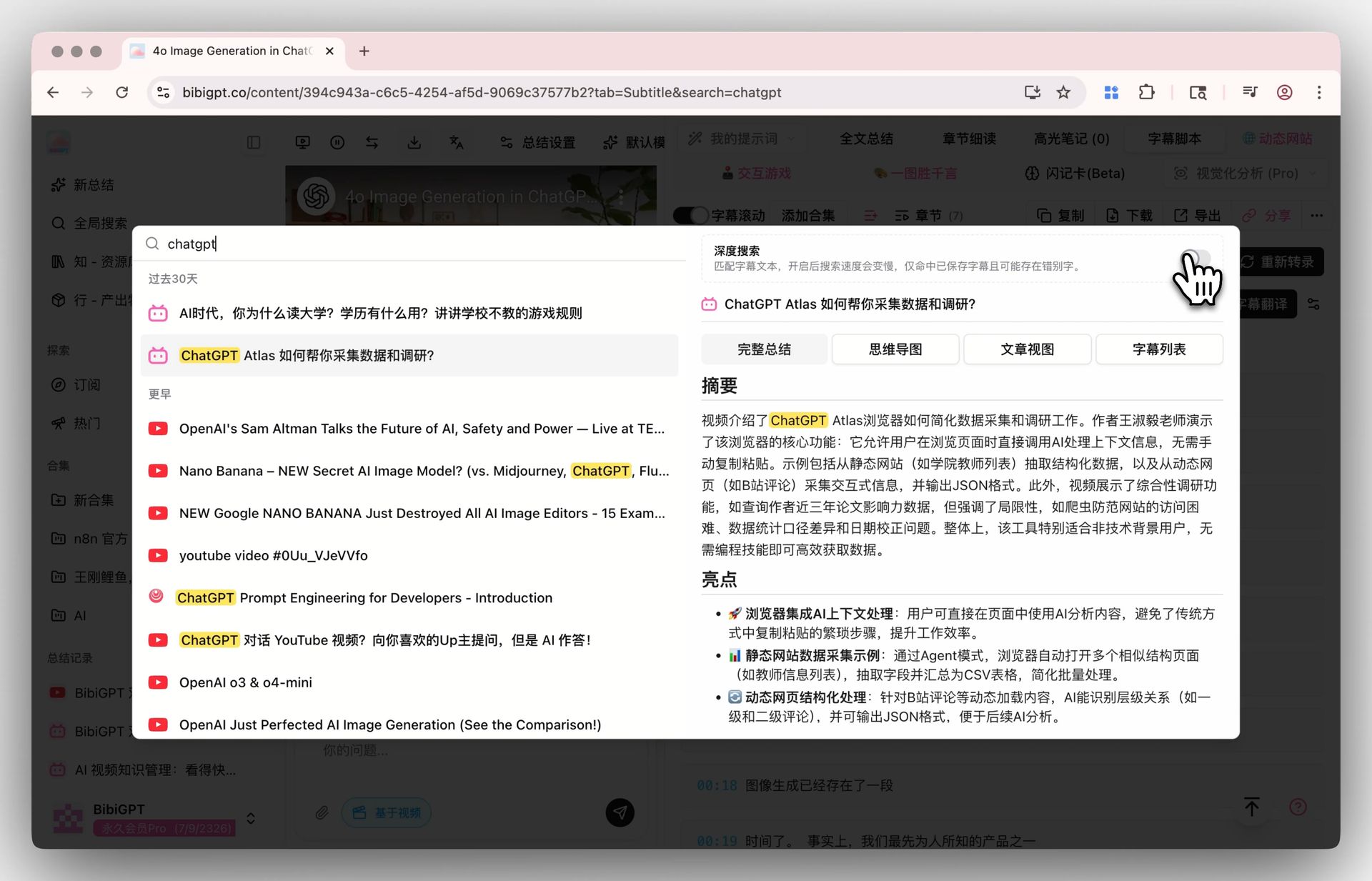
Screenshot: BibiGPT · searching a saved transcript
Want to try the watching step without installing anything? Paste a link here:
Summarize any video in seconds
Pick a sample below to see the AI summary — TL;DR, key points, and jump-to timestamps.
TL;DR: Karpathy builds a GPT-style language model from scratch in code, explaining every piece — from a tiny character-level model up to the full Transformer.
Key points
- Start with a bigram model, then add self-attention so tokens can "talk" to each other
- A Transformer block = multi-head attention + feed-forward + residual connections + layer norm
- Training is just predicting the next token; scale and data do the rest
- The same architecture behind nanoGPT is what scales up to ChatGPT
Jump to
- 00:07 Why build GPT from scratch
- 08:23 Self-attention, intuitively
- 1:00:00 Assembling the Transformer block
- 1:35:00 From nanoGPT to ChatGPT
For more on pairing chat assistants with video, see how to summarize YouTube videos with ChatGPT and BibiGPT and the OpenClaw + BibiGPT skill page.
- 🧩 ChatGPT / Codex install: bibigpt.co/chatgpt
- ▶️ Summarize in the browser: paste a YouTube or Bilibili link
FAQ
Can ChatGPT watch a YouTube video if I paste the link?
A: Not reliably. It may read the page title, description, or a public transcript, but it does not play the video. A plugin such as BibiGPT fetches the captions or audio and returns a timestamped summary.
Does the CapCut ChatGPT plugin summarize videos?
A: No. It is built to create and edit videos from prompts. As of 2026-10-26 it is announced as coming soon; summarizing an existing video is a different job.
Can I upload an MP4 to ChatGPT instead?
A: OpenAI’s upload guide lists documents, images, and audio, not video. Turning the video into a transcript first is the dependable route, and it keeps timestamps.
Does this work on chatgpt.com in the browser?
A: The installer needs the ChatGPT / Codex desktop app or a terminal. Without installing anything, you can still summarize in the browser at bibigpt.co and paste the result into ChatGPT.
Which platforms can the BibiGPT plugin watch?
A: YouTube, Bilibili, TikTok, X, podcasts, and 30+ platforms in total, plus local audio and video files.
BibiGPT Team
Popular tools
More in this series
- AI Competitive Intelligence Workflow: Build Industry Monitoring with BibiGPT Video Summaries
- Lessons From Shipping BiliGPT: Two Cold-Start Growth Tactics Behind a GPT-3 Side Project
- [BibiGPT Growth Series] Episode 1 | How AI Summaries for Bilibili Were Born
- BibiGPT Advanced Guide 2026: Download + AI-Summarize Videos from WeChat Channels, RedNote, TikTok, and Enterprise Intranet Sites
- Chat with Any Video: How to Ask AI Questions About Videos Instead of Watching the Whole Thing (2026)