AI Video to Article Generator: Complete 2026 Guide (BibiGPT Walkthrough)
AI Video to Article Generator: Complete 2026 Guide (BibiGPT Walkthrough)
Last updated: 2026-05-18
100-word direct answer: As of Q2 2026, “video to article” has evolved from “manually transcribe captions and reformat” into “paste link → AI generates a publishable draft.” This guide unpacks the full BibiGPT video-to-illustrated-article workflow, plus where OpusClip / Notta / Otter.ai sit on the same map. From a 1-hour video to a publishable Newsletter / blog / Medium article in 30 minutes.
5 User Scenarios (Pick Your Profile First)
| Your role | Primary scenario | Jump to |
|---|---|---|
| Newsletter / blog writer | Industry conference videos → recap longreads | Newsletter scenario |
| Social media creator | Short videos → image-text posts | Social scenario |
| Batch content publisher | Multi-source video library → content matrix | Batch scenario |
| Enterprise content ops | Customer interviews / launches → case articles | Enterprise scenario |
| Learning notes producer | Lectures / podcasts → structured reading material | Learning scenario |
Why Video to Article Became a 2026 Necessity
Three forces turned “AI video to article generator” from optional to required:
- Content explosion: YouTube, podcasts, online courses, livestreams pump out endless information — but text is still the SEO and search battlefield. Video → article is how creators “broadcast” video content into text-reading territory
- AI maturity: From transcription to structured rewriting, 2025–2026 LLMs with long context and multimodal capabilities now handle 1–3 hour videos reliably
- Platform algorithm shifts: Newsletters, Medium, Substack, and Chinese platforms like WeChat Public and Xiaohongshu all weight “original longread + structured headlines” higher — which is exactly what AI video-to-article tools produce
Practical rule: “AI video to article” isn’t dumping the transcript. It’s restructuring information for reading cadence, not listening cadence.
The Full Workflow (4 Steps)
Whatever tool you use, a reliable workflow looks like this:
- Parse the video: transcribe + extract keyframes
- Structure: chapter by topic, generate outline
- Rewrite: spoken → written, optimized for the target platform’s voice
- Illustrate + format: insert keyframes, generate cover, format for the platform
Here’s how BibiGPT does it.
Step 1: Paste the Video URL (30 seconds)
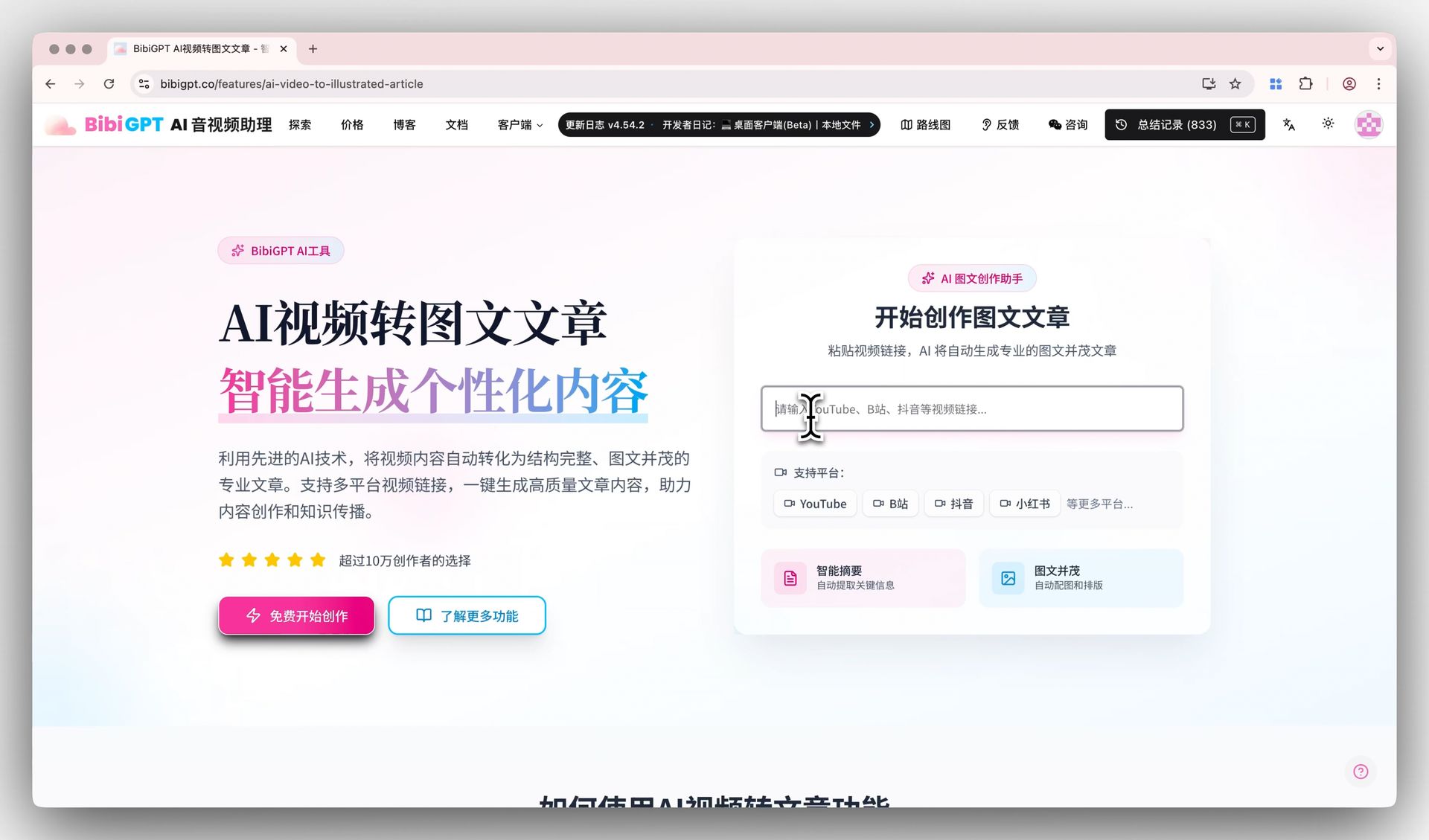
Open BibiGPT and paste any URL — YouTube / Bilibili / TikTok / Xiaohongshu / Apple Podcasts / Spotify / Coursera / etc. BibiGPT supports 30+ mainstream audio-video platforms, and local video files upload directly.
Step 2: AI Transcription + Chapter Segmentation (2–5 minutes)
BibiGPT’s transcription engine automatically:
- Recognizes speech and produces subtitles (English / Chinese / Japanese / Korean / French / Spanish, etc.)
- Splits content by topic (Chapter Deep Reading)
- Extracts keyframes (slide frames, captions, key visuals)
- Generates timestamped jump points
Step 3: Pick the Output Format (Video to Illustrated Article)
Open Video to Illustrated Article and select your target format:
- Newsletter / Substack: 600–1200 words, insight-driven and clean
- Medium / Blog longread: 1500–4000 words, argumentation-heavy with H2 structure
- Twitter/X thread: 8–15 tweets with hooks and proof points
- LinkedIn article: 800–1500 words, professional tone with takeaways
Step 4: Human Polish + Publish
AI doesn’t do the last 5% for you. You still:
- Verify facts and numbers
- Strengthen the opening hook (AI defaults to safe openings — you usually want sharper)
- Add personal opinion / industry judgment
- Pick the cover image
Practical rule: AI video-to-article tools save 80% of the manual labor (transcription + structuring + first draft). The final 20% of value-add is still yours.
Scenario 1: Newsletter / Longread — From Keynote to Recap Article
Newsletter readers expect 600–1200 words of insight + industry judgment. The BibiGPT workflow:
- Paste an industry keynote video URL (e.g., OpenAI DevDay, Apple WWDC, Google I/O)
- Wait for BibiGPT chapter summaries
- Open Video to Illustrated Article, pick “Newsletter”
- AI generates the draft → you add your industry take → publish
Real example to reference: Articles like OpenAI GPT-Realtime-2 Trio Deep Dive start from OpenAI launch keynote videos + doc links.
Decision filter: The bottleneck for Newsletter longreads isn’t writing — it’s “watching the source video + organizing the argument.” AI video-to-article compresses that from 2 hours to 15 minutes.
Scenario 2: Social Image-Text Posts — From Short Video to Shareable Post
Image-text social platforms (Xiaohongshu, Instagram carousels, LinkedIn carousels) reward: hook headline + emoji + 6–9 images + short paragraphs. AI video-to-article’s value here:
- Extract video keyframes as image assets (Free Online Video Frame Extractor)
- Rewrite voice: spoken/formal → social style (emoji, exclamation marks, short paragraphs)
- Generate multiple title candidates for A/B testing
See the social-post templates in Video Content Repurposing — 5 Formats.
Scenario 3: Batch Content — From Video Library to Content Matrix
If your channel already has a library (100+ videos), BibiGPT’s Batch Summary Export can:
- Transcribe every video in bulk
- Cluster by topic
- Surface content matrix gaps (which topics you’ve covered, which are missing)
Practical rule: For batch creators, “AI video to article” pays off not just per-piece — it lets you see the shape of your entire content library.
Scenario 4: Enterprise Content — Customer Interviews + Launches
Common enterprise video sources:
- Customer interview recordings → case study articles
- Product launch recordings → press releases + sales enablement
- Internal training videos → SOP documents
- CEO livestream / speeches → thought leadership posts
BibiGPT’s multilingual support lets global teams use it directly — one customer interview produces English / Chinese / Japanese / Korean versions simultaneously.
Scenario 5: Learning Notes — From Lectures to Structured Reading Material
The most common learner scenarios:
- YouTube / Coursera lectures → structured notes
- Academic talk videos → paper-style summaries
- Podcasts / long interviews → knowledge cards
Reference: Video Learning Science System with BibiGPT.
Competitive Landscape: BibiGPT vs OpusClip / Notta / Otter.ai
Each tool has a distinct position:
| Tool | Core position | Video-to-article capability |
|---|---|---|
| BibiGPT | AI audio-video assistant + content production loop | ✅ Full pipeline (transcribe → structure → rewrite → illustrate) |
| OpusClip | Video editing (long → short clips) | ⚠️ Video-to-video focus, weak text output |
| Notta | AI transcription | ⚠️ High transcription accuracy, lacks structured rewrite |
| Otter.ai | Meeting transcription + enterprise search | ⚠️ Strong in meetings, weak in Newsletter / blog content |
| Veed.io | Video editing + caption generation | ⚠️ Editing-first, article generation is weak |
Decision filter: If your core need is “video → article” (not “video → short clips” or “video → transcript only”), BibiGPT has the most complete end-to-end coverage.
Full breakdown: OpusClip vs BibiGPT 2026 Comparison.
FAQ
Does the generated article count as original content?
AI drafts are “secondary creation from source material” — not plagiarism by default, but we strongly recommend layering in your personal opinion, industry judgment, and supplementary cases before publishing. That’s where real originality lives.
Can I publish the AI output directly?
No. AI video-to-article outputs are 80% drafts. The remaining 20% — fact-check, sharpen the hook, add personal interpretation, scan for sensitive terms — is still on you.
Are there length limits?
BibiGPT has no hard limit on video length. 5-minute shorts and 3-hour interviews both work. Long videos auto-chapter and produce structured output.
Which platforms are supported?
BibiGPT supports 30+ mainstream audio-video platforms, including YouTube, Bilibili, TikTok, Xiaohongshu, podcasts (Apple Podcasts / Spotify / Xiaoyuzhou), Coursera, and online course platforms. Local files (MP4, MOV, MP3, etc.) upload directly.
Can I customize the article style?
Yes. Video to Illustrated Article ships preset styles for Newsletter / blog / Medium / social. For finer control, use Chat With Video to give BibiGPT a custom style prompt.
How do I handle illustrations?
Free Online Video Frame Extractor pulls any keyframe from the source video. BibiGPT also auto-selects chapter representative frames as illustration candidates.
Wrap-Up: The “Knowing-and-Doing Assistant” Loop for Video-to-Article
Video-to-article isn’t AI replacing writing — it’s AI translating video content into the language of text reading, freeing creators to spend energy on judgment, interpretation, and added value rather than manual labor.
The full loop:
- Source: 30+ platform links / local files
- Parse: BibiGPT transcribes + chapters + extracts keyframes
- Rewrite: Video to Illustrated Article produces platform-style drafts
- Polish: you add the opinion and personality
- Publish: Newsletter / Medium / Substack / LinkedIn / Twitter thread
BibiGPT has served over 1 million users with over 5 million AI summaries. Paste your first video link — a publishable draft in 30 minutes is the new floor for content creators in 2026.
Further reading: