ElevenLabs Scribe v3: What 27% Fewer Errors Means for Transcribing Videos, Podcasts and Meetings (2026)

ElevenLabs Scribe v3: What 27% Fewer Errors Means for Transcribing Videos, Podcasts and Meetings (2026)
Short answer: On 2026-11-10 ElevenLabs released Scribe v3 (recorded audio) and Scribe v3 Live (realtime). By ElevenLabs’ own benchmark, Scribe v3 makes 27% fewer word errors than Scribe v2 across 102 languages, and 17% fewer speaker-labeling errors on recordings with three or more speakers. If you transcribe podcasts, interviews or meetings, that is a real step up. If you just want a transcript of a video or audio file today, you do not need an API key to get one.
Every number below comes from ElevenLabs’ launch post and pricing page, checked on 2026-11-20. These are vendor-run benchmarks, not independent tests, and we have not re-run them.
Table of Contents
- What ElevenLabs shipped
- What 27% fewer errors means in practice
- Speaker labels and realtime
- What it costs and how to call it
- Getting a transcript from a link or file
- Which route to pick
- FAQ
What ElevenLabs shipped
There are two models, and they solve different problems:
| Scribe v3 | Scribe v3 Live | |
|---|---|---|
| Use | Recorded audio and video files | Realtime audio, voice agents |
| Accuracy claim | 27% fewer word errors than Scribe v2 (102 languages, FLEURS) | 43% fewer semantic word errors than Scribe v2 Realtime (102 languages) |
| Speaker labels | 12% fewer diarization errors than v2 overall | Diarization for the first time in a realtime model |
| API model ID | scribe_v3 | scribe_v3_live |
| Price per hour of audio | $0.20 | $0.22 |
Existing Scribe v2 integrations switch by changing the model ID. Both models are also the default in the ElevenLabs app.
Practical rule: Scribe v3 is the one that matters for files you already have. Scribe v3 Live is for building voice agents and live captions, and does not change how you transcribe a saved podcast.
What 27% fewer errors means in practice
A percentage drop is hard to feel, so use ElevenLabs’ own worked example: a one-hour meeting at 150 words per minute is about 9,000 words. The gap between a 4% and a 2% word error rate is 180 wrong words, roughly three for every minute someone talks.
The gains are not even across languages. On the same FLEURS benchmark, ElevenLabs reports:
- German improved by 42%, Spanish by 35%, English by 23%.
- Harder languages gained too: Swahili by 34%, Tamil by 29%, Thai by 28%.
- Scribe v3 improved in every one of the 102 languages tested.
Practical rule: Errors cluster in names, numbers, acronyms and jargon, which are the words a summary or a meeting note needs most. A lower error rate matters more for an earnings call than for a casual podcast.
FLEURS is short, clean read speech. Real recordings with crosstalk and background noise are harder, which is why ElevenLabs also built its own dataset of meetings, agent calls and voice notes in 16 languages for the speaker tests. They say they will open source it, but it is not public yet.
Speaker labels and realtime
For meetings, who said it matters as much as what was said.
- Recorded audio: Scribe v3 has 12% fewer diarization errors than Scribe v2 overall, and 17% fewer on recordings with three or more speakers.
- Realtime: On the English part of ElevenLabs’ 16-language dataset, Scribe v3 Live has a 3.1% diarization error rate, against 5.9% to 7.3% for the other realtime models it tested.
- Control: Keyterm prompting accepts up to 1,000 terms you know will come up, such as brand names and acronyms. A number-format option returns digits or words.
A one-point diarization error in a one-hour meeting is about 36 seconds of speech under the wrong name, by ElevenLabs’ own arithmetic.
What it costs and how to call it
At $0.20 per hour of audio, a 10-hour podcast archive costs about $2 in API fees. The real cost is the code around it: uploading files, chunking long audio, turning word timings into subtitles, and handling errors. The model call is the small part.
# Scribe v3 for a recorded file: change the model ID, keep the rest
model_id=scribe_v3
That one-line change is the official upgrade path from Scribe v2. For a single video you found on YouTube or a podcast episode, a developer account is more setup than the job needs.
Getting a transcript from a link or file
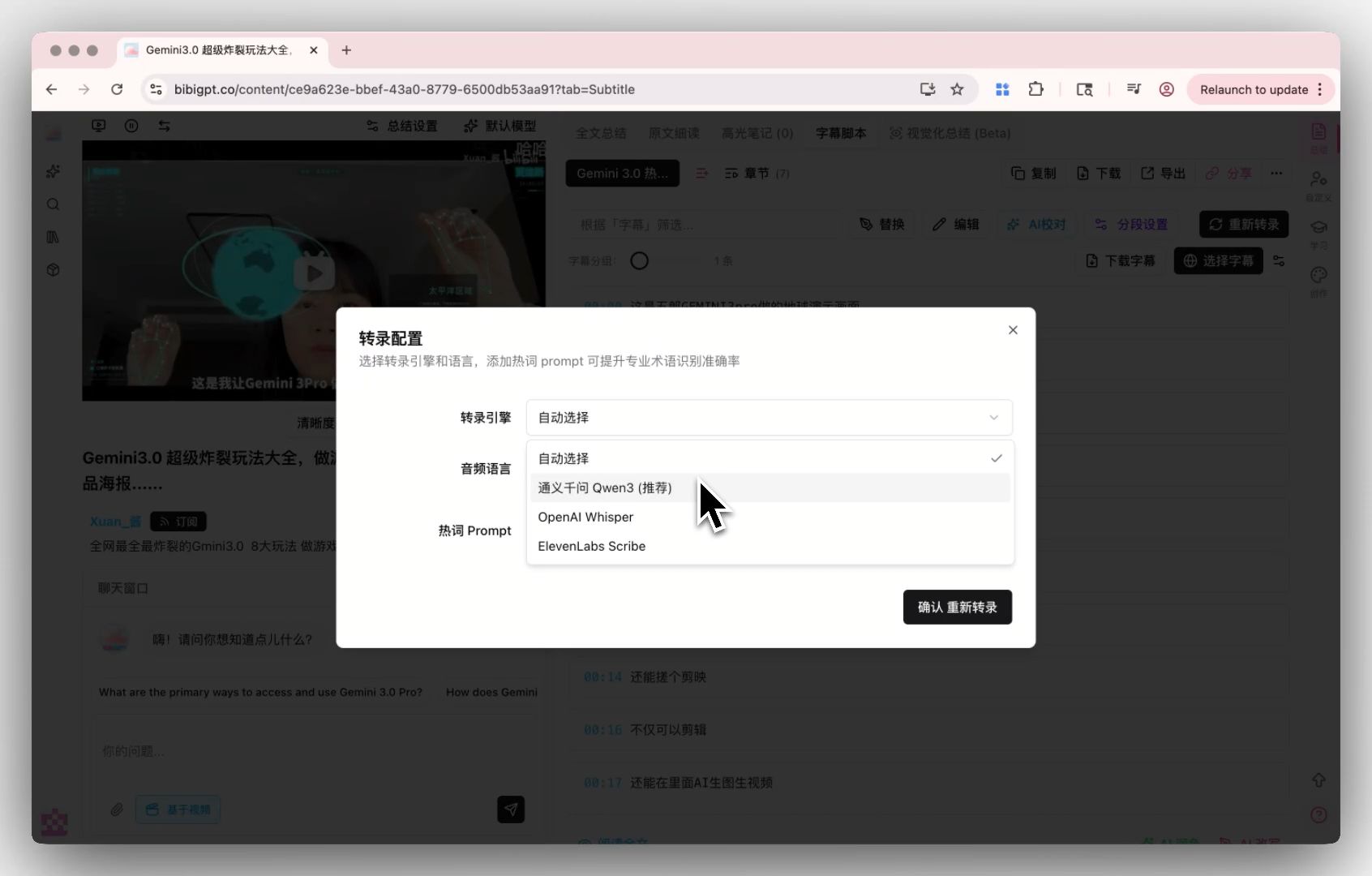
For one-off jobs there is a shorter path: paste the link into BibiGPT, or use the YouTube transcript generator. You get a timestamped transcript, a chapter summary and exports, and you can ask follow-up questions about the content.
This article is not a claim that BibiGPT runs Scribe v3. The point is narrower: a new speech model does not change the steps you take to turn a link into a usable transcript.
Summarize any video in seconds
Pick a sample below to see the AI summary — TL;DR, key points, and jump-to timestamps.
TL;DR: Karpathy builds a GPT-style language model from scratch in code, explaining every piece — from a tiny character-level model up to the full Transformer.
Key points
- Start with a bigram model, then add self-attention so tokens can "talk" to each other
- A Transformer block = multi-head attention + feed-forward + residual connections + layer norm
- Training is just predicting the next token; scale and data do the rest
- The same architecture behind nanoGPT is what scales up to ChatGPT
Jump to
- 00:07 Why build GPT from scratch
- 08:23 Self-attention, intuitively
- 1:00:00 Assembling the Transformer block
- 1:35:00 From nanoGPT to ChatGPT
Demo: paste a link, get a timestamped summary and transcript.
Video: paste one link and get timestamped key points.
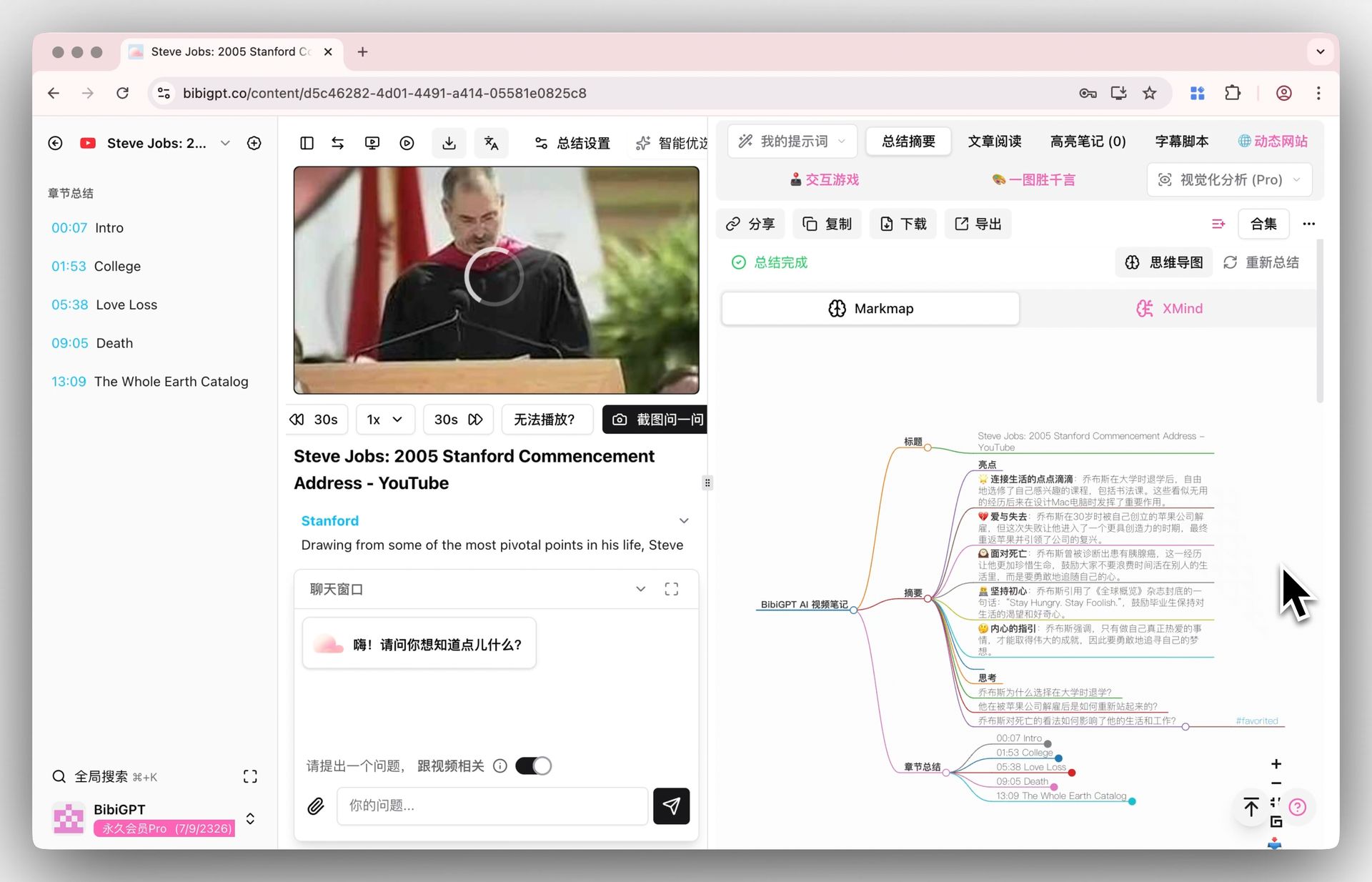
Screenshot: BibiGPT mind map view. It does not show Scribe v3.
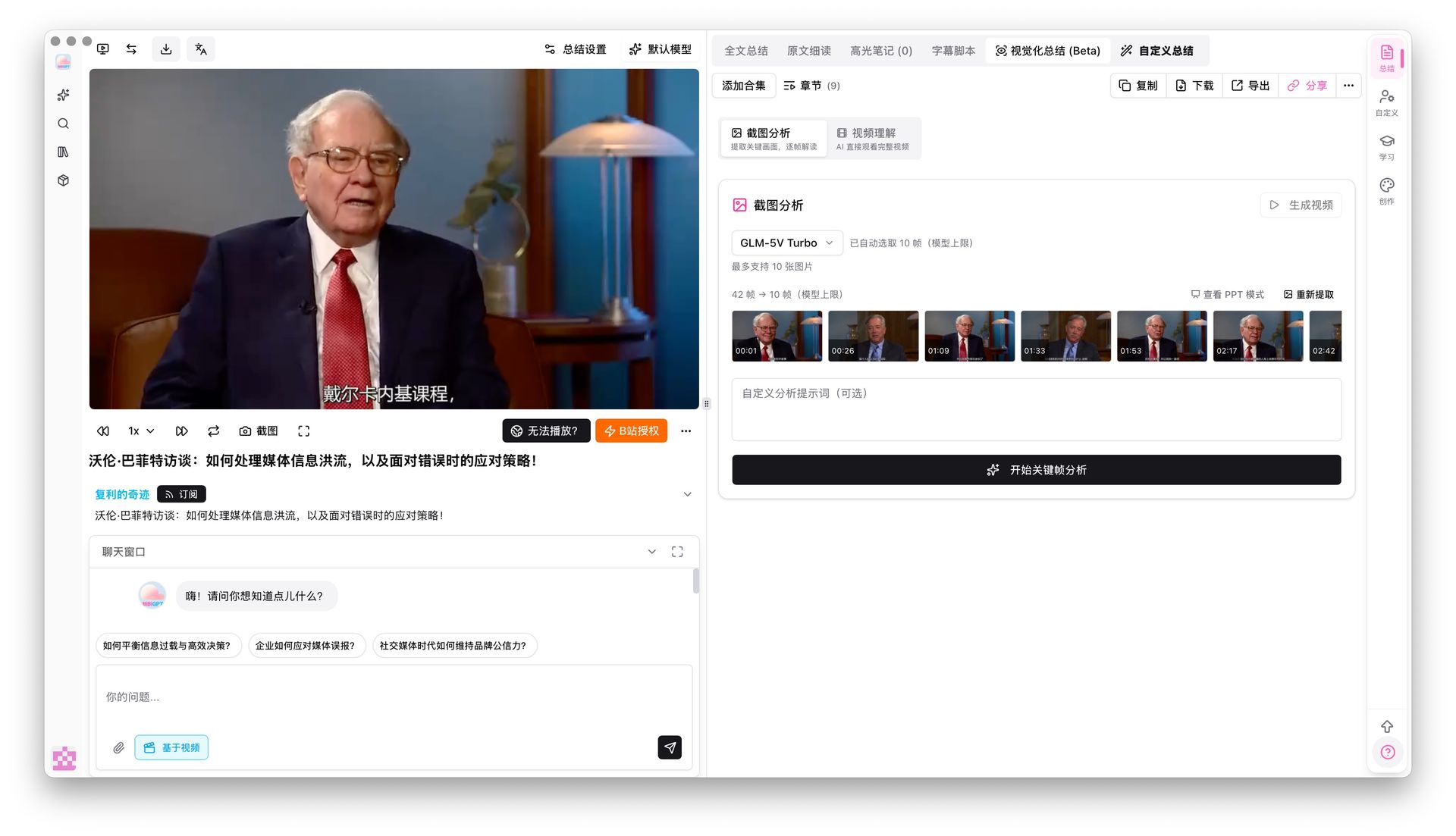
Screenshot: BibiGPT keyframe analysis, which pulls on-screen slides and charts into the notes. It does not show Scribe v3.
Practical rule: Check the first two minutes of any transcript for names and numbers before you trust the rest. If those are right, the error rate on the remainder is usually acceptable for notes.
Which route to pick
| You are… | Pick |
|---|---|
| Building a product that transcribes at scale or in realtime | Scribe v3 or v3 Live through the ElevenLabs API |
| Transcribing a few videos, podcasts or recordings | Paste the link or upload the file in a tool |
| In a language where accuracy is the main risk | Test two or three engines on a 5-minute sample of your own audio |
The honest way to compare engines is your own audio. Vendor benchmarks use clean read speech, and your recordings probably do not.
FAQ
Is Scribe v3 free? No. The API is billed at $0.20 per hour of audio for Scribe v3 and $0.22 per hour for Scribe v3 Live, per ElevenLabs’ pricing page on 2026-11-20.
How many languages does Scribe v3 support? ElevenLabs reports results across 102 languages on FLEURS. Its pricing page lists 90+ languages supported.
Is the 27% improvement independently verified? No. It is ElevenLabs’ internal version of the FLEURS benchmark. It said it will open source its real-meeting dataset later, and has not yet.
Do I need Scribe v3 to transcribe a YouTube video? No. You can get a timestamped transcript by pasting the link into a tool such as the YouTube transcript generator, without an API key.
Does Scribe v3 Live replace Scribe v3? No. Live is for realtime audio and voice agents. Scribe v3 is for recorded files.
Popular tools
More in this series
- GPT-Transcribe vs Whisper vs Grok Voice 2.0 vs MAI-Transcribe:2026 语音转文字模型怎么选
- Apple iOS 27 Opens Third-Party AI: The Era of Switchable Assistants Is Here — How to Choose for Audio and Video (2026)
- DeepSeek R1 + BibiGPT: A Practical Guide to AI-Powered Audio/Video Understanding in 2025
- DeepSeek-V4 มาแล้ว! BibiGPT เปิดตัว 4 โมเดลใหม่ + 1M Context ในวันแรก สรุปวิดีโอและพอดแคสต์ AI ยกระดับ
- BibiGPT vs DeepSeek-V4 + Granite Speech Plus 2026: Self-Hosted Open Source vs Productized Stack
ดูบทความทั้ง 7 เรื่องในหัวข้อ อัปเดตโมเดล →