How to Summarize YouTube Videos with AI: 3-Step Tutorial + Mind Map & Q&A (2026)
How to Summarize YouTube Videos with AI: 3-Step Tutorial + Mind Map & Q&A (2026)
Last updated: June 2026
Quick answer: To summarize a YouTube video with AI, paste the video link into an AI YouTube summary tool, let it auto-extract the transcript, and generate a structured summary in seconds. You also get a mind map, chapter highlights, and the ability to ask follow-up questions, so a two-hour lecture becomes a five-minute read.
Why manual note-taking on YouTube is a losing game
If you have ever tried to “study” a long YouTube video by pausing, scrubbing back, and typing notes, you already know how slow it is. A 90-minute talk can eat two or three hours once you account for rewinding, mishearing technical terms, and reformatting messy notes afterward. You stay glued to the timeline instead of actually thinking about the ideas.
The real problem is that video is a linear medium. To find one sentence buried at minute 47, you have to wade through everything before it. There is no Ctrl+F for spoken words, no way to skim, and no structure unless the creator added chapters by hand.
AI flips this. Instead of you watching the whole thing to discover what matters, the AI watches it for you and hands back a searchable, skimmable, structured document. In 2026 this has gone from a novelty to the default way millions of people consume long-form video.
Practical rule: If a video is longer than 15 minutes and you only need the ideas, never watch it linearly first. Summarize it, skim the structure, then watch only the segments that earn your time.
Step 1: Paste the YouTube link
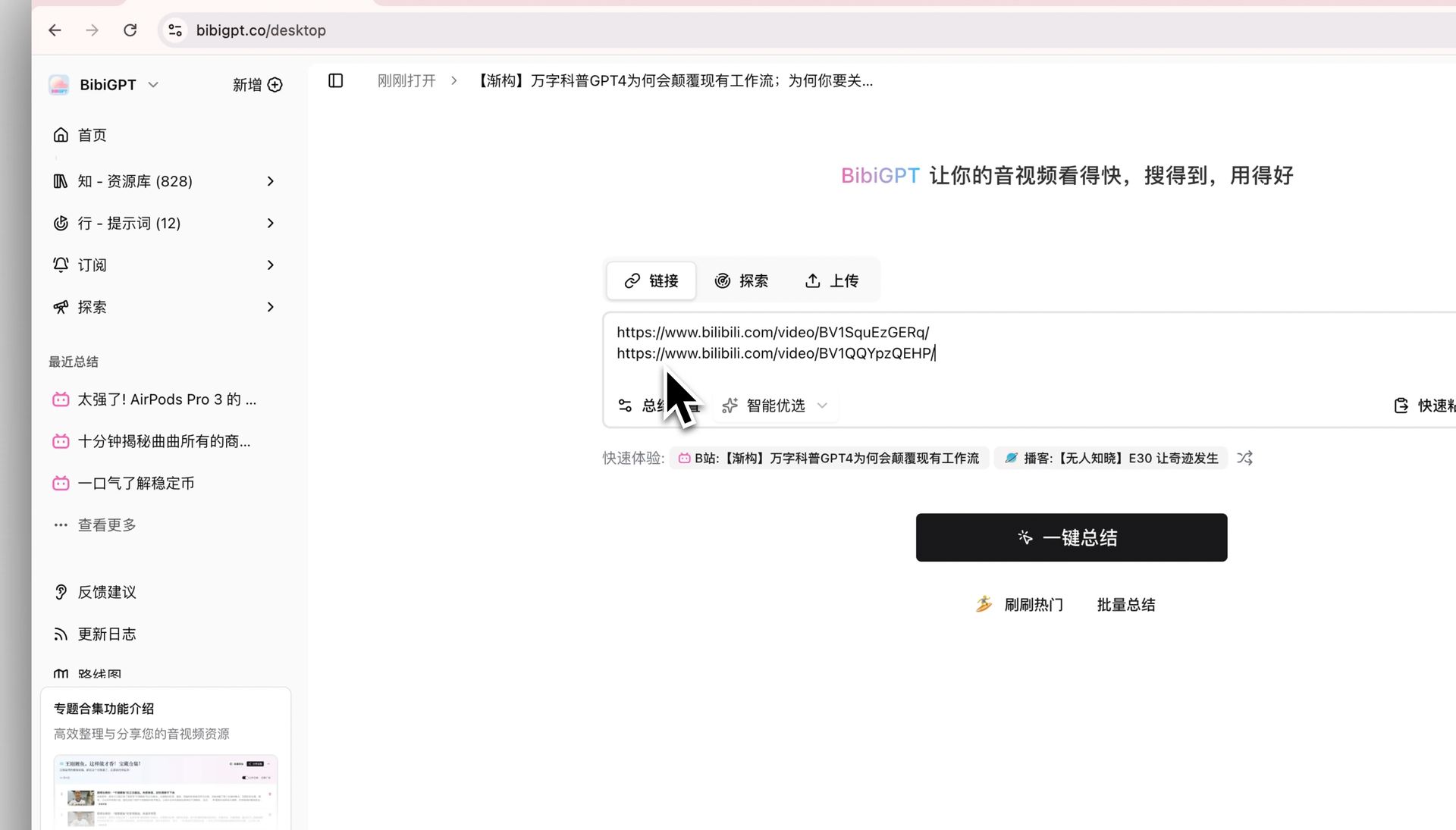
The entire workflow starts with a copy-paste. Grab the URL from your browser’s address bar or the YouTube share button, then drop it into the input box of an AI summarizer. No download, no plugin, no account setup required to try it.
This works for any public YouTube video: lectures, conference talks, product reviews, podcasts re-uploaded as video, tutorials, and news. BibiGPT supports 30+ platforms beyond YouTube too, so the same paste-a-link habit covers Bilibili, podcasts, and your own uploaded files.
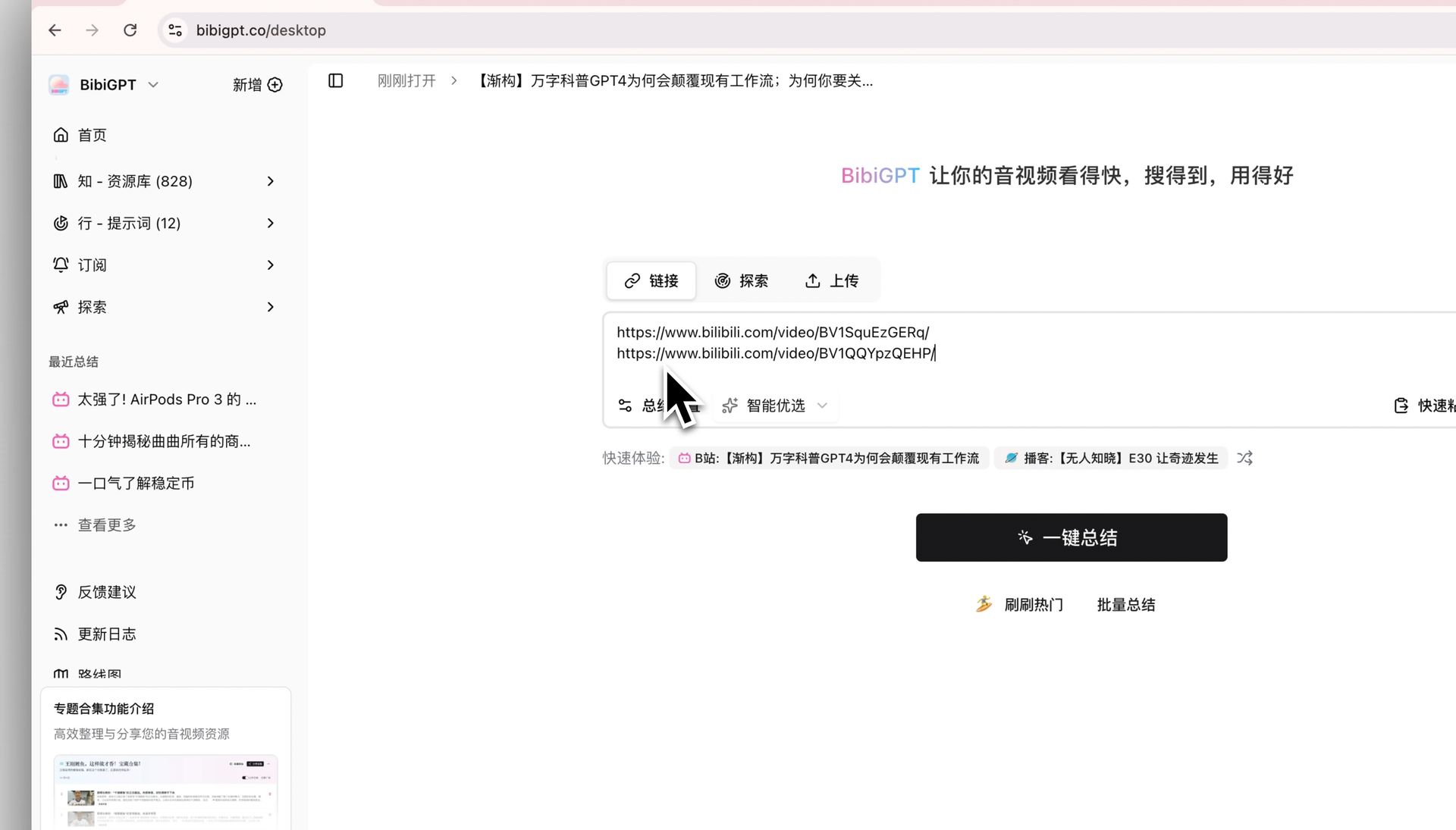
Try it right here, no sign-up needed. Paste a link into the live demo and watch a real video turn into readable key points:
Summarize any video in seconds
Pick a sample below to see the AI summary — TL;DR, key points, and jump-to timestamps.
TL;DR: Karpathy builds a GPT-style language model from scratch in code, explaining every piece — from a tiny character-level model up to the full Transformer.
Key points
- Start with a bigram model, then add self-attention so tokens can "talk" to each other
- A Transformer block = multi-head attention + feed-forward + residual connections + layer norm
- Training is just predicting the next token; scale and data do the rest
- The same architecture behind nanoGPT is what scales up to ChatGPT
Jump to
- 00:07 Why build GPT from scratch
- 08:23 Self-attention, intuitively
- 1:00:00 Assembling the Transformer block
- 1:35:00 From nanoGPT to ChatGPT
Practical rule: Keep the original URL, not a shortened or app-share variant. A clean
youtube.com/watch?v=...link is the most reliable way for any tool to fetch the right video.
Step 2: Let the AI extract the transcript
Once the link is in, the tool automatically pulls the spoken words out of the video. Behind the scenes it grabs existing captions or generates a fresh, accurate transcript when none exists, including for videos that only have auto-generated or no captions at all.
This is the step that used to be the biggest manual chore. People would convert the video to text by hand, clean up the timestamps, and only then start summarizing. Now it happens in the background in seconds. The transcript is also what makes the output searchable later, since every key point can be traced back to the exact moment it was said.
Accurate transcription matters most for content dense with jargon, names, and numbers, which is exactly where manual notes fail. With more than 1 million users and over 5 million summaries generated, the extraction step has been hardened against the messy real-world audio that trips up casual tools.
Practical rule: A summary is only as trustworthy as its transcript. Prefer tools that let you click any key point and jump back to that second in the video to verify it.
Step 3: Generate a structured summary
This is where the magic lands. Instead of a wall of raw transcript text, the AI returns a clean, structured summary: a one-line TL;DR, the main arguments as bullet points, and chapter-by-chapter highlights with clickable timestamps.
Take a genuinely long, high-value video, like Andrej Karpathy’s nearly two-hour walkthrough of building GPT from scratch. Watching it end to end is a serious time investment. A structured summary lets you grasp the arc in minutes, then dive into only the sections you care about:
Source: YouTube · a long video that is perfect for AI summarization
The structured output turns that timeline into an index. You see the whole logical skeleton at a glance, decide what is worth your full attention, and skip the rest without fear of missing something important. That single shift, from watching everything to reading the structure, is the core time-saver.
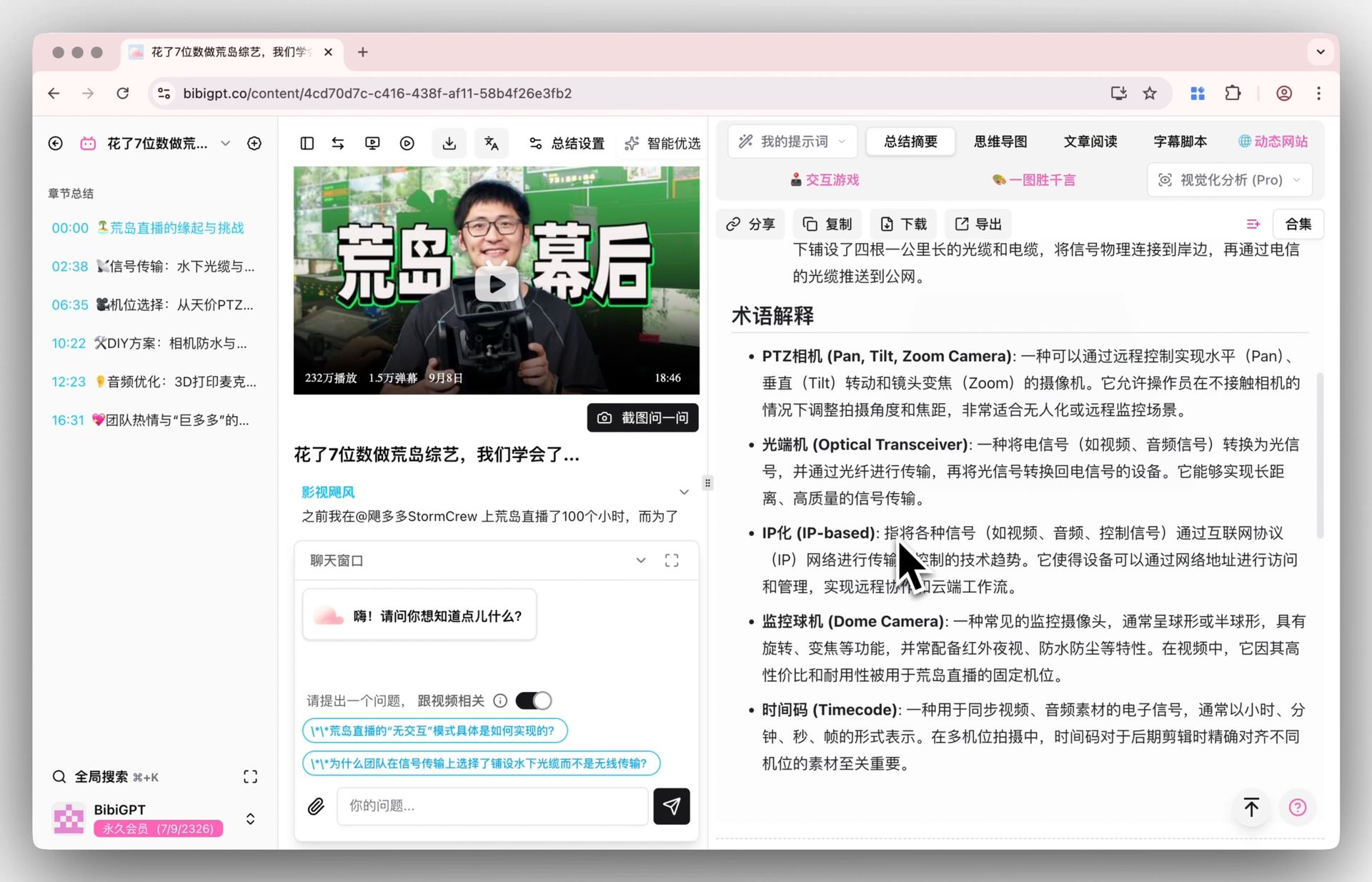
Practical rule: Read the chapter highlights first and the full summary second. The chapter index tells you whether the video is even worth your deeper time before you spend any.
Go deeper: turn the summary into a mind map
For studying or planning, a linear summary is good but a mind map is better. It lays out how every idea connects, which is far closer to how your brain actually stores knowledge. BibiGPT can generate an inline mind map from the same video in one click, no separate tool needed.
A mind map is especially powerful for exam review, literature surveys, and onboarding to a new topic, because it shows hierarchy and relationships, not just a flat list. Try the interactive demo below to see a real video become a branching map:
Turn a video into a mind map
A linear talk becomes a structured tree. Drag to pan, click nodes to fold.
Demo: BibiGPT video-to-mind-map
Ask follow-up questions instead of re-watching
The biggest upgrade over manual notes is that the summary is conversational. If something is unclear, or the video did not quite answer your question, you can ask the AI directly: “What did the speaker say about X?” or “Summarize only the part about pricing.” It answers from the video’s actual content and points you to the timestamp.
This turns a static video into something you can interrogate. No more scrubbing back and forth hoping to relocate that one example. If you want to see how this back-and-forth deepens understanding, our companion guide on AI video Q&A and understanding walks through real question patterns.
For a broader study workflow that combines summaries, mind maps, and Q&A, see how to use AI to learn from videos. And if your source is on another platform, the same idea applies, for example our Bilibili subtitle download and extraction guide covers the equivalent flow there.
Manual notes vs AI summary: the honest comparison
To make the choice concrete, here is what the two approaches really cost on a single 90-minute video:
| Dimension | Manual note-taking | AI summary |
|---|---|---|
| Time to “I get the gist” | 2-3 hours | Under 5 minutes |
| Searchable afterward | No | Yes, with timestamps |
| Structure | Whatever you typed | TL;DR + chapters + mind map |
| Jump back to a moment | Scrub manually | Click a timestamp |
| Follow-up questions | Re-watch | Ask the AI |
| Multilingual | Translate yourself | Built in |
Manual notes still have a place when the act of writing is itself the point, like deep reflective journaling. But for the everyday job of “consume this long video and extract what matters,” AI summarization wins on every practical axis. It is not about being lazy, it is about spending your scarce attention on thinking rather than transcribing.
Try it on your next long video
You do not need to change your habits, just add one step: before you sit down to watch a long YouTube video, paste the link and read the summary first. You will know in minutes whether it deserves your full hour, and if it does, you will watch it smarter, with a map in hand.
Try BibiGPT free and turn your next long video into a summary, a mind map, and an answerable conversation.
BibiGPT Team