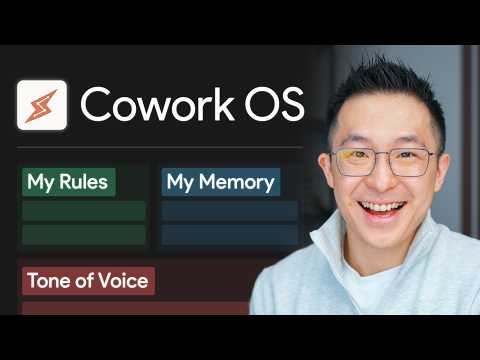
My Simple Claude Cowork System (for normal people)

Jeff Su Productivity 1-minute summary
My Simple Claude Cowork System (for normal people)
Jeff Su

Chapters

  1. 0s 🧠 Core Logic: Building Your AI Personal Operating System
  2. 5m1s 🏗️ Quick Start: Building the System Infrastructure
  3. 11m5s 📧 Case Study: Creating Functional Workstations
  4. 18m47s 🚀 Advanced Tips: Efficiency Optimization and Cost Control

In-depth Summary

0s

🧠 Core Logic: Building Your AI Personal Operating System

This chapter introduces the basic architecture of the CoWork system — managing AI behavior through a simple set of Markdown text files. The author explains that "Claude.md" acts as the system constitution, defining the AI's foundational rules, while "Memory.md" serves as the AI's long-term memory, recording key information across sessions. The files are clearly structured so that ordinary users without a programming background can configure the system by simply copying text. The core insight is that making rules and memory explicit dramatically improves the AI's contextual understanding during tasks, enabling highly personalized outputs.

5m1s

🏗️ Quick Start: Building the System Infrastructure

In this section, the author demonstrates step by step how to build a CoWork OS environment from scratch, including creating the root folder and setting up core template files. Users need to download and configure the Claude.md, Memory.md, and Voice Principles files, then mount them to the AI workspace. The author also recommends using Obsidian as a visual reader for Markdown files to reduce the editing friction. Loading structured resources ensures the AI follows preset logic on any task, laying a solid foundation for building dedicated functional workstations.

11m5s

📧 Case Study: Creating Functional Workstations

This chapter dives into how to use rule stacking to build functional workstations. Using "Email HQ" and "Personal Finance" as examples, the author shows how to automatically extract interaction patterns specific to a domain (like email signing habits or transaction categorization logic) to add fine-grained instructions for the AI. This way the AI not only follows global principles but also draws on specialized domain knowledge for specific tasks. The author demonstrates having the AI automatically read credit card statements and generate financial reports, showcasing the system's powerful execution and fault tolerance on complex tasks.

18m47s

🚀 Advanced Tips: Efficiency Optimization and Cost Control

The video closes with two key advanced techniques: the "Session Audit" skill and a token cost management strategy. Running a session audit script lets the system automatically scan conversations and distill new user preferences and principles, enabling the system to evolve on its own. On cost control, the author recommends keeping the main config file lean to reduce token consumption, and switching to high-performance models only when necessary to save money. These practical tips significantly boost collaboration efficiency while ensuring your personal AI system keeps improving over time for genuine productivity multiplication.

Highlights

  • 🧠 The CoWork system uses layered Markdown files (Claude.md as constitution + Memory.md as long-term memory) to give Claude persistent context — no programming background required to set up.
  • 🏗️ Start from the downloadable template files (Claude.md, Memory.md, Voice Principles) and mount them to your workspace; Obsidian makes editing these files friction-free.
  • 📧 Build domain-specific workstations using "rule stacking" — for example, an Email HQ that captures your signing habits, or a Finance workstation that auto-categorizes transactions.
  • 🔍 The Session Audit skill automatically scans past conversations and distills new user preferences into your config, letting the system improve itself without manual effort.
  • 💰 Keep your main config file lean to minimize token consumption and reserve high-performance models for complex tasks only — this strategy meaningfully extends your usage budget.
  • 🚀 The compounding effect is the system's real value: each interaction refines the AI's understanding of you, making it progressively more accurate and personalized over time.

More from Jeff Su

Browse all from Jeff Su →