BibiGPT v4.399.1: Feed Beta Inbox, Sidebar 4-product Switcher, Six New Models
v4.399.1 ships three big things: a new Feed (Beta) inbox, a sidebar header rebuilt into a 4-product switcher, and six new AI models in the picker. Chapter summarization gets a matching speed-and-quality bump.
Watch Faster
Six New AI Models — Speed Is the Real Scarcity
The bottleneck isn’t model availability anymore; it’s the speed at which you can chew through every video you wanted to watch. This issue shipped six new models from major providers:
- Gemini 3.1 Flash Lite GA
- Grok 4.3 + Mistral Medium 3.5
- Bailian additions: MiniMax M2.x, Kimi K2.6, Qwen3.6-Max-Preview, Qwen3.6-Flash
Chapter summarization gets a speed-and-quality upgrade alongside — faster output, more reliable on long videos. Open any task on bibigpt.co and you’ll see them in the model picker.
Find What Matters
Feed (Beta) — What Did the Channels You Follow Actually Post?
You subscribe to dozens of YouTube channels and Bilibili UP creators, but the “Subscriptions” menu only shows a long list of channel names — to see what’s new, you’d have to click into each one. That’s a years-old pain point.
The new Feed (Beta) menu fixes it:
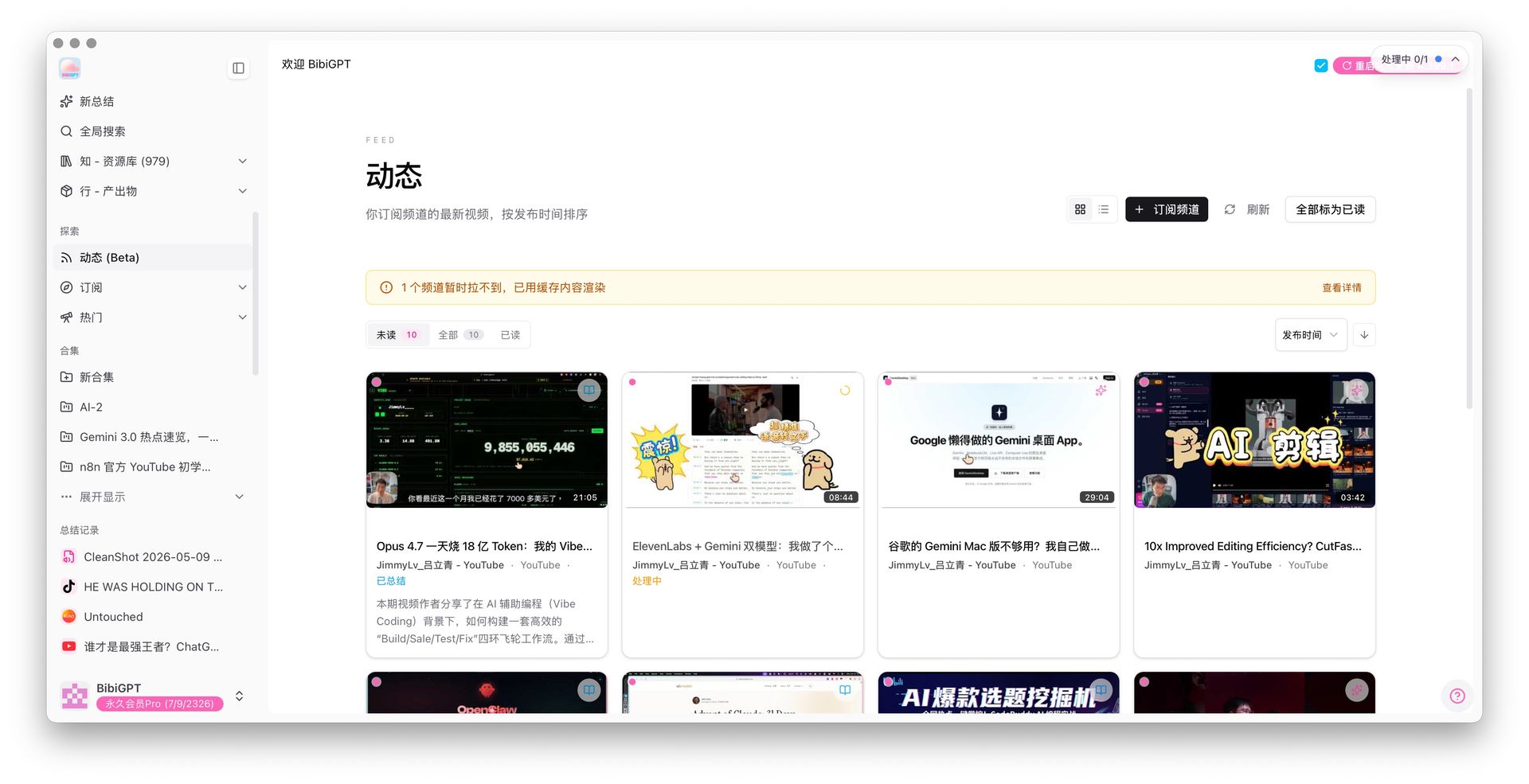
It aggregates every subscribed channel’s latest videos into a time-sorted inbox, with Unread / All / Read filter tabs alongside “Subscribed Channels”, “Refresh”, and “Mark All as Read” — operating like a proper RSS reader. Source filtering supports per-platform chips:
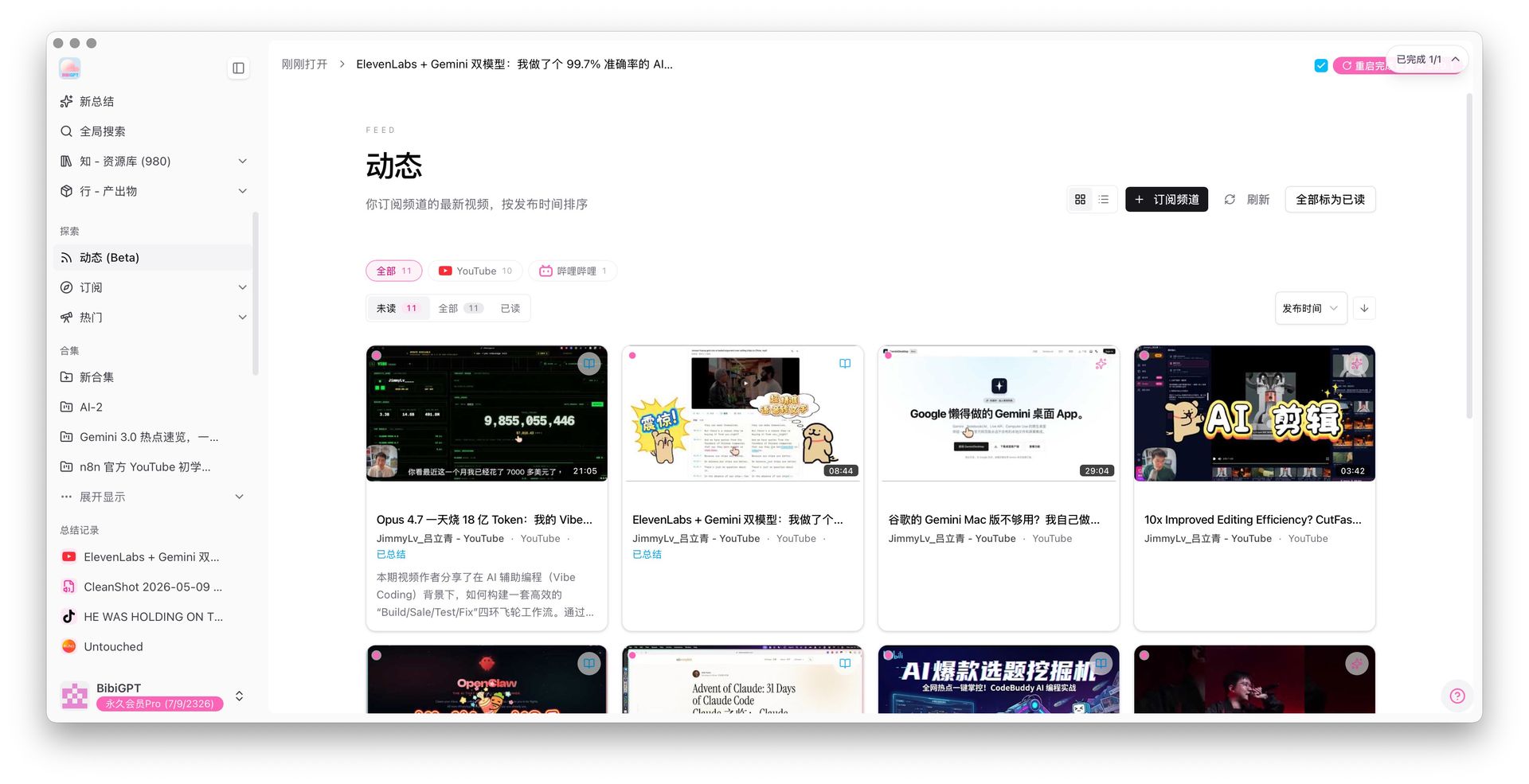
“Subscriptions” and “Feed” aren’t duplicate features — they’re the two ends of the RSS mental model: Subscriptions = who I follow, Feed = what they posted. Paired with BibiGPT’s auto-summary, your subscription list becomes “an AI-augmented RSS reader that summarizes everything and pushes it on a timeline”. Entry: bibigpt.co → left sidebar → Explore → Feed (Beta).
Private channels that require login (YouTube private, Bilibili members) get their own authorization prompt — subscriptions reach further than before.
Batch Move / Copy for Collections — One Click, Many Videos
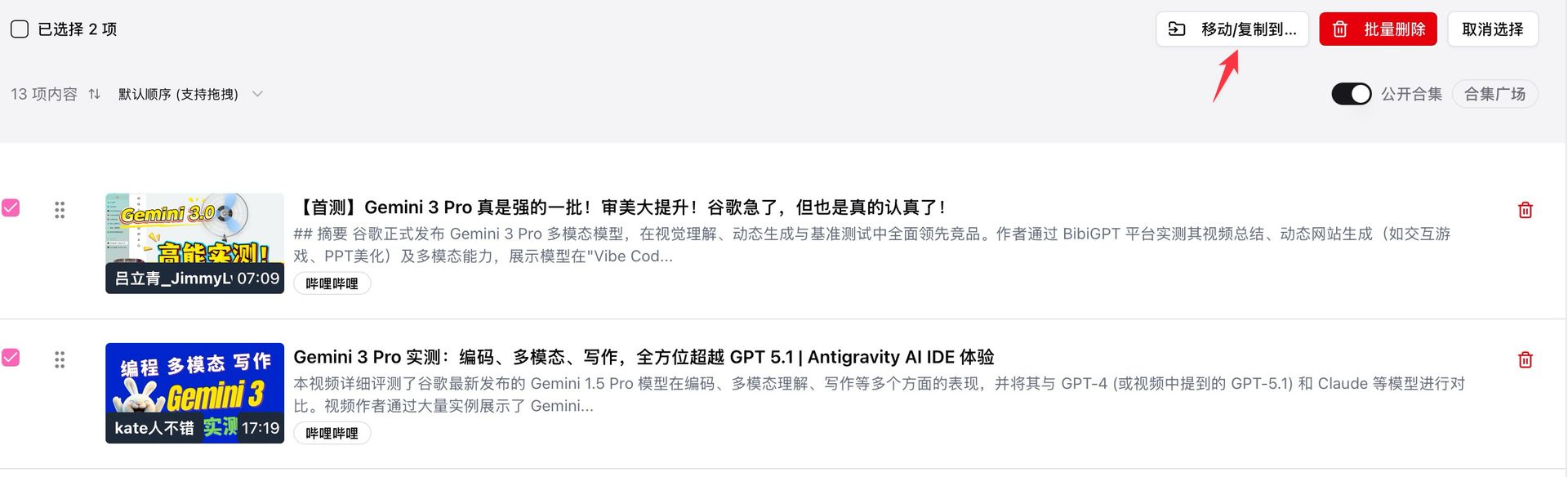
The Collections page gets a batch operations panel — select multiple videos, then move or copy them to another collection in one click. For anyone building a learning library or knowledge base, this should’ve shipped long ago.
Usage Stats — New Dimensions This Issue
bibigpt.co/user/usage gains three new dimensions to quickly answer “where did my time actually go this week”:
- Total duration for the current period
- Top-duration video ranking — which 1h+ videos consumed the most attention
- Breakdown by usage channel (API / Web / Desktop / WeChat / Mini Program) — which entry point you actually use
Language learners, researchers, and podcast listeners are most likely to discover “wait, I listened to 8 hours of podcasts this week?” here.
Make More With It
Sidebar Product Switcher — BibiGPT Is More Than “Video Summary”
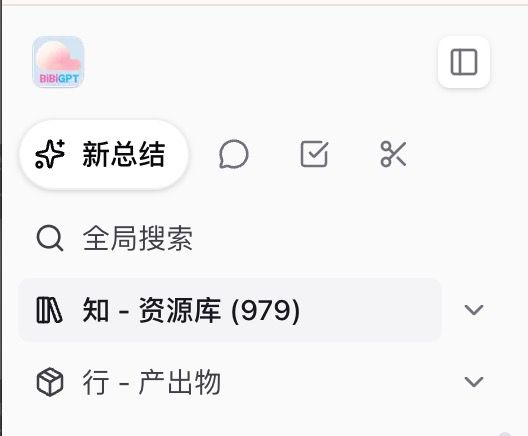
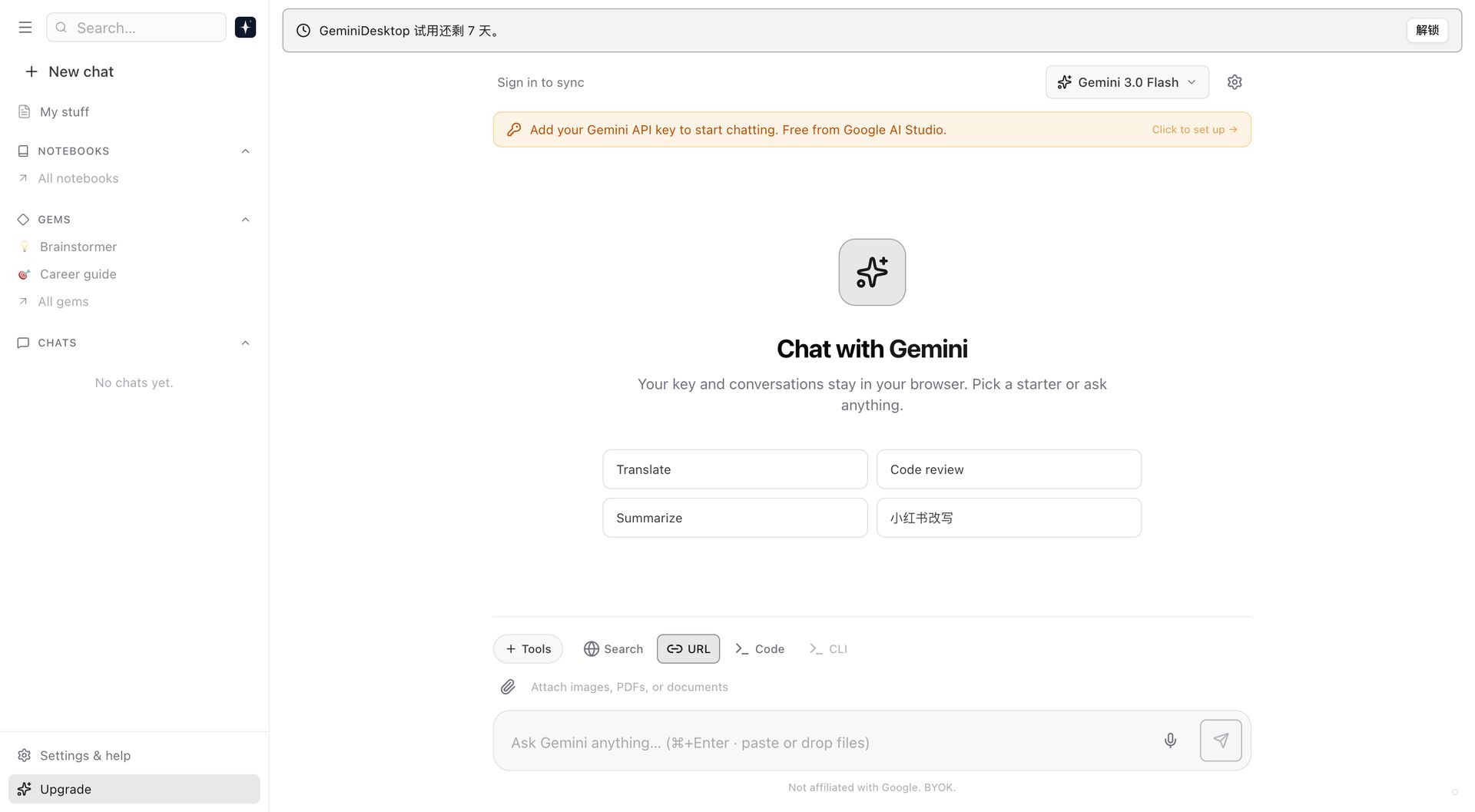
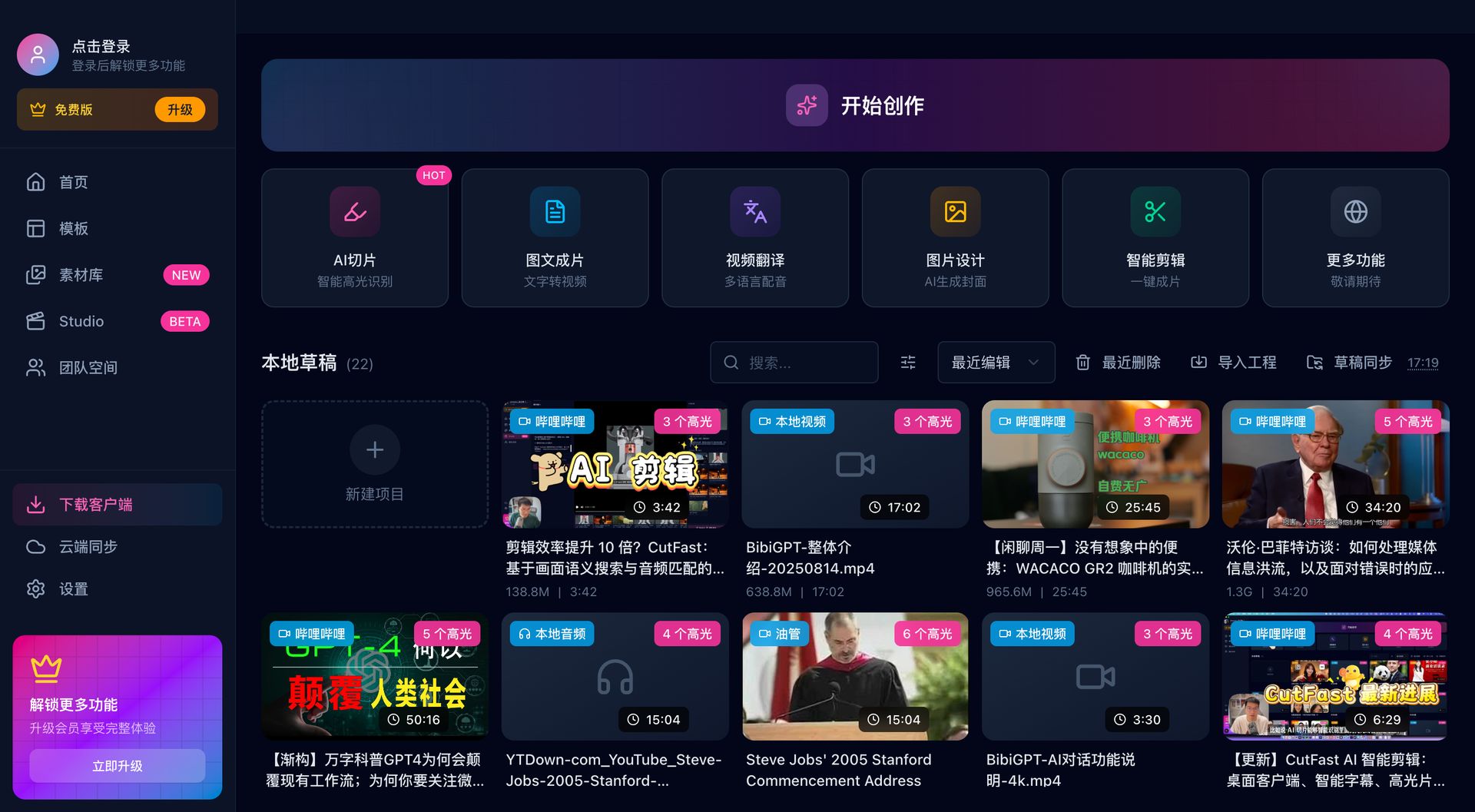
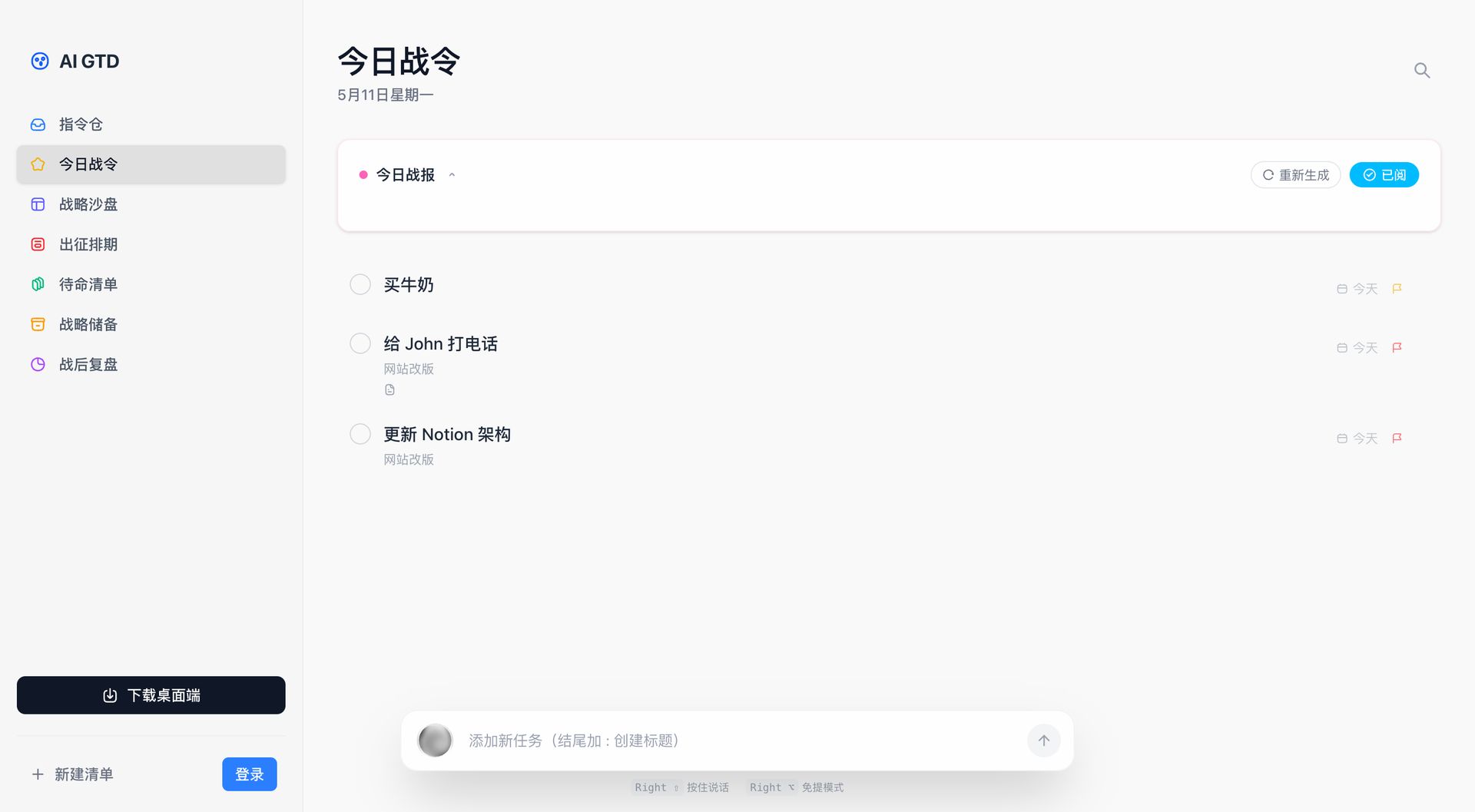
The sidebar header expanded from a single “New Summary” entry into four product entries: New Summary, AI Chat, AI Tasks, AI Edit. One click jumps straight into the matching product’s workspace — the BibiGPT product family swappable from one sidebar:
Each icon goes to the real workspace, not a marketing page. AI Chat drops you straight into the chat workspace:
AI Edit drops you straight into the edit workspace:
AI Tasks drops you straight into the tasks workspace:
Desktop Folder Watcher — Reimagined
Folder watcher is one of the most-used desktop features, and this issue pushes the experience to a new bar:
- Pre-select a target collection before starting — every new video lands in the right bucket automatically
- Concurrency control: default 3 lanes, configurable — drop as many videos as you want, they queue up cleanly
- Task resumption: auto-continues where you left off on startup
- Close-window guard: confirms before quitting with active tasks
The whole thing runs smoother and more reliably — the most upgrade-worthy desktop change this issue.
Desktop: Record System Audio + Microphone Together
Mac records system audio + microphone simultaneously: in meetings, podcasts, and tutorial demos, the sound from your computer and what you say can be recorded together — no virtual sound card needed.
The desktop client also picked up auto-update — silently downloads new versions in the background without bothering you; a switch in settings can turn it off.
Closing Note
The two things most worth a click this issue are Feed (Beta) and the sidebar 4-product switcher — the first answers “what did the channels I follow just post?”, and the second lets you swap across the BibiGPT product family from one place.
The day Feed (Beta) shipped, the first user feedback was already in 👇

What about you? What’s the pain point on BibiGPT you most want solved, or which new feature caught your eye? Drop us a line on the WeChat OA 「魔法司」 — next issue we’ll keep prioritizing based on real feedback.
— The BibiGPT team