
1M-Token Multimodal Open Models Are Here: AI Summaries for Ultra-Long Videos Without Truncation (2026 Trend)
1M-Token Multimodal Open Models Are Here: AI Summaries for Ultra-Long Videos Without Truncation (2026 Trend)
Short answer: In early June 2026, the open model MiniMax M3 landed — packing a 1M-token context and native image/video input into a single model, and scoring 59% on SWE-Bench Pro. For everyday users, the change that actually matters fits in one sentence: a two-hour lecture or a three-hour podcast can, in principle, be fed in all at once — instead of being chopped into pieces, summarized separately, and stitched back together. That gives “ultra-long video AI summary” its first real technical foundation for not losing context. Want to feel a full long video read in one pass right now? Paste a link into BibiGPT.
The demo below shows “paste one long-video link → get a structured summary”:
Summarize any video in seconds
Pick a sample below to see the AI summary — TL;DR, key points, and jump-to timestamps.
TL;DR: Karpathy builds a GPT-style language model from scratch in code, explaining every piece — from a tiny character-level model up to the full Transformer.
Key points
- Start with a bigram model, then add self-attention so tokens can "talk" to each other
- A Transformer block = multi-head attention + feed-forward + residual connections + layer norm
- Training is just predicting the next token; scale and data do the rest
- The same architecture behind nanoGPT is what scales up to ChatGPT
Jump to
- 00:07 Why build GPT from scratch
- 08:23 Self-attention, intuitively
- 1:00:00 Assembling the Transformer block
- 1:35:00 From nanoGPT to ChatGPT
Demo: BibiGPT one-click video summary
1. What Happened: Million Tokens + Multimodal, in One Shot
First the facts (as of 2026-06-10): per MiniMax’s official announcement, the new open-weight M3 model merges three things that used to be done separately into one model —
- 1M-token long context: it can “hold” roughly the content of a medium-length book in a single inference pass;
- Native multimodal input: not just text — images and video frames can be fed in directly, without first being converted to text descriptions;
- Strong coding and reasoning: its reported SWE-Bench Pro score of around 59% puts it in the front tier among contemporaneous open models.
None of those three is new on its own. But the first time they’re packed into one open model, it’s a watershed for long-content understanding. To summarize a three-hour podcast, the common workaround was to slice it into a dozen chunks, process each, then stitch the results — and the seams are exactly where context leaks: a setup planted early, a callback across chapters, all break the moment you cut.
Practical rule: To judge whether a “long-video summary” tool is trustworthy, first check whether it can understand the whole thing without chunking. Only a single-pass read keeps cross-chapter logic intact.
2. Why “No Truncation” Matters So Much for Long Videos and Podcasts
Holding an entire recording in mind while reasoning is a completely different act from reading ten separate notes and then trying to recall. For ultra-long audio/video, truncation causes three classic losses:
- Lost cross-chapter callbacks — a concept the speaker mentions at minute 10 gets paid off at minute 90. Chunked summarization splits those into different batches, so the model never sees the full “plant → payoff” arc.
- Broken reference resolution — phrases like “that approach earlier” or “the person from the last section” lose their referent across chunks, leading to mix-ups.
- Discarded visual information — subtitle-only summaries can’t see slides, whiteboards, or charts, while native video input lets the model actually “see” the key frames.
When subtitles and visuals are read together, chapter-by-chapter key points don’t miss what’s on the whiteboard or the slides. The product screenshot below shows what “a whole long recording turned into chapter-level structure” looks like:
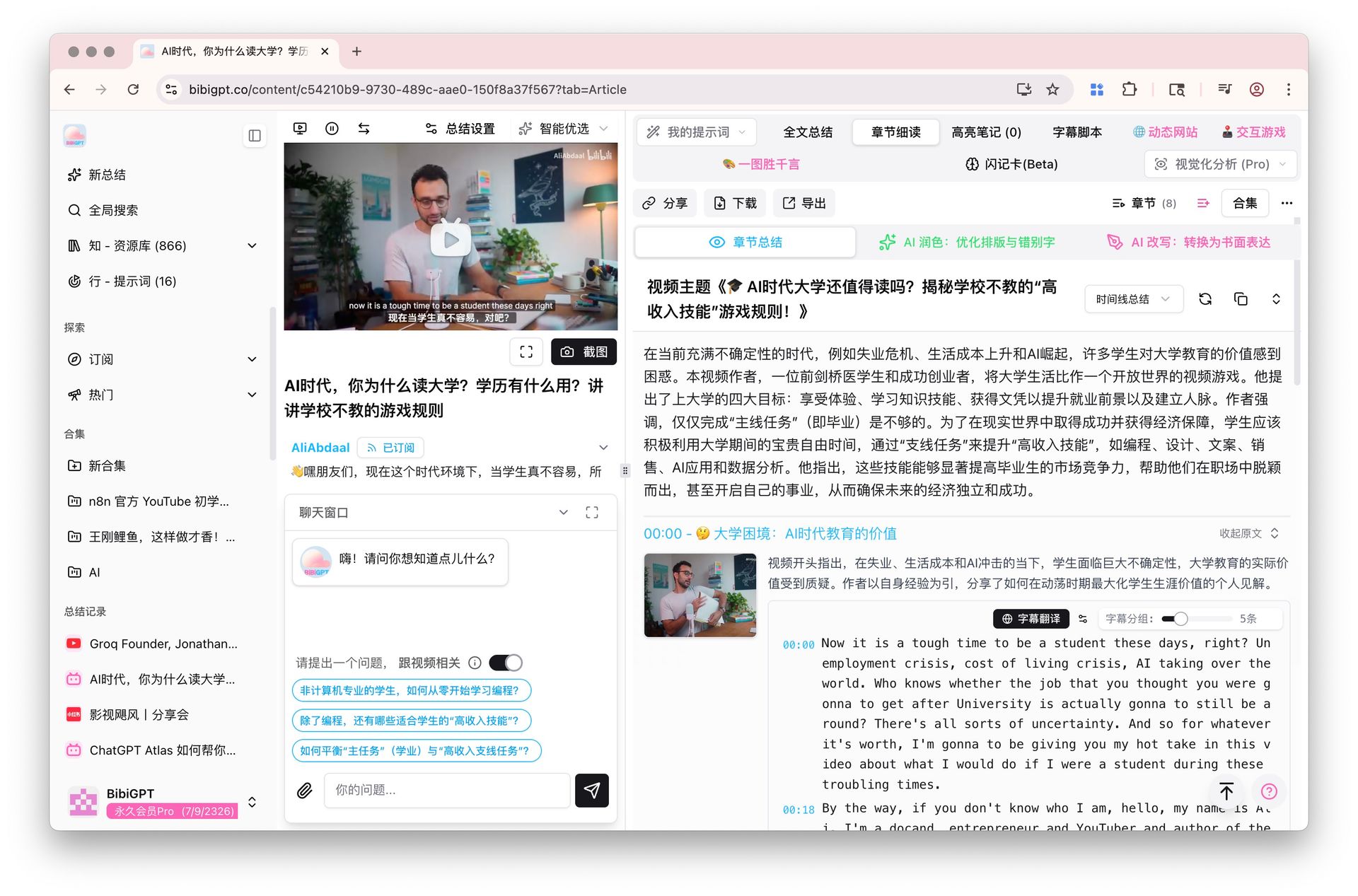
Screenshot: BibiGPT · chapter deep reading feature demo
The video below explains, from an engineering angle, how long-context models are trained — useful for understanding the logic behind “read the whole thing at once”:
Video source: YouTube · Explainer on long-context language models
Once the foundation is laid, what users actually care about is whether it lands as “I paste a long link and get a usable summary right away.”
3. What It Means for Different People
Million-token multimodal isn’t a lab flex. In daily scenarios, three groups benefit first:
- Creators / solo media: a two-hour launch event or a long interview — feed the whole thing in, get structured key points, then rework it into articles, social notes, or short-video scripts, skipping the endless replay-to-find-clips loop.
- Professionals: three-hour industry-conference recordings or quarterly earnings calls — get a TL;DR + key decisions + timestamps in one pass, jumping back to the original only when needed.
- Students / researchers: full-course recordings or hour-long paper walkthroughs, summarized together with the slide visuals, so revision means reading the structure instead of dragging a progress bar from the top.
Spreading an entire long recording into a single map makes the main thread obvious at a glance during revision:
Turn a video into a mind map
A linear talk becomes a structured tree. Drag to pan, click nodes to fold.
Demo: BibiGPT auto-converts a long video into a structured outline
4. Turning This Into a Daily Workflow With BibiGPT
A fast trend only counts once it lands. BibiGPT isn’t just another “model aggregator” — it layers model capability on top of a pipeline built for audio and video, so “read a whole long recording in one pass” becomes a repeatable daily move. Three steps:
- Paste a link — a long video from Bilibili, YouTube, or a podcast, or a local file, straight in, no downloading or transcoding first.
- Get structured output — a TL;DR, chapter-by-chapter key points, and timestamps in tens of seconds; then a mind map or a rewritten article when you need one.
- Keep asking — ask the AI follow-up questions about anything unclear, or export to Notion / Obsidian to build a knowledge base.
Worth noting: BibiGPT supports automatic routing across several advanced AI models, with free switching — you don’t need to care which one runs behind the scenes, just get a usable summary. On “understanding the visuals,” visual analysis folds information from slides and charts into the key points, instead of reading subtitles only.
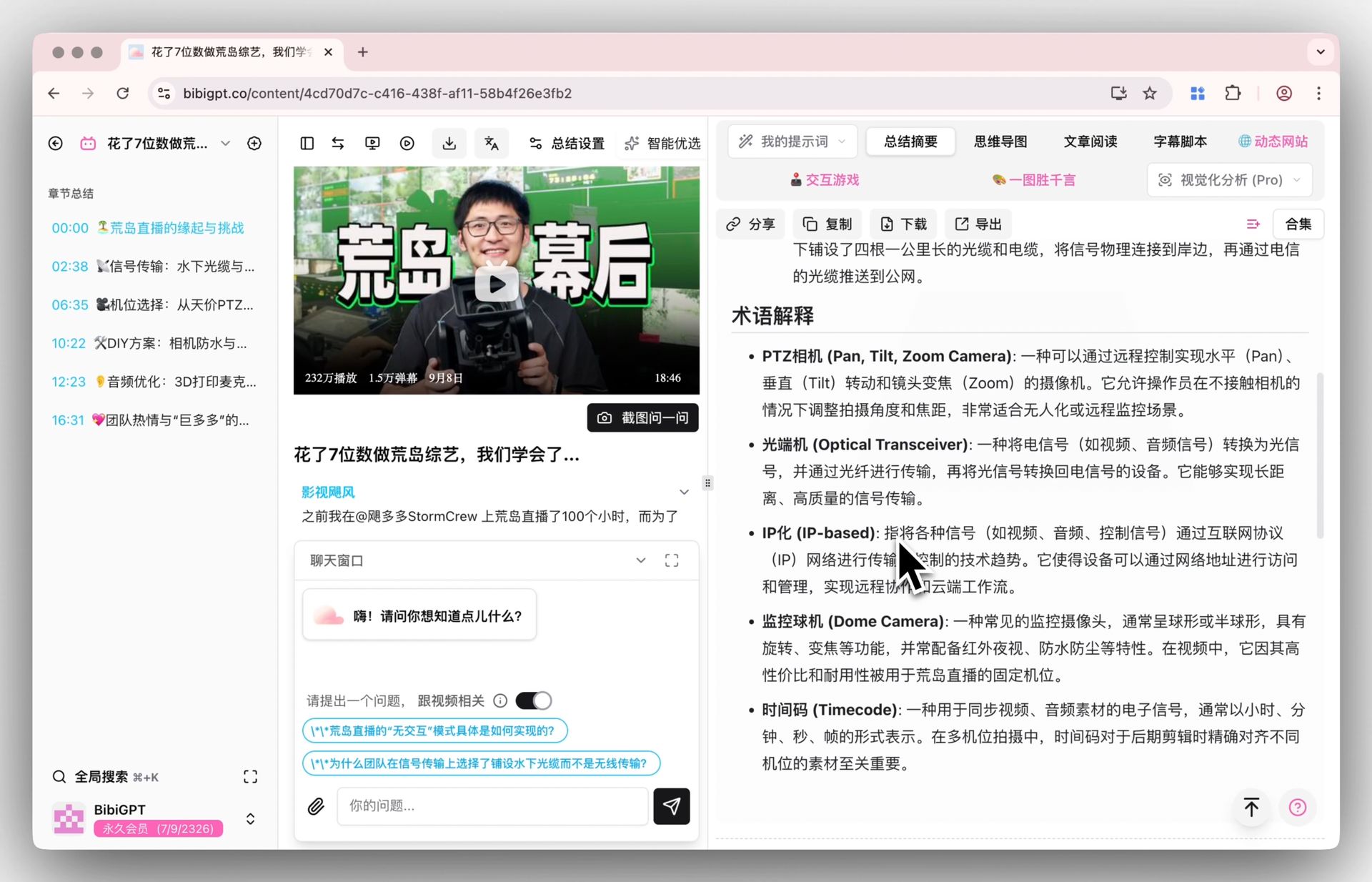
Screenshot: BibiGPT · smart deep summary feature demo
To feel the efficiency of “a long video read in one pass,” pick a two-hour recording you haven’t had time for and paste it into BibiGPT once.
5. Outlook: How Long Context Will Change Content Consumption
Based on the current pace, three calls:
- “Summary” goes from luxury to default — once a whole long video no longer needs chunking, the marginal cost of summarizing keeps dropping, and “summarize before watching” becomes as natural as “think of keywords before searching.”
- Visual understanding becomes table stakes, not a bonus — subtitle-only summaries will increasingly look half-finished, and tools that read slides, charts, and demos will pull ahead.
- Models aren’t scarce; consumption speed is — open million-token models turn capability into a public good, so the real battleground moves to “who lets users consume long content faster.” That’s exactly where BibiGPT anchors long-term: making audio/video as fast to consume as text.
Practical rule: When model capability is no longer the bottleneck, your bottleneck becomes “do I have a smooth workflow that reliably turns long content into usable output.” Getting the workflow running matters more than chasing the newest model.
6. FAQ
Q1: Does a million-token context mean any length of video can be summarized in one pass? Directionally yes — the longer the context, the less chunking you need. The real experience depends on how a tool organizes video content into that context. BibiGPT handles long audio/video specifically: paste a whole long recording and it works, no manual splitting.
Q2: I don’t know models — do I have to pick which one to use? No. BibiGPT auto-routes across several advanced AI models and works out of the box; power users can freely switch the summary model, but it’s not required.
Q3: Is there a big gap between subtitle-only summaries and ones that “see the visuals”? A large gap for slide-heavy, chart-heavy content. Subtitle-only misses key on-screen information; only visual-aware summaries are complete.
Q4: How long does a long-video summary usually take? Typically tens of seconds to a few minutes, depending on length — far faster than watching end to end.
Q5: What can I do after the summary? Keep asking AI follow-ups, generate a mind map, rewrite into an article, or export to Notion / Obsidian for a lasting knowledge base.
Trends Aside, First Actually “Finish” One Long Video
Million-token multimodal models really are a watershed, but the most useful thing for you isn’t remembering a model’s name — it’s actually consuming, today, one long video you never had time for. Pick a two-hour recording or a long podcast, paste it into BibiGPT, and get a structured summary with timestamps in tens of seconds — a taste of “the whole thing in one pass.” Free to try for new users.
Further reading: Free AI video summary tools roundup · Cross-platform AI video summary guide
BibiGPT Team