BibiGPT v4.505.0 Update: 618 Group-Buy Rewards Open + Export Dialog Upgrade + Multi-Level Collection Folders
BibiGPT v4.505.0 Update: 618 Group-Buy Rewards Open + Export Dialog Upgrade + Multi-Level Collection Folders
Hey everyone — first, something nice: thanks for all the 618 support, and your group-buy rewards are now ready to claim. This issue’s new features mostly land in two directions — “find it” and “put it to work”: a big export-dialog upgrade, multi-level collection folders, and any-RSS subscriptions. There’s a round of smaller polish at the end too.
🎁 Thanks for 618: Group-Buy Rewards Are Now Open to Claim
The 618 sale has wrapped — thank you to everyone who teamed up. The good news: if your group filled up, the reward is now claimable. A lot of people assume it lands automatically — it doesn’t, you have to tap “Claim” yourself.
Three ways to claim, pick whichever: once logged in, check the left sidebar — when your group has a reward, a bright pink button shows up, “🎁 Reward ready to claim · N months →”, and tapping it takes you straight to your group; or open the group-buy page bibigpt.co/g and any active group pulls you right in; or go to your group’s page and hit “Claim N months reward” to get your gift code instantly. The reward is a membership month-card gift code matching the plan you bought (Plus annual → Plus month card, Pro annual → Pro month card); after claiming, “Redeem” auto-fills the code into the redemption page.
🔎 Find It
Subscribe to Any RSS Feed
Want to follow some blogs and podcasts long-term, but BibiGPT doesn’t have them yet and you’ve never summarized them? You used to just have to wait. Now “Subscribe → Add source” has a “Paste link” entry: drop in a Bilibili / YouTube / podcast channel homepage, or any RSS feed link, and it’s subscribed — new items roll into your “Feed” automatically, no need to have summarized that channel first. Independent blogs, podcasts, any RSS-capable site can come in.
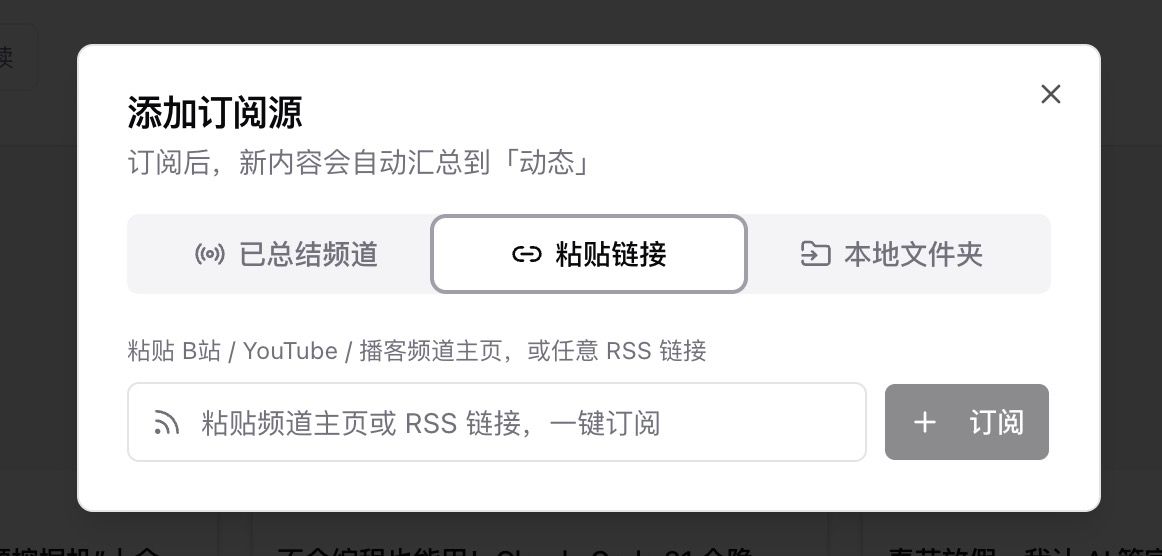
Screenshot: BibiGPT · “Add source” supports subscribing to any RSS feed link
🛠️ Put It to Work
The Export Dialog, Majorly Upgraded
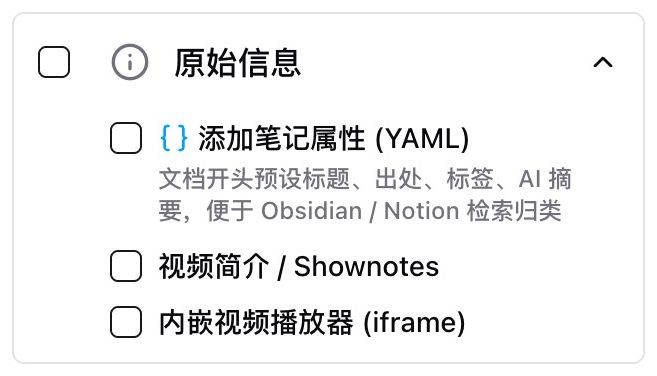
Exporting notes to Obsidian / Notion used to give you body text only — no title, source, or tags, and you couldn’t keep the original description? The “Export content” dialog just added a batch of practical blocks: under “Original info” you can add note properties (YAML: title / source / tags / AI summary), the video description / shownotes, and an embedded player; under “Article script”, the transcript can toggle “timestamp link per sentence” and even link back to the source video — one tap jumps to the exact moment on Bilibili / YouTube instead of back to BibiGPT. Archiving and tracing back are a lot smoother.
Screenshot: BibiGPT · export “Original info” adds note properties (YAML) / video description / embedded player
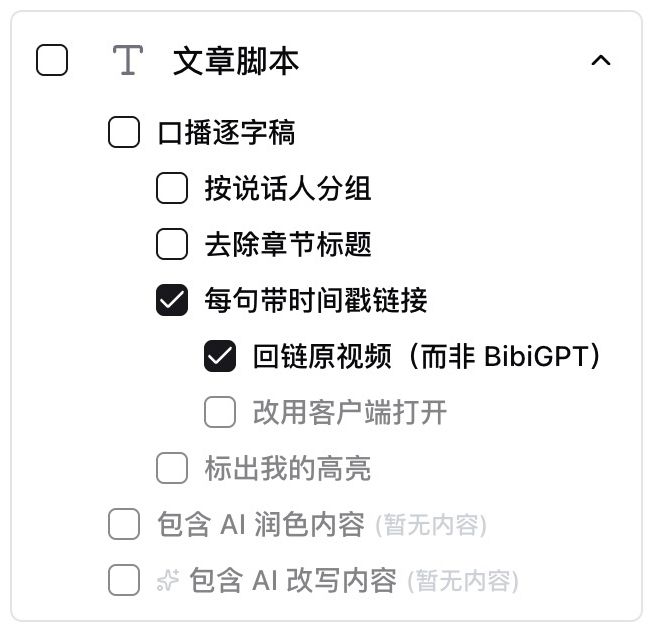
Screenshot: BibiGPT · transcript “timestamp link per sentence + link back to source video”
Multi-Level Collection Folders
When you have a lot of collections, a long flat list is hard to navigate? Now in “Library → Manage collections”, drag one folder onto another to nest them — organize related collections under a theme like tidying a local directory; a collection’s detail page also has a “Subfolders” area up top to drill down.
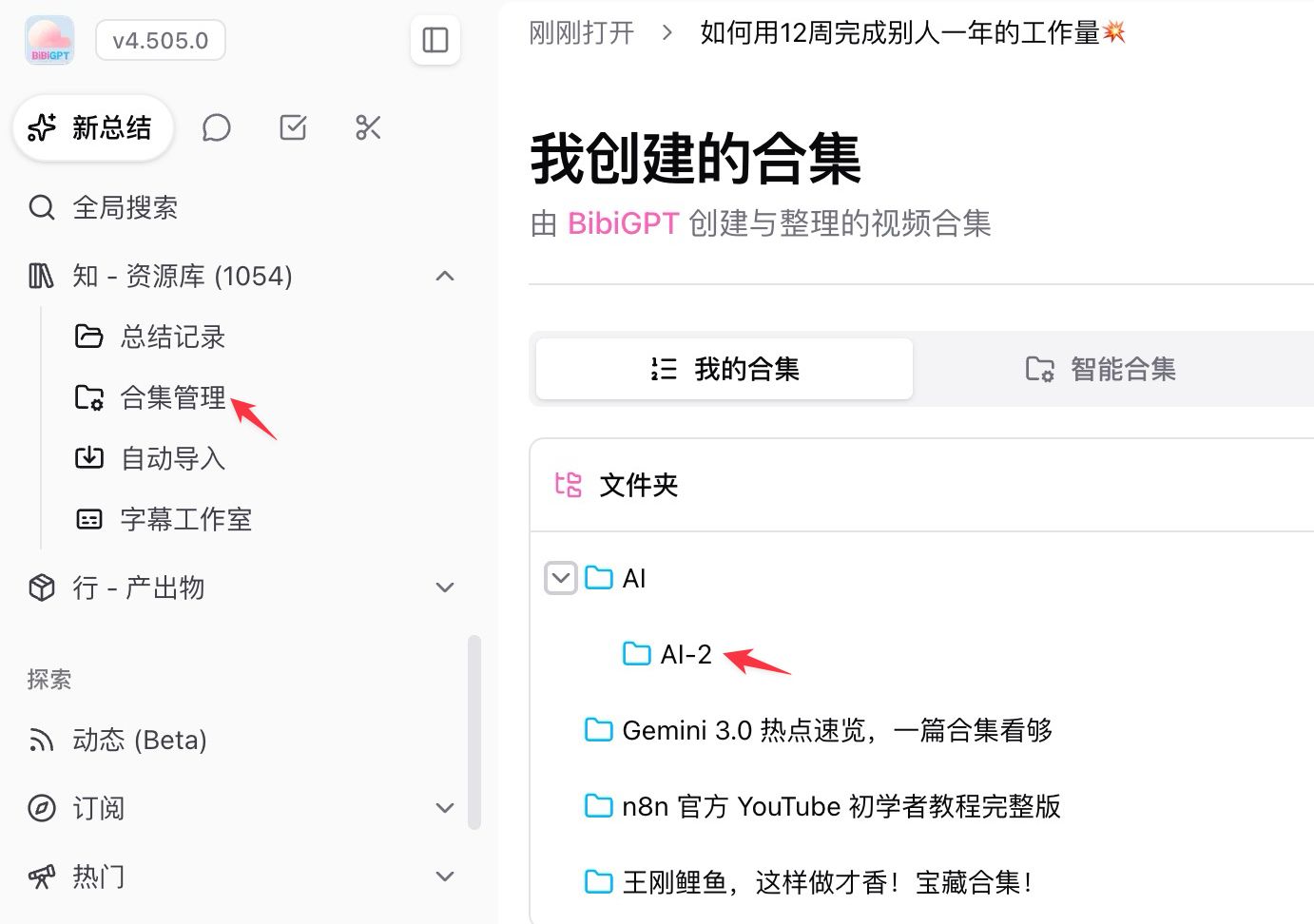
Screenshot: BibiGPT · multi-level collection folders (drag-and-drop nesting)
Bind a Custom Summary Prompt to a Collection
Have a collection for one kind of content, and you set the same prompt by hand every time you add a video? Now you can bind a custom summary prompt to a collection: pick the prompt in “Edit collection info” (e.g. an “AI tech expert” angle), and every new video added to that collection uses it automatically — no need to set it each time; leave it unset and it falls back to your global default.
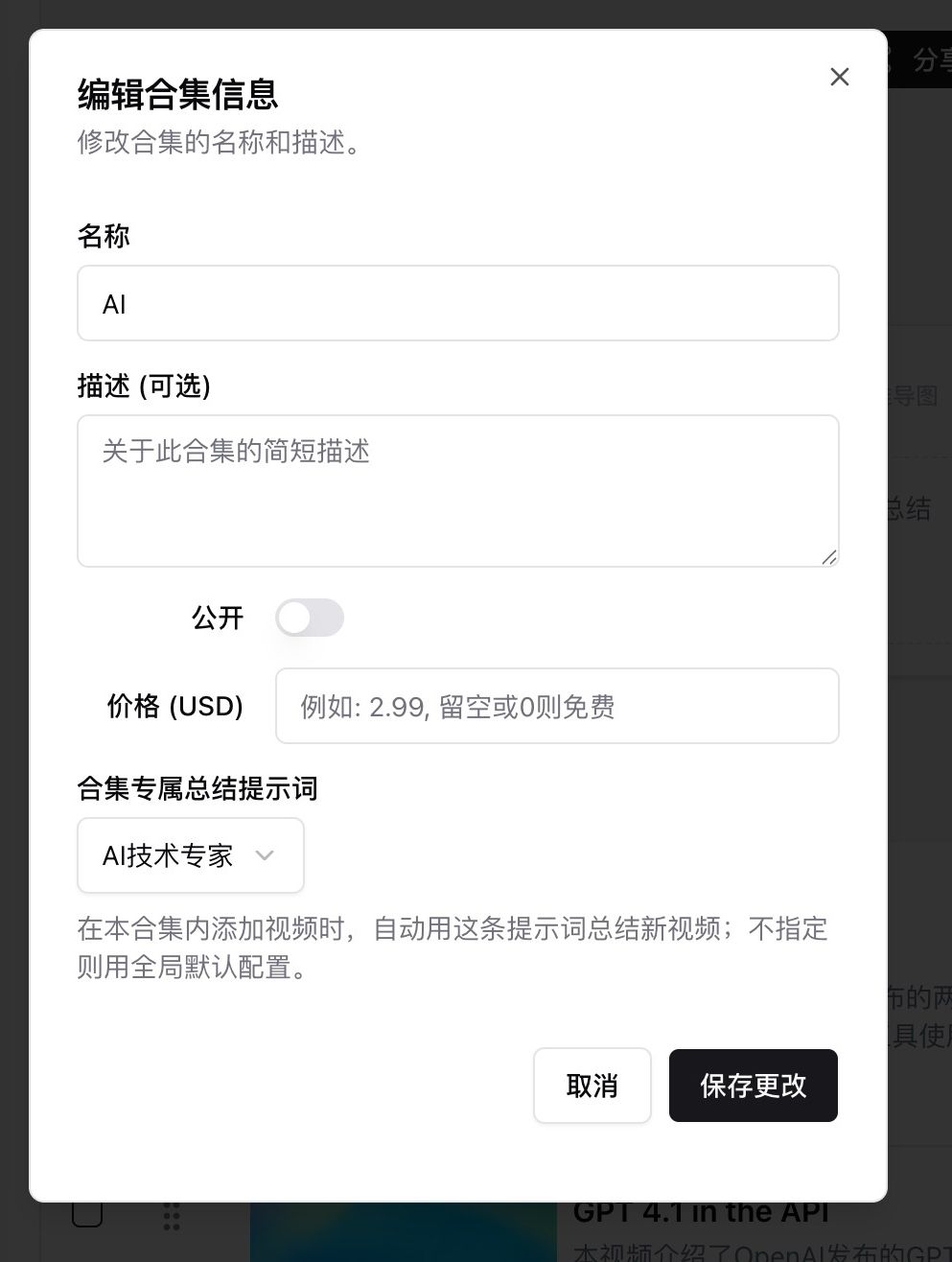
Screenshot: BibiGPT · setting a collection’s custom summary prompt
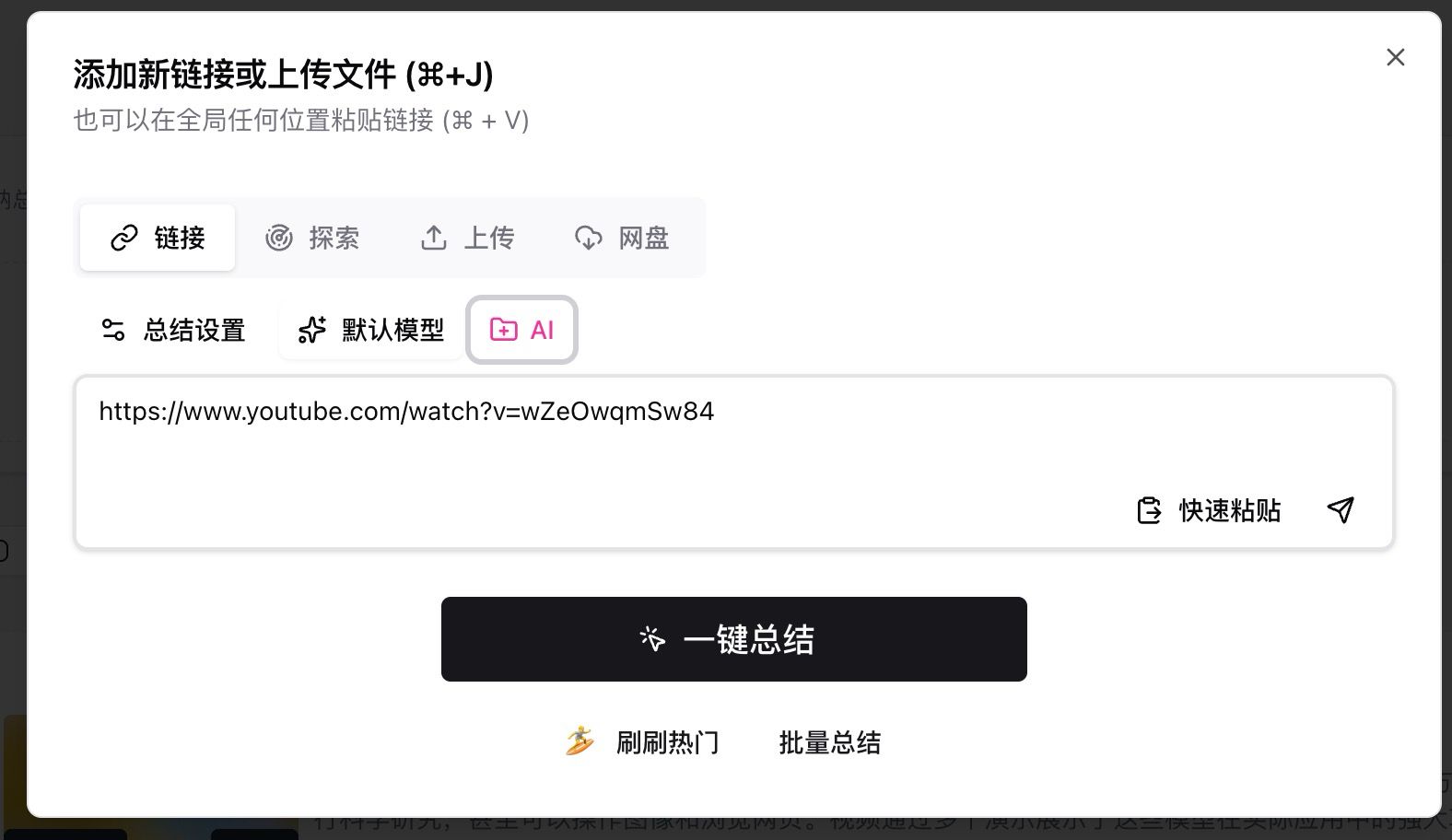
Screenshot: BibiGPT · when adding a link, “Add to collection” highlights the chosen collection (“AI”) and applies its bound prompt
Batch Highlights from Your Library
Stacked up dozens of videos in your library and want to batch-extract highlights and batch-organize, but could only open them one by one? Now in the library’s waterfall view, each card has a checkbox top-left; select several and a toolbar floats up: “Batch highlight” generates highlight notes for all selected videos at once, and “Add to collection” files them into one or more collections (a quota confirmation pops first so you can see the cost before running).
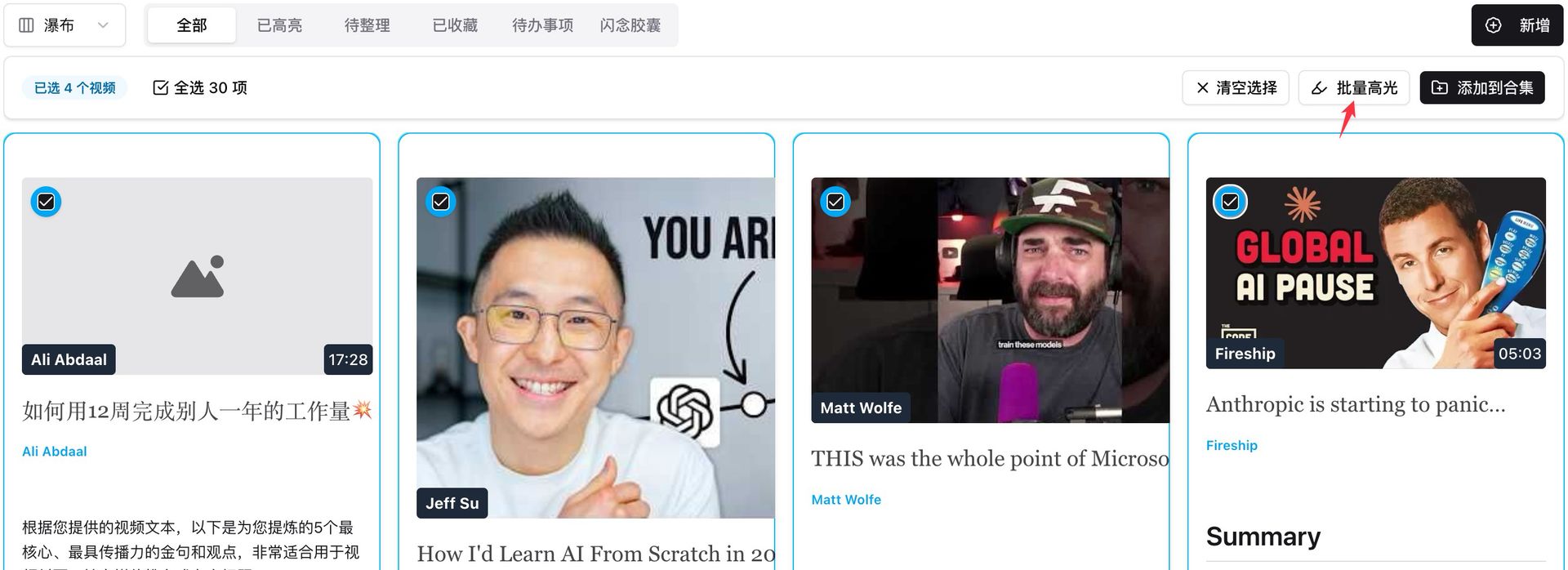
Screenshot: BibiGPT · the “Batch highlight” toolbar after multi-selecting in the library
More Updates
A round of polish this issue — the ones you might run into:
- Mobile: iOS shows processing progress live on the Dynamic Island / Lock Screen (leave the app and still see transcription/summary progress; tap the notification to jump back to the result; Android has a notification progress bar too), plus background audio playback with a draggable progress bar, a live recording waveform, and cover art on the lock screen
- Subscription sources can be grouped into folders, with multi-select batch summarizing
- The app’s “My” page can now find historical video titles
- Desktop hard-subtitle OCR added a download guide and recognition improvements
- Auto-sync to note apps now force-overwrites, fixing duplicate Obsidian exports
- Already-viewed content opens instantly from cache on revisit, and long-video subtitles no longer stutter
Wrap-Up
In one line: on “find it”, any-RSS subscriptions wire your sources in; on “put it to work”, the upgraded export dialog + multi-level collection folders + bound prompts + batch highlights make long-term archiving easier; plus a round of polish. And don’t forget to come back and claim your 618 group-buy reward first.
Spend compute, not brainpower — make audio and video fast to watch, easy to search, and ready to use.
Got feedback or a bug? Leave us a message on our WeChat official account 魔法司.
- 🎁 Claim your group-buy reward: bibigpt.co/g
- 🌐 Website: bibigpt.co
- ✨ Explore more features: bibigpt.co/features
- 💻 Desktop download: bibigpt.co/download/desktop
- 📱 Mobile download: bibigpt.co/app
BibiGPT Team