BibiGPT v4.651.0: Mini player across pages and channel filters

Hey there, BibiGPT friends 👋
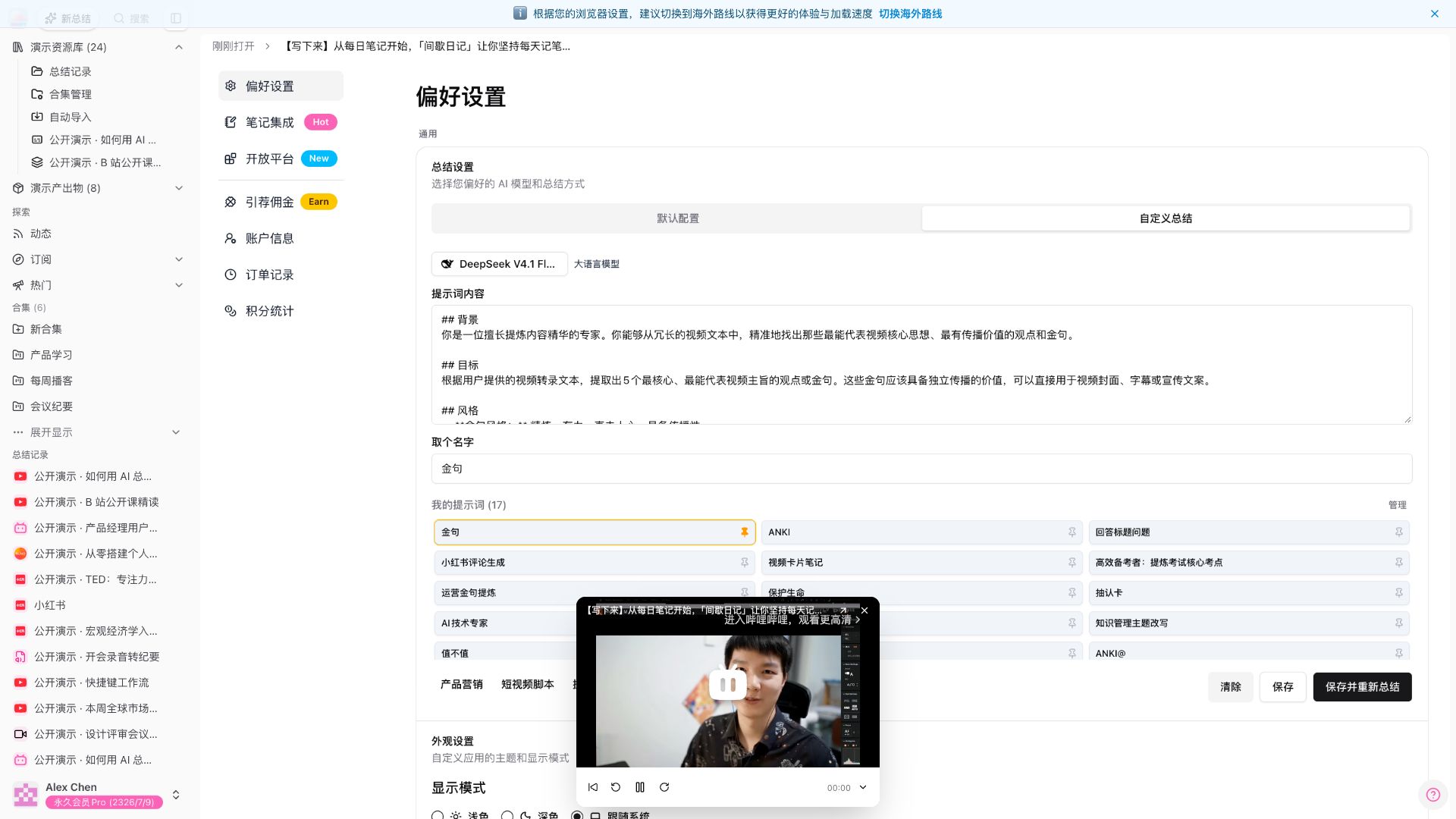
Over the past few days, BibiGPT shipped another round of updates. This week’s through-line is the mini player that keeps playing after you change pages, plus filtering subscribed channels by platform: open a mini player on a summary, then jump to Preferences — the sound does not stop; the subscription list can narrow channels to Bilibili and other platforms. Read faster, find it, put it to work — you can use all of that this week.
⚡ Read faster
Mini player keeps playing across pages
You had a summary open and wanted to tweak Preferences or check subscriptions. Leaving the page used to tear down the mini player, kill the sound, and send you back to that summary to open it again.
Where: after you sign in, open bibigpt.co → open an existing summary → tap the mini-player button on the player toolbar → then open Preferences from the avatar menu, or Subscriptions in the sidebar.
Last week you could already open a corner mini player on a summary page. This week it stays on Settings, Orders, and similar pages — same card, still playing. The detail page only hides the large player; it is not a second player.
Demo: open the mini player → switch to Preferences, same card still playing (about 18 seconds)
Sidebar header fits on one row
After sign-in, the icon at the top left did not read as Home. Collapsing the sidebar sat on its own row, and New summary and Search were scattered elsewhere.
Where: after you sign in, open bibigpt.co → look at the very top row of the left sidebar.
Left to right: Home, New summary, Search, Collapse sidebar. Four entries sit in a row; global search is no longer duplicated in the main nav. Search was always there — this week it moved next to Home, New summary, and Collapse, so you can tap it at a glance.
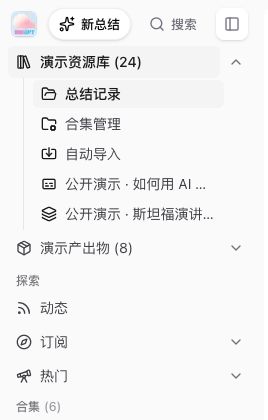
Screenshot: BibiGPT · the four entries on the top row of the sidebar
Open the changelog from the avatar menu
To see what changed on the web app, you used to hunt through the blog or the updates page. The avatar menu already showed a version number at the bottom, but you could not open anything from there.
Where: after you sign in, open bibigpt.co → tap the avatar at the bottom of the left sidebar → the open button to the right of the version number at the bottom of the menu.
On the web app this button opens the public changelog, not “Check for updates” on the desktop client. Check for updates still lives in the same spot on desktop only. The menu still has Preferences, Notes integrations, Account info, Orders, and the rest.
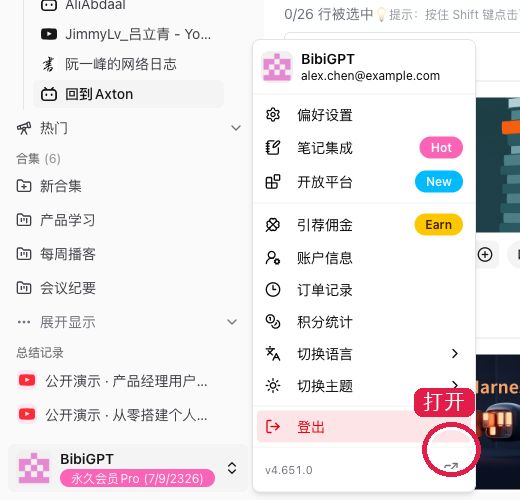
Screenshot: BibiGPT · the open button beside the version number at the bottom of the avatar menu
🔎 Find it
Filter subscriptions by platform
Creators from every platform used to sit in one long subscribed list. To see only one platform, you had to scan the table yourself; with more channels, people disappeared.
Where: after you sign in, open bibigpt.co → under Explore on the left, tap Subscriptions → switch to Subscribed channels. The feed page uses the same chips.
Above the table is a row of platform chips. The current one highlights, with that platform’s count beside it. You can still search channel names, and sort by platform or most recent summary. Subscriptions were always there — this week you can narrow the list by platform.
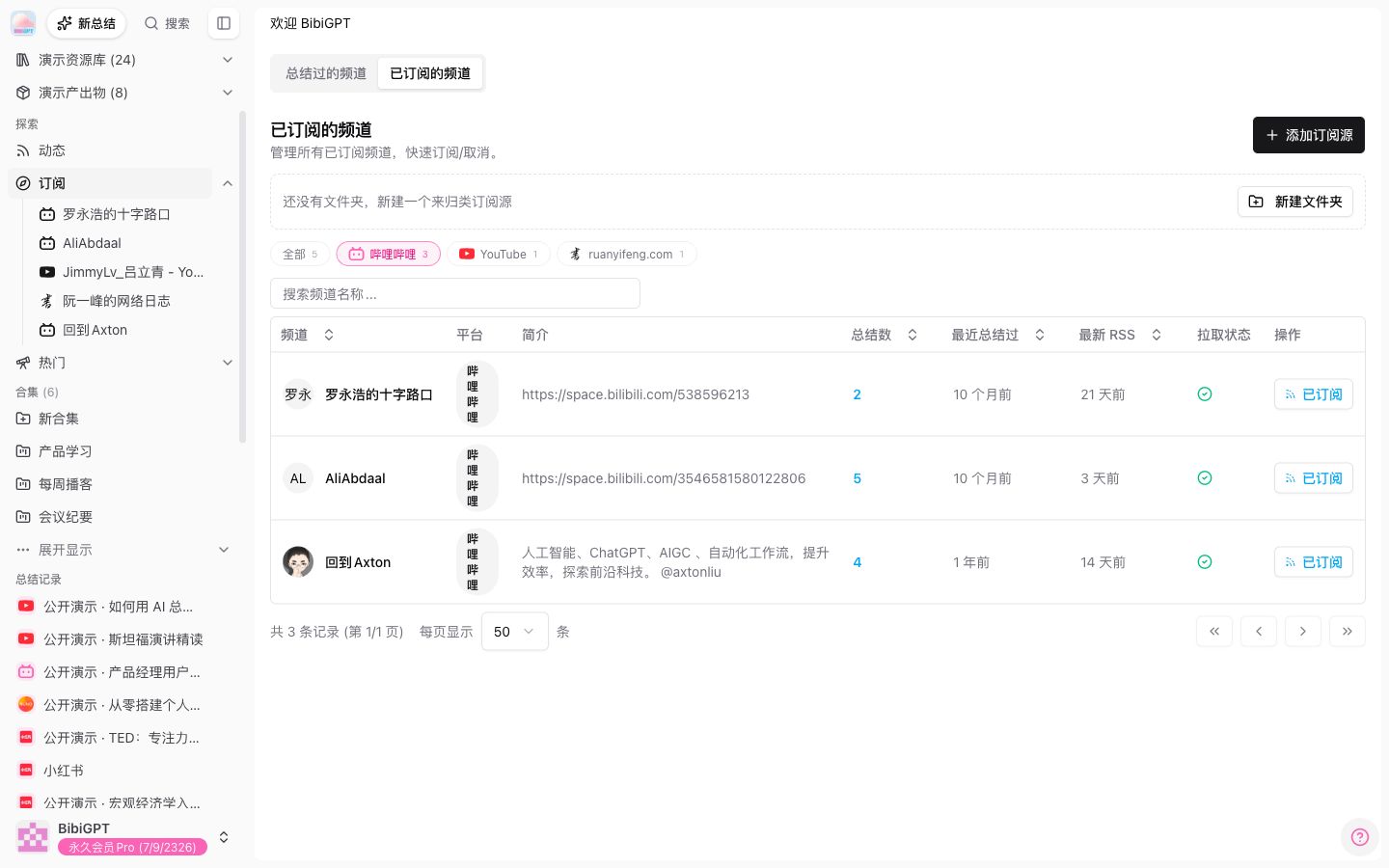
Screenshot: BibiGPT · platform chips at the top of Subscribed channels; the current one highlights
Channel header is tighter
Opening a subscribed creator’s channel used to fill the first screen with a large avatar and a long bio, pushing the video list down.
Where: after you sign in, open bibigpt.co → expand Subscriptions on the left → tap a subscribed creator.
The header is now a small avatar + name + one-line bio, with Subscribed / Ask in chat on the right. The blue bar “Why does the channel page only show the latest few videos?” is collapsed by default; expand it when you need it — it points to the browser extension. The latest items are still there; batch-summarizing history goes through the extension, so the note no longer blocks the list by default.
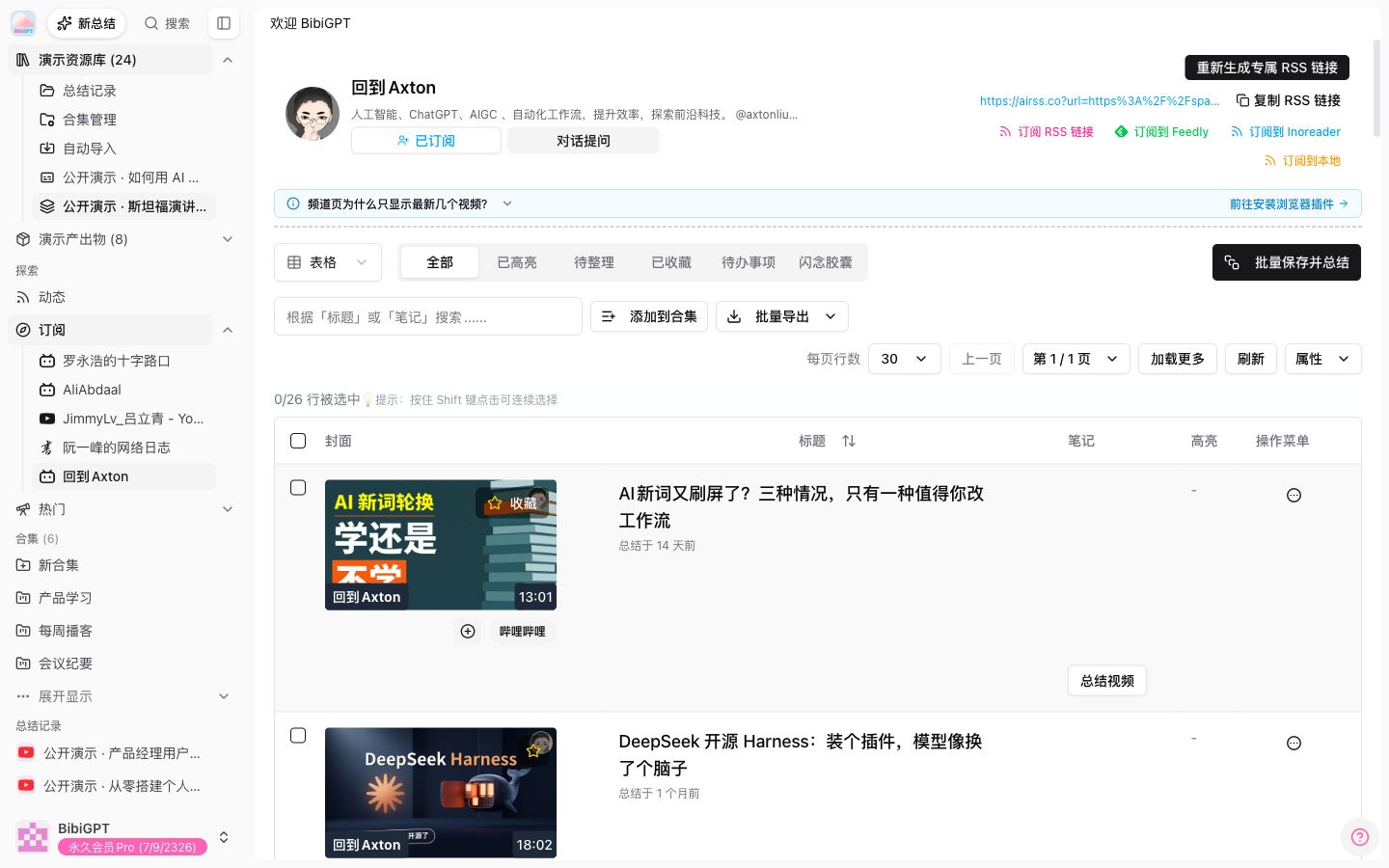
Screenshot: BibiGPT · small avatar, subscribe actions on the right, and the explainer collapsed by default
🛠️ Put it to work
Windows download protection hint
After you download the Windows installer, system protection sometimes pops up. A lot of people treat it as a risk and close it; the next step is actually under More info.
Where: open bibigpt.co/apps/desktop → How to get it → the note under the download button on the Windows card.
If that system-protection line appears, tap More info, then Run anyway. Windows is protecting you from new software; it is not a virus. We only wrote those two taps under the download button so fewer people close it by mistake.
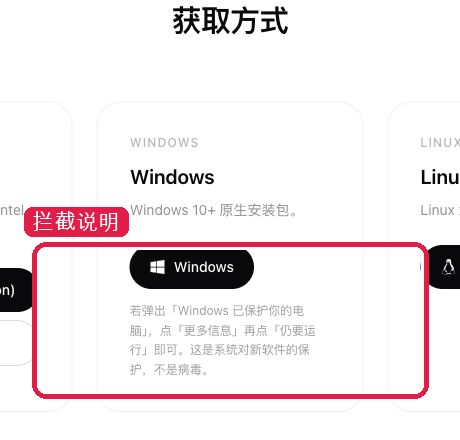
Screenshot: BibiGPT · Windows card on the desktop download page, with the two taps under the button
Other recent polish
- The main-site footer no longer lists Labs, more products, or overseas audio/video tool entries
- WeChat binding copy in Account info is fully Chinese: bind / rebind / unbind
- After you maximize the chat bubble and snap it to the right, you can still drag all four edges
- After you pick Default on the WeChat summary-push template, refresh keeps Default
- Collection plaza and Prompt plaza no longer peek from the sidebar; anyone who knows the URL can still open the direct link
- Lifetime-member sidebars no longer pitch group-buy referrals
- Short formulas in summaries typeset; money amounts stay as plain text
- Douyin channel short links expand to the real creator URL
- Douyin talking-head videos re-run speech recognition instead of trusting platform captions
Wrap-up
Start with the mini player that keeps playing across pages and filtering subscriptions by platform this issue — one so you can listen while you change settings, one so the subscription list can stay narrowed by platform. The sidebar header, channel header, changelog in the avatar menu, and the two-tap hint on the Windows download page are ready as soon as you open them.
Ideas or issues? Leave us a note on the WeChat Official Account “魔法司”.
- 🌐 Website: bibigpt.co
- ✨ Explore features: bibigpt.co/features
- 🔌 Browser extension: bibigpt.co/apps/browser
- 💻 Desktop app: bibigpt.co/download/desktop
- 📱 Mobile app: bibigpt.co/app
—— BibiGPT Team
Popular tools
More in this series
- AI Competitive Intelligence Workflow: Build Industry Monitoring with BibiGPT Video Summaries
- Lessons From Shipping BiliGPT: Two Cold-Start Growth Tactics Behind a GPT-3 Side Project
- [BibiGPT Growth Series] Episode 1 | How AI Summaries for Bilibili Were Born
- BibiGPT Advanced Guide 2026: Download + AI-Summarize Videos from WeChat Channels, RedNote, TikTok, and Enterprise Intranet Sites
- Chat with Any Video: How to Ask AI Questions About Videos Instead of Watching the Whole Thing (2026)