
How to Turn Bilibili Videos Into WeChat Articles in 2026: A 5-Step AI Workflow
Convert Bilibili videos into WeChat-ready articles with BibiGPT's 5-step AI workflow: paste link, summarize, auto-grab keyframes, rewrite for tone, export Markdown. Cuts 4 hours of repurposing into 25 minutes.
How to Turn Bilibili Videos Into WeChat Articles in 2026: A 5-Step AI Workflow
Last updated: April 17, 2026
The fastest way: paste a Bilibili link into BibiGPT and get a publish-ready WeChat article draft in about three minutes — auto-summarized, auto-illustrated, and rewritten in WeChat tone. The full workflow has five steps — paste, summarize, grab keyframes, rewrite for tone, export. What used to be a 4-hour repurposing job now fits in 25 minutes.
This guide is for Chinese-language creators, knowledge UPs, and brand teams who already publish on Bilibili and want to recycle that effort into a clean WeChat post using AI Video to Illustrated Article, Bilibili Video-to-Text, and AI Bilibili Summary.
Why "Bilibili → WeChat" is the highest-ROI repurposing flow
💡 30-second test: paste a Bilibili link below and see how subtitles + chapters get pulled before you commit to the full flow.
试试粘贴你的视频链接
支持 YouTube、B站、抖音、小红书等 30+ 平台
WeChat readers still prefer well-structured long-form articles over 30-minute videos. But the manual work of turning a video into one is brutal: transcription, timestamp screenshots, prose rewriting, layout, proofreading — easily 3 to 5 hours per video.
That's exactly the gap AI Video to Illustrated Article closes — instead of doing manual labor, you become a reviewer.
The 5-step workflow at a glance
| Step | Tool / Capability | Output | Time |
|---|---|---|---|
| 1. Paste link, extract subtitles | Bilibili Video-to-Text | Timestamped transcript | 30 sec |
| 2. Generate structured summary | AI Bilibili Summary | Chapters + key points + mind map | 1 min |
| 3. Auto-grab keyframes | AI Video to Illustrated Article | Article draft with images | 1 min |
| 4. Rewrite into WeChat tone | Custom prompts + AI Conversation | Polished WeChat draft | 3 min |
| 5. Export Markdown / HTML | Built-in export | Paste straight into WeChat editor | 30 sec |
Step 1: Paste the Bilibili link, get timestamped subtitles
Open aitodo.co and drop the Bilibili URL into the input box. BibiGPT auto-detects whether the video has official captions, falls back to ASR if not, and handles multi-part videos by splitting them into segments.
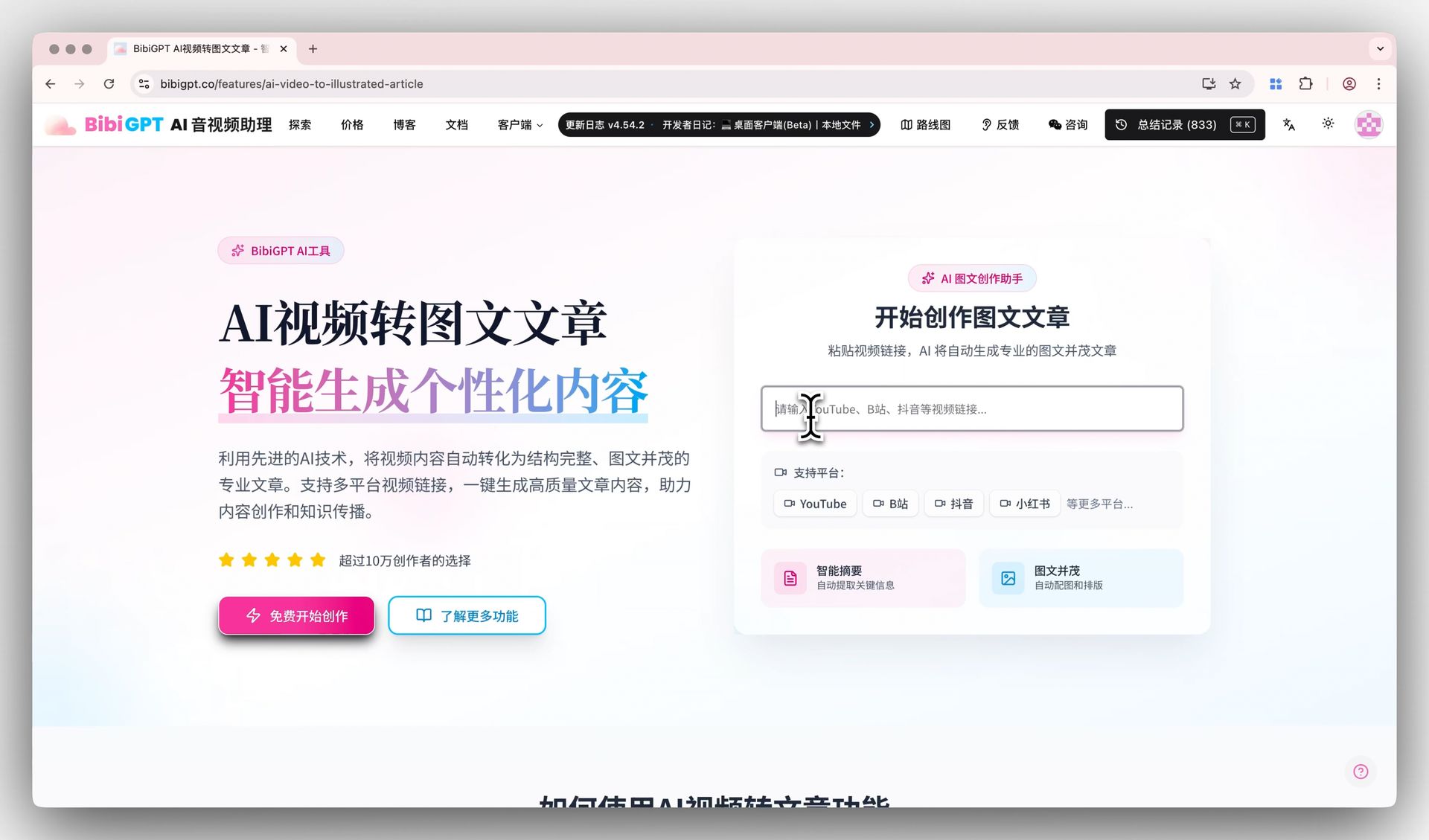 Bilibili link input demo
Tips:
- For PPT or hard-burned subtitles, enable hard-subtitle OCR in the top-right toggle so visual text gets captured even when ASR misses it
- For videos longer than an hour, switch on segmented processing in settings — it makes the chapter cuts cleaner
Step 2: Generate a structured summary (chapters + mind map)
Once subtitles load, hit "Smart Summary." BibiGPT slices the video by semantic chapters (not raw word count) and writes key points under each. This maps 1:1 to the H2/H3 structure WeChat readers expect, so you skip the outlining step entirely.
💡 The output is multi-tab: summary / chapters / mind map. For WeChat, the chapters + key points view is the cleanest starting point.
看看 BibiGPT 的 AI 总结效果

Bilibili: GPT-4 & Workflow Revolution
A deep-dive explainer on how GPT-4 transforms work, covering model internals, training stages, and the societal shift ahead.
Why this beats feeding raw subtitles to ChatGPT:
- BibiGPT's chunker is tuned for long-form Chinese content — it cuts at logical breaks instead of arbitrary token limits
- Every summary keeps timestamps, so you can verify quotes against the original
- You can save your "WeChat skeleton prompt" via Custom Prompt Summary and reuse it on every future video
Step 3: Auto-grab keyframes for the article
A WeChat post without images barely gets read. AI Video to Illustrated Article selects keyframes alongside the summary — typically chapter covers, slide transitions, frames containing data or charts, and notable host gestures.
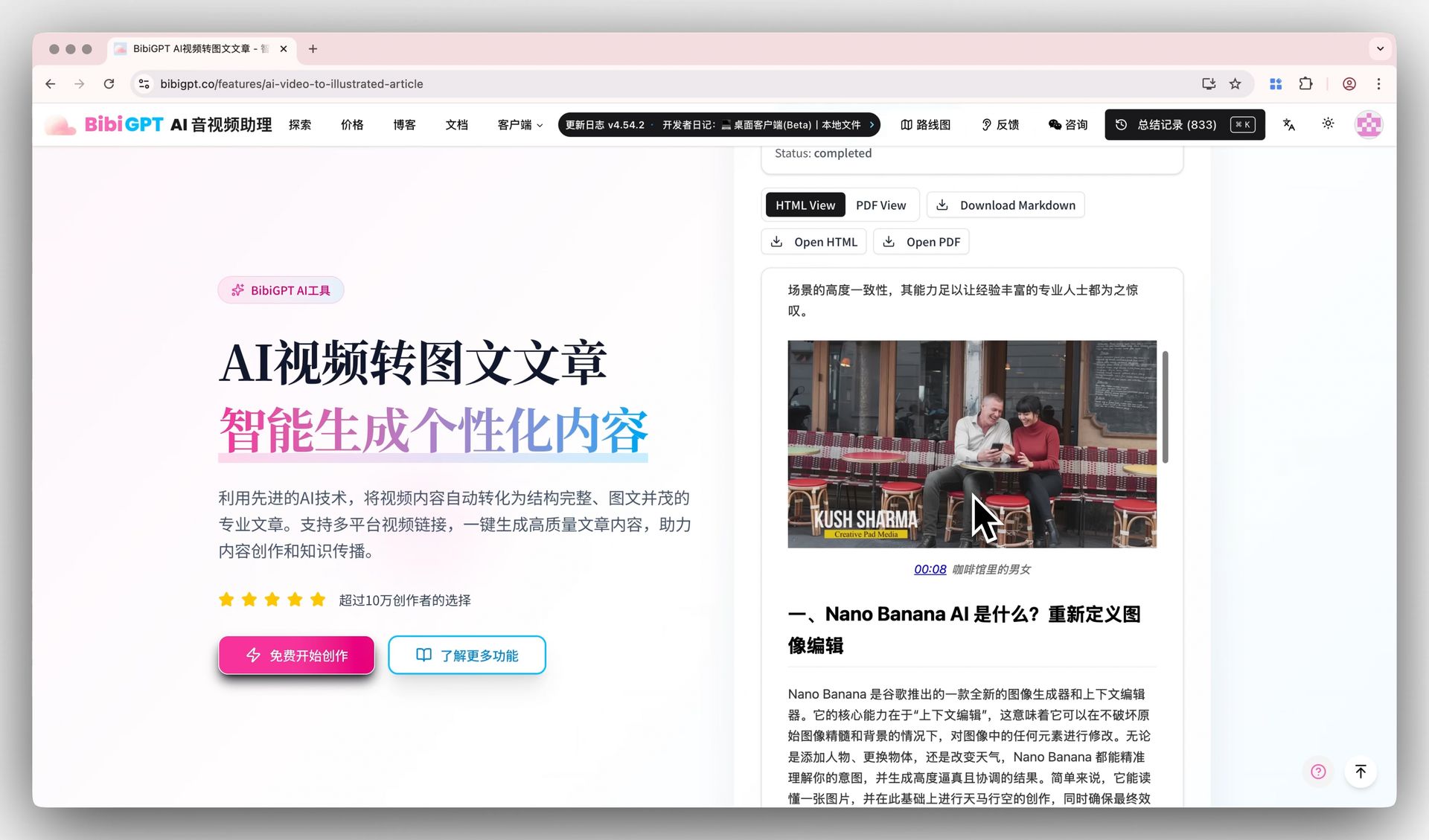 Generated illustrated article with download button
Tips:
- Default density is 8–15 frames; bump it up via "keyframe density" if you want more
- For pure talking-head videos, switch to "face frame" mode to avoid empty cutaways
- Frames are pre-compressed for OG-ready use — no separate image tool needed
Step 4: Rewrite into WeChat tone
Spoken Bilibili captions and WeChat copy are different beasts. Use AI Conversation with a tone prompt:
Rewrite the following chapter for a WeChat article:
- Open with the conclusion to hook the reader
- Use questions or numbers in H2 headings
- Keep paragraphs to 80–120 characters
- Sprinkle in conversational markers ("here's the key point", "for example")
- Preserve all original data points and quotable lines
Paste each chapter, get back WeChat-ready prose. Three minutes of work covers 5–8 chapters. Save the prompt as a template via Prompt Market for next time.
Step 5: Export to Markdown / HTML
BibiGPT exports cleanly:
- Markdown — paste into Typora/Obsidian for review, then format with Xiumi or 135 Editor
- HTML (recommended) — paste directly into WeChat editor; images upload to your asset library automatically
- PDF — for archive
That's it — your Bilibili video is now a publish-ready WeChat draft. Final 20%: verify key data, write a hook headline, add an author note.
Power move: multi-video series
For a "best-of UP" or "course recap" series, use Collection Summary:
- Drop multiple Bilibili links at once
- Cross-extract shared themes
- Reorganize by topic for cleaner long-form posts
This unlocks a "1 anchor article + 3–5 distribution posts" pattern from a single batch.
FAQ
Q: Can I publish BibiGPT's draft as-is? A: Don't. AI handles 80% of the labor (transcription, chapters, keyframes, first-pass rewriting). The remaining 20% — fact-checking, sharpening the hook, polishing typos — is where your editorial value lives.
Q: Does it work for Bilibili member-only videos? A: Public and member videos both work. Private shares need to be uploaded via Local File Upload first.
Q: Same flow for Douyin / Xiaohongshu / YouTube? A: Yes — see Douyin Video-to-Text, Xiaohongshu Video-to-Text, YouTube Transcript Generator. For Xiaohongshu specifically, AI Video to Xiaohongshu Post is purpose-built.
Q: How do I sync articles to my knowledge base? A: Export to Notion or Obsidian. Or hand it off to Claude/Cursor via bibigpt-skill.
Q: Free plan? A: Yes — subtitle extraction, summarization, AI conversation are all in the free tier. Illustrated article generation and high-density keyframe extraction are Pro features, well worth it for any creator publishing weekly.
Further reading
- Complete AI Video Summary Guide 2026 · Video → Blog 5-Step Workflow
- Best Bilibili Transcript Tools · 2026 Best Bilibili AI Summarizer
- Plaud Recorder + BibiGPT Workflow
Try the core features used in this workflow
Click through and start free
Closing
Bilibili-to-WeChat isn't a writing problem — it's a workflow problem. BibiGPT chains transcription, chapter splitting, keyframe extraction, and AI rewriting into a single pipeline. You hand off the 80% of mechanical work and keep the 20% that defines your voice.
This is the most pragmatic content-leverage workflow of 2026 — same source video, distributed across Bilibili, WeChat, Xiaohongshu, and Zhihu, hitting different reader audiences each time.
→ Try BibiGPT Free — paste any Bilibili link, get a WeChat draft in three minutes.
Or grab the desktop app for local files, or install bibigpt-skill so Claude / Cursor can drive it directly.
BibiGPT Team