TurboScribe vs BibiGPT: How to Transcribe Audio to Text for Free (2026)

Quick answer: To transcribe audio to text for free, use a tool whose free tier fits your file. TurboScribe gives you 3 files a day of up to 30 minutes each. BibiGPT gives every new account 120 welcome minutes (about 2 hours of audio, files up to 3 hours) and adds a one-click summary, mind map and Q&A on top of the transcript; its in-browser transcriber needs no signup at all. BibiGPT is an AI audio and video summarizer, and an audio-to-text tool turns speech in a recording into editable text with timestamps.
Full disclosure: BibiGPT is our product. Competitor limits below are quoted from their own pages as of November 10, 2026; check again before you sign up.
What are the free options to transcribe audio to text?
There are three practical routes, and which one is “free enough” depends on how long your files are and how often you transcribe:
- A daily free quota (TurboScribe): a few short files every day, forever.
- A one-time or monthly minute allowance (BibiGPT, Notta): a block of minutes to use on whatever length you need.
- On-device transcription (BibiGPT’s free browser tool, or running an open-source model yourself): no account and no upload, limited by your computer’s speed.
“Free” is a quota, not a price. Match the quota to your file length.
How do TurboScribe, BibiGPT and Notta compare?
| TurboScribe | BibiGPT | Notta | |
|---|---|---|---|
| Free allowance | 3 files per day, up to 30 min each | 120 welcome minutes on a new account (about 2 hours); separate no-signup browser tool | 120 minutes per month, 50 uploads per month |
| Longest file | 10 hours / 5 GB on Unlimited | 3 hours / 200 MB per file | Free: 3 minutes per recording |
| Paid entry point | Unlimited: $10/month billed yearly, or $20 monthly | Plus / Pro plans, or top up minutes | Pro: $97.99 a year |
| Languages | 98+ | All major languages, mixed-language audio | Bilingual transcription |
| Exports | DOCX, PDF, TXT, SRT/VTT, CSV | Transcript and SRT; summary as Markdown, PDF or Notion | Notion integration |
| After the transcript | Translation into 134+ languages | AI summary, mind map, follow-up Q&A, translation | AI notes (10 a month free) |
| Links instead of files | YouTube links | YouTube, Bilibili, podcasts and 30+ platforms | — |
Sources: TurboScribe pricing, TurboScribe home, Notta pricing, BibiGPT audio to text, retrieved November 10, 2026.
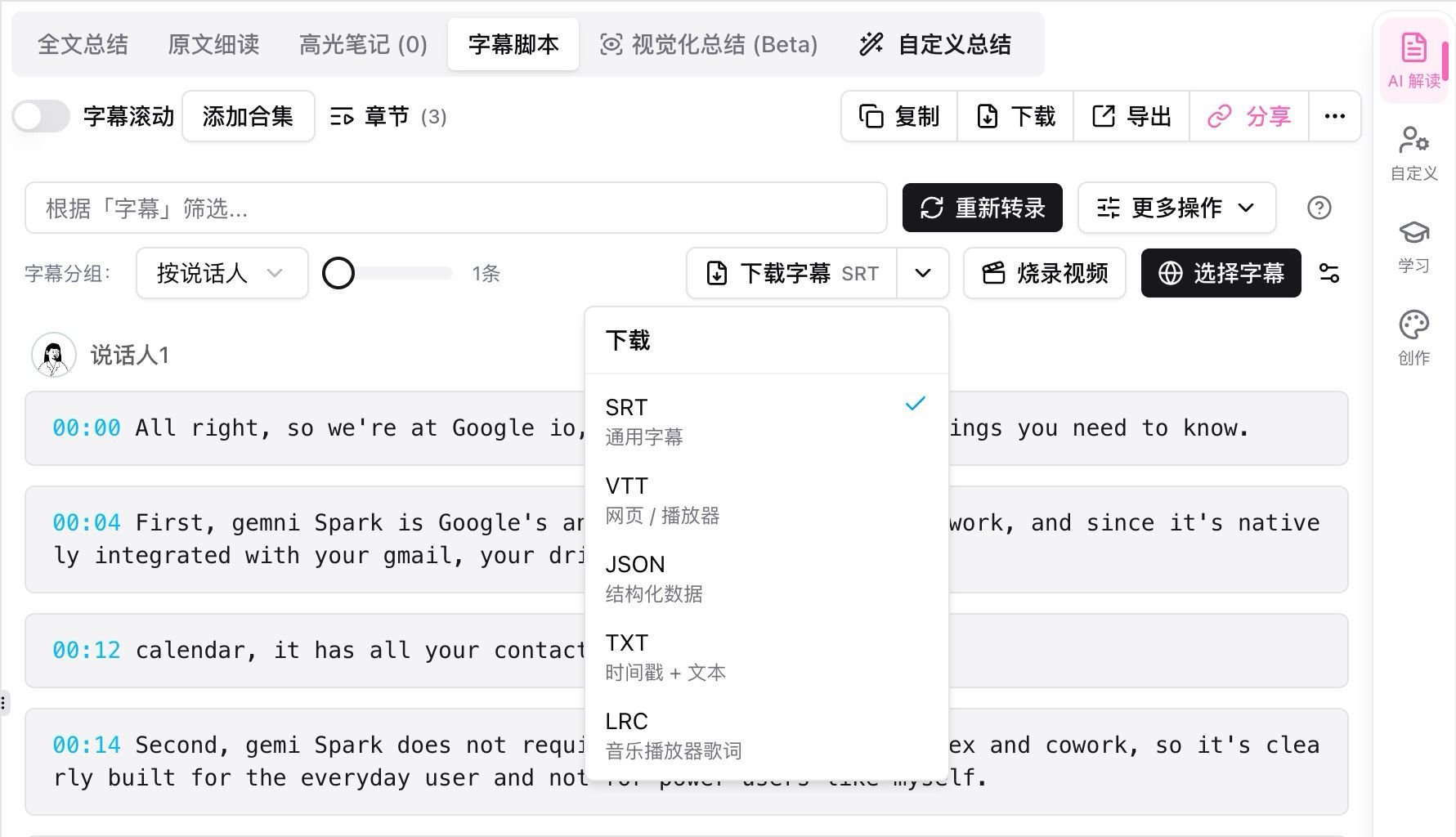
A timestamped transcript with download formats. Source: BibiGPT transcript view.
When is TurboScribe the better free choice?
When you transcribe a few short files on a regular basis and mostly need the text itself. Three 30-minute files a day covers interviews, voice memos and short meetings without ever paying, and the paid Unlimited plan is a flat price with very long files (10 hours or 5 GB). Its exports (DOCX, PDF, SRT/VTT, CSV) suit people who hand the transcript to someone else.
If the transcript is the deliverable, TurboScribe’s daily quota is hard to beat.
When is BibiGPT the better free choice?
When your recording is long, or the transcript is only the first step. BibiGPT’s 120 welcome minutes can go into a single two-hour lecture or podcast instead of being cut into 30-minute pieces, and each file can be up to 3 hours. Once the text is ready, one click gives you a structured summary, a mind map and a chat you can ask about the recording, so you do not have to re-listen to find the part you need. It also takes links directly (YouTube, Bilibili, podcast episodes) instead of requiring a file download first.
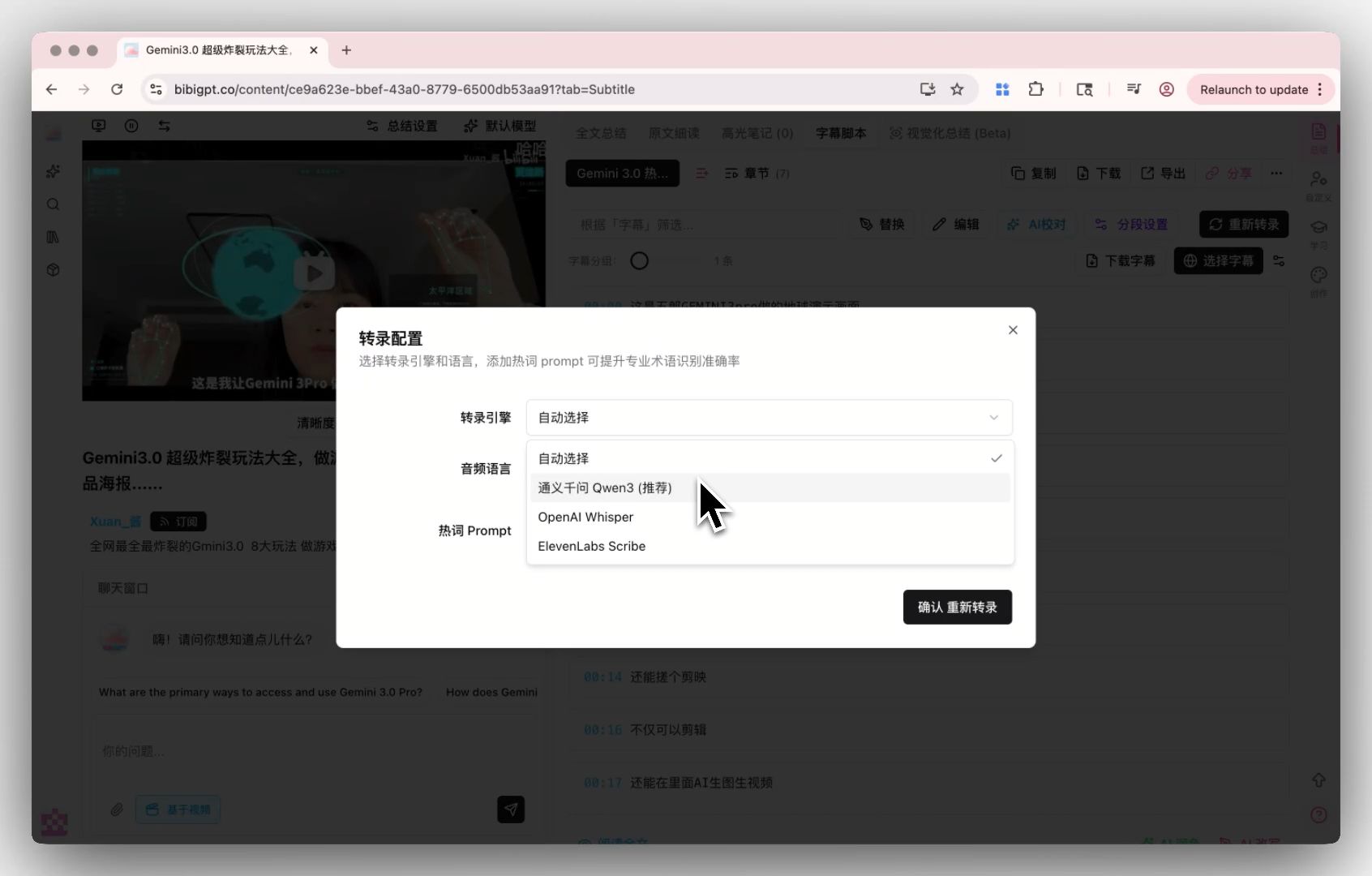
Pick the transcription engine per file. Source: BibiGPT transcription settings.
If you do not want an account at all, BibiGPT’s free audio transcription tool runs in your browser: no signup, no upload, files stay on your device. Very long files are slow on older computers, so it works best under an hour.
Transcribe once, then ask the recording questions instead of scrolling the text.
The demo below shows what happens after the transcript: one click turns it into a summary you can ask questions about.
How do you transcribe a file for free, step by step?
- Decide the length: under 30 minutes and a few files a day fits TurboScribe’s free tier; one long file fits BibiGPT’s welcome minutes.
- Upload the file (MP3, WAV, M4A and more) or paste a link.
- Choose the language, or leave it on automatic detection for mixed-language audio.
- Export the text (TXT, SRT) or, in BibiGPT, open the summary and save it to Notion or Markdown.
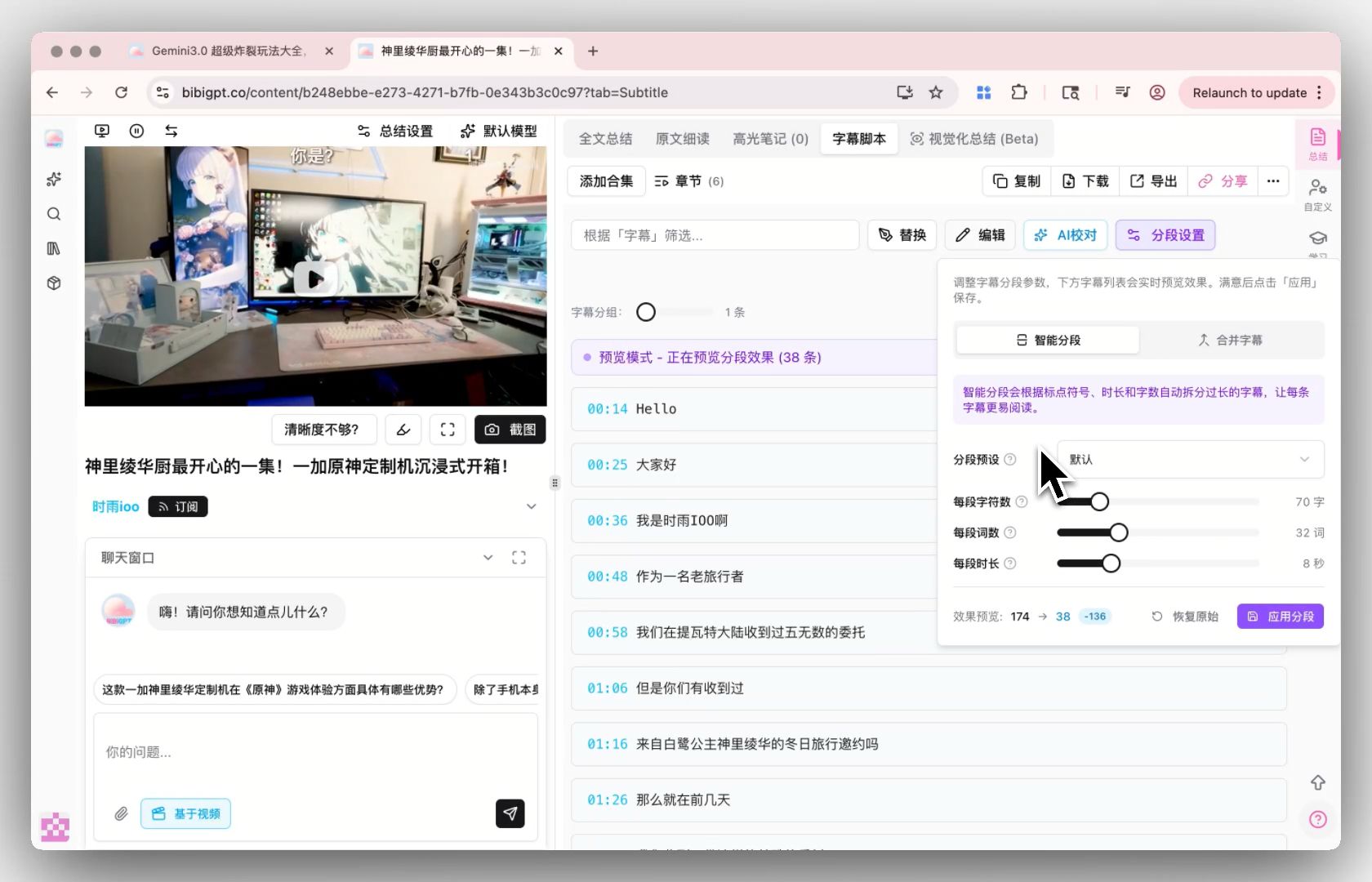
Long transcripts are split into readable paragraphs. Source: BibiGPT transcript.
Which one should you pick?
Pick by what you do after the text. For steady, short files where the transcript is the end product, use TurboScribe’s free daily quota. For long recordings, links from YouTube, Bilibili or podcasts, or when you want the key points without re-listening, use BibiGPT. For a one-off file you would rather not upload anywhere, use BibiGPT’s no-signup browser tool.
FAQ
How can I transcribe audio to text for free?
Use a free tier that fits your file: TurboScribe allows 3 files a day up to 30 minutes each; BibiGPT gives new accounts 120 minutes (about 2 hours) and has a no-signup in-browser tool; Notta’s free plan includes 120 minutes a month with a short per-recording cap.
Is TurboScribe free?
Yes, with limits: 3 transcriptions a day, each up to 30 minutes, at lower priority. Unlimited costs $10 a month billed yearly or $20 month to month, according to its pricing page.
What is a free alternative to TurboScribe for long files?
BibiGPT: its welcome minutes can cover one file of up to 3 hours, and it summarizes the transcript for you.
Start with the next recording you have: transcribe it with BibiGPT.
Popular tools
More in this series
- Adobe Acrobat Student Spaces vs BibiGPT: Two Paths to Turn PDFs and Videos into AI Podcasts (2026 Student AI Study Comparison)
- AI Haoji vs BibiGPT 2026 Full Comparison: Use Case, Platform Coverage, Multilingual, Mind Map Depth, Pricing — Which Should You Pick?
- AI PPT Generator Tools Comparison 2026: Qwen vs Gamma vs BibiGPT vs Tome — Which Is Right for You?
- AI Video Note Taker Comparison 2026: QuickQuill vs Mufal vs Memories.ai vs BibiGPT
- Ask YouTube's Conversational AI Search Rolls Out Wider This Summer: Can It Replace Video Summary Tools? (2026 Hands-On Review)