
YouTube AI Video Summarizer: BibiGPT + Feynman Technique Boosts Learning Efficiency 5x
How to apply the Feynman Technique to YouTube learning? BibiGPT's AI video summarizer offers a 4-step workflow — smart deep summary extracts knowledge skeletons, mind maps build structure, AI chat with timestamps fills gaps, channel subscriptions track progress. Includes MIT course case study.
YouTube AI Video Summarizer: BibiGPT + Feynman Technique Boosts Learning Efficiency 5x
Quick answer: How to apply the Feynman Technique to YouTube learning? Four-step workflow: ① Use BibiGPT's smart deep summary to extract the video's knowledge skeleton, ② switch to mind map view to build a mental structure, ③ use AI chat with timestamp tracing to pinpoint concepts you can't explain, ④ subscribe to channels to build a creator knowledge base and ask cross-video questions across entire series.
Why Smart People Still Forget YouTube Videos
Try pasting your video link
Supports YouTube, Bilibili, TikTok, Xiaohongshu and 30+ platforms
YouTube hosts over 800 million videos — programming tutorials, physics lectures, language courses, startup lessons. Yet cognitive science research shows passive watching retains less than 10% of information after 24 hours (Roediger & Butler, 2011, the testing effect study).
The Feynman Technique solves this. Nobel Prize-winning physicist Richard Feynman's core insight:
"If you can't explain something in simple terms, you don't really understand it."
This shifts the learning standard from "I watched it" to "I can explain it" — the only standard that actually proves mastery.
The Four Feynman Steps with BibiGPT (YouTube Edition)
Step 1: Identify — Smart Deep Summary as Your Knowledge Map
Paste a YouTube link into BibiGPT's YouTube AI video summarizer and get a structured smart deep summary in seconds, containing:
- Core summary: The video's main arguments and conclusions
- Highlight list: Key insights worth remembering
- Deep thinking Q&A: Probing questions to test real comprehension
- Term explanations: Automatic definitions of technical vocabulary
 BibiGPT smart deep summary with thinking questions
This gives you the full picture of a one-hour video in under a minute, so you can actively choose which 1-2 concepts to deeply master — rather than trying (and failing) to absorb everything.
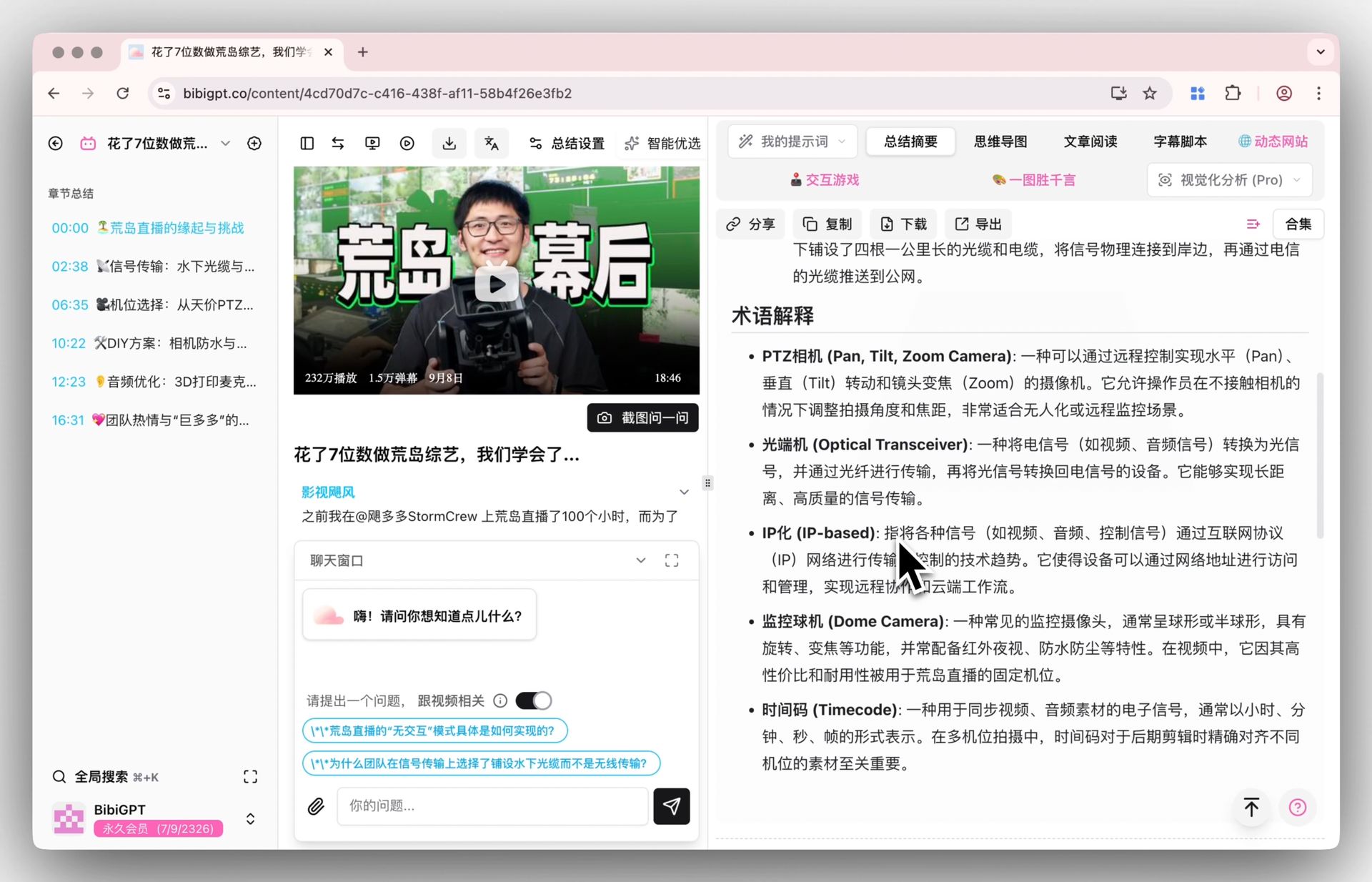 BibiGPT smart summary with automatic term explanations
Step 2: Teach — Mind Map to Build and Expose Understanding
BibiGPT's inline mind map converts your video summary into a visual structure with one click. Switch between Markmap and XMind views without leaving the page.
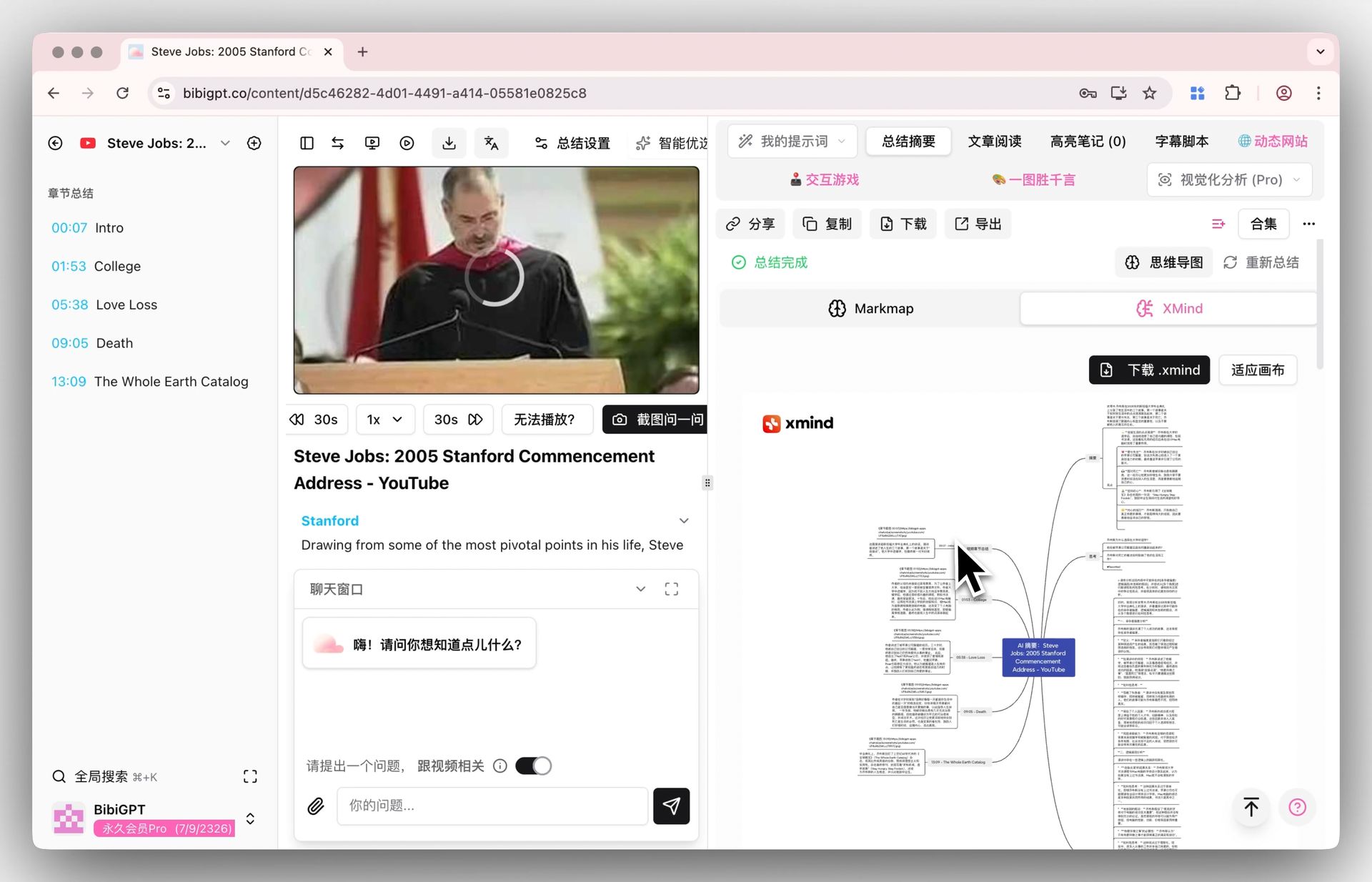 BibiGPT inline mind map XMind view
Use the mind map as your "lecture skeleton." Try to fill in each branch in your own words. Where you stumble is exactly where your knowledge gaps are — which feeds directly into Step 3.
Step 3: Identify Gaps — AI Chat with Timestamp Tracing
When you discover a concept you can't clearly explain, ask BibiGPT directly:
- "What's the fundamental difference between recursion and iteration in this video?"
- "Why does gradient vanishing happen, according to this lecture?"
BibiGPT's AI answers with clickable timestamps that jump you to the exact moment in the YouTube video where the concept is explained — so you can verify the AI's answer against the original source.
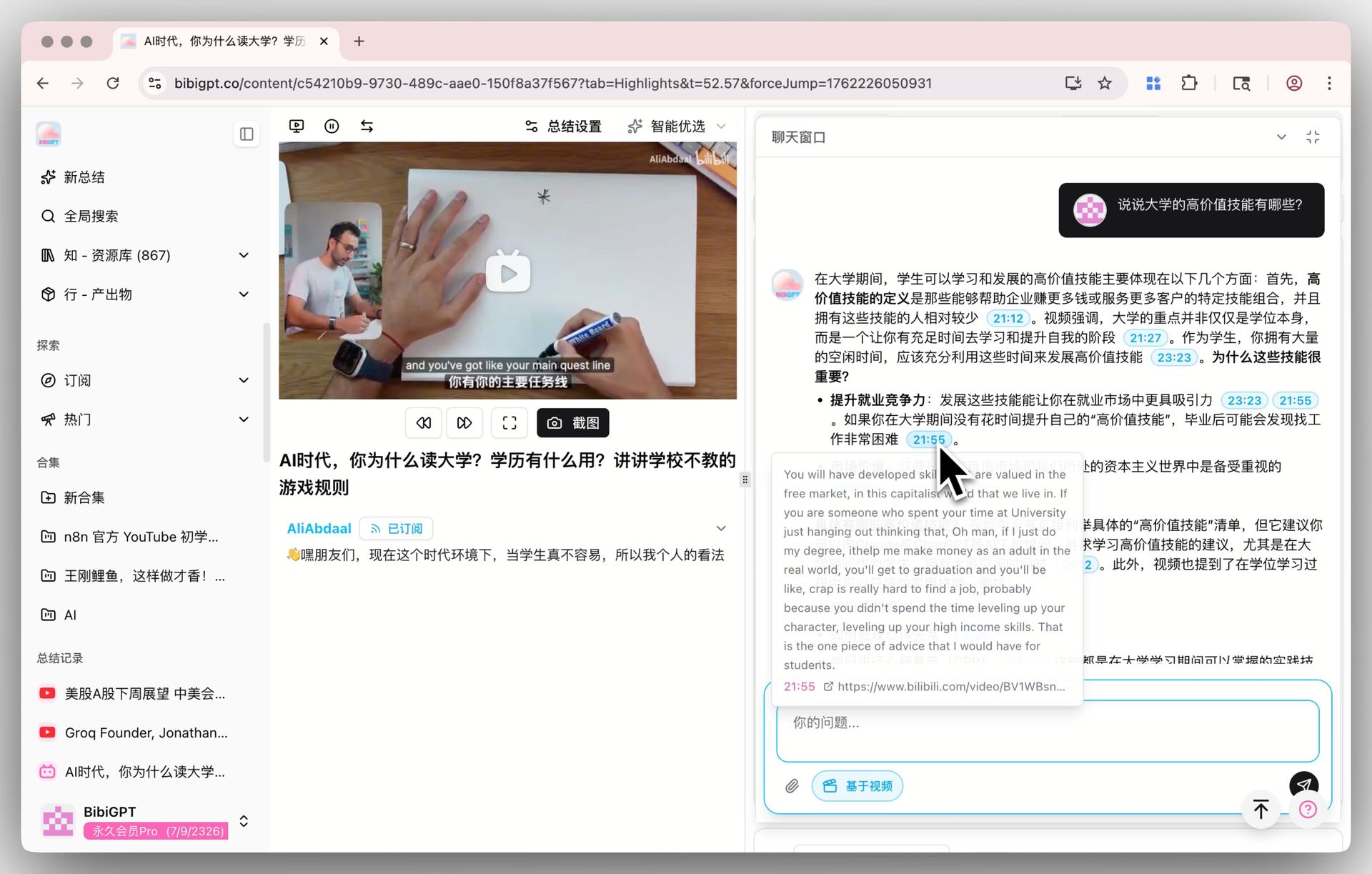 BibiGPT AI chat with clickable timestamp source tracing
This eliminates the classic frustration of "I know the video explained it, but I can't find where." If you need the full transcript first, use the YouTube transcript generator to export timestamped text with one click.
Step 4: Simplify — Flashcard Self-Testing + Anki Export
BibiGPT automatically generates flashcards from video content:
 BibiGPT flashcard generation interface
Each card is a Feynman test: can you answer without looking? Cards you can't answer reveal what needs another iteration. Export all cards as CSV and import into Anki for long-term spaced repetition.
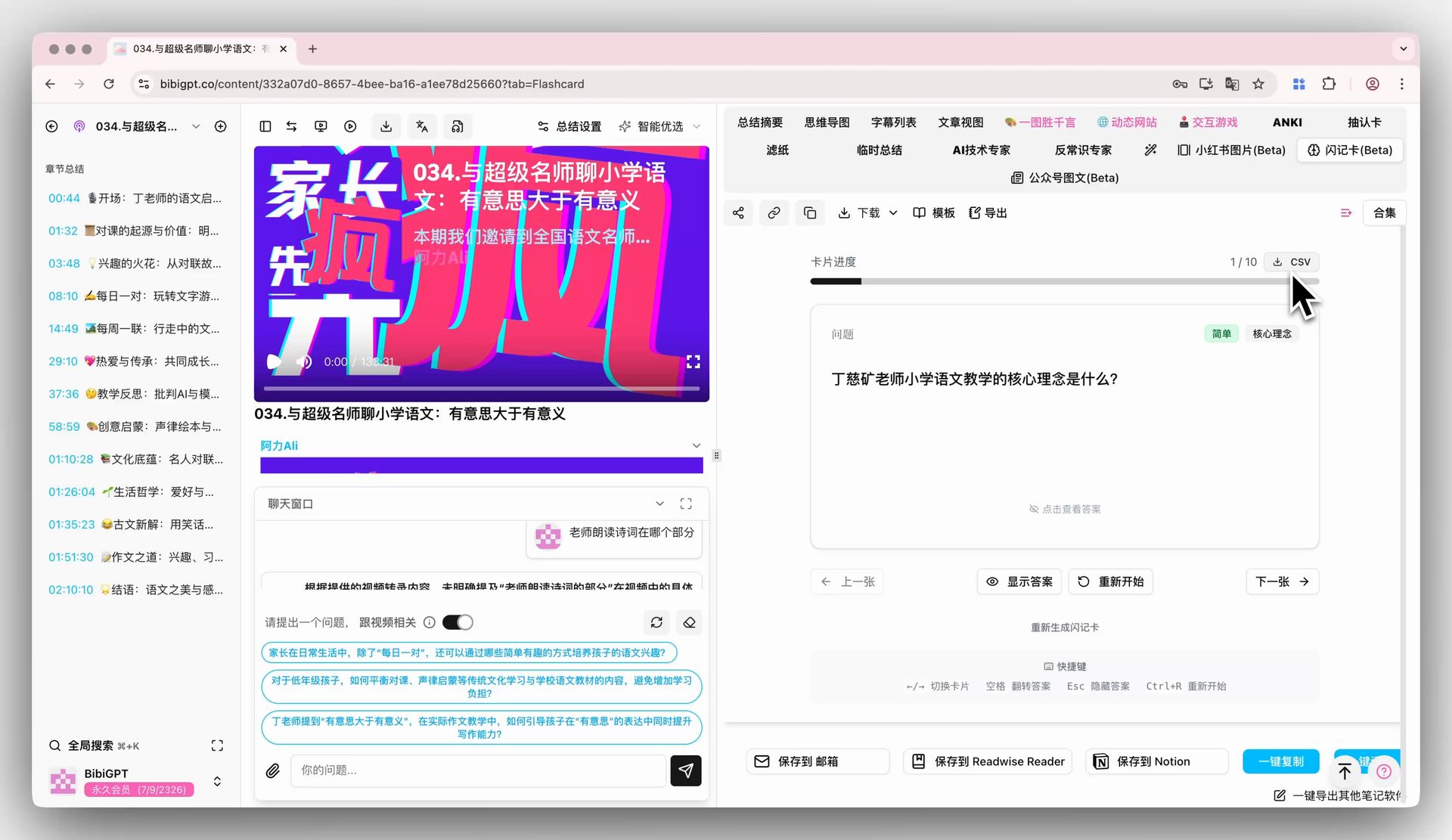 BibiGPT flashcard export to CSV
YouTube-Exclusive: Channel Subscription & Cross-Video Learning
BibiGPT lets you subscribe to YouTube channels — every new video automatically enters the processing queue, building a searchable library of everything that creator has published.
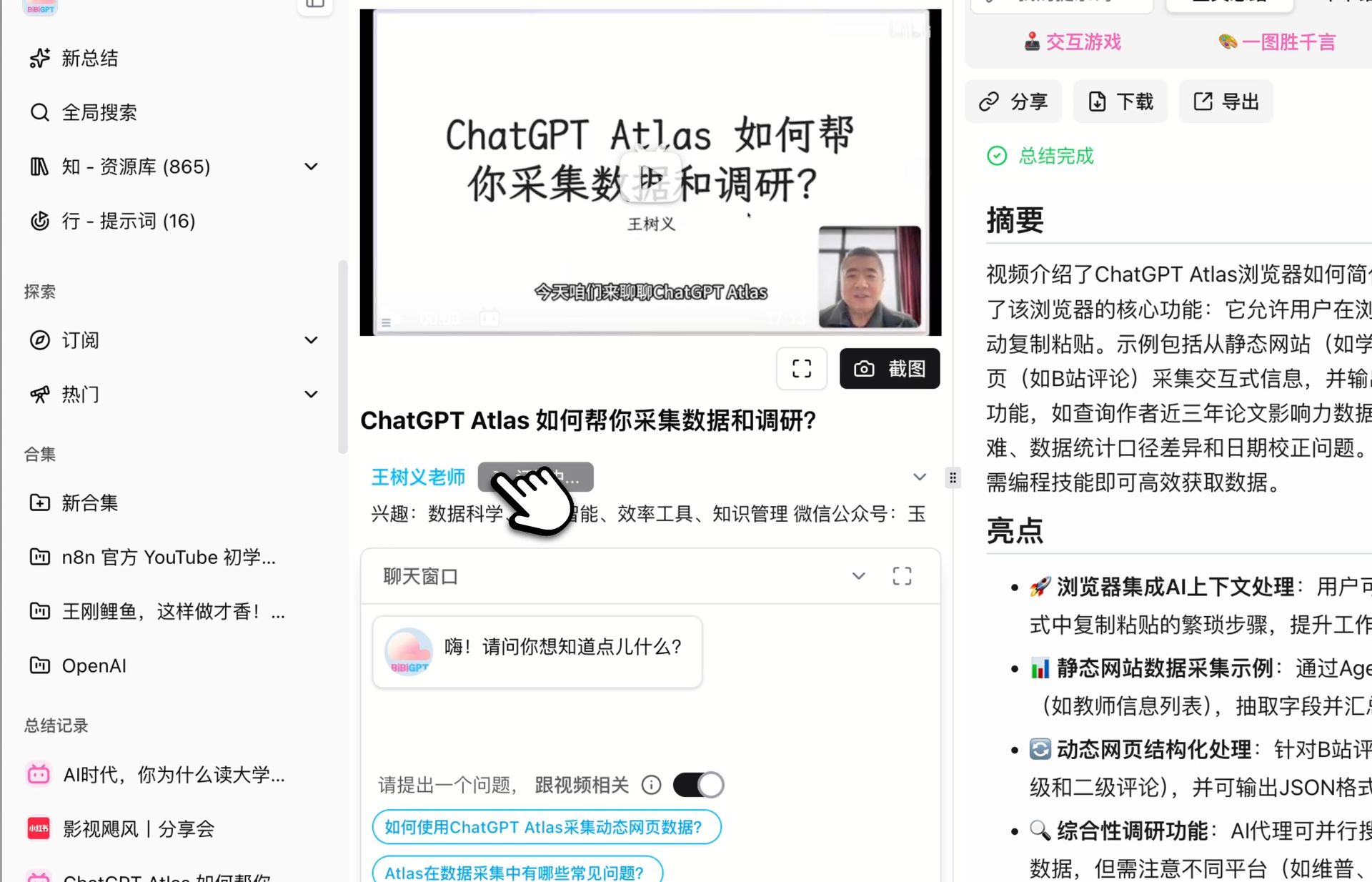 BibiGPT channel subscription feature
Add videos from a series into a BibiGPT collection, then ask cross-video questions:
- "How does the concept in episode 3 connect to what's explained in episode 8?"
- "What are the three foundational ideas that everything else in this course builds on?"
This elevates learning from "processing individual videos" to "building a systematic knowledge architecture."
For Developers: bibigpt-skill Automates Video Learning
In 2026, BibiGPT launched bibigpt-skill — an Agent-native tool that gives AI Agents the ability to "watch" videos. Developers and automation enthusiasts can integrate YouTube video summarization into their own workflows: automatically summarize new channel uploads and push to Notion, or call bibigpt-skill in code to batch-process technical tutorials. This means the Feynman Technique's "Identify" step can be fully automated — the AI Agent pre-filters and pre-summarizes, so you focus only on deep understanding and questioning.
Case Study: Mastering MIT 6.042J Discrete Mathematics
MIT OpenCourseWare publishes the full 25-lecture discrete math course on YouTube (50 min/lecture). Using BibiGPT + Feynman Technique:
Single lecture workflow:
- Paste lecture link → Get structured summary with all key terms
- Switch to mind map → Choose one Feynman target: "Explain graph connectivity in one sentence"
- Attempt explanation → Get stuck on "strongly connected vs. weakly connected"
- Ask BibiGPT → AI explains + timestamp jumps to exact moment in lecture
- Generate flashcards → Export to Anki
After 10 lectures: 6. Create collection of 10 lectures → Ask: "Which concepts are foundational to everything else?" 7. AI identifies: graphs, paths, induction — the three pillars of the course 8. Run a focused flashcard session on these three concepts
The result: a 25-lecture course becomes a measurable, verifiable knowledge asset. For a more complete methodology on AI-powered video note-taking, check out the AI Video Notes Study Workflow Guide.
Explore the Full Feynman × BibiGPT Series
Different platforms have different challenges. Explore the specialized workflows:
- Bilibili: Anki export + UP主 series cross-video Q&A workflow
- Podcast: 45-minute commute learning workflow with source tracing
- TED Talks: Video-to-article + speech structure extraction
- Xiaohongshu: Batch multi-link summary to turn fragments into a knowledge system
- Douyin: Replace algorithm recommendations with intentional search-driven learning
Want to compare different AI summarization tools? See the Best AI Summarizer Multi-Model Comparison.
Start your AI efficient learning journey now:
- 🌐 Official Website: https://aitodo.co
- 📱 Mobile Download: https://aitodo.co/app
- 💻 Desktop Download: https://aitodo.co/download/desktop
- ✨ Learn More Features: https://aitodo.co/features
BibiGPT Team