Adding Video to Your Second Brain: A BibiGPT × Obsidian / Notion 4-Step Workflow (2026)
Adding Video to Your Second Brain: BibiGPT × Obsidian / Notion 4-Step Workflow (2026)
Open your YouTube “Watch Later” list. Are there 80 videos sitting in “meant to watch, never started”? Refresh Apple Podcasts and you’ll find 10 episodes from subscriptions waiting on you. Scroll your Bilibili favorites and that 90-minute keynote you saved last year is still there. You won’t watch any of them — not because they’re unimportant, but because they haven’t entered a workflow you trigger daily.
Video and podcasts are the most “anti-Second Brain” content forms knowledge workers face: information density is extreme (a one-hour talk ≈ 10,000 words of transcript), but search is hard, citation is hard, reuse of knowledge fragments is hard. Text notes can bidirectionally link, video notes can’t. Screenshots can go into Notion, but screenshots themselves cannot be grepped.
This article gives the complete answer: use Tiago Forte’s CODE framework (Capture / Organize / Distill / Express) to fold video content into your Second Brain — with BibiGPT as the Capture entry, Obsidian / Notion as the Organize/Distill layer, and finally producing usable outputs. The whole flow is 4 steps, each with concrete actions.
Table of Contents
- Why video is the biggest gap in Second Brain
- Quick CODE framework refresher
- Video-ified CODE: the 4-step workflow
- BibiGPT × Obsidian / Notion integration diagram
- Common pitfalls and fixes
- FAQ
Why video is the biggest gap in Second Brain
In Building a Second Brain, Tiago Forte categorizes knowledge worker content sources into three types: text (articles, PDFs), audio/video (podcasts, videos, lectures), and conversations (meetings, chats).
According to the PKM Newsletter 2026 annual survey of 2,000+ active Second Brain practitioners, 87% say video/podcast content is their biggest gap — they can establish bidirectional links for articles, highlight PDFs, but video almost never enters their PKM system.
Why?
Practical rule: The core of Second Brain is “future you can grep past you.” Text is greppable by default. Video isn’t.
Traditional video-note failure modes:
- Watch and forget: note-taking while watching is distracting; relying on recall after = only impressions remain
- Screenshot archive: screenshots go into Notion but screenshots themselves can’t be searched
- Manual transcription: works but too slow — 2-3 hours of organizing per hour of video
- Download transcript: raw transcripts are too long and unstructured, essentially useless without further processing
AI video summarization tools solved the transcript tier — but having a transcript doesn’t mean it’s in your Second Brain. The real work happens after the transcript: distilling into atomic notes / linking to existing notes / making them resurface when future you needs them. That’s exactly what CODE is built for.
Quick CODE framework refresher
Tiago Forte’s CODE is the core Second Brain methodology — four actions:
- C - Capture: grab the fragments that strike you (not everything, only what triggered your thinking)
- O - Organize: group by “actionability” (not by topic), into PARA system — Projects / Areas / Resources / Archives
- D - Distill: progressive summarization — multiple revisits, each more selective
- E - Express: turn notes into outputs (articles, video scripts, decisions, lessons)
Where does video content stall?
| Stage | Text content | Video (traditional) | Video (BibiGPT workflow) |
|---|---|---|---|
| Capture | Copy-paste or Readwise | Screenshot / handwrite | URL paste → AI auto-generates structured points |
| Organize | Tags / folders | Almost never archived | Export MD into PARA classification |
| Distill | Highlight / bold | Need to rewatch to re-condense | AI Q&A + your own rewrite |
| Express | Copy fragments into draft | Embed screenshots with text captions | Notes + timestamp links into articles/scripts |
Now into the practical workflow.
Video-ified CODE: the 4-step workflow
Step 1 — Capture: turn video into a structured note draft with BibiGPT
Open BibiGPT, paste a YouTube / Bilibili / podcast / TikTok video link (or upload local audio/video file), wait a few minutes, and you’ll get a structured output:
- Chapter-segmented summary: long videos auto-split by theme
- Key timestamps: every point gets a clickable timestamp
- Thought questions: AI-generated “what question is this video answering”
- Term explanations: unfamiliar concepts auto-expanded
This output is not the same as a Permanent Note in Second Brain — it’s “raw material.” This is what Capture produces: from a 60-minute video, extract 5-10 core points + timestamp anchors.
Practical rule: The core wisdom of Capture is “grab only what struck you, not everything.” BibiGPT giving you 8 chapter summaries doesn’t mean you keep all 8 — pick 2-3 you genuinely want to think more about, take those forward.
Step 2 — Organize: export Markdown, file by PARA into Obsidian / Notion
BibiGPT one-click-exports Markdown (with source video link, timestamps, all screenshots), syncing to your Obsidian / Notion library. Tiago Forte’s PARA system recommends placing it into:
- Projects (30-day output goals): if this video serves a specific project (preparing a talk, writing an article), file into the corresponding Project folder
- Areas (ongoing responsibility domains): if related to a domain you maintain long-term (product design, AI engineering, fitness), file into the corresponding Area
- Resources (interest + reference): if it’s just “interesting + might be useful,” file into Resources
- Archives (completed / inactive): rarely populated proactively — it’s the “retirement” zone for the other three
Decision filter: Ask one question — “Will I open this video note within 30 days?” Yes → Projects; no but I’ll come back to it → Areas / Resources; neither → don’t Capture.
Filename suggestion: <date>-<core-point>-<source>.md. Example: 2026-05-20-second-brain-video-knowledge-tiago-forte.md. Future fuzzy-search by date / topic / source all work.
Step 3 — Distill: progressive summarization + AI Q&A
This is where most people’s video-note workflow dies — they treat “I have the transcript” as task-complete, then months later realize the note is still unusable.
Progressive Summarization is Tiago’s concrete action for Distill:
- First revisit (within 24 hours): bold the most important 30% of paragraphs
- Second revisit (one week later): within the bolded text, highlight the most critical 30%
- Third revisit (one month later): in the highlighted parts, write your own one-line summary (Permanent Note)
Each revisit is more selective — this turns transcript into something where future you can “see the core at a glance.” BibiGPT adds one layer here:
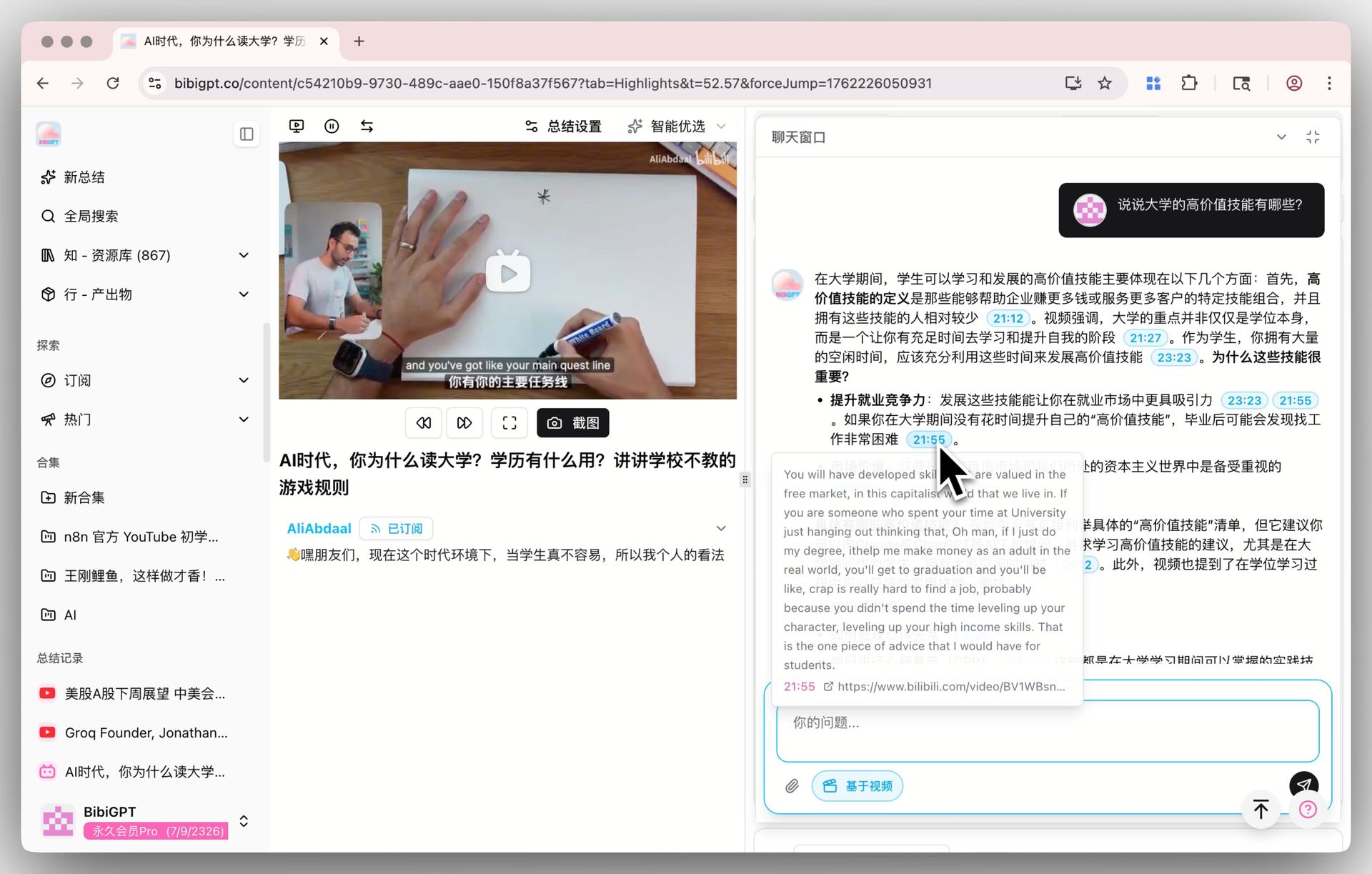
- Use AI Q&A to accelerate Distill: open BibiGPT’s video chat with source tracing and ask “what are the 3 most important insights in this video?” AI gives a timestamped answer you copy straight into your Permanent Note area.
- Cross-video Q&A: if you’ve already saved 10 same-topic videos into a BibiGPT collection, use collection AI chat to ask “where do these 10 creators disagree about X?” — this is Second Brain’s strongest capability: cross-note synthesis.

Step 4 — Express: turn video notes into outputs
The endpoint of Second Brain is not “I have 500 notes” — it’s “these 500 notes produce 1 article / 1 decision / 1 talk per week.” Express paths for video notes:
- Writing articles: grep 3-5 related video notes from an Area folder, use BibiGPT video-to-article to turn one video into an image-text draft, synthesize with your own notes into the final article.
- Talk scripts: stitch the Permanent Notes of 5-10 related video notes — that’s a “expert-opinion synthesis + your judgment” talk draft.
- Decision evidence: when facing a decision, search “all videos I’ve watched discussing X in the past 6 months” — AI hands you a viewpoint-distribution table.
- Teaching material: bundle notes + original video timestamps as Markdown; every point links back to the source video with a few-second preview — directly usable by students.
Practical rule: Express is Second Brain’s “asset-ization output.” If you only Capture but never Express, six months later you won’t open any video note — they’re no different from your 200 “want to watch” YouTube bookmarks.
BibiGPT × Obsidian / Notion integration diagram
Here is a minimal viable integration:
[Video / Podcast / Keynote]
         ↓
    [BibiGPT]                       ← Step 1: Capture
  - Chapter summaries
  - Timestamps
  - AI Q&A
         ↓ Export Markdown
[Obsidian / Notion]                 ← Step 2: Organize (PARA)
  - 0-Inbox (process within 24h)
  - 1-Projects / 2-Areas / 3-Resources / 4-Archives
         ↓ Progressive summarization (3 rounds)
   [Permanent Notes]                ← Step 3: Distill
  - Your own one-line summary
  - Bidirectional links to related notes
         ↓
   [Article / Talk / Decision]      ← Step 4: Express
Recommended Obsidian plugins:
- Dataview: filter PARA video notes by tag/time/project
- Templater: auto-apply “video note” template (with BibiGPT URL, original video link, timestamp format)
- Excalidraw: draw cross-video synthesis as a knowledge map
Notion workflow recommendation:
- Use Database over folders to organize notes, add PARA Status property
- Use Synced Blocks so a “golden quote” appears in both Project and Permanent Notes
- Use Notion AI’s “Ask AI” for cross-note synthesis (complements BibiGPT collection AI chat)
Common pitfalls and fixes
Pitfall 1: Over-Capture — store every BibiGPT output into Obsidian. Result: 6 months later your library bloats to 2,000 MDs; search becomes noise. Fix: only store videos that pass the “Step 2 decision filter” (open within 30 days / long-term area relevant / interest + possible future use).
Pitfall 2: Never revisit after export. This is the 80% failure cause. Fix: schedule a “Weekly Review” fixed action in Obsidian / Notion (suggested Sunday 30 min) — file this week’s Inbox notes into PARA + complete the first round of Progressive Summarization.
Pitfall 3: Drop video timestamps. Result: future citation can’t locate the original context. Fix: BibiGPT exports preserve all timestamps; in Markdown write them as [03:45](original-video-url?t=225s) — one click jumps back to the original clip.
Pitfall 4: Don’t translate cross-language video before saving. Result: months later your English podcast notes are only in English summary, memory fades on revisit. Fix: BibiGPT auto-translate on upload — store English + your native language side-by-side, future grep works either way.
Practical rule: The biggest enemy of Second Brain is not “content quality” — it’s “future you cannot find past you.” All workflow design fights this enemy.
FAQ
Can I run this workflow without Obsidian / Notion?
Yes, but at reduced effect. BibiGPT-side Capture + Distill is already useful — you can search all processed videos inside BibiGPT, use collections for cross-video Q&A, archive by date. You’ll only miss two capabilities: PARA systematic classification + bidirectional links. Lightweight personal users may not need these; heavy PKM users should integrate Obsidian / Notion.
I watch 50+ videos per week — is there time for this full workflow?
Absolutely don’t try that. Second Brain’s core is strict filtering. Of 50 videos, only 5-8 likely deserve Capture — watch the rest and move on. BibiGPT helps with “watch-to-filter” — paste a link, scan the chapter summary, decide whether it enters PARA.
Should Obsidian video notes embed the video?
No. Obsidian rendering video consumes a lot of memory and most video sources (except YouTube embed) aren’t supported. Recommended: “text summary + timestamp link + 1-3 screenshots.” When you need the original, click the link to BibiGPT or the video source.
Can Notion AI replace BibiGPT?
No. Notion AI doesn’t process video directly — it only summarizes text you’ve pasted. You’d still need BibiGPT first to turn video into structured text, then paste into Notion for Notion AI. Practical: BibiGPT handles “Capture + initial Distill”; Notion AI handles “cross-note Express.” Roles are complementary.
Has Tiago Forte personally recommended BibiGPT?
Not formally. This article extends CODE for video, embedding BibiGPT into the concrete actions of Capture and Distill stages. Tiago himself in a 2025 interview said “video content remains the weakest input type for Second Brain” — which is precisely what this workflow addresses.
How does this differ from Zettelkasten × AI video notes?
Second Brain and Zettelkasten are two PKM philosophies — Second Brain emphasizes “organize by actionability” + “progressive summarization”; Zettelkasten emphasizes “atomic cards” + “bidirectional links into a network.” You can apply both to video notes: Second Brain decides “should I Capture this video”; Zettelkasten decides “after Capture, how do notes weave into a network.” They complement rather than conflict.
7. Next step: build your video-Second Brain this week
Don’t wait until you’ve “researched everything” to start — Second Brain’s core wisdom is learn by doing. This week, do one small thing:
Pick 1 video you really want to digest carefully (preferably 30+ minutes), run the full 4-step flow with BibiGPT, save the result into a new folder “Second Brain - Videos” in Obsidian / Notion. A week later, look back and ask “can I grep this note?” “can I explain the core in 1 minute?”
Do this 4 weeks running (4 videos), and you’ll naturally develop video-note muscle memory of your own. Then consider expanding to the full PARA system.
Startup cost: 15-20 minutes per video (BibiGPT processing + PARA filing + first round Distill); the return is the video being greppable for you at any future moment.
If you haven’t tried BibiGPT, try it free and start from Step 1 Capture.