
AI Video Learning Methodology: BibiGPT + Spaced Repetition & Feynman Technique — Stop Forgetting What You Watch (2026 Guide)

In 2026, video has become the world’s primary gateway to knowledge — YouTube has over 2.7 billion monthly active users, Bilibili’s educational content grew 42% year-over-year, and podcast monthly listeners exceeded 500 million globally. Yet most people face the same problem: they forget everything they watch. Research shows that passive video watching yields only a 5-10% knowledge retention rate (Source: National Training Laboratories Learning Pyramid).
The solution: Combine four cognitive science methods (spaced repetition, active recall, Feynman technique, Cornell notes) with BibiGPT’s AI video summarizer toolkit — AI summary, chapter segmentation, highlight notes, flashcards, Anki export, and collection summaries — to transform passive watching into an active knowledge retention loop that pushes retention rates from 5% to over 80%.
Table of Contents
- Why Is Video Learning So Inefficient? What Cognitive Science Reveals
- Four Science-Backed Learning Methods: From “Watch and Forget” to Lasting Memory
- How BibiGPT Implements These Methods in Video Learning
- Step-by-Step Tutorial: 5 Steps to Master an Online Course with BibiGPT
- BibiGPT vs NotebookLM vs NoteGPT: AI Video Learning Tool Comparison
- Frequently Asked Questions (FAQ)
Why Is Video Learning So Inefficient? What Cognitive Science Reveals
Quick answer: Passive video watching yields only 5-10% knowledge retention because the brain stays in reception mode without activating deep encoding mechanisms, causing working memory to overload.
The Learning Pyramid: The Massive Gap Between Passive and Active
The Learning Pyramid model from the National Training Laboratories reveals a stark reality:
- Passive listening/watching videos: Average retention rate of only 5-10%
- Reading text materials: Retention rate around 10-20%
- Discussion/active practice: Retention jumps to 50-75%
- Teaching others/immediate application: Retention reaches 80-90%
This means that if you spend 2 hours watching a YouTube tutorial, you might remember less than 10% of it a week later. Those “Watch Later” videos in your playlist? The re-watch rate is under 10% — this is not a personal failing, it is how the brain works.
Cognitive Load Theory: Why Video Overloads Your Brain
Cognitive psychologist John Sweller’s (1988) Cognitive Load Theory explains why video learning is particularly inefficient:
- Uncontrollable information flow: Video pushes information at a fixed rate, unlike text where you can freely pause and reread
- Multi-channel overload: Visuals, audio, and subtitles flood in simultaneously, overwhelming working memory (capacity: only 4-7 chunks)
- No active processing: While watching, the brain stays in “receive mode” without being forced to retrieve, organize, or output
Short-form video presents an even more insidious problem — each 30-second to 3-minute clip creates an illusion of learning, but without deep processing, these knowledge fragments rarely form long-term memories.
Key insight: The problem is not video itself, but the lack of a systematic method to convert “passive input” into “active output.” The four science-backed methods below solve exactly this.
Four Science-Backed Learning Methods: From “Watch and Forget” to Lasting Memory
Quick answer: Spaced repetition, active recall, the Feynman technique, and Cornell notes — these four cognitive science-validated methods all point to one principle: transforming passive input into active output is the only path to lasting memory.
Spaced Repetition: Defeating the Ebbinghaus Forgetting Curve
German psychologist Hermann Ebbinghaus (1885) discovered that newly learned information suffers up to 70% forgetting within 24 hours. But reviewing at specific intervals — day 1, day 3, day 7, day 14 — significantly slows the forgetting rate each time, ultimately consolidating information into long-term memory.
Core mechanism: Each review at the point of near-forgetting increases the brain’s “importance rating” for that information and strengthens synaptic connections. This is the science behind tools like Anki and SuperMemo.
Research in cognitive science shows that systematic spaced repetition can raise long-term memory retention to over 80% (Source: Pimsleur, 1967; Cepeda et al., 2006, Psychological Bulletin).
Active Recall: The Most Powerful Memory Encoding Strategy
The core of active recall is: instead of re-reading notes, actively retrieving information from memory without looking at the material. A 2011 study published in Science (Karpicke & Blunt) confirmed that active recall outperforms repeated reading by 50-70%.
Why it works: The process of actively retrieving information activates deep encoding pathways in the hippocampus. Each successful recall strengthens the memory trace. Failed recalls also signal the brain to allocate more resources to encoding that information next time.
The practice is simple: after watching a video segment, close your notes or cover the screen, and try answering “What were the core points of this section?”
Feynman Technique: Learn by Teaching
Nobel Prize-winning physicist Richard Feynman’s learning method follows a four-step cycle:
- Choose a concept: Identify the knowledge point to learn
- Explain in simple language: Pretend you are teaching someone with zero background
- Identify gaps: Return to source material to fill understanding gaps
- Simplify and use analogies: Re-express using the most accessible metaphors
The Feynman technique’s essence is using “output” to force “understanding.” You think you understand, but when you try to explain it clearly to someone else, you discover the gaps. This is why “teaching others” reaches 90% retention in the Learning Pyramid.
For a deeper dive into applying the Feynman technique to video learning, read our Feynman Technique + Active Recall: 4-Step Video Learning Guide.
Cornell Notes: Structured Information Extraction
Cornell University Professor Walter Pauk developed this note-taking system in the 1950s, dividing the page into three zones:
- Notes column (right 2/3): Record core content points
- Cue column (left 1/3): Distill keywords and questions
- Summary section (bottom): Summarize the page in your own words
This structure forces learners to filter and organize information while recording, rather than mindlessly copying. The cue column’s keywords and questions naturally support subsequent active recall practice.
Synergy of all four methods: Cornell notes help you extract structured information → Feynman technique tests your understanding depth → Active recall strengthens memory encoding → Spaced repetition fights the forgetting curve. Combined, these four methods form a complete learning system from “input” to “internalization.”
How BibiGPT Implements These Methods in Video Learning
Quick answer: BibiGPT automates all four cognitive science methods through smart deep summary, AI highlight notes, flashcards with Anki export, and collection summaries — users complete the entire learning loop without manually executing complex workflows.
The traditional problem: you know spaced repetition works, but who has time to manually turn every video into Anki cards? You know the Feynman technique is effective, but after a 2-hour course, where do you even start “teaching someone else”?
BibiGPT’s AI toolkit essentially reduces the “execution cost” of these methodologies to near zero.
Smart Deep Summary → Cornell Notes
BibiGPT’s Smart Deep Summary feature generates a structured report with four modules in one click:
- Core summary: Corresponds to Cornell’s “summary section” — a concise overview
- Key highlights: Corresponds to the “notes column” — core arguments and data
- Thought-provoking Q&A: Corresponds to the “cue column” — auto-generated deep questions
- Terminology explanations: Reduces cognitive load by clarifying jargon

No more manually creating three-column notes while watching — AI completes the core Cornell note-taking work in 30 seconds. The auto-generated Q&A also directly prepares materials for subsequent active recall.
AI Highlight Notes → Active Recall
The AI Highlight Notes feature automatically analyzes videos, intelligently extracts core viewpoint segments, categorizes them by topic, and marks precise timestamps.
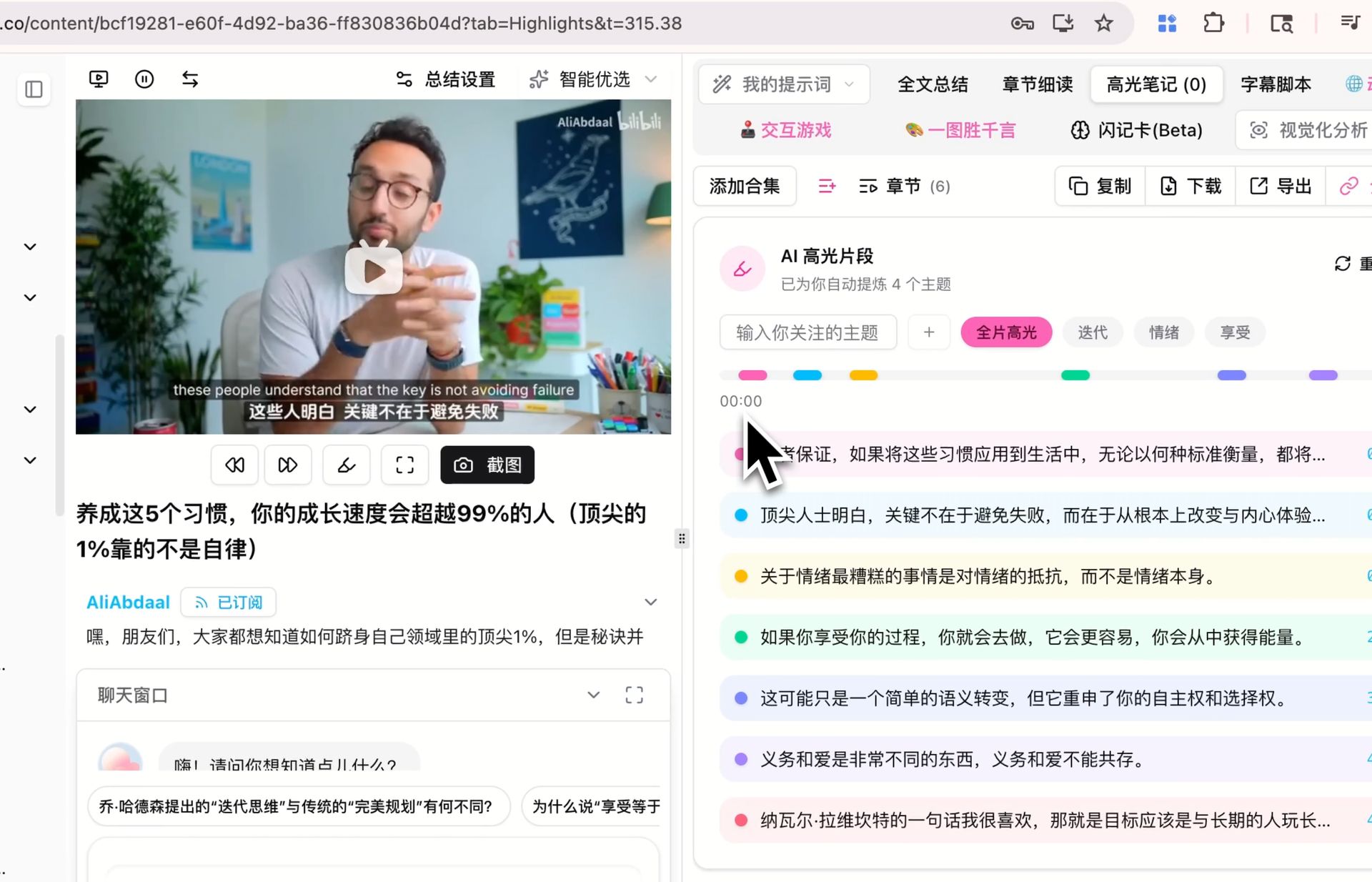
This feature supports active recall practice:
- After AI extracts and categorizes key viewpoints, cover the detailed content and look only at topic headings
- Try to recall the core points under each topic (active recall)
- Click to expand and compare your recall against AI-extracted content
- Found gaps? Click the timestamp to jump back to the exact video moment
Highlight notes also support one-click export to Notion, Readwise, Obsidian, and more, enabling you to practice active recall during daily reviews.
Flashcards + Anki Export → Spaced Repetition
The Flashcard feature is BibiGPT’s core tool for implementing spaced repetition. It automatically generates Q&A cards from video content:
- Front shows the question; click or press a hotkey to flip and reveal the answer
- Each card is tagged with difficulty level and core concepts
- Supports regeneration for multiple review rounds
The critical feature is one-click CSV export, directly importable into Anki and other spaced repetition software. This means every video you study automatically adds a batch of Anki cards to your spaced repetition system.
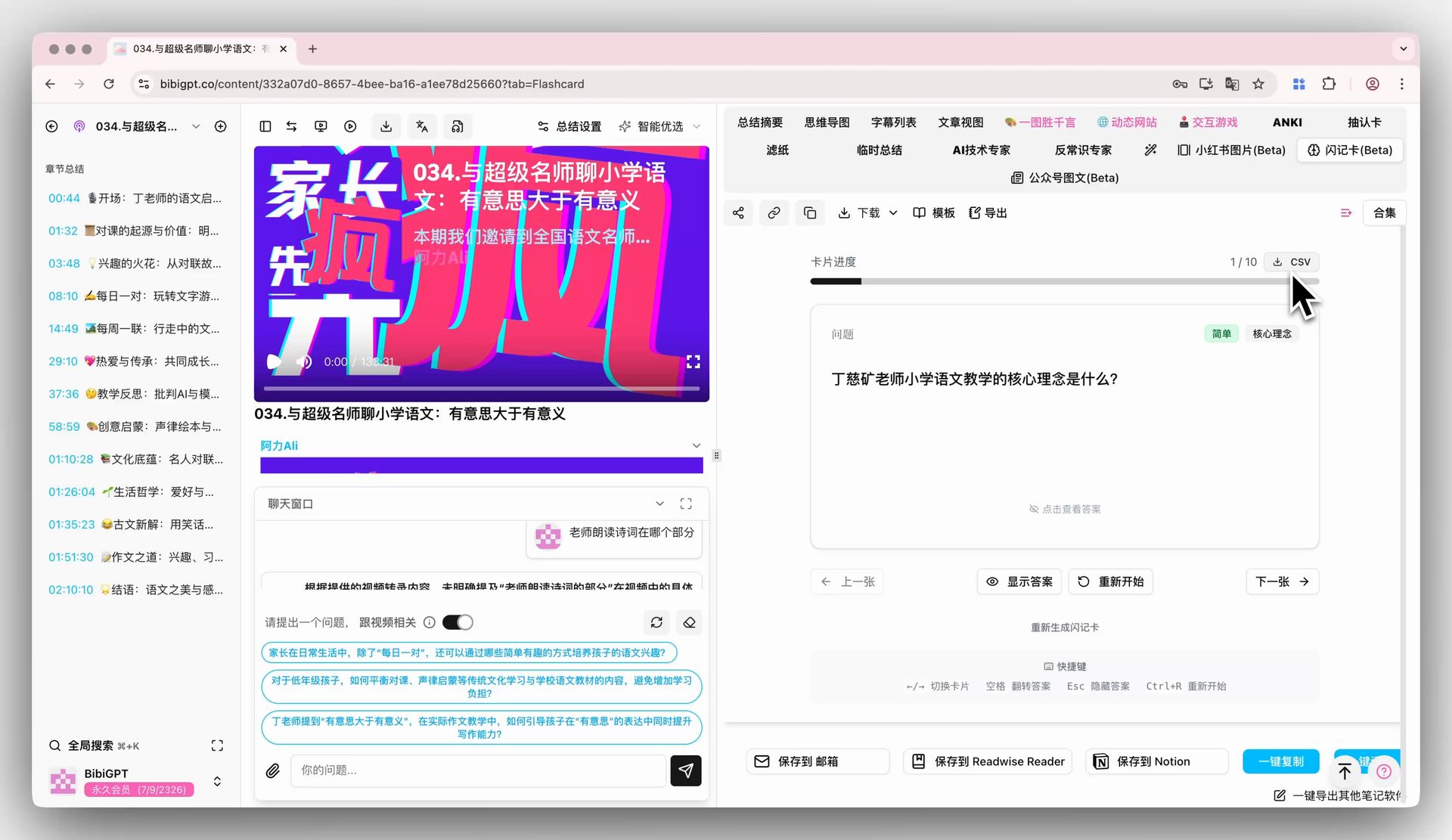
If you use Anki, check out our BibiGPT + Anki Video Learning Memory Workflow for the complete setup guide.
Collection Summary → Feynman Technique
When studying an online course (e.g., 10 lectures), individual video summaries only give you a partial view. The Collection Summary feature generates a comprehensive overview and detailed mind map based on all videos in a collection.
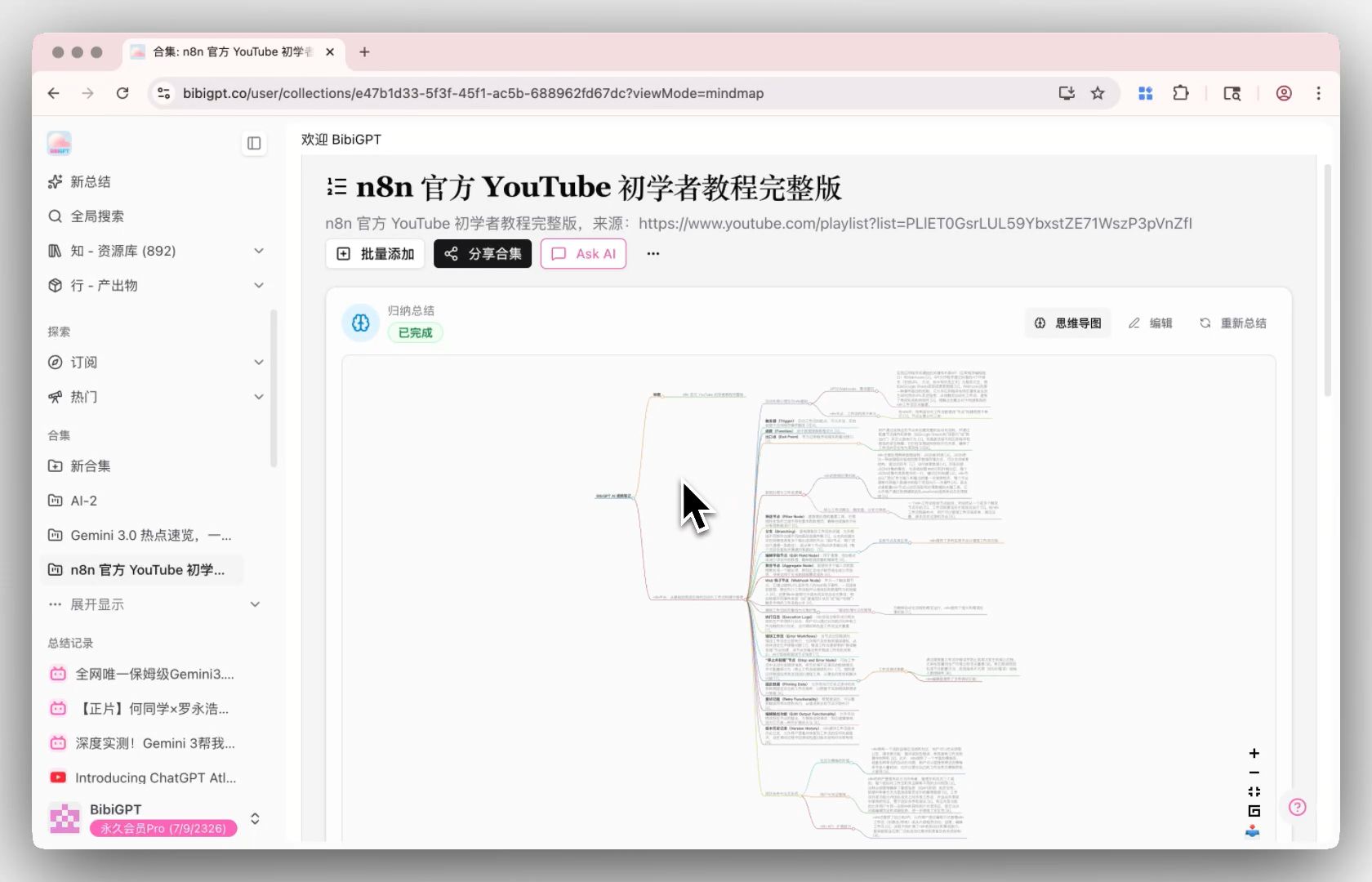
This feature supports the Feynman technique’s verification step:
- First, summarize the entire course’s knowledge system in your own words (Feynman step 2)
- Open the collection summary and mind map to compare against the AI’s overview
- Identify gaps or misunderstandings (Feynman step 3)
- Click citations to trace back to original video positions for targeted review
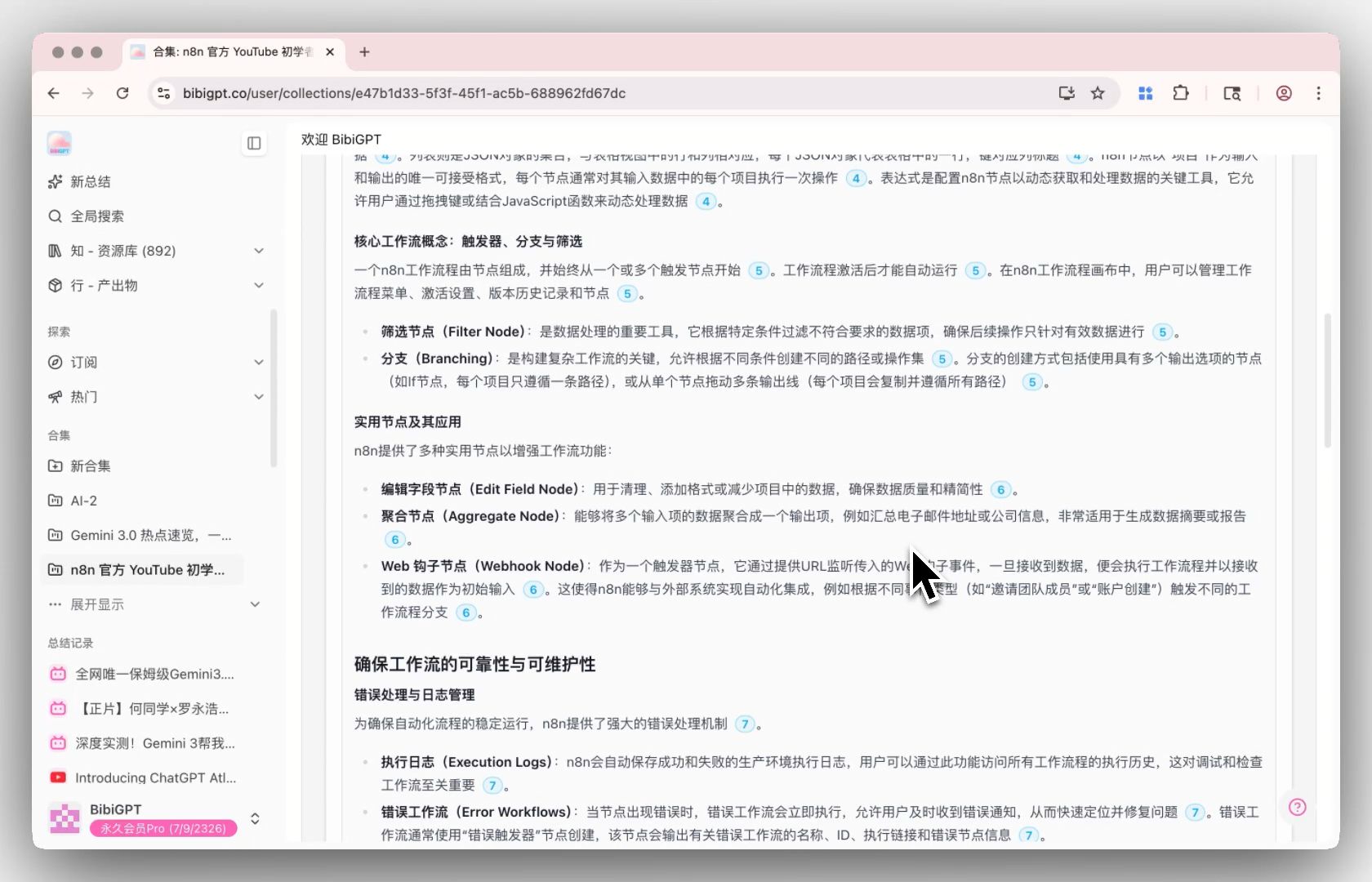
When you can explain every node on that mind map in your own words, you have truly mastered the course.
Step-by-Step Tutorial: 5 Steps to Master an Online Course with BibiGPT
Quick answer: Through paste link → deep summary → highlight notes → flashcards → collection summary, complete the full loop from passive watching to active knowledge retention in 5 steps.
Here is the complete workflow for efficiently learning an online course with BibiGPT (using YouTube or Bilibili courses as examples):
Step 1: Paste the Course Link and Generate a Smart Deep Summary
Open BibiGPT and paste the first lecture’s video link into the input box. The system automatically generates a structured deep summary with core overview, highlights, thought-provoking Q&A, and terminology explanations.
Time investment: 30 seconds (AI processing) + 5 minutes (reading the summary) Method applied: Cornell Notes — automated information structuring
Step 2: Review AI Highlight Notes and Mark Unclear Sections
Switch to the “Highlight Notes” tab to browse AI-categorized core viewpoints by topic. For difficult sections, click timestamps to jump to the original video.
Time investment: 5-10 minutes Method applied: Active Recall — look at headings first, recall content, then expand to compare
Step 3: Use Chapter Deep Reading for In-Depth Digestion
Switch to the Chapter Deep Reading tab, which integrates chapter summaries, AI-polished rewrites, and detailed subtitles. Click subtitles for precise video timestamp jumps, with auto-highlighting and scrolling during playback for an immersive deep reading experience.

Time investment: 10-15 minutes Method applied: Deep processing phase of Cornell Notes
Step 4: Generate Flashcards, Export to Anki, Start Spaced Repetition
Click the “Flashcard” tab — AI automatically generates Q&A cards for this lecture. After one round of self-testing in BibiGPT, click “Export CSV” and import into Anki desktop or AnkiDroid mobile.
Time investment: 5 minutes (generation + self-test) + 5-10 minutes daily (Anki reviews) Method applied: Spaced Repetition — Anki’s algorithm automatically schedules optimal review times
Step 5: Add All Lectures to a Collection and Generate Collection Summary
Add all course videos to a collection. After completing the full course, click “Summarize Now” at the top of the collection page to generate a comprehensive overview and mind map.
Time investment: 10 minutes (reading + comparing against your own understanding) Method applied: Feynman Technique — verify understanding depth from a global perspective
Total time investment: About 25-35 minutes of active learning per video (compared to passively watching 1-2 hours and retaining nothing, this is a worthwhile investment).
For a more systematic learning framework, check out our 5-Step AI Video Learning System Guide.
BibiGPT vs NotebookLM vs NoteGPT: AI Video Learning Tool Comparison
Quick answer: NotebookLM excels at multi-document conversation but lacks spaced repetition integration, NoteGPT is a lightweight summarizer with limited depth, and BibiGPT is the only tool that systematically integrates all four learning methodologies into the video learning workflow.
| Feature | BibiGPT | NotebookLM | NoteGPT |
|---|---|---|---|
| Video platforms | YouTube, Bilibili, Douyin, Podcasts, TED, Xiaohongshu, 20+ platforms | YouTube (limited) | YouTube, Bilibili |
| AI video summary | Smart deep summary (overview + highlights + Q&A + terminology) | Document Q&A-style summary | Basic summary |
| Flashcards/Spaced repetition | Auto-generated flashcards + one-click Anki CSV export | Not supported | Not supported |
| Highlight notes | AI auto-extraction + topic categorization + timestamps + export | Not supported | Basic highlighting |
| Collection/Course summary | Multi-video collection overview + mind map + citation tracing | Multi-document notebook chat | Not supported |
| Chapter deep reading | Chapter summaries + subtitle navigation + auto-highlighting | Not supported | Not supported |
| Note export | Notion, Obsidian, Readwise, Cubox, Markdown, PDF | Google Docs | Markdown |
| Podcast/Audio support | Podcast transcription + AI summary + flashcards | Audio upload chat | Not supported |
| Desktop/Mobile | Web + Desktop (Mac/Win) + Mobile (iOS/Android) | Web | Web + Extension |
NotebookLM: Strengths and Limitations
NotebookLM excels at multi-document cross-referencing and Q&A, making it ideal for academic research. However, its video content support is limited (primarily relying on YouTube transcripts), and it lacks flashcards, highlight notes, spaced repetition, and other learning methodology-focused modules. For a complete video learning system rather than a document conversation tool, NotebookLM falls short.
NoteGPT: Strengths and Limitations
NoteGPT offers lightweight AI video summarization, suitable for quickly getting video overviews. But its summary depth is limited (no thought-provoking Q&A or terminology explanations), it does not support spaced repetition or collection-level course summaries, and its support for systematic video learning is weak. For more NoteGPT alternatives, see our Best NoteGPT Alternatives Comparison.
Recommendation
- Academic research/Multi-document analysis → NotebookLM
- Quick video summaries → NoteGPT or BibiGPT
- Systematic video learning (methodology + tools) → BibiGPT
- Podcast/Audio learning → BibiGPT (supports AI podcast summarization)
Frequently Asked Questions (FAQ)
Q1: How long do I need to use spaced repetition before seeing results?
A: Research shows that after 2-3 weeks of consistent spaced repetition, you will noticeably find it easier to recall reviewed material. After 3 months of sustained use, long-term memory retention typically reaches over 80%. BibiGPT’s flashcard + Anki export workflow lets you start with zero friction — just 5-10 minutes of daily Anki reviews.
Q2: What tools can BibiGPT flashcards be exported to?
A: BibiGPT flashcards support one-click CSV export, directly importable into Anki (desktop and AnkiDroid), Quizlet, SuperMemo, and other mainstream spaced repetition tools. The CSV format is universal and supported by virtually all flashcard applications.
Q3: Does this methodology work for short-form videos?
A: Yes, but with adjusted strategy. Short videos (e.g., TikTok educational content, YouTube Shorts) contain limited information per clip. We recommend adding multiple short videos on the same topic to a collection, then using collection summaries for an overall knowledge framework. BibiGPT supports AI summarization across short-form platforms, seamlessly fitting this workflow.
Q4: Can I use BibiGPT for video learning without paying?
A: BibiGPT offers free credits for basic video summarization. Advanced learning features — flashcards with Anki export, AI highlight notes, and collection summaries — require a Pro membership. For serious learners, the monthly subscription costs far less than a single online course but helps you actually retain what you learn.
Conclusion: From Passive Watching to Active Knowledge Retention
The core problem with video learning has never been finding great content — it is retaining what you watch.
The methodology loop outlined in this article — Cornell Notes (structured extraction) → Active Recall (deep encoding) → Spaced Repetition (fighting forgetting) → Feynman Technique (verifying understanding) — has been repeatedly validated by cognitive science. BibiGPT automates every step of this loop for video learning, so you can transform every video you watch into knowledge that truly belongs to you, without investing massive extra time and effort.
If you are learning from YouTube or Bilibili courses with BibiGPT, we recommend reading our Best YouTube Video Summarizer 2026 Review and Bilibili Feynman Learning Guide for platform-specific learning tips.
Start your AI efficient learning journey now:
- 🌐 Official Website: https://bibigpt.co/en/desktop?utm_source=growth-pages&utm_medium=blog-inline-cta&utm_campaign=ai-video-learning-methodology-bibigpt-spaced-repetition-2026
- 📱 Mobile Download: https://aitodo.co/app
- 💻 Desktop Download: https://aitodo.co/download/desktop
- ✨ Learn More Features: https://aitodo.co/features
BibiGPT Team
Popular tools
More in this series
- How to Add Subtitles and Summarize English MOOC Courses: A Coursera / edX / Udemy Speed Guide for Students (2026)
- AI Study Board: Extract Online Course Slides & Build Your AI Enhanced Study Dashboard
- How AI Helps Students Learn from Online Lectures and Course Videos (2026 Complete Guide)
- AI Lecture Video Summarizer for Students: Watch a Whole Semester in a Week (2026 Guide)
- Best AI Podcast Study Tools 2026: YouLearn vs NotebookLM vs BibiGPT for Turning Lectures into Audio